Storybook: @storybook/addon-docs [Angular] - Silently failing
I have a pretty simple Angular app that defines some components and has a Storybook for them. wanted to add addon-docs, and followed these instructions.
I ran into some installation snags (see below), but once those were resolved, the Storybook built without warning/error, but also without any Docs tab for my components.
At first, I ran into this error trying to run the storybook command (it still built):
info => Loading presets
WARN   Failed to load preset: "<dir>/node_modules/@storybook/addon-docs/preset.js" on level 1
ERR! Error: <dir>/node_modules/@storybook/addon-docs/preset.js is not a valid preset
After looking at this issue, I changed addons: ['@storybook/addon-docs'] in my .storybook/main.js file to addons: ['@storybook/addon-docs/angular'], and that fixed the build error.
My stories are set up approximately as the documentation suggests, eg:
import { ButtonsComponent } from '../../app/buttons/buttons.component';

export default {
  title: 'Buttons',
  component: ButtonsComponent,
};

export const Dark = () => ({
  component: ButtonsComponent,
  props: {
    class: 'button--dark',
    linkUrl: 'http://www.google.com',
  },
});

// ...
After the above config fix, the build appears to work correctly (without warning/error), and creates a documentation.json file that looks complete and references some of my components.
For example, I see this in it:
            "src/stories/Components/7-Buttons.stories.ts": [
                {
                    "name": "Dark",
                    "ctype": "miscellaneous",
                    "subtype": "variable",
                    "file": "src/stories/Components/7-Buttons.stories.ts",
                    "type": "",
                    "defaultValue": "() => ({\n  component: ButtonsComponent,\n  props: {\n    class: 'button--dark',\n    linkUrl: 'http://www.google.com',\n  },\n})"
                },
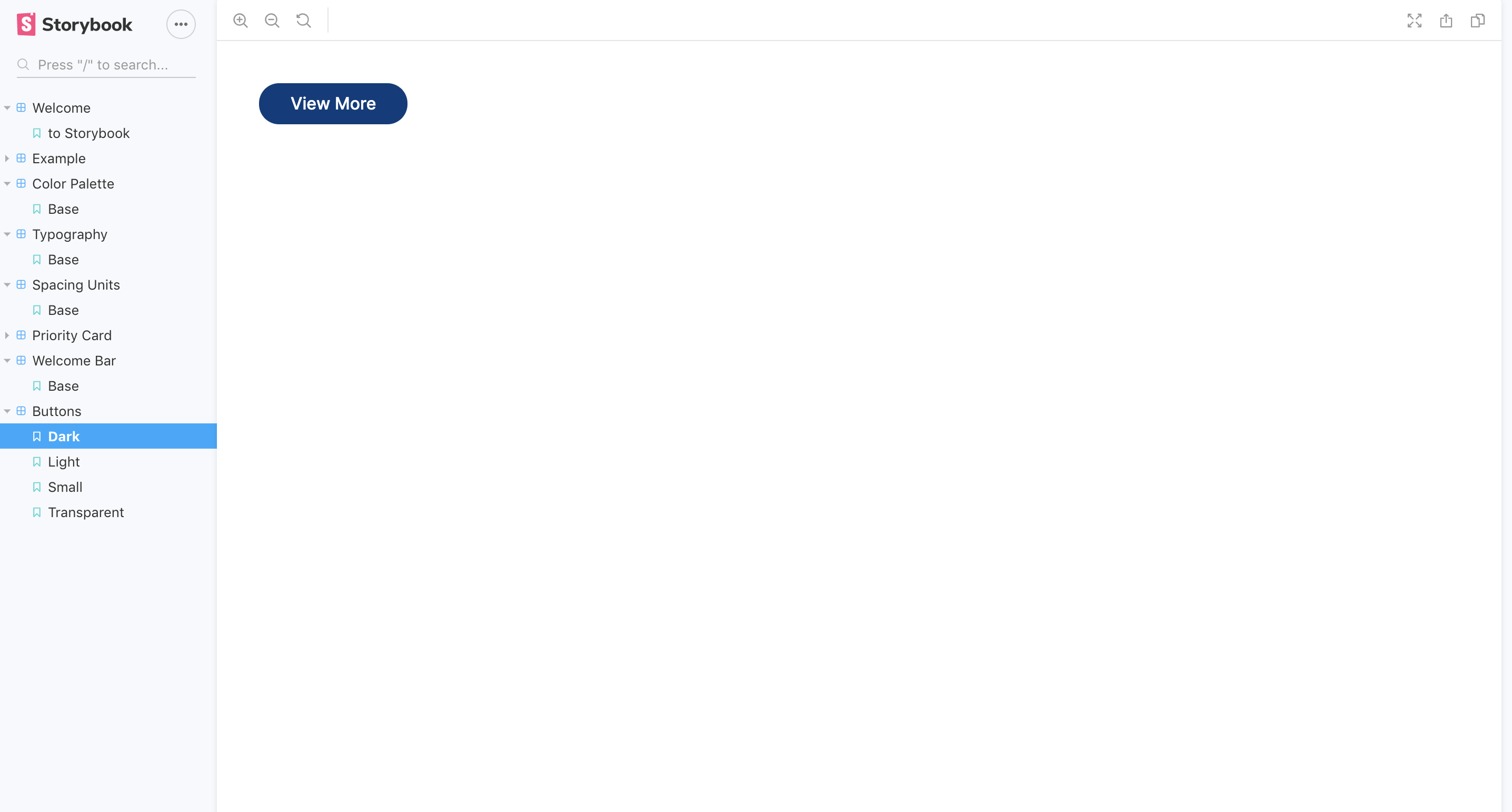
But when I run the Storybook, I see no Docs tab. It's just the plain Story.
Environment info:
  System:
    OS: macOS Mojave 10.14.6
    CPU: (8) x64 Intel(R) Core(TM) i7-8559U CPU @ 2.70GHz
  Binaries:
    Node: 10.19.0 - ~/.nvm/versions/node/v10.19.0/bin/node
    Yarn: 1.22.4 - ~/.nvm/versions/node/v10.19.0/bin/yarn
    npm: 6.14.4 - ~/.nvm/versions/node/v10.19.0/bin/npm
  Browsers:
    Chrome: 81.0.4044.122
    Firefox: 75.0
    Safari: 13.1
  npmPackages:
    @storybook/addon-actions: ^5.3.18 => 5.3.18
    @storybook/addon-docs: ^6.0.0-alpha.45 => 6.0.0-alpha.45
    @storybook/addon-links: ^5.3.18 => 5.3.18
    @storybook/addon-notes: ^5.3.18 => 5.3.18
    @storybook/addons: ^5.3.18 => 5.3.18
    @storybook/angular: ^5.3.18 => 5.3.18
Note, to simplify this, I'm not currently using the other addons above.
 sashafklein
All 11 comments
@sashafklein all @storybook/* should be the same version number. try upgrading everything to 6.0.0-alpha.45 or downgrading addon-docs. be sure to clear out node_modules when you do. and if that still doesn't work, try regenerating lockfiles
 shilman
on 29 Apr 2020
shilman
on 29 Apr 2020
Thanks.
I removed the unused addons and then tried both lowering all the versions to ^5.3.18 and then bumping them all to 6.0.0-alpha.45 and restarting (rm -rf node_modules and yarn install && yarn storybook). No dice, unfortunately.
I'm on Angular 8. Does that potentially affect things? I'll try to push a reproduction repo.
sashafklein
on 29 Apr 2020
OK. Got it! The change I made to fix that first error (addons: ['@storybook/addon-docs'] to addons: ['@storybook/addon-docs/angular'] in .storybook/main.ts) was unnecessary once I got version parity, and was silently breaking the docs addon. I reverted it, and the docs tab appeared!
sashafklein
on 29 Apr 2020
got the same issue here for vuejs
Failed to load preset: "@storybook/addon-docs/vue" on level 1
ERR! Error: Cannot find module '../dist/frameworks/common/index'
 f3ltron
on 4 May 2020
f3ltron
on 4 May 2020
i have added '@storybook/addon-docs/vue' and all my @storybook/ are in "^6.0.0-beta.2"
f3ltron
on 4 May 2020
@f3ltron did you try clearing node_modules and possibly regenerating lockfile?
shilman
on 7 May 2020
Yes I tried it :$
f3ltron
on 7 May 2020
Do you have a public repo I can look at?
shilman
on 7 May 2020
Yes you can go here https://github.com/vuemontreal/vuemontreal. I rollback my pr on that but you have storybook in our project so maybe you can try a bit
f3ltron
on 7 May 2020
@f3ltron https://github.com/storybookjs/storybook/blob/next/MIGRATION.md#remove-framework-specific-docs-presets
shilman
on 7 May 2020
i created an issue https://github.com/storybookjs/storybook/issues/10724. Really hard to work with :s
f3ltron
on 11 May 2020
Related issues
 tirli
·
3Comments
tirli
·
3Comments
 wahengchang
·
3Comments
wahengchang
·
3Comments
 tlrobinson
·
3Comments
tlrobinson
·
3Comments
 oriSomething
·
3Comments
oriSomething
·
3Comments
 ZigGreen
·
3Comments
ZigGreen
·
3Comments
Most helpful comment
@sashafklein all
@storybook/*should be the same version number. try upgrading everything to6.0.0-alpha.45or downgradingaddon-docs. be sure to clear out node_modules when you do. and if that still doesn't work, try regenerating lockfiles