Describe the bug
Trying to set up the basic implementation of @storybook/addon-docs but I am getting the following page in the docs tab:
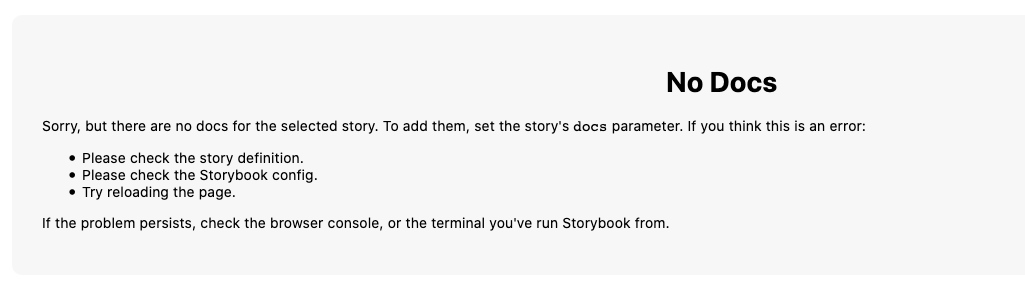
I have tried multiple different configurations but can't seem to get it to work.
My files are the following:
.storybook/main.js:
module.exports = {
  stories: ['../components/**/*.stories.(ts|tsx|mdx)'],
  addons: [
    '@storybook/addon-actions',
    '@storybook/addon-viewport',
    '@storybook/addon-knobs',
    '@storybook/addon-a11y',
    '@storybook/addon-storysource',
    '@storybook/preset-typescript',
    '@storybook/addon-docs',
  ],
};
.storybook/preview.js
import { ThemeProvider } from 'styled-components';
import { addDecorator } from '@storybook/react';
import { withA11y } from '@storybook/addon-a11y';
import { withKnobs } from '@storybook/addon-knobs';
import { GlobalStyles } from '../helpers/GlobalStylesHelper';
import { theme } from '../helpers/Theme';

const GlobalStyleAdded = (StoryFunction) => (
  <ThemeProvider theme={theme}>
    <GlobalStyles />
    <StoryFunction />
  </ThemeProvider>
);

addDecorator(GlobalStyleAdded);
addDecorator(withA11y);
addDecorator(withKnobs);
.storybook/.babelrc
{
  "presets": ["next/babel"],
  "plugins": [
    [
      "babel-plugin-styled-components",
      {
        "ssr": true,
        "displayName": true
      }
    ]
  ]
}
button.stories.tsx
import { text } from '@storybook/addon-knobs';
import React from 'react';

import { DefaultButton as Button } from '../Button';

export default {
  component: Button,
  title: 'Button',
};

export const BasicButton = () => (
  <Button buttonText={text('Button Text', 'PRIMARY BUTTON')} />
);
Button.tsx
import React from 'react';
import styled from 'styled-components';

type ButtonProps = {
  buttonText: string;
};

const StyledButton = styled.button`
  border: 1px solid #333333;
  width: 200px;
  cursor: pointer;
  color: ${props => props.theme.palette.PRIMARY};
`;

const DefaultButton = (props: ButtonProps) => {
  const { buttonText } = props;
  return <StyledButton data-testid="default-button">{buttonText}</StyledButton>;
};

export { DefaultButton };
System:
nvironment Info:

  System:
    OS: macOS 10.15.2
    CPU: (16) x64 Intel(R) Core(TM) i9-9880H CPU @ 2.30GHz
  Binaries:
    Node: 12.14.1 - ~/.nvm/versions/node/v12.14.1/bin/node
    Yarn: 1.21.1 - /usr/local/bin/yarn
    npm: 6.13.4 - ~/.nvm/versions/node/v12.14.1/bin/npm
  Browsers:
    Chrome: 81.0.4044.122
    Firefox: 74.0.1
    Safari: 13.0.4
  npmPackages:
    @storybook/addon-a11y: ^5.3.18 => 5.3.18
    @storybook/addon-actions: ^5.3.18 => 5.3.18
    @storybook/addon-docs: ^5.3.18 => 5.3.18
    @storybook/addon-knobs: ^5.3.18 => 5.3.18
    @storybook/addon-storysource: ^5.3.18 => 5.3.18
    @storybook/addon-viewport: ^5.3.18 => 5.3.18
    @storybook/addons: ^5.3.18 => 5.3.18
    @storybook/preset-typescript: ^3.0.0 => 3.0.0
    @storybook/react: ^5.3.18 => 5.3.18
Additional context
I recently migrated from an older set up for Storybook so I sorry if I have messed up something simple in the config that is causing the issue 😢
 garmeeh
All 2 comments
@garmeeh that all looks ok to me. did you try (1) clearing node_modules or (2) clearing node_modules and regenerating your lockfile? If not, try that first. If it still doesn't work, please make a repro repo and I can take a look.
 shilman
on 27 Apr 2020
shilman
on 27 Apr 2020
🤦 Wow.
I had cleared my node_modules earlier but for the life of me I don't know why I didn't try regenerating my lockfile. That done the trick. If only I had of done that 2 hours ago 😂
Thanks for the help @shilman
garmeeh
on 27 Apr 2020
Related issues
 Jonovono
·
3Comments
Jonovono
·
3Comments
 rpersaud
·
3Comments
rpersaud
·
3Comments
 alexanbj
·
3Comments
alexanbj
·
3Comments
 wahengchang
·
3Comments
wahengchang
·
3Comments
 arunoda
·
3Comments
arunoda
·
3Comments
Most helpful comment
🤦 Wow.
I had cleared my
node_modulesearlier but for the life of me I don't know why I didn't try regenerating my lockfile. That done the trick. If only I had of done that 2 hours ago 😂Thanks for the help @shilman