Storybook: addon-docs: ${...} in code block is executed
Describe the bug
In a code block in MDX, inserting ${var} is executed(-ish) and replaced by something that's not useful. There doesn't appear to be a way to escape it, and it shouldn't be neccesary anyway. This worked fine in Storybook 5.2.x but this bug may have creeped in at a later time.
This example MDX snippet:
````
const CustomLabel = styled(Label)`
  ${display}
`;
````
Will be displayed as:
const CustomLabel = styled(Label)`
  ___CSS_0___
`;
I've tried to escape it with \${display}, $\{display}, ${\display}. I've tried escaping the backticks with `` and \`. None of these escapings fix the problem. Either the escapes are displayed literally (and the bogus ___CSS_0___ remains), or I get an error that says display is not defined. Strangely, even without this error, it still manages to replace ${display} with something.
To Reproduce
Steps to reproduce the behavior:
- Have an MDX with the above code
- Run it in your Storybook instance
Expected behavior
It shouldn't try to replace anything. It's not code, it's documentation.
System:
Results of npx -p @storybook/cli@next sb info:
  System:
    OS: Windows 10 10.0.18363
    CPU: (12) x64 Intel(R) Core(TM) i9-8950HK CPU @ 2.90GHz
  Binaries:
    Node: 10.16.3 - C:\Program Files\nodejs\node.EXE
    npm: 6.9.0 - C:\Program Files\nodejs\npm.CMD
  Browsers:
    Edge: 44.18362.449.0
Too bad this command doesn't output my Storybook version, which is 5.3.14, and for addon-docs as well.
Additional context
One workaround is to replace ```jsx with ```, which changes the syntax highlighting. It also stops Storybook from replacing ${display} with a bogus string. Really, the tag after ``` should only specify syntax highlighting and shouldn't apply any arbitrary parsing or additional code analysis. It should be treated as plain text, and never anything more.
 thany
thany
All 18 comments
@thany any chance you can bisect to figure out which version introduced the bug? that would help a lot.
 shilman
on 5 Mar 2020
shilman
on 5 Mar 2020
It's a commercial project so I can't spend too much time on it anymore, but I think I can give it a go. Would you suggest down/upgrading all storybook packages, or just addon-docs? Any specific versions where you might suspect changes pertaining to this problem?
It might help to know we came from SB 5.2.4, to be exact.
thany
on 5 Mar 2020
that would be really helpful. you should up/downgrade all the packages at once. it's a bit of a bore, but if you bisect it literally (divide in half each time), it should take you 7 tries at most (assuming there were 100 releases)
shilman
on 5 Mar 2020
Well, luckily there weren't 100 releases, as I only tried the finals. I've been able to narrow it down, and the problem will start happening when upgrading from 5.2.8 to 5.3.0. As far as I could tell, 5.2.8 was the last 5.2 release.
Edit: Okay I did try the betas. None of them work, they are all having problems interpreting my MDX files. I didn't change any config - I think it would be going slightly too far to spend time getting a beta to work.
The earliest 5.3.x version I got to work, is 5.3.0-rc.6, which also had the problem I described at the start. I sure hope this helps you diagnose the problem, since there are still a lot of non-final version between it, and 5.2.8.
Anything else I can do to help getting to the bottom of this issue?
thany
on 9 Mar 2020
To confirm, the problem got introduced somewhere between 5.2.8 and 5.3.0 and you weren't able to bisect into the 5.3 pre-releases, other than to confirm that the problem is present in 5.3.0-rc.6? i'm not sure when i'll get a chance to look at this, but that helps narrow it down. shouldn't be too hard to get to the bottom of it, but i'm juggling a lot right now.
shilman
on 9 Mar 2020
Correct.
And I understand you can't do everything now 😄
It's not that big of an issue, to be honest. If we must, we could temporarily remove the jsx tag and have MDX not syntax-highlight the code at all.
In the mean time, I took a little bit more time to gather some evidence that might help tracking this down.
So first of all, this screenshot of the React inspector shows the SyntaxHighlighter component having the correct text as its children prop.
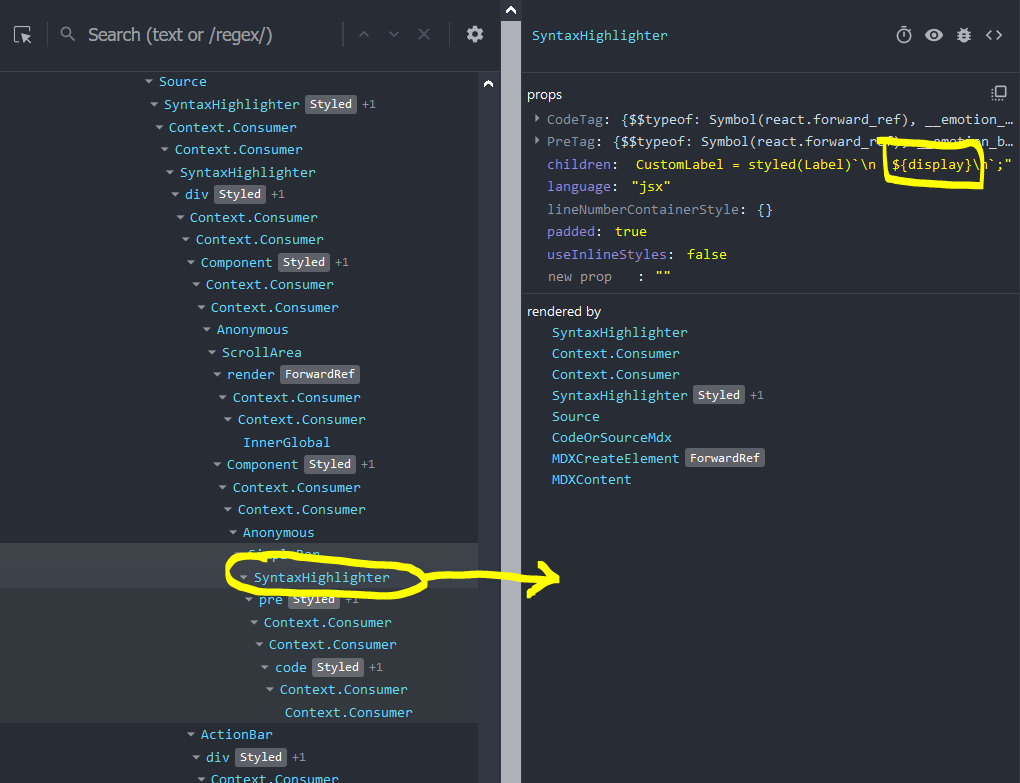
Digging deeper, I decided to take a look at the code "component", which is selected in this screenshot:
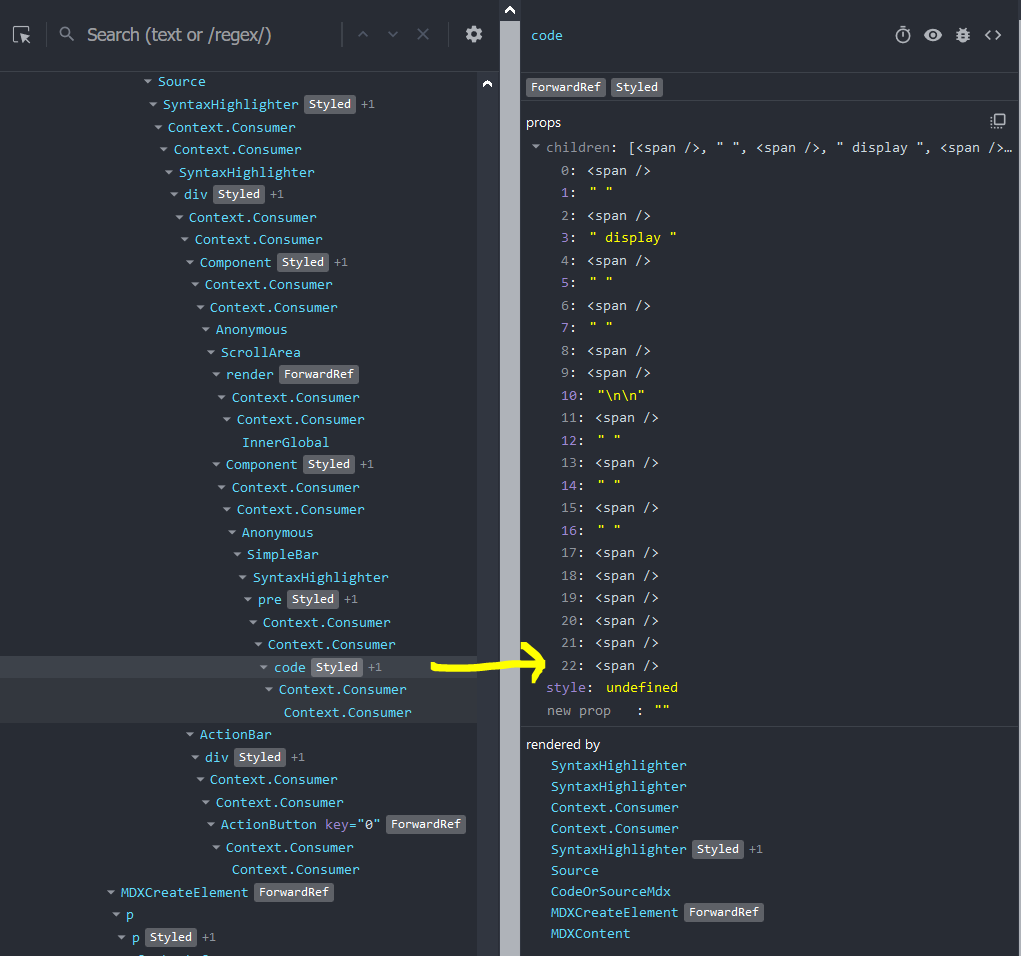
It's got to be in one of those spans.
And indeed, one of the spans has that weird __CSS_0__ tag:
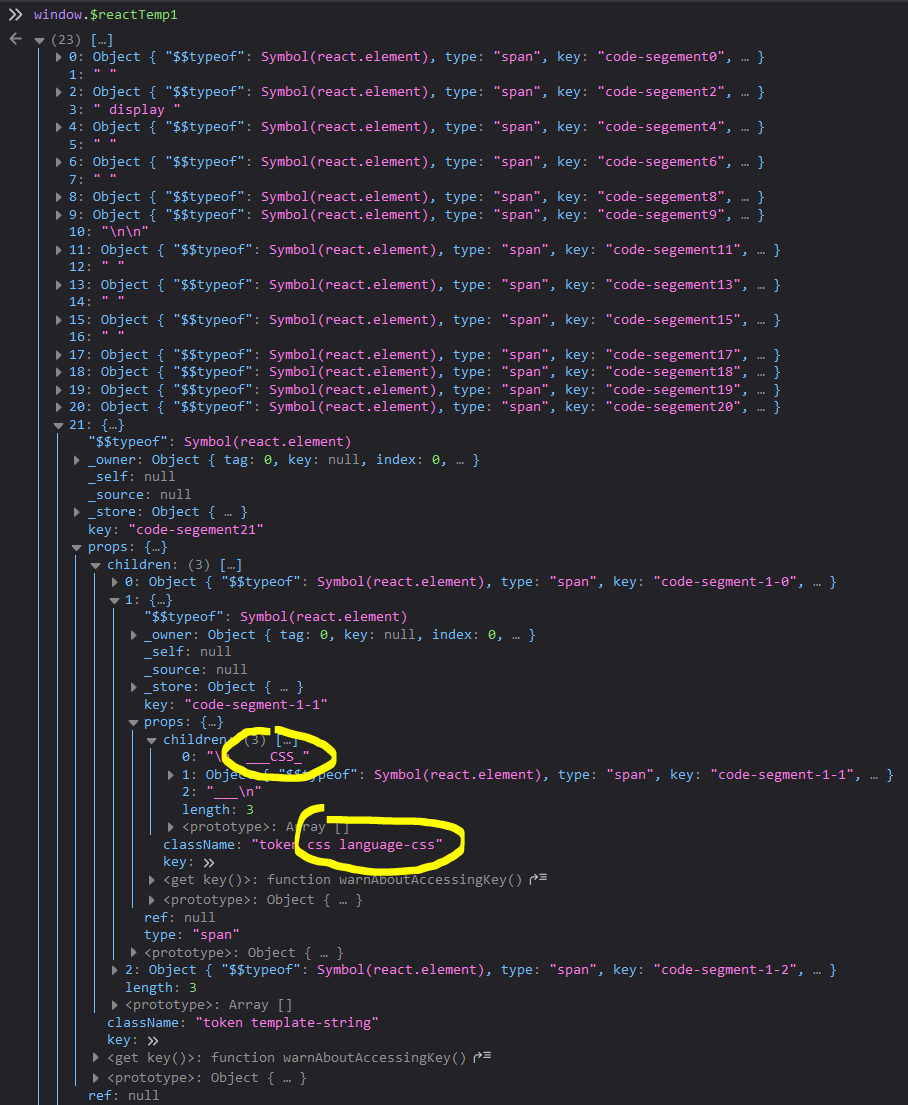
It seems like it magically decides to interpret the code inside my template literal as CSS, which could be correct, because it's styled-components code. It feels a bit arbitrary for it to do that, because it would need to do some deep analysis of the code, which is not always the best idea for a "dumb" syntax highlighter. I understand the appeal though.
To me, this says there's got to be some kind of issue inside the SyntaxHighlighter component, in the way it analyzes template literals, and in the way its support for styled-components-like code is seemingly broken.
Hopefully this helps a bit more.
thany
on 9 Mar 2020
Thanks @thany! I'll try my best to track it down when I get a few mins. If anybody else wants to take it, have at it!
shilman
on 9 Mar 2020
@shilman Just a quick followup, do you (or anyone else) know if this is solved in Storybook 6.0 by any chance?
This would give me and my team another handle to justify spending time to do the upgrade 😎
thany
on 29 May 2020
@thany sorry i haven't looked into this yet. however, looking through the issue it looks like it corresponds to this issue in react-syntax-highlighter, which is the library we use under the hood: https://github.com/conorhastings/react-syntax-highlighter/issues/223
@ndelangen WDYT?
shilman
on 29 May 2020
@shilman Just a quick followup, do you (or anyone else) know if this is solved in Storybook 6.0 by any chance?
This would give me and my team another handle to justify spending time to do the upgrade 😎
I'm using version 6 and I confirm issue is there.
 lucascurti
on 29 May 2020
lucascurti
on 29 May 2020
Does anyone have a minimal reproduction?
 ndelangen
on 2 Jun 2020
ndelangen
on 2 Jun 2020
A hacky workaround (PLEASE DO NOT DO THIS IF YOU DO NOT HAVE TO)
You can paste a zero-width space after dollar sign and it works but please note that this may revenge in the future when you will play with version system
 adamborowski
on 4 Jun 2020
adamborowski
on 4 Jun 2020
A hacky workaround (PLEASE DO NOT DO THIS IF YOU DO NOT HAVE TO)
You can paste a zero-width space after dollar sign and it works but please note that this may revenge in the future when you will play with version system
That is quite hacky indeed 😀
It will also mess with people trying to copypaste the code, and can't see (visually at least) why it won't work. Your warning is not undue 😀
thany
on 5 Jun 2020
@ndelangen yet another reason to get rid of react-syntax-highlighter
shilman
on 5 Jun 2020
If anyone wants to pair with me on removing react-syntax-highlighter and solving this issue at the same time, I'd be happy to take a meeting:
https://calendly.com/ndelangen/storybook
ndelangen
on 8 Jun 2020
@ndelangen Just curious, what do you think/expect to replace it with?
thany
on 8 Jun 2020
@thany plan on replacing it with react-refractor, but whatever works and is maintained.
ndelangen
on 8 Jun 2020
I'm sad to find out this issue persists in Storybook 6 😞
thany
on 7 Sep 2020
Related issues
 wahengchang
·
3Comments
wahengchang
·
3Comments
 Jonovono
·
3Comments
Jonovono
·
3Comments
 xogeny
·
3Comments
xogeny
·
3Comments
 tomitrescak
·
3Comments
tomitrescak
·
3Comments
 purplecones
·
3Comments
purplecones
·
3Comments
Most helpful comment
Thanks @thany! I'll try my best to track it down when I get a few mins. If anybody else wants to take it, have at it!