Storybook: :host styles in Angular are completely ignored
Describe the bug
If you happen to have styles defined using the :host selector in angular, they won't be applied if you're inside storybook despite looking fine everywhere else.
To Reproduce
- Define
:host { background: red }styling in an angular component - Go to Storybook
- Component does not have a red background as host styling is not applied.
Expected behavior
Host styling is properly applied and the background is red.
Screenshots
None
Code snippets
@Component({
  template: `I'm some text`,
  styles: [
    ':host { background: red; }'
  ],
  selector: 'an-angular-component'
})
class AnAngularComponent {}

const stories = storiesOf('An angular component', module);

stories.addDecorator(
  moduleMetadata({
    declarations: [
      AnAngularComponent
    ]
  }));

stories
  .add('Example', () => ({
    template: `<an-angular-component></an-angular-component>`
  }))
System:
Environment Info:

  System:
    OS: macOS 10.15
    CPU: (8) x64 Intel(R) Core(TM) i7-6700HQ CPU @ 2.60GHz
  Binaries:
    Node: 12.6.0 - ~/.nvm/versions/node/v12.6.0/bin/node
    Yarn: 1.19.1 - ~/.nvm/versions/node/v12.6.0/bin/yarn
    npm: 6.9.0 - ~/.nvm/versions/node/v12.6.0/bin/npm
  Browsers:
    Chrome: 78.0.3904.70
    Firefox: 70.0
    Safari: 13.0.2
  npmPackages:
    @storybook/addon-actions: ^5.2.5 => 5.2.5
    @storybook/addon-backgrounds: ^5.2.5 => 5.2.5
    @storybook/addon-centered: ^5.2.5 => 5.2.5
    @storybook/addon-info: ^5.2.5 => 5.2.5
    @storybook/addon-knobs: ^5.2.5 => 5.2.5
    @storybook/addon-notes: ^5.2.5 => 5.2.5
    @storybook/addon-options: ^5.2.5 => 5.2.5
    @storybook/addon-storysource: ^5.2.5 => 5.2.5
    @storybook/addon-viewport: ^5.2.5 => 5.2.5
    @storybook/addons: ^5.2.5 => 5.2.5
    @storybook/angular: ^5.2.5 => 5.2.5
Additional context
Nothing to add.
 SargoDarya
All 20 comments
would this affect :host-context styling as well? I am approaching that angle for theming in our Angular app to show with storybook components when I came across this post.
 kylebradshaw
on 7 Nov 2019
kylebradshaw
on 7 Nov 2019
You should encounter the same issue serving your Angular application with ng serve.
The problem doesn't come from Storybook.
You need to add a display property to your :host selector in order to define how thebackground color will be displayed.
 geromegrignon
on 9 Nov 2019
geromegrignon
on 9 Nov 2019
@geromegrignon Serving up my app locally works and looks fine, but these styles are missing from Storybook's version of the component:
:host {
position: relative;
display: block;
margin-bottom: 2em;
}
The position/display/margin all work in the app, but :host isn't resolved in Storybook. The file is there and visible in the Style Editor tab (Firefox) so it sees the SCSS file but without resolving :host.
 geebru
on 11 Nov 2019
geebru
on 11 Nov 2019
@geebru here is a working example : https://github.com/geromegrignon/host-story
I only made the following steps:
- create an angular project with ng new host-story --style=scss
- install storybook
npx -p @storybook/cli sb init - delete the app.component.ts content for a
<h1>Hello Storybook</h1> - added your :host selector content into app.component.scss
- create a new stories.ts file
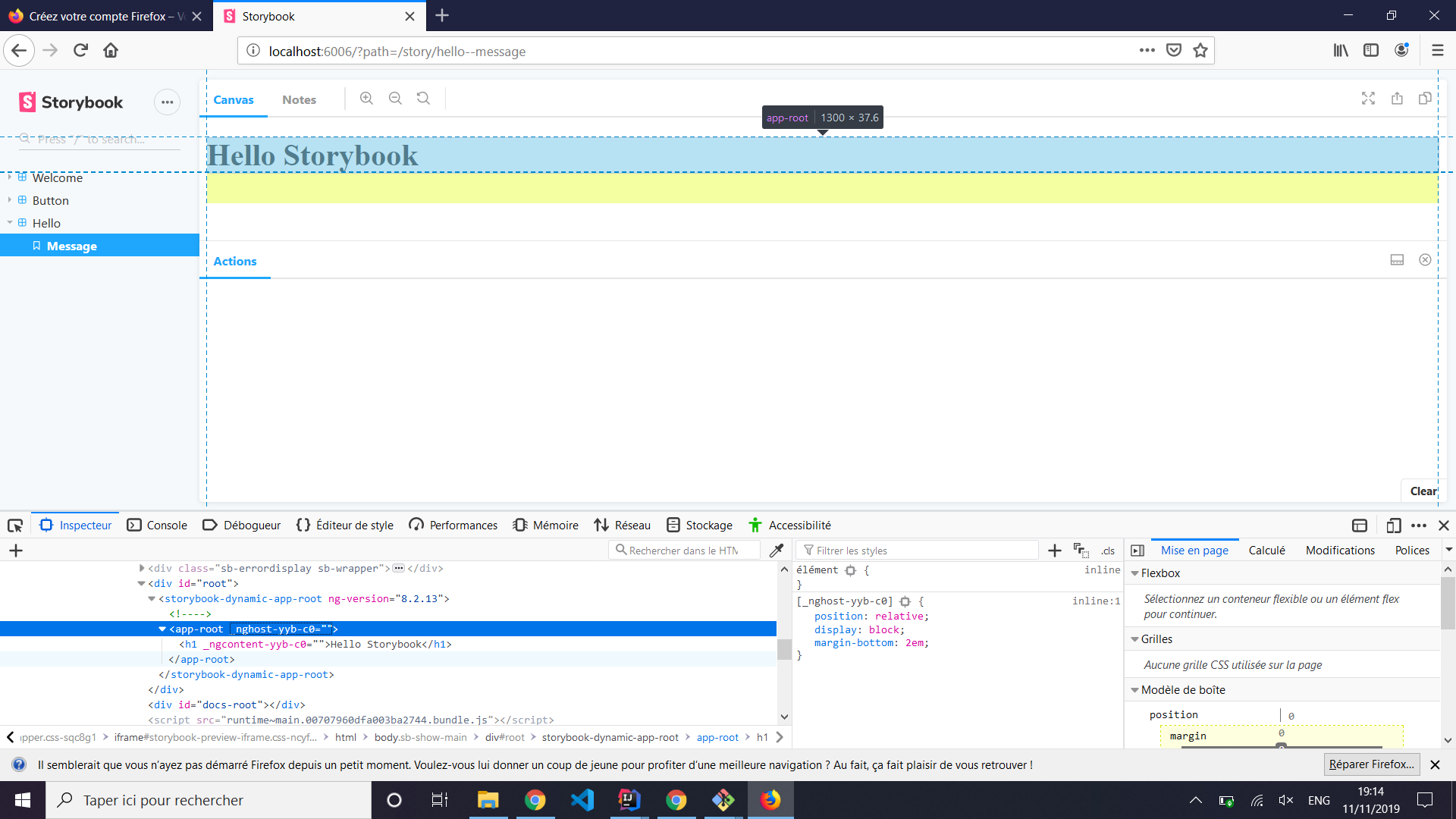
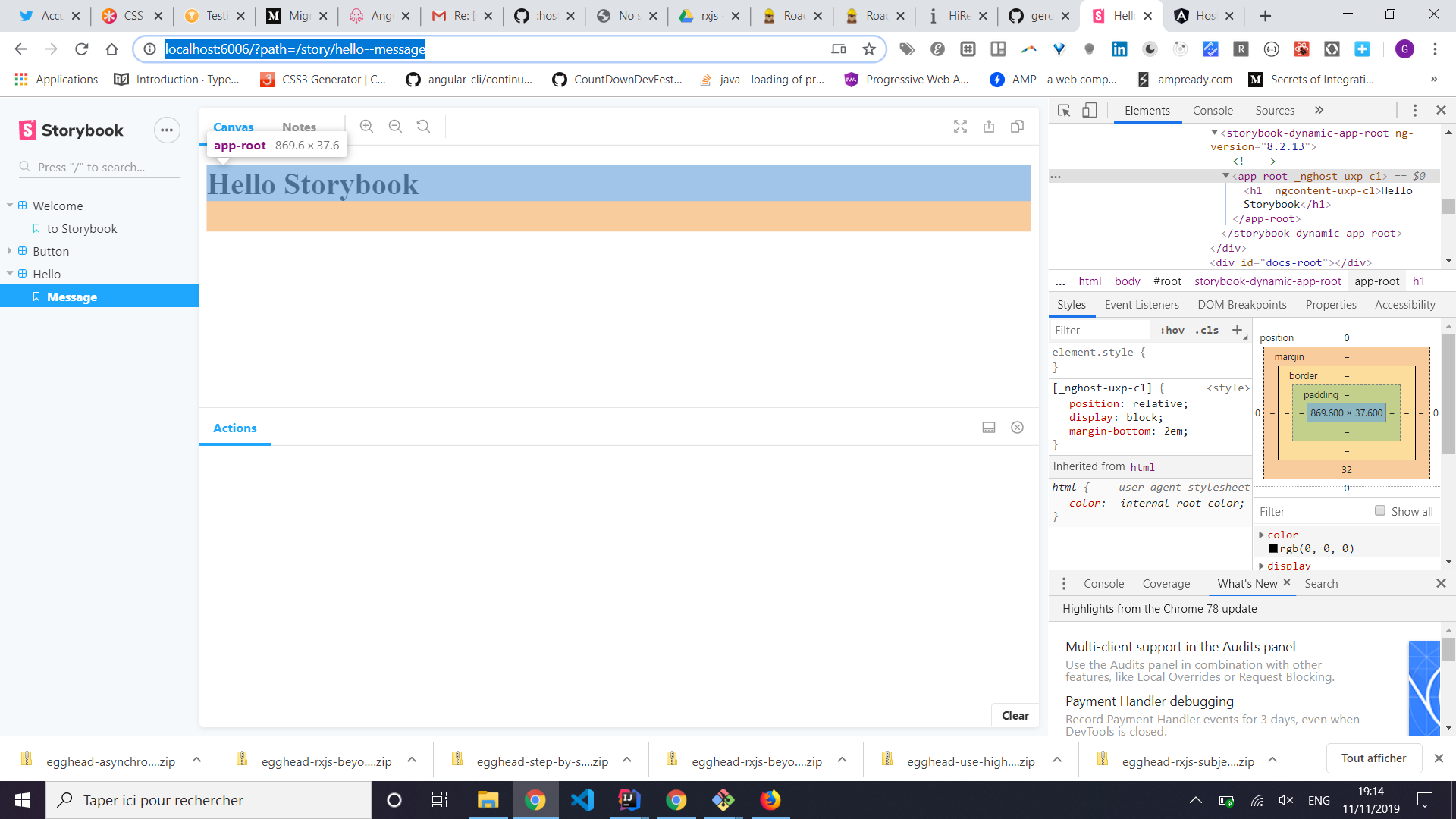
The styles is included into Storybook, tested on Chrome and Firefox.
Firefox :
Chrome :
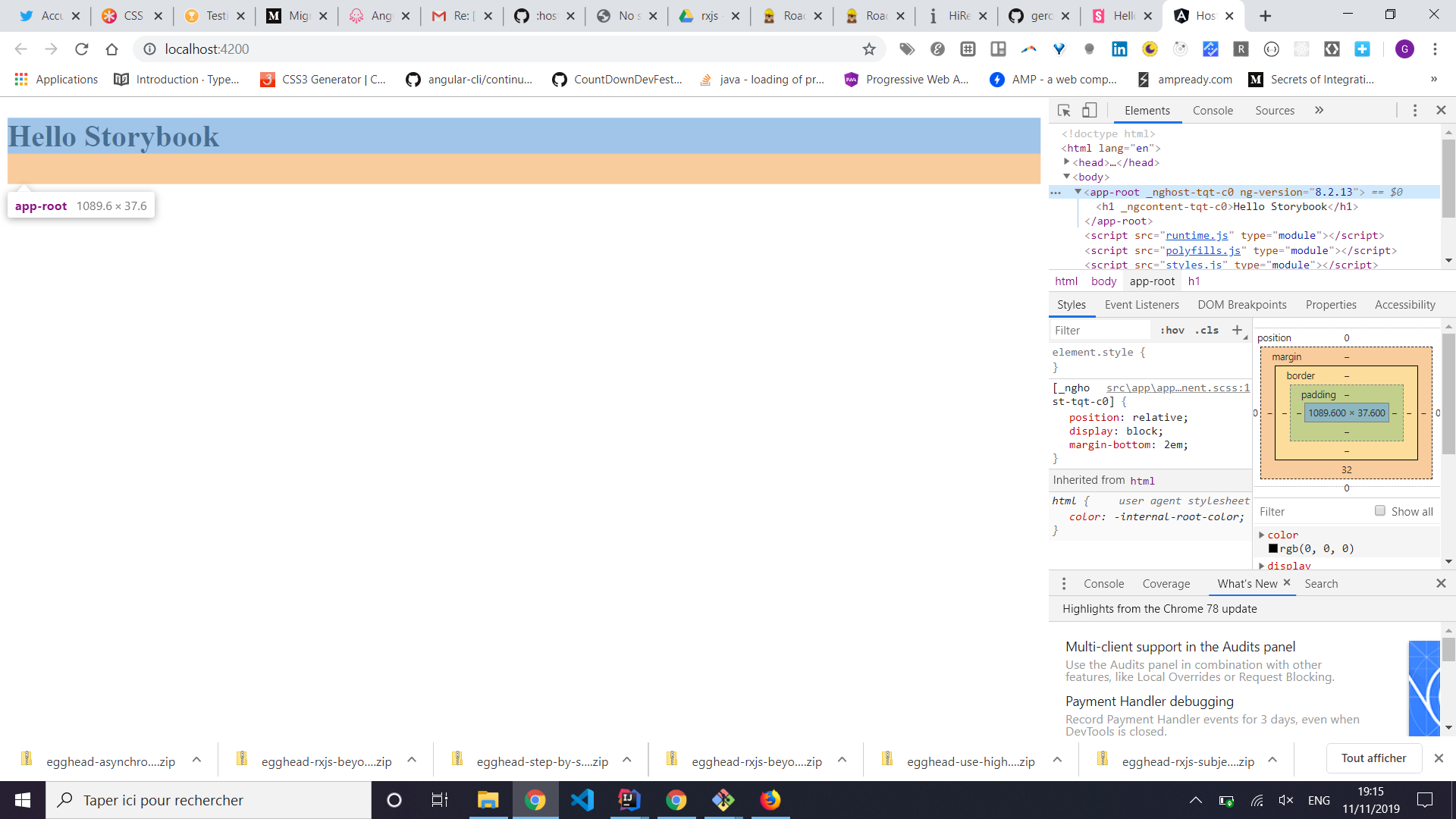
Served app :
Feel free to clone my project and test it.
geromegrignon
on 11 Nov 2019
@geromegrignon Sorry for the silence on this, I'll give it a try and report back although we usually do that for all our components.
SargoDarya
on 18 Nov 2019
As so often, it's not the libraries problem but ours. We apparently had an extra webpack configuration file where a line filtered out some rules and that in turn resulted in just those styles not being applied properly.
Thanks for investigating though @geromegrignon, sorry for wasting time.
SargoDarya
on 20 Nov 2019
@SargoDarya What webpack config issues were causing this? Our webpack config is hyper minimal (I didn't write it) and none of these immediately scream to me as the cause but I might be overlooking something obvious:
const path = require('path');
// Export a function. Accept the base config as the only param.
module.exports = async ({
config,
mode
}) => {
// `mode` has a value of 'DEVELOPMENT' or 'PRODUCTION'
// You can change the configuration based on that.
// 'PRODUCTION' is used when building the static version of storybook.
config.module.rules = config.module.rules.filter(rule => !rule.test.test(".scss"));
// Make whatever fine-grained changes you need
config.module.rules.push({
test: /\.scss$/,
loaders: ['style-loader', 'css-loader', 'sass-loader'],
include: [
path.resolve(__dirname, '..')
]
});
// Return the altered config
return config;
};
This is the only webpack config in our project.
geebru
on 20 Nov 2019
@geebru This in particular seems like it might filter out something you need. Try to console.log what it actually filters:
console.log(config.module.rules.filter(rule => rule.test.test(".scss"));
config.module.rules = config.module.rules.filter(rule => !rule.test.test(".scss"));
We had exactly the same line. Removing that and a few others seemed to fix it.
Our current configuration now looks like this and works flawlessly:
module.exports = function({ config }) {
config.module.rules.push({
test: /\.stories\.ts?$/,
loaders: [
{
loader: require.resolve('@storybook/source-loader'),
options: { parser: 'typescript' }
},
],
enforce: 'pre'
}, {
test: /\.component\.ts?$/,
loaders: [ 'angular2-template-loader' ]
},
{
test: /\.woff(2)?(\?v=[0-9]\.[0-9]\.[0-9])?$/,
loader: 'file-loader'
},
{
test: /\.(ttf|eot|png)(\?v=[0-9]\.[0-9]\.[0-9])?$/,
loader: 'file-loader'
});
return config;
};
@SargoDarya Perfect - thanks for the reply!
geebru
on 2 Dec 2019
Has this been fixed? I just faced a similar issue with @nrwl/storybook 8.10.1, except my problem was that Storybook wasn't picking up my component CSS file.
After I commented out the lines below, my component CSS started to be included.
r = config.module.rules.filter(rule => !rule.test.test(".scss"));
// Make whatever fine-grained changes you need
r.push(
test: /\.css$/,
use: [
'to-string-loader',
{ loader: 'style-loader' },
{
loader: 'css-loader',
options: {
sourceMap: true
}
}
]
);
Is this something that's fixed in the later versions? What's the recommended way of taking care of this?
 ychaikin
on 13 Feb 2020
ychaikin
on 13 Feb 2020
@ychaikin The fix mentioned (testing and ultimately removing the rules config) fixed this entirely for me without breaking any functionality. I haven't had issues since.
geebru
on 13 Feb 2020
@geebru Ok, but I just want to know if this is planned to be fixed in the next version or something because I would consider it a bug in Nx functionality of how it creates these configs when you run their schematic.
ychaikin
on 13 Feb 2020
cc @kroeder @gaetanmaisse we should make sure we play nice with Nx, whether it's a fix on our side or theirs. I've created an nx label to help prioritize these issues.
 shilman
on 14 Feb 2020
shilman
on 14 Feb 2020
Hi everyone! Seems like there hasn't been much going on in this issue lately. If there are still questions, comments, or bugs, please feel free to continue the discussion. Unfortunately, we don't have time to get to every issue. We are always open to contributions so please send us a pull request if you would like to help. Inactive issues will be closed after 30 days. Thanks!
![stale[bot] picture](https://avatars3.githubusercontent.com/in/1724?v=4&s=40) stale[bot]
on 6 Mar 2020
stale[bot]
on 6 Mar 2020
@kroeder @gaetanmaisse any help on this?
shilman
on 6 Mar 2020
Hi everyone! Seems like there hasn't been much going on in this issue lately. If there are still questions, comments, or bugs, please feel free to continue the discussion. Unfortunately, we don't have time to get to every issue. We are always open to contributions so please send us a pull request if you would like to help. Inactive issues will be closed after 30 days. Thanks!
stale[bot]
on 27 Mar 2020
Hey there, it's me again! I am going close this issue to help our maintainers focus on the current development roadmap instead. If the issue mentioned is still a concern, please open a new ticket and mention this old one. Cheers and thanks for using Storybook!
stale[bot]
on 26 Apr 2020
It's a bit disheartening to see that this hasn't been addressed. From what I've been able to figure, component styles should be handled by the angular builder. If you completely remove the style processing that's recommended by Storybook, then global styles, node_module styles, and styles that aren't imported into components won't work.
This does the job but if I can get some feedback that would be great. Also if it looks to be an accepted solution, can someone within storybook please update the docs.
  config.plugins.push(new MiniCssExtractPlugin({ filename: '[name].css' }));

  config.module.rules.push({
    test: /^(?=.*\.s[ac]ss)(?!.*\.component\.).*$/i,
    use: [MiniCssExtractPlugin.loader, 'css-loader', 'sass-loader'],
    include: 'your_relative_path_to_project_root',
  });
 the0rem
on 10 Nov 2020
the0rem
on 10 Nov 2020
@Marklb can you help with this?
shilman
on 10 Nov 2020
@the0rem It may be confusing the way the docs has that example for Angular. I think it is just there as a generic example for extending the webpack config. The same example is shown for all frameworks. The way I understand that example is that it is purely an example of modifying the webpack config, not a recommendation.
If a feature that the Angular CLI gives you does not work in Storybook, then that is most likely a bug. I have never needed to modify it myself. The only time I have touched webpackFinal is debugging other peoples code.
You shouldn't have to do anything to set up SCSS for Angular. Storybook's Angular framework already configures scss here: https://github.com/storybookjs/storybook/blob/next/app/angular/src/server/framework-preset-angular.ts#L47
 Marklb
on 10 Nov 2020
Marklb
on 10 Nov 2020
Related issues
 xogeny
·
3Comments
xogeny
·
3Comments
 MrOrz
·
3Comments
MrOrz
·
3Comments
 dnlsandiego
·
3Comments
dnlsandiego
·
3Comments
 arunoda
·
3Comments
arunoda
·
3Comments
 rpersaud
·
3Comments
rpersaud
·
3Comments
Most helpful comment
It's a bit disheartening to see that this hasn't been addressed. From what I've been able to figure, component styles should be handled by the angular builder. If you completely remove the style processing that's recommended by Storybook, then global styles, node_module styles, and styles that aren't imported into components won't work.
This does the job but if I can get some feedback that would be great. Also if it looks to be an accepted solution, can someone within storybook please update the docs.