Storybook: isFullscreen: false option not working
Describe the bug
In the config.js addParameters function, if I set isFullscreen: true and open the webpage, it is fullscreen on startup. But if I set isFullscreen: false and open the webpage again, it is still full-screen on startup.
To Reproduce
- Set
isFullscreen: true, open the webpage, - Close the webpage or stop the server
- Set
isFullscreen: false, open the webpage
Expected behavior
I should see storybook not in full-screen mode
System:
Environment Info:

  System:
    OS: Windows 10
    CPU: (8) x64 Intel(R) Core(TM) i7-7820HQ CPU @ 2.90GHz
  Binaries:
    Node: 10.15.0 - C:\Program Files\nodejs\node.EXE
    npm: 6.4.1 - C:\Program Files\nodejs\npm.CMD
 lancevalour
All 13 comments
I can work on this issue. Can anyone guide me please?
I'm going to contribute here first time.
 shuklajay117
on 5 Nov 2019
shuklajay117
on 5 Nov 2019
@shilman, that's related to https://github.com/storybookjs/storybook/issues/5857, isn't it?
 hobroker
on 10 Nov 2019
hobroker
on 10 Nov 2019
Is this issue this open? i wish to work on it.
 ahmedkhan1
on 20 Apr 2020
ahmedkhan1
on 20 Apr 2020
@ahmedkhan1 yes please!
 shilman
on 20 Apr 2020
shilman
on 20 Apr 2020
I'm a first timer wanna contribute is it still available
i'll do my best to remove the bug
 aditya237
on 9 May 2020
aditya237
on 9 May 2020
Hello, is anyone working on this?
 zootechdrum
on 27 May 2020
zootechdrum
on 27 May 2020
not that i know of
shilman
on 27 May 2020
Great, I will take this on. I have downloaded storybook now and messing around with the features. I will try and reproduce the error on my machine. I am running on a mac, hopefully this isn't just a windows thing.
zootechdrum
on 27 May 2020
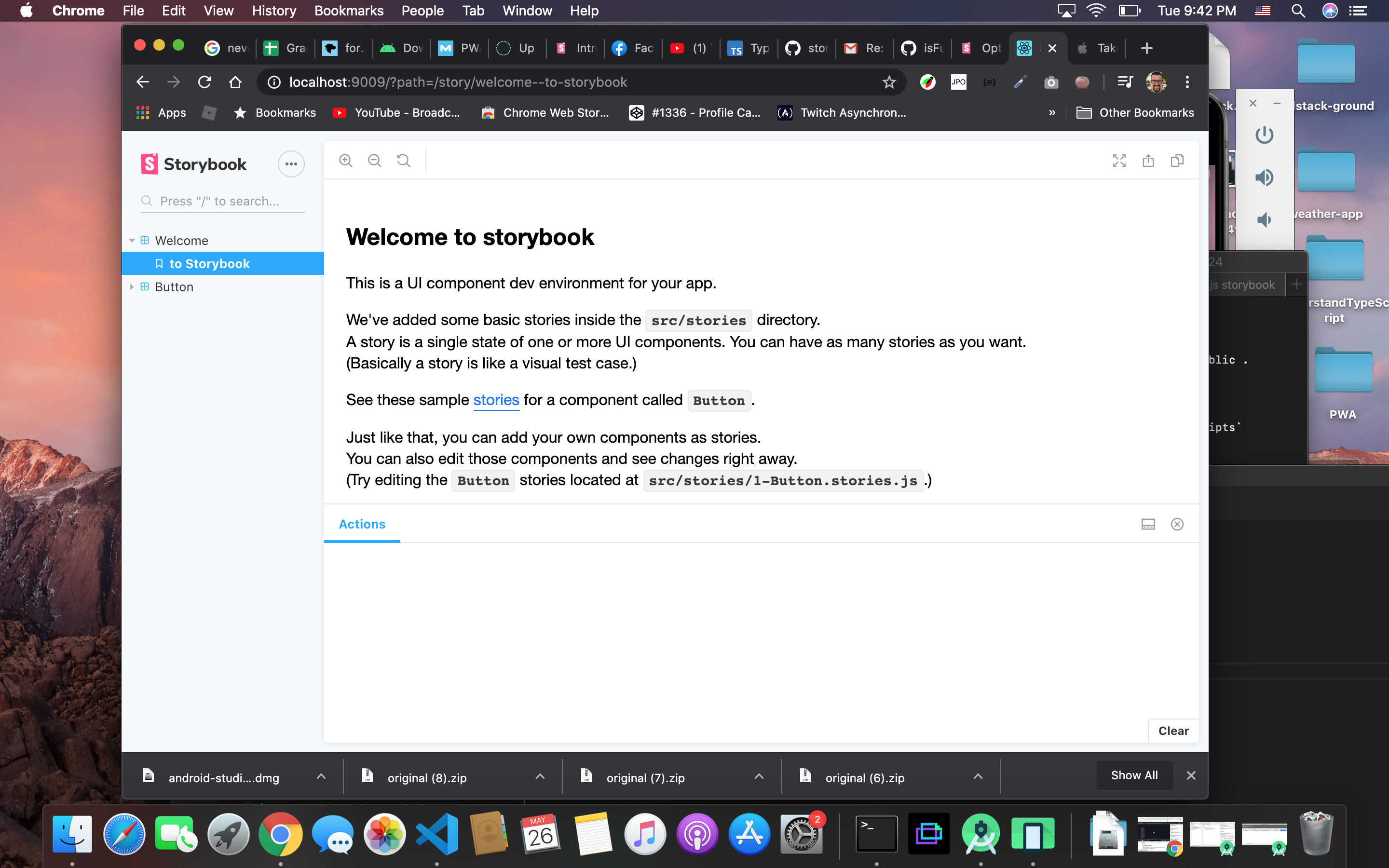
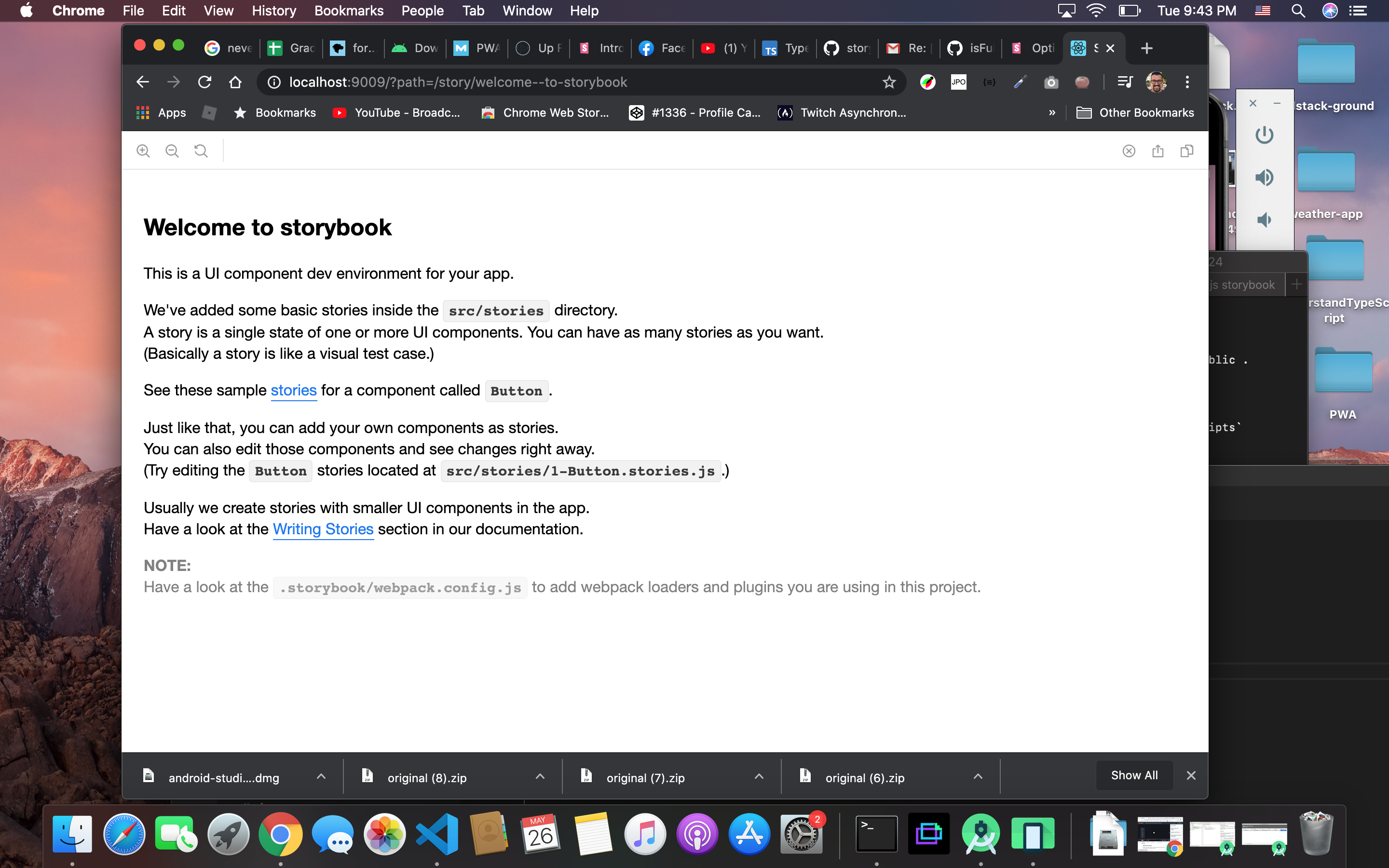
Interesting, I can't reproduce this error. I am running on a Mac. When I add the manager.js file and go from true to false after closing the window I see the that side nav is visible. When set to true the side panel is not visible.
zootechdrum
on 27 May 2020
Hello, Is anyone working on this issue?
Can I work on this?
 kunal13053
on 24 Jun 2020
kunal13053
on 24 Jun 2020
Hi! Can I work on this issue or help someone in this?, this will be my first contribution. Is anybody working on this ?
 ManuelPortero
on 29 Jun 2020
ManuelPortero
on 29 Jun 2020
Hi, is it still relevant?
I can't reproduce this, it works just fine.
@shilman WDYT?
 almogbhl
on 3 Nov 2020
almogbhl
on 3 Nov 2020
Thanks @almogbhl Closing this until somebody provides a repro
shilman
on 4 Nov 2020
Related issues
 tlrobinson
·
3Comments
tlrobinson
·
3Comments
 oriSomething
·
3Comments
oriSomething
·
3Comments
 tomitrescak
·
3Comments
tomitrescak
·
3Comments
 rpersaud
·
3Comments
rpersaud
·
3Comments
 miljan-aleksic
·
3Comments
miljan-aleksic
·
3Comments