Storybook: Action not working/not appearing in Action logger pane
Hello! Storybook has been a wonderful tool, and I've been able to use almost every addon so far without issue. However, I am running into trouble with the Actions addon. It works fine with the scaffolded demo items from npx -p @storybook/cli sb init, but when trying to use action on a custom component I make, it seems to be not firing/logging the action.
Describe the bug
Actions not firing/appearing in Action logger pane when action is added to a custom component (i.e. not the demo items)
To Reproduce
Steps to reproduce the behavior:
- Run
npx create-react-app storybook-actions-not-working&&cd storybook-actions-not-working - Run
npx -p @storybook/cli sb init - Create a component in
./src:
// src/MyButton.js

import React from 'react'

const MyButton = () => {
  return (
    <button>My Button</button>
  )
}

export default MyButton
- Import the component into
stories/index.jsand add theaction:
//src/stories/index.js
...
import MyButton from '../MyButton'
...
storiesOf('MyButton', module)
  .add('with text', () => <MyButton onClick={action('mybutton-clicked')}>Hello MyButton</MyButton>)
- Run
npm run storybook
Expected behavior
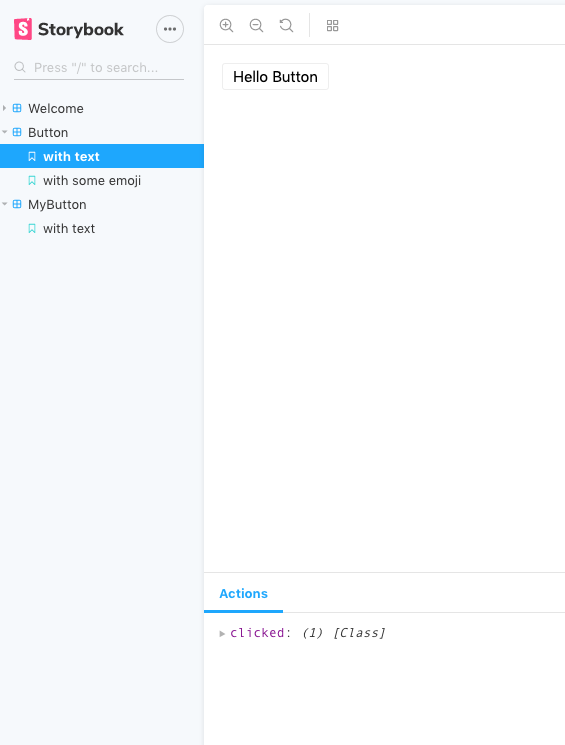
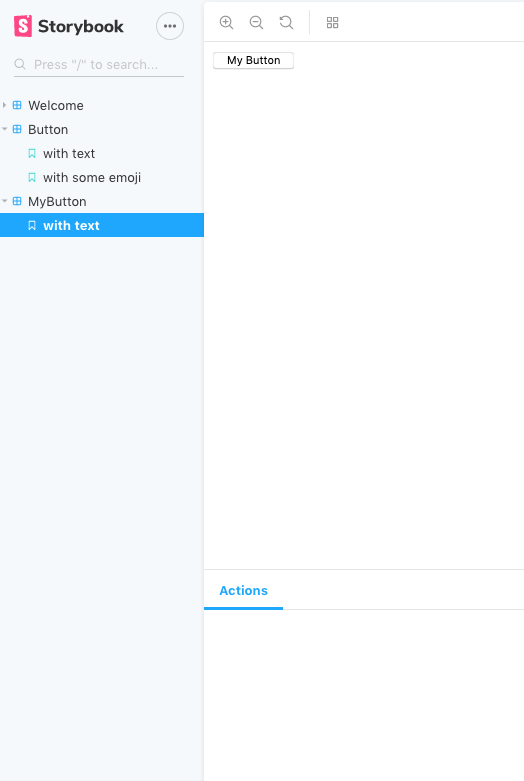
Clicking on the MyButton component with text story should log the action, just like the auto-generated demo Button (either with text or with some emoji stories) does. The MyButton > with text story click, however, does not show the action in the logging pane.
Screenshots
Auto-generated Demo Button (after click):
MyButton component (after click)
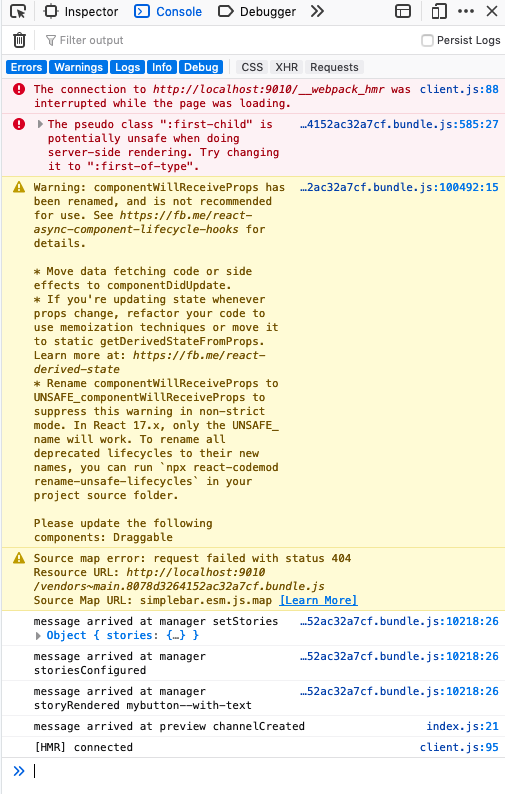
Console when storybook loads (no additional console output when MyButton is clicked)
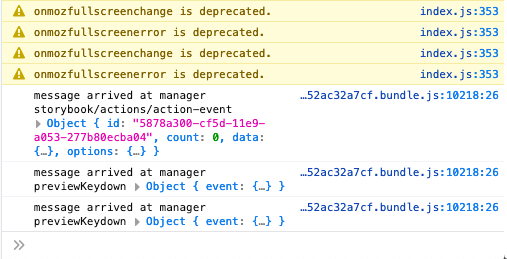
Additional output when the Demo Button > with text story is clicked:
Code snippets
// package.json

{
  "name": "storybook-actions-not-working",
  "version": "0.1.0",
  "private": true,
  "dependencies": {
    "react": "^16.9.0",
    "react-dom": "^16.9.0",
    "react-scripts": "3.1.1"
  },
  "scripts": {
    "start": "react-scripts start",
    "build": "react-scripts build",
    "test": "react-scripts test",
    "eject": "react-scripts eject",
    "storybook": "start-storybook -p 9009 -s public",
    "build-storybook": "build-storybook -s public"
  },
  "eslintConfig": {
    "extends": "react-app"
  },
  "browserslist": {
    "production": [
      ">0.2%",
      "not dead",
      "not op_mini all"
    ],
    "development": [
      "last 1 chrome version",
      "last 1 firefox version",
      "last 1 safari version"
    ]
  },
  "devDependencies": {
    "@storybook/addon-actions": "^5.1.11",
    "@storybook/addon-links": "^5.1.11",
    "@storybook/addons": "^5.1.11",
    "@storybook/react": "^5.1.11"
  }
}
// ./storybook/config.js

import { configure } from '@storybook/react';

function loadStories() {
  require('../src/stories');
}

configure(loadStories, module);
// ./storybook/addons.js

import '@storybook/addon-actions/register';
import '@storybook/addon-links/register';
// src/MyButton.js

import React from 'react'

const MyButton = () => {
  return (
    <button>My Button</button>
  )
}

export default MyButton
// src/stories/index.js

import React from 'react';

import { storiesOf } from '@storybook/react';
import { action } from '@storybook/addon-actions';
import { linkTo } from '@storybook/addon-links';

import { Button, Welcome } from '@storybook/react/demo';

import MyButton from "../MyButton"

storiesOf('Welcome', module).add('to Storybook', () => <Welcome showApp={linkTo('Button')} />);

storiesOf('Button', module)
  .add('with text', () => <Button onClick={action('clicked')}>Hello Button</Button>)
  .add('with some emoji', () => (
    <Button onClick={action('clicked')}>
      <span role="img" aria-label="so cool">
        😀 😎 👍 💯
      </span>
    </Button>
  ));

storiesOf('MyButton', module)
  .add('with text', () => <MyButton onClick={action('mybutton-clicked')}>Hello MyButton</MyButton>)
System:
System:
- OS: macOS 10.14.6
- CPU: (8) x64 Intel(R) Core(TM) i7-4770HQ CPU @ 2.20GHz
Binaries:
- Node: 10.14.2 - ~/.nvm/versions/node/v10.14.2/bin/node
- Yarn: 1.12.3 - /usr/local/bin/yarn
- npm: 6.11.2 - ~/.nvm/versions/node/v10.14.2/bin/npm
Browsers:
- Chrome: 76.0.3809.132
- Firefox: 68.0.2
- Safari: 12.1.2
npmPackages:
- @storybook/addon-actions: ^5.1.11 => 5.1.11
- @storybook/addon-links: ^5.1.11 => 5.1.11
- @storybook/addons: ^5.1.11 => 5.1.11
- @storybook/react: ^5.1.11 => 5.1.11
 WojoSite
All 3 comments
@shilman I ended up figuring out the issue!
I was simply not creating an event handler for my component. Once I passed an expected handler toMyButton as a prop and then added that handler with the action to my story, the actions were firing just fine in the actions logger panel:
// src/MyButton.js

import React from 'react'

const MyButton = ({ handleClick }) => {
  return (
    <button onClick={() => handleClick()}>My Button</button>
  )
}

export default MyButton
//src/stories/index.js

...
import MyButton from '../MyButton'
...
storiesOf('MyButton', module)
  .add('with text', () => <MyButton handleClick={action('button-click')}}>Hello MyButton</MyButton>)
I was trying to find the source code for the demo components (import { Button, Welcome } from '@storybook/react/demo';) so I could compare how those were written with my custom MyButton component, but to no avail.
I would recommend that this be more explicit in the documentation. I think it would help clear up confusion, especially for newer developers trying to adopt this awesome piece of technology! Let me know if I'm misunderstanding anything, or if submitting a PR for this small item is the best path forward - happy to do it!
WojoSite
on 10 Sep 2019
Hi everyone! Seems like there hasn't been much going on in this issue lately. If there are still questions, comments, or bugs, please feel free to continue the discussion. Unfortunately, we don't have time to get to every issue. We are always open to contributions so please send us a pull request if you would like to help. Inactive issues will be closed after 30 days. Thanks!
![stale[bot] picture](https://avatars3.githubusercontent.com/in/1724?v=4&s=40) stale[bot]
on 1 Oct 2019
stale[bot]
on 1 Oct 2019
Hey there, it's me again! I am going close this issue to help our maintainers focus on the current development roadmap instead. If the issue mentioned is still a concern, please open a new ticket and mention this old one. Cheers and thanks for using Storybook!
stale[bot]
on 31 Oct 2019
Related issues
 tlrobinson
·
3Comments
tlrobinson
·
3Comments
 tomitrescak
·
3Comments
tomitrescak
·
3Comments
 rpersaud
·
3Comments
rpersaud
·
3Comments
 oriSomething
·
3Comments
oriSomething
·
3Comments
 shilman
·
3Comments
shilman
·
3Comments
Most helpful comment
@shilman I ended up figuring out the issue!
I was simply not creating an event handler for my component. Once I passed an expected handler to
MyButtonas a prop and then added that handler with the action to my story, the actions were firing just fine in the actions logger panel:I was trying to find the source code for the demo components (
import { Button, Welcome } from '@storybook/react/demo';) so I could compare how those were written with my customMyButtoncomponent, but to no avail.I would recommend that this be more explicit in the documentation. I think it would help clear up confusion, especially for newer developers trying to adopt this awesome piece of technology! Let me know if I'm misunderstanding anything, or if submitting a PR for this small item is the best path forward - happy to do it!