Storybook: Add url parameter for collapsing sidebar
Is your feature request related to a problem? Please describe.
Currently collapsing the sidebar is only available globally in the options, but not as a URL parameter.
For instance we can embed the story in a buttons section of a docs with all the correct options and knobs selected and present in the URL. However the sidebar remains open - if we collapse it in the config - it ruins the usability of the storybook standalone not embedded in an app.
Describe the solution you'd like
Ideally the selected sidebar state could be passed in the url
designsystem.com/?path=/story/breadcrumb&sidebar-isCollapsed=true
Describe alternatives you've considered
- Using just the iframe as an embed: lacks the excellent knob and full canvas functionality
- Collapse the sidebar in config: makes the actual app unusable as a standalone
 jeaster12
All 9 comments
@jeaster12 @shilman I can work on this feature. I was thinking that the user can probably just toggle the menu themselves if we present the static storybook but that is a few extra steps which is bad for usability if the intent is to just showcase a component.
 divbhasin
on 13 Apr 2019
divbhasin
on 13 Apr 2019
I was going through the codebase and saw that we already support something like this! In https://github.com/storybooks/storybook/blob/next/lib/api/src/modules/url.ts, there is support for a 'nav' parameter. 'nav=0' hides the sidebar, and 'nav=1' shows it (the default). Would that serve your use case @jeaster12?
divbhasin
on 13 Apr 2019
@divbhasin fantastic yes this actually works perfect!
@shilman shall we close this? or are there additional needs or opportunities?
jeaster12
on 15 Apr 2019
Awesome, closing! 🚀
 shilman
on 15 Apr 2019
shilman
on 15 Apr 2019
I am unable to use this url parameter, is there some type of setup that needs to be done in order to use the nav=0 parameter?
We are trying to import storybook into Zeroheight, however with the import or just in browser adding the url parameter it just resets the url to the initial story url.
 Xeno007
on 21 Aug 2020
Xeno007
on 21 Aug 2020
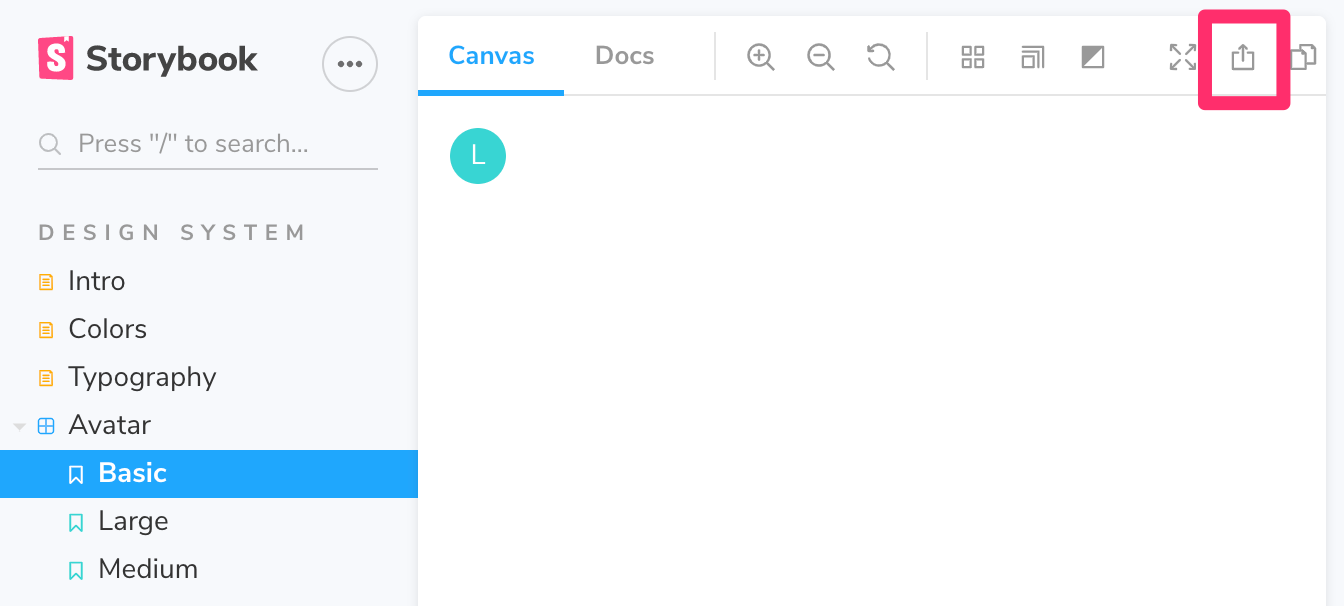
@Xeno007 you should be able to browse a storybook normally, then hit the "eject" button in the upper right corner. the new URL should be embeddable
shilman
on 21 Aug 2020
@shilman Yes that does pop out the canvas, however I need the knobs and doc tab to go with it which that option does not do.
Xeno007
on 21 Aug 2020
@Xeno007 you should be able to modify the viewMode to docs in the resulting URL to get the docs tab. Or are you trying to embed the entire Storybook UI?
shilman
on 22 Aug 2020
@shilman Yes I am trying to embed the entire Storybook UI without the side menu. I have taken a look at setting the options parameters in our config file, however then if we navigate to our storybook site the problem is that the side menu is hidden there as well
Xeno007
on 24 Aug 2020
Related issues
shilman
·
3Comments
 arunoda
·
3Comments
arunoda
·
3Comments
 sakulstra
·
3Comments
sakulstra
·
3Comments
 tomitrescak
·
3Comments
tomitrescak
·
3Comments
 ZigGreen
·
3Comments
ZigGreen
·
3Comments
Most helpful comment
@jeaster12 @shilman I can work on this feature. I was thinking that the user can probably just toggle the menu themselves if we present the static storybook but that is a few extra steps which is bad for usability if the intent is to just showcase a component.