Storybook: using markdown in addon-notes do not work
Describe the bug
using markdown in addon-notes do not work
To Reproduce
Steps to reproduce the behavior:
- Go to '...'
- Click on '....'
- Scroll down to '....'
- See error
Expected behavior
show notes panel in the markdown way
Screenshots
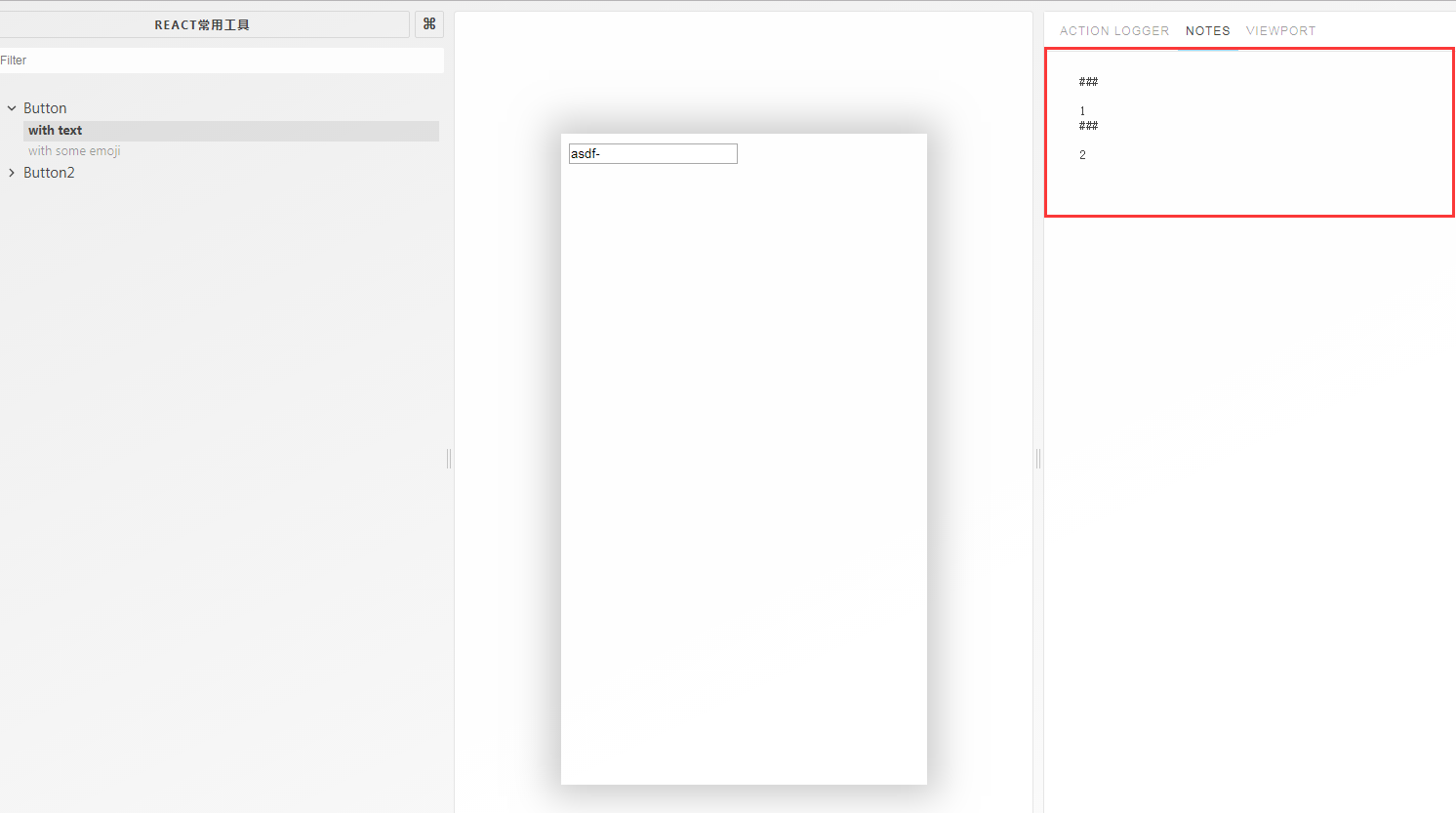
Code snippets
config.js file:
import { configure, addDecorator } from '@storybook/react';
import { configureViewport } from '@storybook/addon-viewport';
import { withOptions } from '@storybook/addon-options';
import { withNotes } from '@storybook/addon-notes';

// automatically import all files ending in *.stories.tsx
const req = require.context('../stories', true, /.stories.(tsx|ts)$/);

function loadStories() {
  req.keys().forEach(req);
}


configureViewport({
  defaultViewport: 'iphone6'
});

// override option defaults:
addDecorator(withOptions({
  name: '',
  // url: 'https://github.com/vanilla-framework/vanilla-framework-react',
  addonPanelInRight: true,
}))
addDecorator(withNotes)

configure(loadStories, module);
index.stories.tsx file:
import * as React from 'react';
import { storiesOf } from '@storybook/react';
import { action } from '@storybook/addon-actions';
import { Input } from '../src';


storiesOf('Button', module)
  // .addDecorator(withNotes('1'))
  .add('with text', () => {
    return <Input  />
  },{
    notes:{
      markdown:`
        ###

        1
        ###

        2
      `
    }
  })
  .add('with some emoji',  () => (
    <div onClick={action('button-click')}>click me,please!</div>
  ),{
    notes:'2'
  });
System:
- OS: [e.g. iOS, Windows10, MacOS]
- Device: [e.g. iPhoneX, Macbook Pro 2018]
- Browser: [e.g. chrome, safari]
- Framework: [e.g. react, vue, angular]
- Addons: [if relevant]
- Version: [e.g. 4.0.0]
Additional context
Add any other context about the problem here.
 littlepoolshark
All 12 comments
I had the same issue, solved it by creating a const parameter with the markdown.
It will be great if we could add the markdown inline as you wrote, but this hack is working
const note = `
## Some markdown
`;
iconStories.add(
'Story',
() => {
return {
template: ''",
};
},
{ notes: { markdown: note } }
);
 doroncy
on 17 Jan 2019
doroncy
on 17 Jan 2019
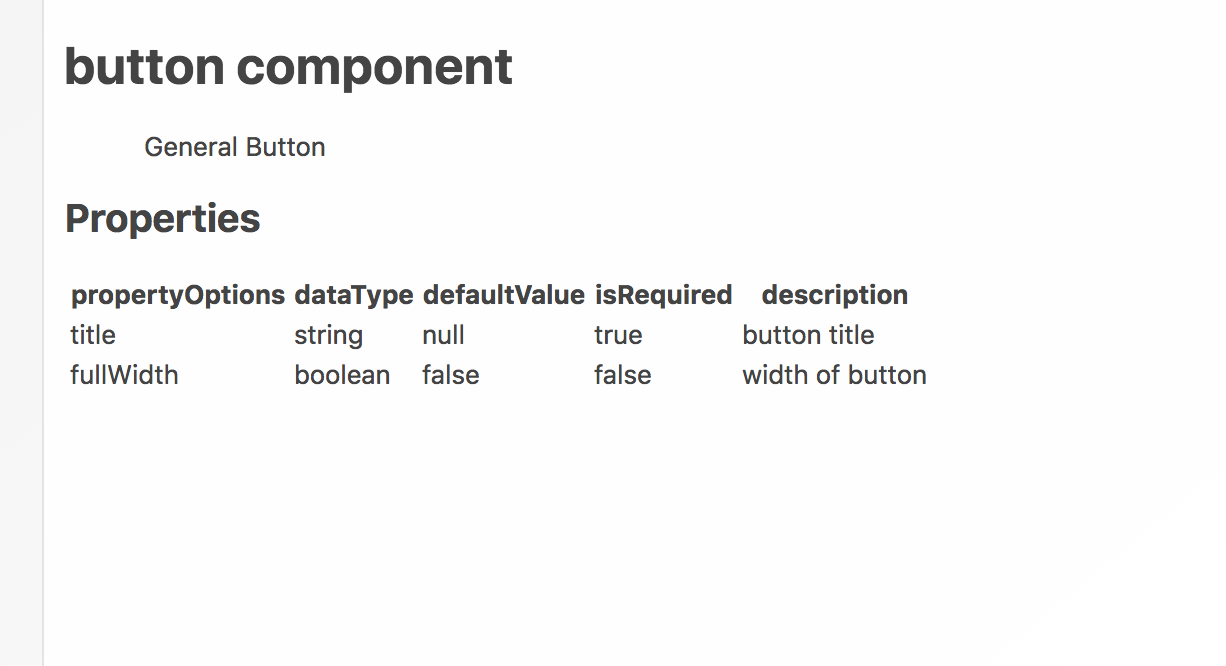
I am having the same issue (kinda). It seems like it is rendering the markdown but the formatting for the table in my markdown.
preview from my editor:

what is showing in storybook:
 transitorytammy
on 30 Jan 2019
transitorytammy
on 30 Jan 2019
Hi everyone! Seems like there hasn't been much going on in this issue lately. If there are still questions, comments, or bugs, please feel free to continue the discussion. Unfortunately, we don't have time to get to every issue. We are always open to contributions so please send us a pull request if you would like to help. Inactive issues will be closed after 30 days. Thanks!
![stale[bot] picture](https://avatars3.githubusercontent.com/in/1724?v=4&s=40) stale[bot]
on 20 Feb 2019
stale[bot]
on 20 Feb 2019
@doroncy yeah,I finally get around this issue by creating a const parameter with the markdown.
littlepoolshark
on 7 Mar 2019
@transitorytammy I have the same problem as you. We should create a new issue since it's not at all related to @littlepoolshark's.
 viktorsec
on 11 Mar 2019
viktorsec
on 11 Mar 2019
Hi everyone! Seems like there hasn't been much going on in this issue lately. If there are still questions, comments, or bugs, please feel free to continue the discussion. Unfortunately, we don't have time to get to every issue. We are always open to contributions so please send us a pull request if you would like to help. Inactive issues will be closed after 30 days. Thanks!
stale[bot]
on 1 Apr 2019
having the same problem!
 yashsway
on 4 Apr 2019
yashsway
on 4 Apr 2019
+1 I would like to be able to use markdown in-line (without having to import or use const). Thank you.
I just worked it out. Try like:
storiesOf("Foo", module)
    .add("Bar",
        () => <div />,
        {
            notes: `
## Test
Test
            `,
        },
    );
Note it's required that there is no indentation of the markdown contents otherwise it doesn't work...
 KiyaDoig
on 11 Apr 2019
KiyaDoig
on 11 Apr 2019
Hi everyone! Seems like there hasn't been much going on in this issue lately. If there are still questions, comments, or bugs, please feel free to continue the discussion. Unfortunately, we don't have time to get to every issue. We are always open to contributions so please send us a pull request if you would like to help. Inactive issues will be closed after 30 days. Thanks!
stale[bot]
on 2 May 2019
yes please to above , its so easy to get wrong and break the markup!
 MurrayJack
on 9 May 2019
MurrayJack
on 9 May 2019
Hi everyone! Seems like there hasn't been much going on in this issue lately. If there are still questions, comments, or bugs, please feel free to continue the discussion. Unfortunately, we don't have time to get to every issue. We are always open to contributions so please send us a pull request if you would like to help. Inactive issues will be closed after 30 days. Thanks!
stale[bot]
on 30 May 2019
Hey there, it's me again! I am going close this issue to help our maintainers focus on the current development roadmap instead. If the issue mentioned is still a concern, please open a new ticket and mention this old one. Cheers and thanks for using Storybook!
stale[bot]
on 29 Jun 2019
Related issues
 MrOrz
·
3Comments
MrOrz
·
3Comments
 xogeny
·
3Comments
xogeny
·
3Comments
 tomitrescak
·
3Comments
tomitrescak
·
3Comments
 wahengchang
·
3Comments
wahengchang
·
3Comments
 alexanbj
·
3Comments
alexanbj
·
3Comments
Most helpful comment
+1 I would like to be able to use markdown in-line (without having to import or use const). Thank you.I just worked it out. Try like:
Note it's required that there is no indentation of the markdown contents otherwise it doesn't work...