Storybook: No stories showing up in preview
Describe the bug
I've updated from React 15 to 16, and Storybook 3 to 4 and I'm getting no stories load, only the "No Preview". There are no errors in the console or anything that would help me debug why its off.
To Reproduce
Steps to reproduce the behavior:
Followed instructions for setting up Storybook from scratch and not seeing any stories.
Expected behavior
Expect an error if something is wrong or a story to load.
Screenshots
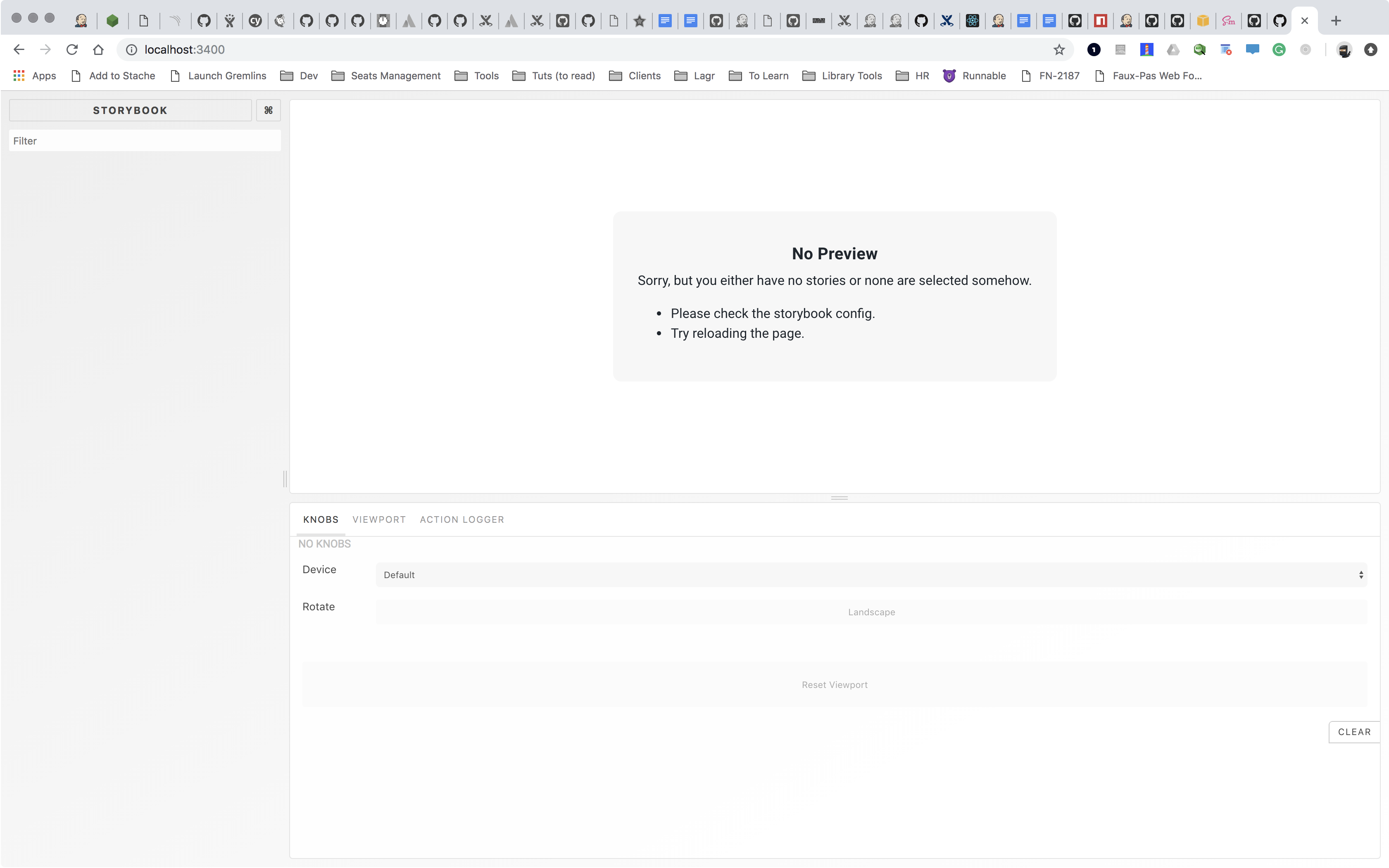
Code snippets
import { configure } from '@storybook/react';

// Legion
import '../../../../dist/styles.css';

const loadStories = () => {
    const req = require.context('../../../../src/atoms/badge', true, /__story\.js$/);
    req.keys().forEach(filename => req(filename));
};

configure(loadStories, module);
System:
- OS: MacOS High Sierra
- Device: MacBook Pro 2016
- Browser: Chrome, Safari
- Framework: React
- Addons: I've removed any and all addons.
- Version: 4.0.8
Additional context
Add any other context about the problem here.
 iamnewton
All 24 comments
Same problem for me
 Lyncee59
on 24 Nov 2018
Lyncee59
on 24 Nov 2018
@iamnewton @Lyncee59 do either of you have a public repo I can look at?
 shilman
on 24 Nov 2018
shilman
on 24 Nov 2018
Hey @shilman , of course. https://github.com/Lyncee59/behelit-components
EDIT: Just decided to upgrade this project today like @iamnewton
Lyncee59
on 24 Nov 2018
Unfortunately I don’t have a public repo. But my repo is similar to what @Lyncee59 has posted.
@shilman what more info do you require?
iamnewton
on 24 Nov 2018
Cool thanks guys. Will take a look in the next few days!
shilman
on 25 Nov 2018
@Lyncee59 there's an error in the browser console:
Uncaught TypeError: Cannot convert undefined or null to object
at keys (<anonymous>)
at Function.keys (iframe.bundle.js:21880)
at Module.<anonymous> (iframe.bundle.js:829)
at Module../.storybook/config.js (iframe.bundle.js:855)
at __webpack_require__ (iframe.bundle.js:725)
at fn (iframe.bundle.js:102)
at Object.0 (iframe.bundle.js:139263)
at __webpack_require__ (iframe.bundle.js:725)
at iframe.bundle.js:792
at iframe.bundle.js:795
I'm guessing you need to add babel-plugin-require-context-hook to your custom babel setup. We mention it briefly in MIGRATION.md in the context of jest:
https://github.com/storybooks/storybook/blob/next/MIGRATION.md#storyshots-changes
I tried adding it myself, but couldn't get it working in 2m. Hopefully this is enough to get you unstuck though, and if not I can nag one of our babel experts to take a look. If you find a solution, please post back to help others. Thanks for your patience!
shilman
on 26 Nov 2018
@shilman Hey I am gonna check that out today whenever I have some time.
I was expecting something a bit silly as I never had troubles before.
Thank for taking the time to take a look !
Lyncee59
on 26 Nov 2018
Same thing is happening to me, I also added babel-plugin-require-context-hook but I see no stories and get this error in the console:
Uncaught ReferenceError: __requireContext is not defined
    at Module.<anonymous> (config.js:4)
    at Module../.storybook/config.js (config.js:6)
    at __webpack_require__ (bootstrap:724)
    at fn (bootstrap:101)
    at Object.0 (browser.js:67)
    at __webpack_require__ (bootstrap:724)
    at bootstrap:791
    at bootstrap:791
Were you able to look into this anymore @shilman?
 hamstu
on 6 Dec 2018
hamstu
on 6 Dec 2018
babel-plugin-require-context-hook should be added only for tests.
 igor-dv
on 6 Dec 2018
igor-dv
on 6 Dec 2018
Hey, I did not spot at this time this error, it was simply a missing export. Sorry for wasting your time !
Thanks again !
Lyncee59
on 8 Dec 2018
Thanks @igor-dv, removing babel-plugin-require-context-hook fixed it – I misunderstood the documentation and thought it was needed in all cases.
hamstu
on 9 Dec 2018
I'm still getting nothing.
iamnewton
on 13 Dec 2018
Sadly but without any minor reproduction, we can't help with this. The description is too generic.
One possible issue could be in this line
const req = require.context('../../../../src/atoms/badge', true, /__story\.js$/);
for example, you've mistaken in the number of ../ in the relative path 🤷♂️ But again, it's only an assumption.
igor-dv
on 13 Dec 2018
info => Loading custom addons config.
info => Using base config because react-scripts is not installed.
info => Using default webpack setup based on "create-react-app".
info => Using base config because react-scripts is not installed.
this is something that didn't show up in the last version. Is that an issue?
iamnewton
on 21 Dec 2018
And even if I do
import { addDecorator, configure } from '@storybook/react';
import { withKnobs } from '@storybook/addon-knobs';
import { checkA11y } from 'storybook-addon-a11y';

import '../../../../dist/styles/main.css';

const loadStories = () => {
    require('../../../../src/atoms/badge/__story.js');
};

addDecorator(withKnobs);
addDecorator(checkA11y);
configure(loadStories, module);
I'm still coming up blank.
iamnewton
on 21 Dec 2018
and I get this error sometimes:
```
Error: ENOENT: no such file or directory, stat '<...>/components/node_modules/@storybook/core/dist/public/runtime~main.d68ec9ab23cb25504ca7.bundle.js'
Error: ENOENT: no such file or directory, stat '<...>/components/node_modules/@storybook/core/dist/public/main.d68ec9ab23cb25504ca7.bundle.js'
Error: ENOENT: no such file or directory, stat '<...>/components/node_modules/@storybook/core/dist/public/vendors~main.d68ec9ab23cb25504ca7.bundle.js'
iamnewton
on 21 Dec 2018
@iamnewton, were you able to resolve this? I'm facing the same issue.
 dobrynin
on 3 Jan 2019
dobrynin
on 3 Jan 2019
@iamnewton, for what it's worth, my issue was that I had storybook installed at levels in my mono-repo. Storybook was loading from the wrong node_modules. Correcting this fixed it.
dobrynin
on 3 Jan 2019
No @dobrynin, I'm still running into this issue. It appears it doesn't like the fact I'm trying to load my config from within the node_modules directory. I was able to get it to work when I use npx -p @storybook/cli sb init and change to the following, but that doesnt' really solve my problem.
const req = require.context('../src/', true, /__story.js$/);
I had the same problem and it was because my configure functions looked like:
configure(() => require('../src/web/stories/index'), module)
I've changed it to:
function loadStories() {
  const req = require.context('../src/web/stories', true, /.js$/);
  req.keys().forEach(filename => req(filename));
}
configure(loadStories, module);
and it works.
Also you can check the working example:
https://github.com/storybooks/storybook/tree/next/examples/cra-ts-kitchen-sink
 avernikoz
on 25 Jan 2019
avernikoz
on 25 Jan 2019
Hi everyone! Seems like there hasn't been much going on in this issue lately. If there are still questions, comments, or bugs, please feel free to continue the discussion. Unfortunately, we don't have time to get to every issue. We are always open to contributions so please send us a pull request if you would like to help. Inactive issues will be closed after 30 days. Thanks!
![stale[bot] picture](https://avatars3.githubusercontent.com/in/1724?v=4&s=40) stale[bot]
on 15 Feb 2019
stale[bot]
on 15 Feb 2019
Hey there, it's me again! I am going close this issue to help our maintainers focus on the current development roadmap instead. If the issue mentioned is still a concern, please open a new ticket and mention this old one. Cheers and thanks for using Storybook!
stale[bot]
on 17 Mar 2019
Hi I have the same prob, and I didn't use CRA. An assumption, I was configuring the project by three webpack config files: ....common.js, dev.js, and prod.js, it might confuses storybook? Any ideas?
 Jeffzholy
on 12 Mar 2020
Jeffzholy
on 12 Mar 2020
Got the same problem, shame this got closed though
 sag1v
on 7 Jul 2020
sag1v
on 7 Jul 2020
Related issues
 sakulstra
·
3Comments
sakulstra
·
3Comments
 xogeny
·
3Comments
xogeny
·
3Comments
 zvictor
·
3Comments
zvictor
·
3Comments
 MrOrz
·
3Comments
shilman
·
3Comments
MrOrz
·
3Comments
shilman
·
3Comments
Most helpful comment
Same thing is happening to me, I also added
babel-plugin-require-context-hookbut I see no stories and get this error in the console:Were you able to look into this anymore @shilman?