Storybook: [3.4.11 - react - info - a11y] Stories render w/ page scrolled down instead of @ page start
Bug or support request summary
This problem is with storybook react / addon-info / addon-a11y. I'm also using styled-components v4, but I've adjusted my code to use a plain old button and this problem persists.
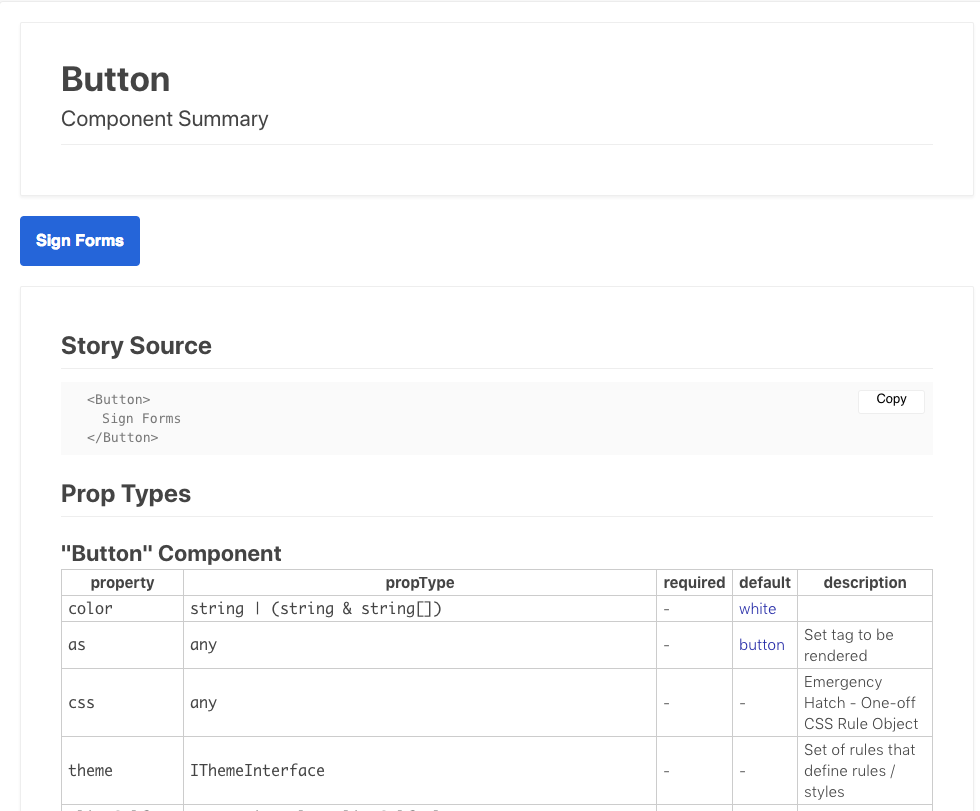
When switching to a story (named Component Summary), I expect for the viewport to be at the top of the screen. Instead, the story is in a scrolled position, showing the lower half of the story.
Screenshots
When clicking on a story I expect to be greeted by the following story:
Instead, page loads with the story scrolled down :
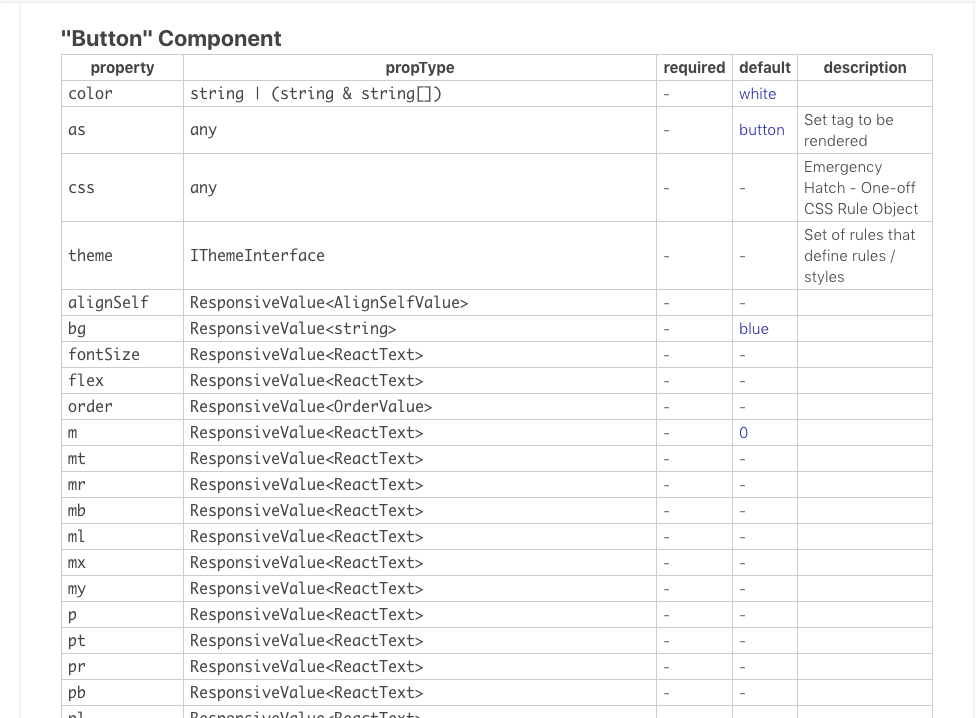
I found #3326 and #3342, which are kind of related, but not exactly what my issue is. I've check, and 3.4 also has those changes to the codebase, even tho it states that the changes are fixed in alpha version.
I'm currently using
setDefaults({
    inline: true
})
to have my component's render inline with my story info.
If I switch inline to false and click the show info a couple things happen
The initial render of the story is in a scrolled down position. I've tested this by narrowing the height of my window.
Expected:

Actual:

If I click the show info button, the button the story renders as you would expect (non-scrolled).
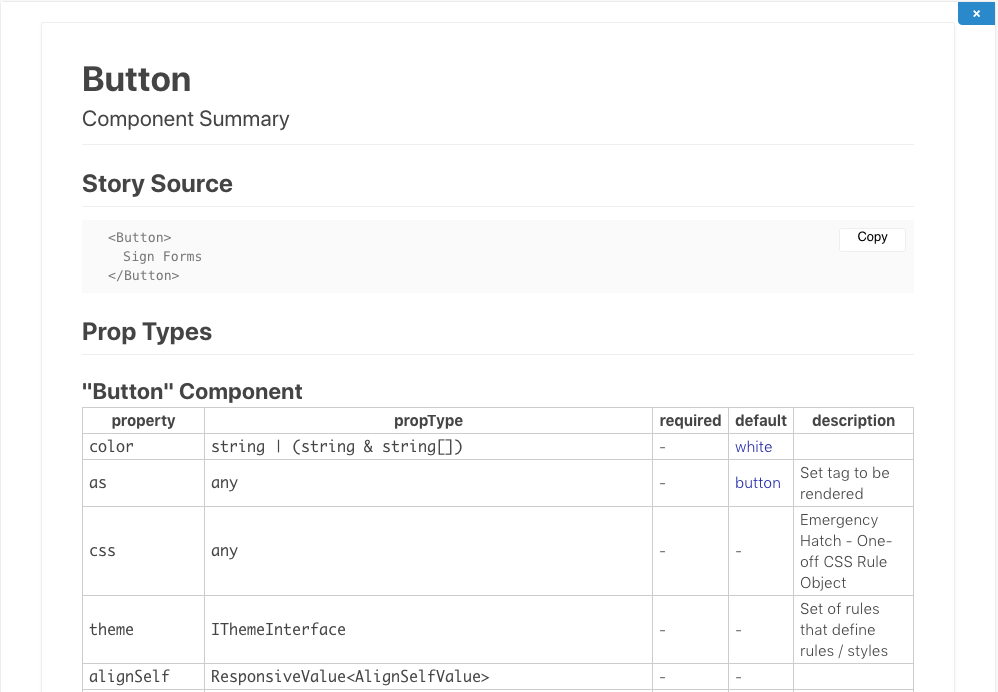
If I remove check117 by removing:
addDecorator(checkA11y);
then all stories render as expected.
Code
My config:
import * as React from 'react';
import { normalize } from 'polished';
import { configure, addDecorator } from '@storybook/react';
import { setDefaults } from '@storybook/addon-info';
import { checkA11y } from '@storybook/addon-a11y';
import { createGlobalStyle } from 'styled-components';
import { ThemeProvider, theme } from '../src'

const req = require.context('../src', true, /.stories.tsx$/);
function loadStories() {
  req.keys().forEach(filename => req(filename));
}

const GlobalStyle = createGlobalStyle`
    ${normalize()}
    * {
     box-sizing: border-box;
    }
    body {
      margin: 20px;
    }
    td {
        white-space: pre-wrap !important;
    }
`;

addDecorator(story => (
    <ThemeProvider theme={theme}>
        <React.Fragment>
            <GlobalStyle />
            {story()}
        </React.Fragment>
    </ThemeProvider>
))
addDecorator(checkA11y);

setDefaults({
    inline: true
})

configure(loadStories, module);
my addons.js
import '@storybook/addon-actions/register';
import '@storybook/addon-links/register';
import '@storybook/addon-a11y/register';
import '@storybook/addon-viewport/register';
note: my components are rendered inline with my stories / info.
my story looks like
storiesOf('Button', module)
    .add('Component Summary', withInfo()(() => <Button>Sign Forms</Button>))
    ...
Steps to reproduce
_Please provide necessary steps for reproduction of this issue. Describe the exact steps a maintainer has to take to make the problem occur. If the problem is non-trivial to reproduce, please link a repository or provide some code snippets._
_(A screencast can be useful for visual bugs, but it is not a substitute for a textual description.)_
Please specify which version of Storybook and optionally any affected addons that you're running
- @storybook/react 3.4.11
- @storybook/addon-info 3.4.11
- @storybook/addon-a11y 3.4.11
Affected platforms
_If UI related, please indicate browser, OS, and version_
Firefox (latest)
- Chrome (latest)
- Safari (latest)
// code here
Acceptance criteria
Stories render without being "scrolled down".
 nicholaai
All 8 comments
I'm also running into this issue. I also see that if I remove addDecorator(checkA11y); the issue goes away.
 nmackey
on 22 Oct 2018
nmackey
on 22 Oct 2018
This is because of axe. To work properly it needs to scroll to the bottom of the page. You can pass an option to scroll back but that would would look bad too.
I think the best option is to add an id to the div the contains the story component and have axe only target that. It might still scroll depending on the content, but for most part component stories it should not jump.
 hipstersmoothie
on 3 Nov 2018
hipstersmoothie
on 3 Nov 2018
Hi everyone! Seems like there hasn't been much going on in this issue lately. If there are still questions, comments, or bugs, please feel free to continue the discussion. Unfortunately, we don't have time to get to every issue. We are always open to contributions so please send us a pull request if you would like to help. Inactive issues will be closed after 30 days. Thanks!
![stale[bot] picture](https://avatars3.githubusercontent.com/in/1724?v=4&s=40) stale[bot]
on 26 Nov 2018
stale[bot]
on 26 Nov 2018
This was mostly fixed in #4704
hipstersmoothie
on 26 Nov 2018
Hi everyone! Seems like there hasn't been much going on in this issue lately. If there are still questions, comments, or bugs, please feel free to continue the discussion. Unfortunately, we don't have time to get to every issue. We are always open to contributions so please send us a pull request if you would like to help. Inactive issues will be closed after 30 days. Thanks!
stale[bot]
on 17 Dec 2018
Hey there, it's me again! I am going close this issue to help our maintainers focus on the current development roadmap instead. If the issue mentioned is still a concern, please open a new ticket and mention this old one. Cheers and thanks for using Storybook!
stale[bot]
on 19 Jan 2019
To fix this behaviour, the restoreScroll option needs to be passed to the a11y addon (which itself will pass it to axe).
import { addDecorator, addParameters } from '@storybook/react'
import { withA11y } from '@storybook/addon-a11y'

addDecorator(withA11y)
addParameters({
  a11y: {
    restoreScroll: true,
  }
})
 troch
on 14 Aug 2019
troch
on 14 Aug 2019
In case anyone was stuck like me, just want to add that it should be:
addParameters({
    a11y: {
        options: {
            restoreScroll: true,
        }
    }
})
 Miguel-Rey
on 29 Jan 2020
Miguel-Rey
on 29 Jan 2020
Related issues
 xogeny
·
3Comments
xogeny
·
3Comments
 sakulstra
·
3Comments
sakulstra
·
3Comments
 rpersaud
·
3Comments
rpersaud
·
3Comments
 MrOrz
·
3Comments
MrOrz
·
3Comments
 shilman
·
3Comments
shilman
·
3Comments
Most helpful comment
I'm also running into this issue. I also see that if I remove
addDecorator(checkA11y);the issue goes away.