Storybook: How to display ionic-components in storybook?
Is there a way to run storybook to display components of the ionic framework?
support request summary
I am trying to render ionic-angular components in Storybook, but I'm (probably not unexpectedly) getting template parse errors of the sort:
compiler.js:486 Uncaught Error: Template parse errors:
'ion-title' is not a known element:
1. If 'ion-title' is an Angular component, then verify that it is part of this module.
2. If 'ion-title' is a Web Component then add 'CUSTOM_ELEMENTS_SCHEMA' to the             '@NgModule.schemas' of this component to suppress this message. ("
  <ion-navbar>
    [ERROR ->]<ion-title>login</ion-title>
  </ion-navbar>
"): ng:///DynamicModule/LoginPage.html@9:4
I have set up storybook following the slow guide to angular
https://storybook.js.org/basics/guide-angular/
and my src/stories/index.ts looks like this
index.ts
import { LoginPage } from './../pages/login/login';
import { TestComponent } from './../components/test/test';
import { storiesOf } from '@storybook/angular';
import { action } from '@storybook/addon-actions';

storiesOf('TestComponent', module)
.add('page', () => ({
    component: LoginPage,

    props: {
      text: '😀 😎 👍 💯',
    },
  }))
  .add('with some emoji', () => ({
    component: TestComponent,
    props: {
      text: '😀 😎 👍 💯',
    },
  }))
TestComponent is generic
(has been generated with from the ionic cli withionic generate component testComponent)
and is displayed fine.
LoginPage however fails with the error above
version of Storybook and optionally any affected addons that you're running
I'm using
@storybook/addon-actions": "^3.4.8",
@storybook/angular": "^3.4.8",
 roboticbit
All 9 comments
So, it appears that the answer to this lies in moduleMetadata. It had to mirror the @NgModule of app.module.ts
so now index.ts becomes:
import { HomePage } from './../pages/home/home';
import { TestComponent } from './../components/test/test';
import { storiesOf } from '@storybook/angular';
import { action } from '@storybook/addon-actions';
import {  App, NavController,IonicModule, IonicApp } from 'ionic-angular';
import { MyApp } from '../app/app.component';

storiesOf('TestComponent', module)
    .add('page', () => ({
        moduleMetadata:{
        declarations:[MyApp, HomePage],
        imports:[
            IonicModule.forRoot(MyApp)
         ],
         entryComponents:[MyApp, HomePage],
         bootstrap:[IonicApp],
          providers:[App,  NavController]
    },
    component: HomePage,
    props: {
        text: '😀 😎 👍 💯',
    },
  }))
  .add('with some emoji', () => ({
       component: TestComponent,
       props: {
           text: '😀 😎 👍 💯',
       },
  }))
Thanks for your attention, would wecome any further comments/suggestions
roboticbit
on 11 Jul 2018
Given the moduleMetadata object above, storybook will display the html template of the component in question.
However, none of the scss styles are displayed.
Could you please indicate what I might be missing?
This is the actual style:

This is what is rendered in Storybook
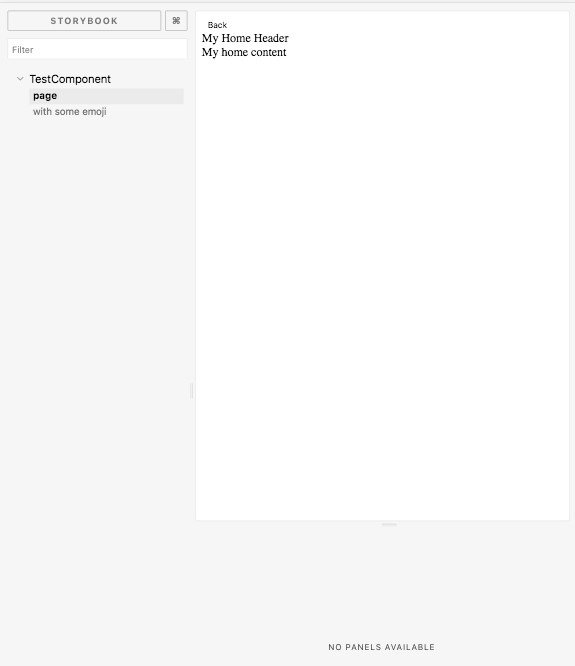
The only way I've managed to get close so far is by pasting ionic's compiled www/build/main.css' contents into.storybook/preview-head.html, within a