Storybook: How to use knobs with angular
Knobs with Angular is not same as with React. I tried to write story with Knobs, however, it will not modify my props as that is done using React which can be found here.
Bug or support request summary
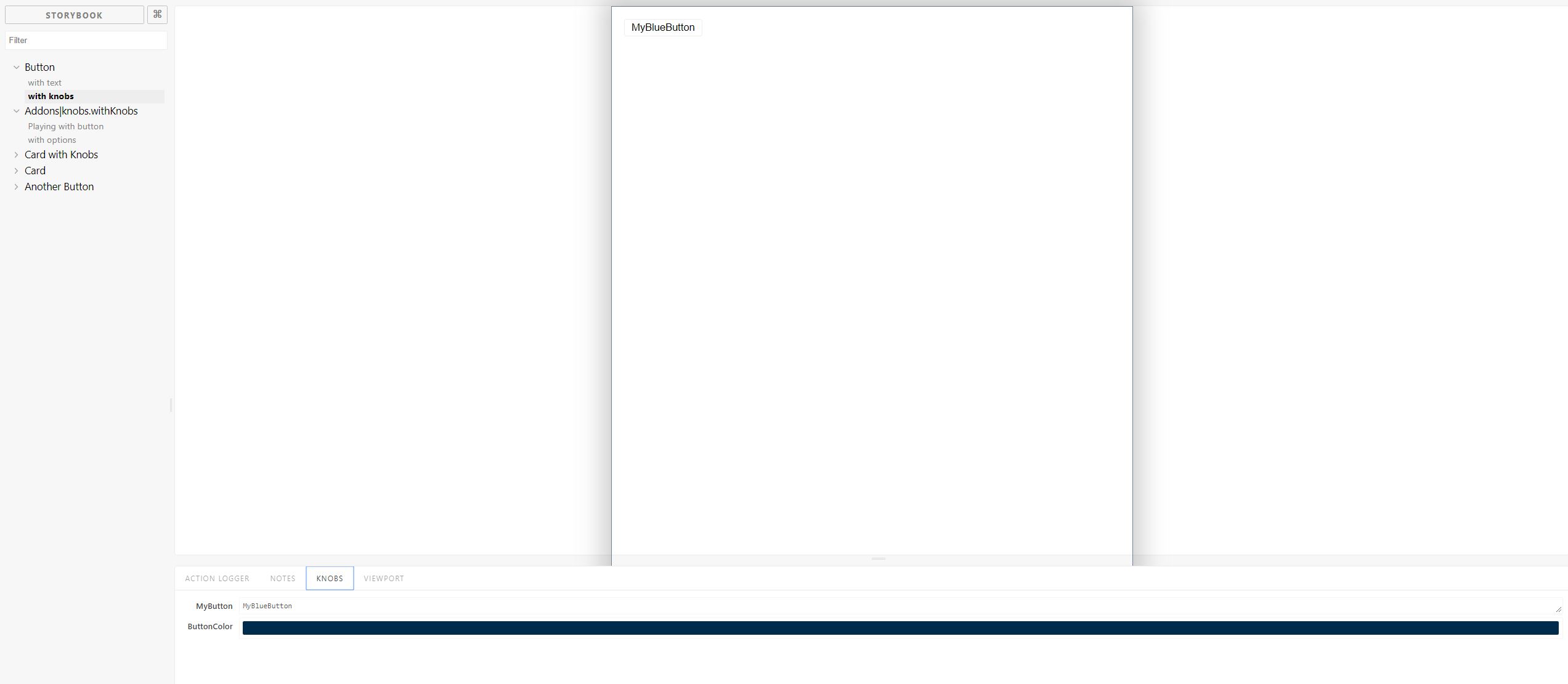
If I use knobs, for example, if I take a button, I am only able to change only one property of the button using knobs but if I write more than one 'props' for the button like, color, it will not work.
Steps to reproduce
const myStory = storiesOf('Button', module);
myStory.addDecorator(withKnobs);
  myStory.add('with text', () => ({
    component: Button,
    props: {
      text: 'Hello Storybook Button',
    },
   }))
   .add('with knobs', () => ({
     component:Button,
     props:{
       text:text('MyButton','MyBlueButton'),
       color:color('ButtonColor','#002b4b')
     }
   }) )
_(A screencast can be useful for visual bugs, but it is not a substitute for a textual description.)_
Please specify which version of Storybook and optionally any affected addons that you're running
- storybook/angular - latest version
- storybook/addon-knobs -latest version
- angular - 5.2.9
typescript - 2.5.3
Affected platforms
_If UI related, please indicate browser, OS, and version_
- _If dependency related, please include relevant version numbers_
- _If developer tooling related, please include the platform information_
Screenshots / Screencast / Code Snippets (Optional)
 rameshkunwar
All 3 comments
You have to name your knobs labels exactly as the name of the component props.
 igor-dv
on 6 Apr 2018
igor-dv
on 6 Apr 2018
This example helped me. I think this example should be added on knobs for Angular.
rameshkunwar
on 9 Apr 2018
Hi all,
I've found a workaround. Use functions!!
As you may know, React is all about functions and so are knobs, with this approach, you have instant responsiveness:
...
  .add('your story here', () => ({
    template: `
        <your-component-here
                [customHeight]="height()">
        </your-component-here>
    `,
    props: {
      height: () => number('height', 50)
    },
  }));
 Silverium
on 18 Jun 2020
Silverium
on 18 Jun 2020
Related issues
 Olian04
·
78Comments
Olian04
·
78Comments
 dmmarmol
·
57Comments
dmmarmol
·
57Comments
 joeruello
·
79Comments
joeruello
·
79Comments
 43081j
·
61Comments
43081j
·
61Comments
 ilias-t
·
73Comments
ilias-t
·
73Comments
Most helpful comment
This example helped me. I think this example should be added on knobs for Angular.