Storybook: Error when clicking on the menu item on React 16
Workaround: https://github.com/storybooks/storybook/issues/1965#issuecomment-336912108 (https://github.com/storybooks/storybook/issues/1965#issuecomment-335414898)
I've updated to react 16 and there's this strange error: when I click on any menu item (to open other story or group) I have blank screen (nothing at all is rendered).
I use yarn storybook to start storybook.
yarn run v1.1.0
$ start-storybook -p 9009 -s public
@storybook/react v3.2.12
=> Loading static files from: /home/mozgiii/Desktop/truvest/webapp/public .
=> Loading custom addons config.
=> Using default webpack setup based on "Create React App".
webpack built 8fda9afa05b5574a775e in 5531ms
Storybook started on => http://localhost:9009/
Initially page loads on the first story. Looks ok so far, but there are some errors in the console:
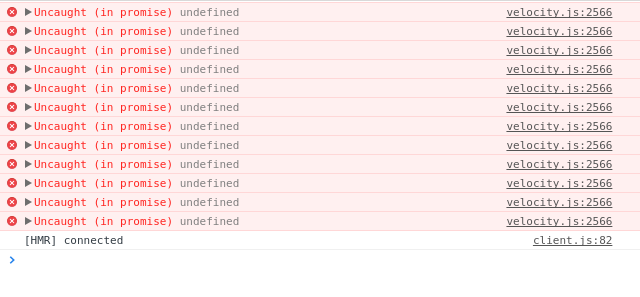
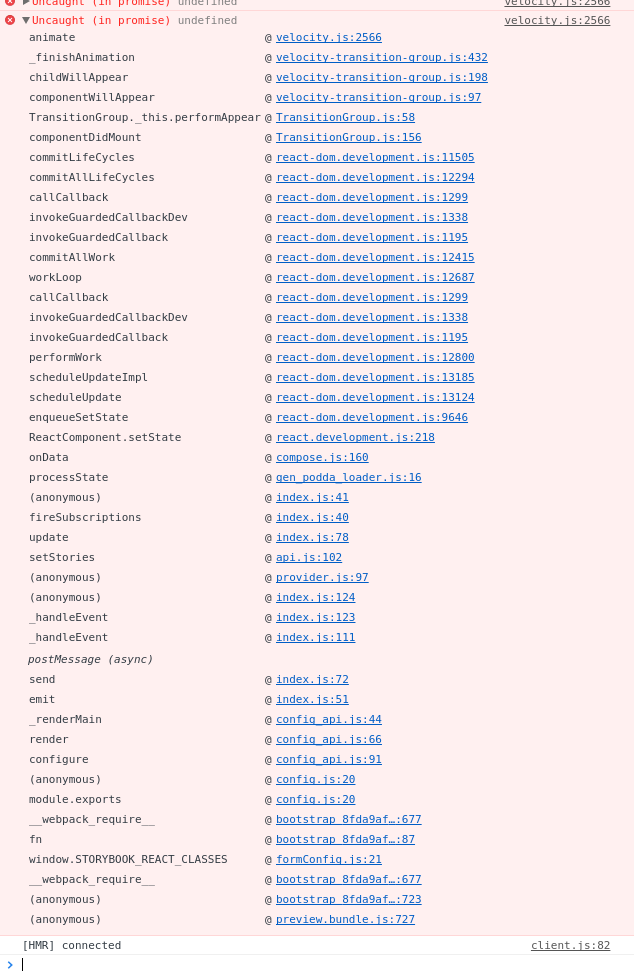
Here's the log as saved by chrome: localhost-1507074821359.log
Now, when I click on any menu item something bad happends and I have blank screen.
There are new errors in the console:
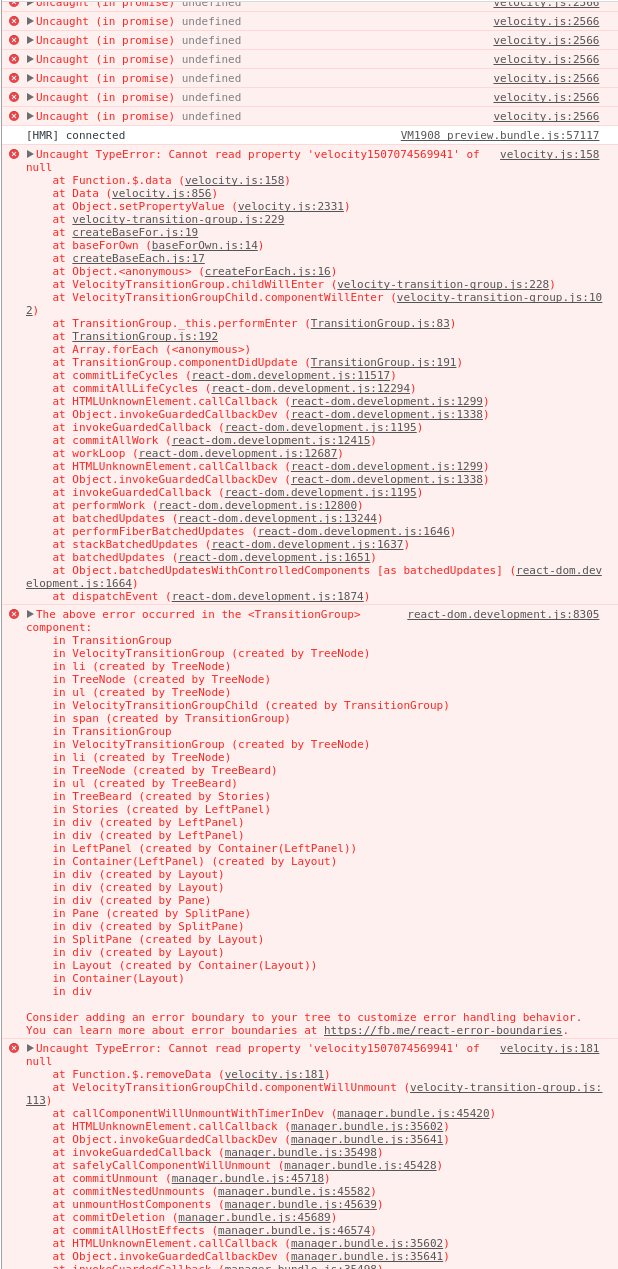
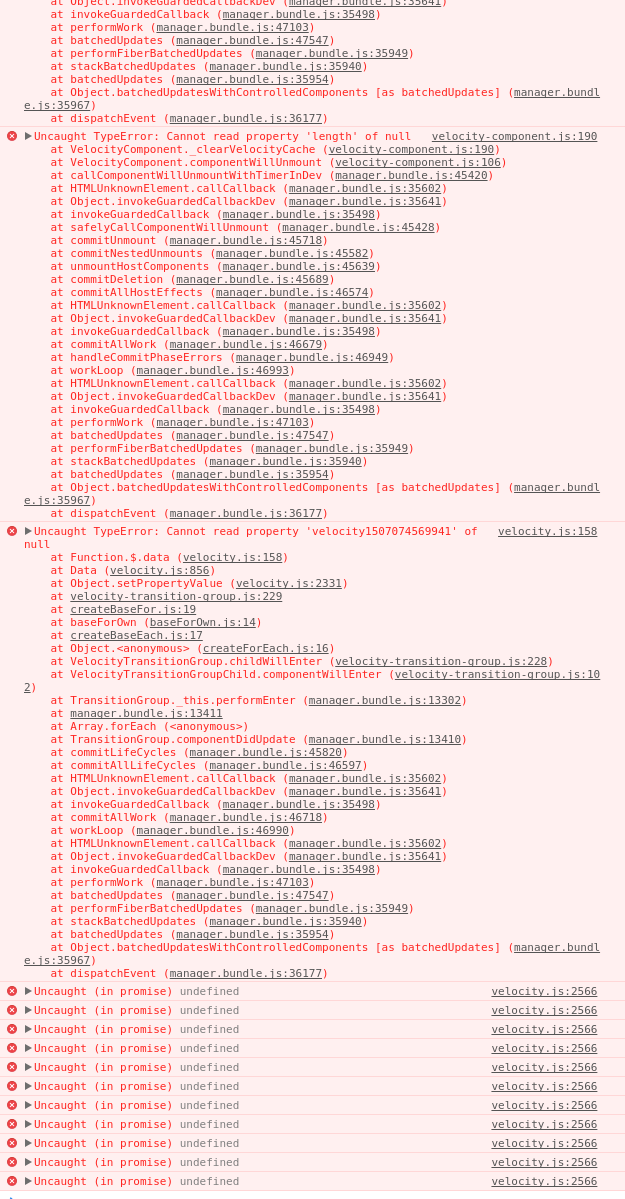
Some skipped, it's only the beginning and the end...
New log: localhost-1507075072650.log
I have no idea why this is happening. I tried using react 15 again and it works there. I've also tried removing all my storeis and using only standard "welcome" with the same results - I think it means the issue is somewhere in the package.
I'm using CRA, here's some info on my setup:
- yarn.lock
node --version:v8.6.0
Keywords:
Uncaught TypeError: Cannot read property 'velocity1507074569941' of nullThe above error occurred in the <TransitionGroup> component:
 MOZGIII
All 24 comments
I have the same :(
What dependency do you have on your CRA app?
 mthuret
on 4 Oct 2017
mthuret
on 4 Oct 2017
Check out yarn.lock.
MOZGIII
on 4 Oct 2017
@MOZGIII Getting the same error after updating a project.
I believe the issue is in this dependency, will continue to debug later this evening.
react-treebeard@^2.0.3:
  version "2.0.3"
  resolved "https://registry.yarnpkg.com/react-treebeard/-/react-treebeard-2.0.3.tgz#cd644209c1be2fe2be3ae4bca8350ed6abf293d6"
  dependencies:
    babel-runtime "^6.23.0"
    deep-equal "^1.0.1"
    prop-types "^15.5.8"
    radium "^0.19.0"
    shallowequal "^0.2.2"
    velocity-react "^1.3.1"
 marchdoe
on 5 Oct 2017
marchdoe
on 5 Oct 2017
I saw error occuring at velocity-react package, but I'm not sure if it's the issue. Debugging this without the code knowledge is hard.
MOZGIII
on 5 Oct 2017
I had the exact same problem when upgrading React and Storybook. Yarn had upgraded Storybook to "^3.2.8" and not 3.2.12.
Running yarn upgrade @storybook/[email protected] seems to have fixed it for me.
I still get some Yarn warning around React 15 peer dependencies, but they don't seem to cause any issues...
 ghost
on 9 Oct 2017
ghost
on 9 Oct 2017
Can you post your yarn.lock?
MOZGIII
on 9 Oct 2017
a temporary workaround I found with this issue (as upgrading to 3.2.12 wasn't enough), is to use the options addon and set sidebarAnimations to false.
react-treebeard uses velocity-react for those animations and somehow it's not working anymore with React16.
mthuret
on 10 Oct 2017
I can confirm this workaround works! Thanks @mthuret for investigating the issue and sharing the solution.
MOZGIII
on 10 Oct 2017
Proper fix is still needed though.
MOZGIII
on 10 Oct 2017
I wonder why examples/cra-kitchen-sink works then, it uses React 16 as well
 Hypnosphi
on 10 Oct 2017
Hypnosphi
on 10 Oct 2017
Maybe it doesn't: it has no package.lock or yarn.lock, so I may work or not work in different moments in time. Could you just place my yarn.lock in there, then run yarn install and see if it breaks everything?
MOZGIII
on 10 Oct 2017
We use yarn workspaces, so there’s a single lockfile for all the packages: https://github.com/storybooks/storybook/blob/master/yarn.lock
Hypnosphi
on 10 Oct 2017
I see, that's a cool freature of yarn I didn't know about. However it can still be the the reason the issue doesn't appear. You could try using my yarn.lock.
If it doesn't help, I need to finish something here and then I'll probably try to extract a reproducable sample.
MOZGIII
on 10 Oct 2017
Thanks @mthuret Disabling animations worked, but heads up for future readers - the option is sidebarAnimations: false, the comment above is missing the s at the end of Animations.
 greggb
on 16 Oct 2017
greggb
on 16 Oct 2017
At least we have the same record for react-treebeard, so it shouldn't be the source of the issue:
https://github.com/storybooks/storybook/blob/master/yarn.lock#L9723-L9732
Hypnosphi
on 17 Oct 2017
I tried the following and wasn't able to reproduce your issue =(
npx create-react-app my-app
cd my-app
npx getstorybook
mv ~/Downloads/yarn.lock.txt ./yarn.lock # this is your lockfile
yarn
yarn storybook
So can you please upload your project to GitHub as a repo?
Hypnosphi
on 17 Oct 2017
@Hypnosphi if you need a project to see the issue you can use https://github.com/algolia/react-instantsearch and just remove the sidebarAnimations config.
mthuret
on 17 Oct 2017
@mthuret this is actually a bug in yarn: react-velocity incorrectly gets react-dom@15 in its node_modules directory. After upgrading to [email protected], your storybook seems to work OK with animations
@MOZGIII please reopen if upgrading to [email protected] doesn't solve the issue in your case
Hypnosphi
on 21 Oct 2017
I used to have yarn 1.2.1, and now I should have latest in general (isn't it 1.2.2 already?). What do I need to do to verify that yarn update fixes the issue? Perform yarn upgrade?
MOZGIII
on 21 Oct 2017
The latest stable version is 1.2.1: https://github.com/yarnpkg/yarn/releases
To check which version are you using, run yarn -v. If it's 1.2.1, just reinstall dependencies with yarn and check if the issue persists. If it does, please upload your project to GitHub and reopen the issue
Hypnosphi
on 21 Oct 2017
Reinstalling dependecies won't work because dependecies are locked in yarn.lock. I should be needing to explicitly tell yarn to do a dependecly resolution somehow. Am I wrong here? At least thats my expectations as a ruby's bundler user (which inspired yarn development).
MOZGIII
on 21 Oct 2017
The problem with 1.2.0 was that it sometimes installed a nested dependency when it shouldn't. What are the contents of your node_modules/velocity-react/node_modules directory?
Hypnosphi
on 21 Oct 2017
I can't check it now unfortunately.
MOZGIII
on 21 Oct 2017
It works! So it was a yarn bug all along... Thank you very much.
MOZGIII
on 23 Oct 2017
Related issues
 rpersaud
·
3Comments
rpersaud
·
3Comments
 levithomason
·
3Comments
levithomason
·
3Comments
 dnlsandiego
·
3Comments
dnlsandiego
·
3Comments
 tirli
·
3Comments
tirli
·
3Comments
 tomitrescak
·
3Comments
tomitrescak
·
3Comments
Most helpful comment
a temporary workaround I found with this issue (as upgrading to 3.2.12 wasn't enough), is to use the options addon and set
sidebarAnimationsto false.react-treebeardusesvelocity-reactfor those animations and somehow it's not working anymore with React16.