Storybook-readme: Support Storybook 5.1.1
Just wanted to track support for Storybook 5.1.1.
My team has been waiting for fixes present inside 5.1.1 and attempted upgrade results in unusable page due to storybook-readme errors.
Please let me know if I can help by providing any other information. I haven't done so because it's not an error specific to me, but present in the upgrade to 5.1.1.
Thanks!
 tekdroid
All 16 comments
Could you please show which errors do you receive?
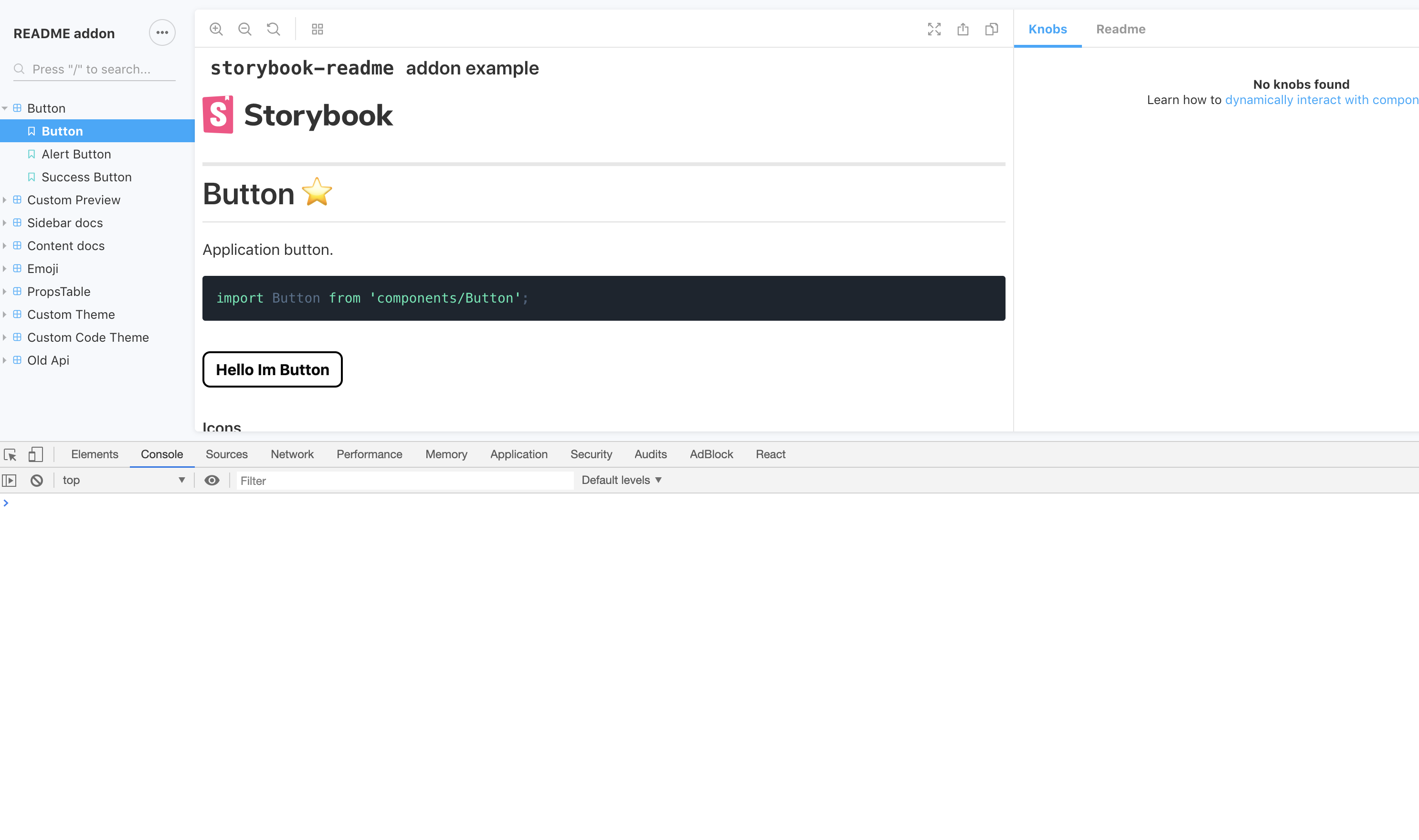
I made tests and seems it works and there are no errors
console is clear
 tuchk4
on 6 Jun 2019
tuchk4
on 6 Jun 2019
@tuchk4 Not sure if @tekdroid is getting the same issue as I am. But I'm getting this error after updating to the latest storybook.
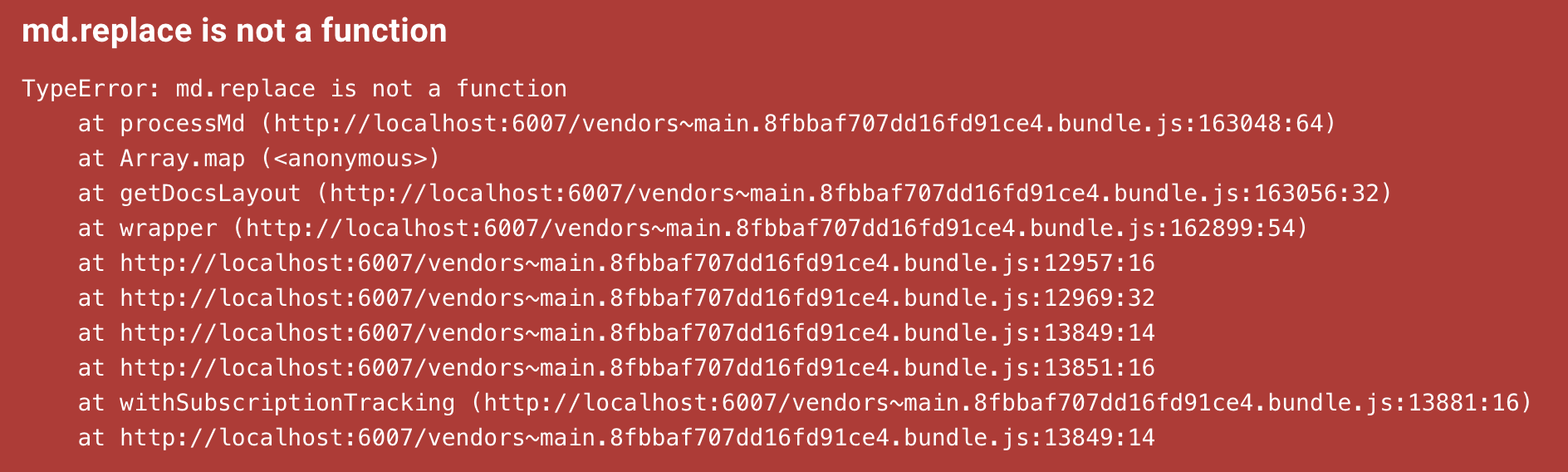
this is how my stories are set up:
storiesOf("Button", module)
  .addParameters({
    readme: {
      sidebar: ButtonReadme,
    },
    options: {
      showPanel: true,
      isToolshown: false,
    },
  })
  .add(...)
  .add(
    "README.md",
    () => {
      return null;
    },
    {
      readme: {
        content: ButtonReadme,
        sidebar: null,
      },
      options: {
        showPanel: false,
      },
    },
  )
 yasharzolmajdi
on 7 Jun 2019
yasharzolmajdi
on 7 Jun 2019
@yasharzolmajdi is correct, sorry for making an assumption here. Thank you so much for posting the error.
tekdroid
on 7 Jun 2019
Still can't reproduce...
Looking what is wrong...
FYI there is already storybooks' new version released 5.1.3
tuchk4
on 7 Jun 2019
Still can't repo but can assume that ButtonReadme in @yasharzolmajdi example is not string.
If it is import ButtonReadme from './README.md then there are some issue / changes in webpack md loaders.
@ndelangen hope you can help here
tuchk4
on 7 Jun 2019
@yasharzolmajdi try to define const ButtonReadme = '# Just test;
Anyway it would be nice if you create repository with issue reproduction
tuchk4
on 7 Jun 2019
@tuchk4 thanks for what you've posted, allowed me to see the changes I needed to make.
Turns out we were using require() to pull in the markdown files. I've switched this over to imports and I'm no longer seeing any issues.
Feel free to close this ticket unless you wish to continue to help @yasharzolmajdi
Thanks!
tekdroid
on 7 Jun 2019
I'm getting this same issue and when I switch to imports I get a Cannot find module.
Did you have to change the config to allow this to work @tekdroid?
 markgaze
on 7 Jun 2019
markgaze
on 7 Jun 2019
@markgaze I did not. My change was very minimal. I removed in-line require() calls and placed an import at the top, exactly like @tuchk4 has shown import readme from '../README.md';, referencing the imported name in place of the previous require() call.
EDIT:
Here's a diff

tekdroid
on 7 Jun 2019
Hmm... do you mind sharing you webpack.config.js file in .storybook (if you have one). Not sure if the person that set up our project has done something to break it by using some custom config... :slightly_frowning_face:
Thanks for your help!
markgaze
on 7 Jun 2019
@markgaze I have redacted some things specific to my company, they shouldn't be required.
const webpackConfig = require('../webpack/webpack.config.js');
const CopyWebpackPlugin = require('copy-webpack-plugin');
const VueLoaderPlugin = require('vue-loader/lib/plugin');

module.exports = ({ config }) => {
  config.entry = ['./build/storybook/polyfills/event-source.js', ...config.entry];
  config.devtool = 'source-map';
  // We don't want a duplicate vue rule, it causes issues
  config.module.rules.push(...webpackConfig.module.rules.filter(rule => rule.loader !== 'vue-loader'));
  config.plugins.push(
    // we don't want a duplicate vueloader plugin, it causes issues
    ...webpackConfig.plugins.filter(plugin => !(plugin instanceof VueLoaderPlugin)),
  );
  config.resolve = Object.assign(
    config.resolve || {},
    webpackConfig.resolve || {}
  );

  return config;
We have a webpack config with some settings specific to our build and we move over some of those settings, but remove duplicates. That separate config is mostly meant to handle our mono-repo, styling, jsx and some icons. I've verified there is nothing specific to md files in that config.
I hope this helps.
tekdroid
on 7 Jun 2019
That's great, thank you @tekdroid, will have a look at that and see what the differences are and let you know how it goes!
Thanks again! 😊
markgaze
on 8 Jun 2019
Thanks for your help @tekdroid, managed to get it working!
For anyone else finding themselves having this issue, I fixed it by following these steps: https://github.com/storybookjs/storybook/issues/6434#issuecomment-480507965
markgaze
on 8 Jun 2019
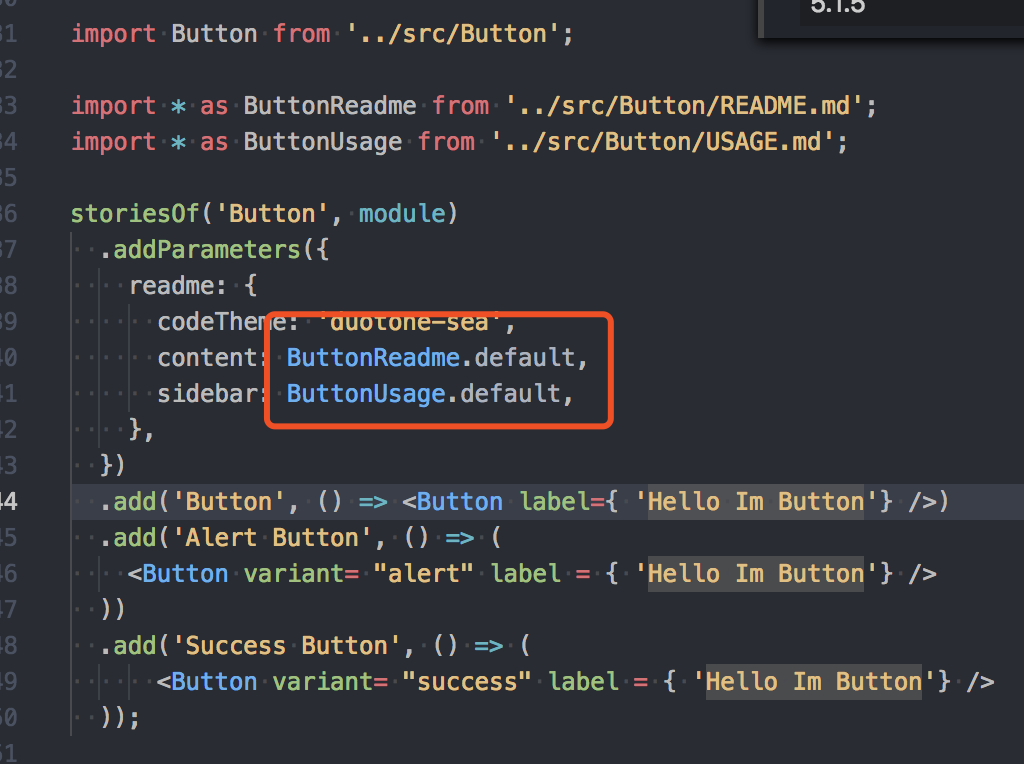
I resolved this problem by this method
 shangyunsi
on 14 Jun 2019
shangyunsi
on 14 Jun 2019
@shangyunsi if you import without the asterisk you don't need .default.
import ButtonReadme from './README.md
Close this issue because problem seems to be resolved.
tuchk4
on 18 Jun 2019
Related issues
 deehuey
·
3Comments
deehuey
·
3Comments
 silentHoo
·
6Comments
silentHoo
·
6Comments
 ChristiaanScheermeijer
·
5Comments
ChristiaanScheermeijer
·
5Comments
 robcaldecottvelo
·
5Comments
robcaldecottvelo
·
5Comments
 mcookdev
·
3Comments
mcookdev
·
3Comments
Most helpful comment
@markgaze I did not. My change was very minimal. I removed in-line require() calls and placed an import at the top, exactly like @tuchk4 has shown
import readme from '../README.md';, referencing the imported name in place of the previous require() call.EDIT:

Here's a diff