Storybook-readme: Syntax highlighting for code not working when switching stories
First I need to thank you for this awesome addon.
Issue Details
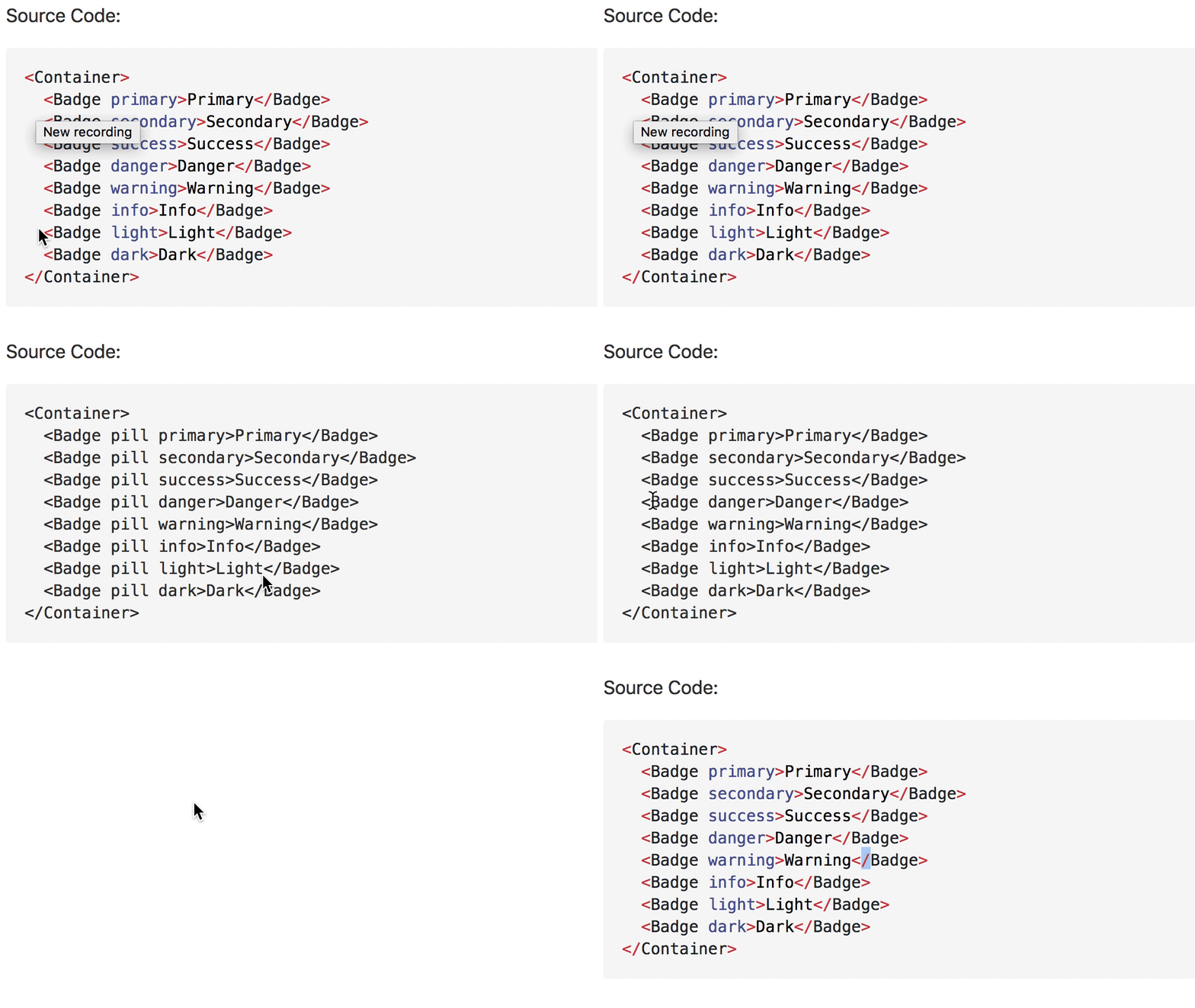
The syntax highlighting for code is correctly displayed for the first time loading the storybook, but when I switch to another story and I have a markdown in a withDocs or withReadme function the highlighting is not correctly on this story. Finally when I switch back to the old story which was displayed correctly before, the syntax highlighting is gone. When I do a complete reload cmd + r of the browser window the syntax highlighting is there again, but only for the current story. When switching again to another story the highlighting is gone again. See the gif below
Steps to Reproduce
Create a 2 markdown files with a code snippet using ```jsx``` and import it to your story.
import MarkdownWithCode from '../path/to/markdown.md';
import MarkdownWithCode2 from '../path/to/markdown2.md';

storiesOf('example', module)
  .add('test 1', withDocs(MarkdownWithCode, () => (<div>test1 component</div>)));
  .add('test 2', withDocs(MarkdownWithCode, () => (<div>test2 component</div>)));
Versions
- storybook-readme 3.2.1 (edit wrong version)
- @storybook/addon-options 3.3.12
- @storybook/addons 3.3.11
- @storybook/react 3.3.11
Screen Recording
 aichbauer
All 10 comments
This bug was already fixed earlier.
There is highlighting at componentDidUpdate https://github.com/tuchk4/storybook-readme/blob/master/packages/storybook-readme/src/env/react/index.js#L18
Can't reproduce at demo https://tuchk4.github.io/storybook-readme
 tuchk4
on 7 Mar 2018
tuchk4
on 7 Mar 2018
Okay, I think I found what causes the problem in my case.
https://github.com/tuchk4/storybook-readme/commit/c94c88d663b9db05642ae624988062a0dc67ceef this commit introduced the bug in my case.
When I switch the story it mounts again, and then comes into this function, but dom.hasOwnProperty('querySelectorAll') is never true, so it is always an empty array. When I switch back before this commit everything works fine.
I will add the link to the storybook and the repo as soon as it is online. Maybe I am using storybook-readme wrong, I don't know. But I try to investigate whats the problem here. I am not using storyshots.
For a quick fix I am switching back to 3.2.0 (edit)
aichbauer
on 7 Mar 2018
Thanks for the details. Will check it again tomorrow morning. Seems I know
how to fix it.
On Wed, Mar 7, 2018 at 22:31 Lukas Aichbauer notifications@github.com
wrote:
Okay, I think I found what causes the problem in my case.
c94c88d
https://github.com/tuchk4/storybook-readme/commit/c94c88d663b9db05642ae624988062a0dc67ceef
this commit introduced the bug in my case.When I switch the story it mounts again, and then comes into this
function, but dom.hasOwnProperty('querySelectorAll') is never true, so it
is always an empty array. When I switch back before this commit everything
works fine.I will add the link to the storybook and the repo as soon as it is online.
Maybe I am using storybook-readme wrong, I don't know. But I try to
investigate whats the problem here. I am not using storyshots.—
You are receiving this because you commented.Reply to this email directly, view it on GitHub
https://github.com/tuchk4/storybook-readme/issues/56#issuecomment-371274518,
or mute the thread
https://github.com/notifications/unsubscribe-auth/AE5wgxoHYiH57qTJLIXM1hYKf2TAZSbxks5tcEOigaJpZM4Sgmcu
.
tuchk4
on 7 Mar 2018
So here is the storybook... I use them in every story as HOC https://github.com/aichbauer/styled-bootstrap-components/blob/master/.storybook/stories
aichbauer
on 9 Mar 2018
Hi,
I've got the same issue for .vue. I've fixed this by change nodes to get 'code' selector.
highlite.js
```js
var nodes = dom.querySelectorAll('code')
````
My code usualy look like this:
```html
A```
 alexiej
on 13 Mar 2018
alexiej
on 13 Mar 2018
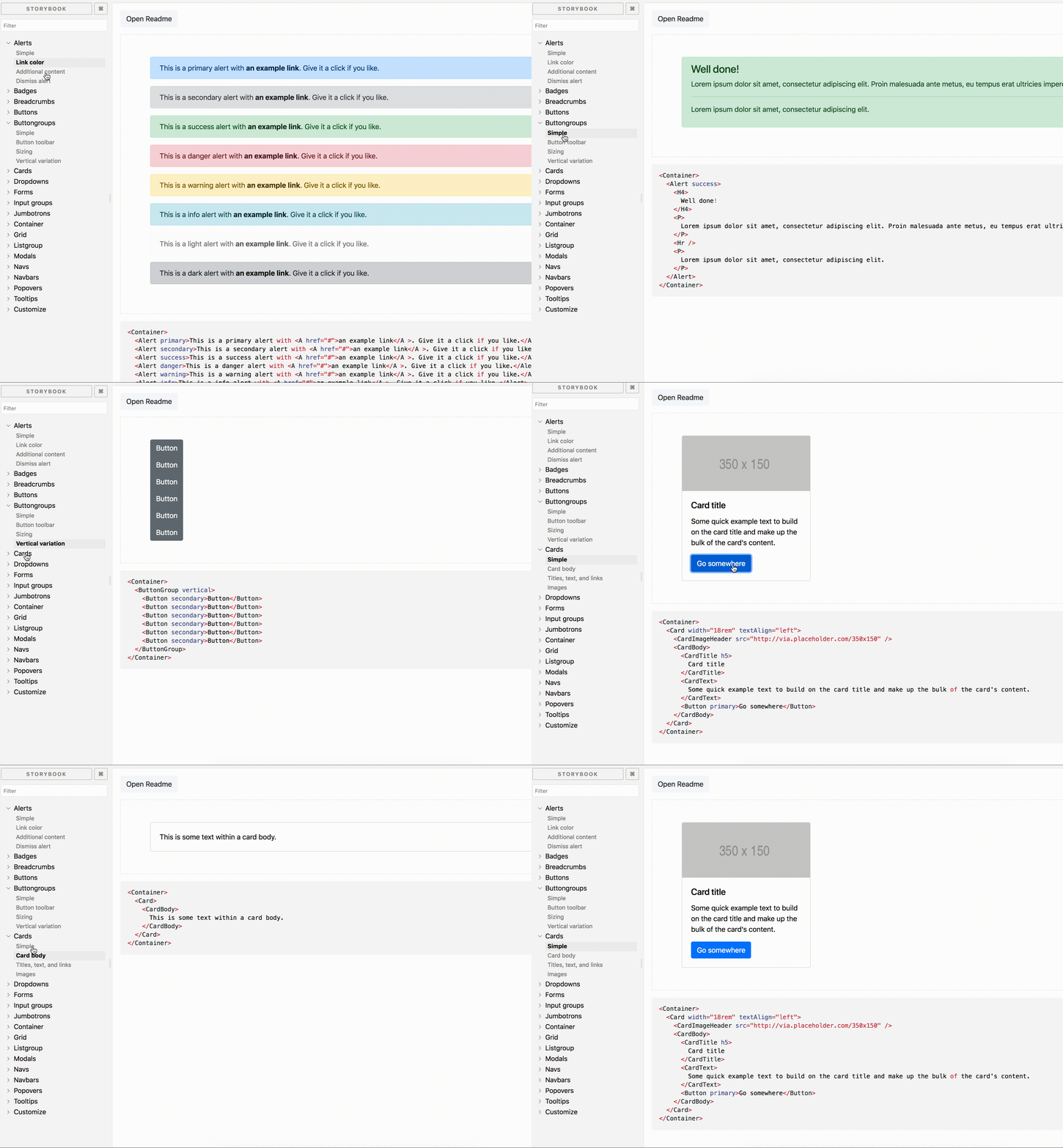
@aichbauer can not reproduce at your repo
Recorded gif
tuchk4
on 14 Mar 2018
@alexiej I will change dom selector in next release
tuchk4
on 14 Mar 2018
@alexiej @aichbauer please try [email protected].
I hope i fixed this issue :)
tuchk4
on 14 Mar 2018
@tuchk4 with [email protected] everything works. Thanks
aichbauer
on 15 Mar 2018
@tuchk4 with [email protected] it's working like a charm :)
alexiej
on 15 Mar 2018
Related issues
 chemoish
·
5Comments
chemoish
·
5Comments
 janusch
·
4Comments
janusch
·
4Comments
 lcaroselli
·
5Comments
lcaroselli
·
5Comments
 mktrue
·
3Comments
mktrue
·
3Comments
 lychyi
·
5Comments
lychyi
·
5Comments
Most helpful comment
@alexiej @aichbauer please try
[email protected].I hope i fixed this issue :)