Store: storage: undefined if using key option
Versions
* ngxs: 3.1.3
* ngxs/storage-plugin: 3.1.3
* @angular/core: 6.0.3
Repro steps
Initialize the storage plugin with a custom key:
@NgModule({
  declarations: [
    AppComponent
  ],
  imports: [
    ...
    NgxsModule.forRoot([]),
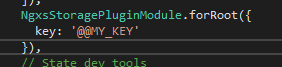
    NgxsStoragePluginModule.forRoot({
      key: '@@MY_KEY'
    }),
    NgxsLoggerPluginModule.forRoot(),
    ...
  ],
  providers: [],
  bootstrap: [AppComponent]
})
export class AppModule { }
Observed behavior
If the "key" option is passed to the storage plugin, then the value associated with that key in the local storage is undefined.
On the contrary, if the key is not specified, the default one (i.e. @@STATE) is used and everything works as expected.
Desired behavior
The custom key is used instead of @@STATE and everything works the same.
 ufoscout
All 11 comments
Can you make a demo? I've using this quite a bit and haven't had any issues.
 amcdnl
on 12 Jun 2018
amcdnl
on 12 Jun 2018
I encountered the same issue and here is what it means - the default @@STATE works but not custom key

 hxhieu
on 15 Jun 2018
hxhieu
on 15 Jun 2018
Any updates on this? Looking to use this feature upon app initialization.
 vdiaz1130
on 7 Sep 2018
vdiaz1130
on 7 Sep 2018
I tried to solve this issue and I think the whole implementation how the key option works is weird.
You can use strings and arrays. If one of these elements matches an property inside your state, it is set. If not it is undefined. I stopped to try things, because of the migration implementation. I'm new to this library and the migration structure also need keys.
I'm also wondered, that the @@STATE is hard coded, because there is line:
storage.plugin.ts
const isMaster = key === '@@STATE';
and I thought, that the setted key option is your new "master".
pseudo-state:
{
  state1: {
    count: 1
  },
  state2: {
    count: 2
  }
}
Implementation:
//...
NgxsStoragePluginModule.forRoot({
    key: 'myState' // is set to undefined
})
//...
Implementation 2:
//...
NgxsStoragePluginModule.forRoot({
    key: 'state1' // is set { count: 1 }
})
//...
Implementation 3:
//...
NgxsStoragePluginModule.forRoot({
    key: ['myState'] // saves nothing
})
//...
Implementation 4:
//...
NgxsStoragePluginModule.forRoot({
    key: ['myState', 'state1'] // saves value of state1 to key "state1" and set "myState" to undefined
})
//...
 ph1p
on 7 Nov 2018
ph1p
on 7 Nov 2018
Any update on that ? I am facing the same issue :
My need is to change the key user for the local storage (from @@STATE to app_state), but when I use
NgxsStoragePluginModule.forRoot({ key: 'app_state' }),
then the key app_state in my local storage is undefined, and of course the key @@STATE doesn't exist anymore.
 camillematters
on 16 Apr 2019
camillematters
on 16 Apr 2019
Here is a slackblitz to reproduce :
https://stackblitz.com/edit/angular-hmubmi?file=src%2Fapp%2Fapp.module.ts
You can see in the localstorage that app_state is undefined.
If you remove the key for the storage in the file app.module.ts, then the @@STATE is defined and full.
camillematters
on 16 Apr 2019
Key is actually the "read" path into the storage object for values to be persisted to localStorage.
With the except of @@STATE which tells the plugin to store all of the state object.
My need is to change the key user for the local storage (from @@STATE to app_state), but when I use
You must have a property in your state model named app_state.
interface Example { app_state: string };

@State<Example>({
     name: "app",
     defaults: { app_state: "Hello World" }
) //......
The above will store app_state: "Hello World" in localStorage if you set the key option to "app_state".
 thinkingmedia
on 18 Apr 2019
thinkingmedia
on 18 Apr 2019
@ufoscout should it be closed? The above answer of the thinkingmedia is correct:
Key is actually the "read" path into the storage object for values to be persisted to localStorage.
 arturovt
on 11 Aug 2019
arturovt
on 11 Aug 2019
@arturovt
Honestly, I find the behaviour quite weird and confusing; anyway, if this is the intended behaviour, then this issue should be closed.
Please be sure that this is properly documented anyway.
ufoscout
on 12 Aug 2019
@ufoscout OK, I will made a PR to enhance docs
arturovt
on 12 Aug 2019
Docs PR has been merged. Closing this issue.
 markwhitfeld
on 29 Aug 2019
markwhitfeld
on 29 Aug 2019
Related issues
 internalsystemerror
·
33Comments
internalsystemerror
·
33Comments
 piernik
·
19Comments
amcdnl
·
19Comments
piernik
·
19Comments
amcdnl
·
19Comments
 wouterv
·
28Comments
markwhitfeld
·
24Comments
wouterv
·
28Comments
markwhitfeld
·
24Comments
Most helpful comment
I encountered the same issue and here is what it means - the default @@STATE works but not custom key
