Status-react: Keycard Settings – Change passcode
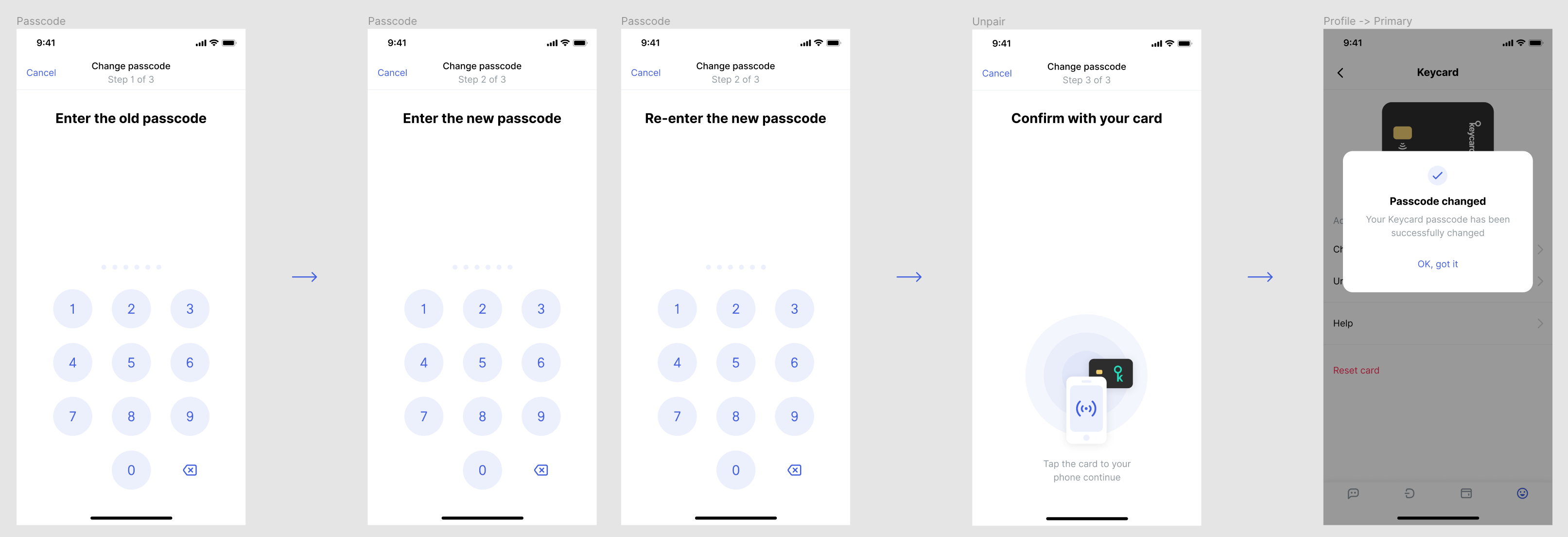
Everything here is quite straightforward, let me know if I am missing something? Is the "Confirm with card" step necessary? cc @guylouis
Figma https://www.figma.com/file/bPS9GrvMr7LnH7vnkmuveQfd/Settings?node-id=917%3A19200
 andmironov
👀1
All 3 comments
There are two options I guess
- as you described, only one tap of card fater user has input old and new pin (2x).
Pro: only one tap
Con: if user enters a wrong old passcode, he has to enter the full process again (type new passcode two times) - first ask the user to type his old password, tap the card, if NOK error message, if OK we need to store the passcode in RAM the time for the user to enter his new passcode and tap again the card
Pros: if old passcode is wrong, error message is shown directly
Cons: two taps, and passcocde is stored in RAM
Seems a good subject for a quick talk during our weekly sync :)
@andmironov
@michele
 guylouis
on 9 Dec 2019
guylouis
on 9 Dec 2019
🚀1
After discussion we're going for the first option, as described by andrei above.
guylouis
on 10 Dec 2019
👍2
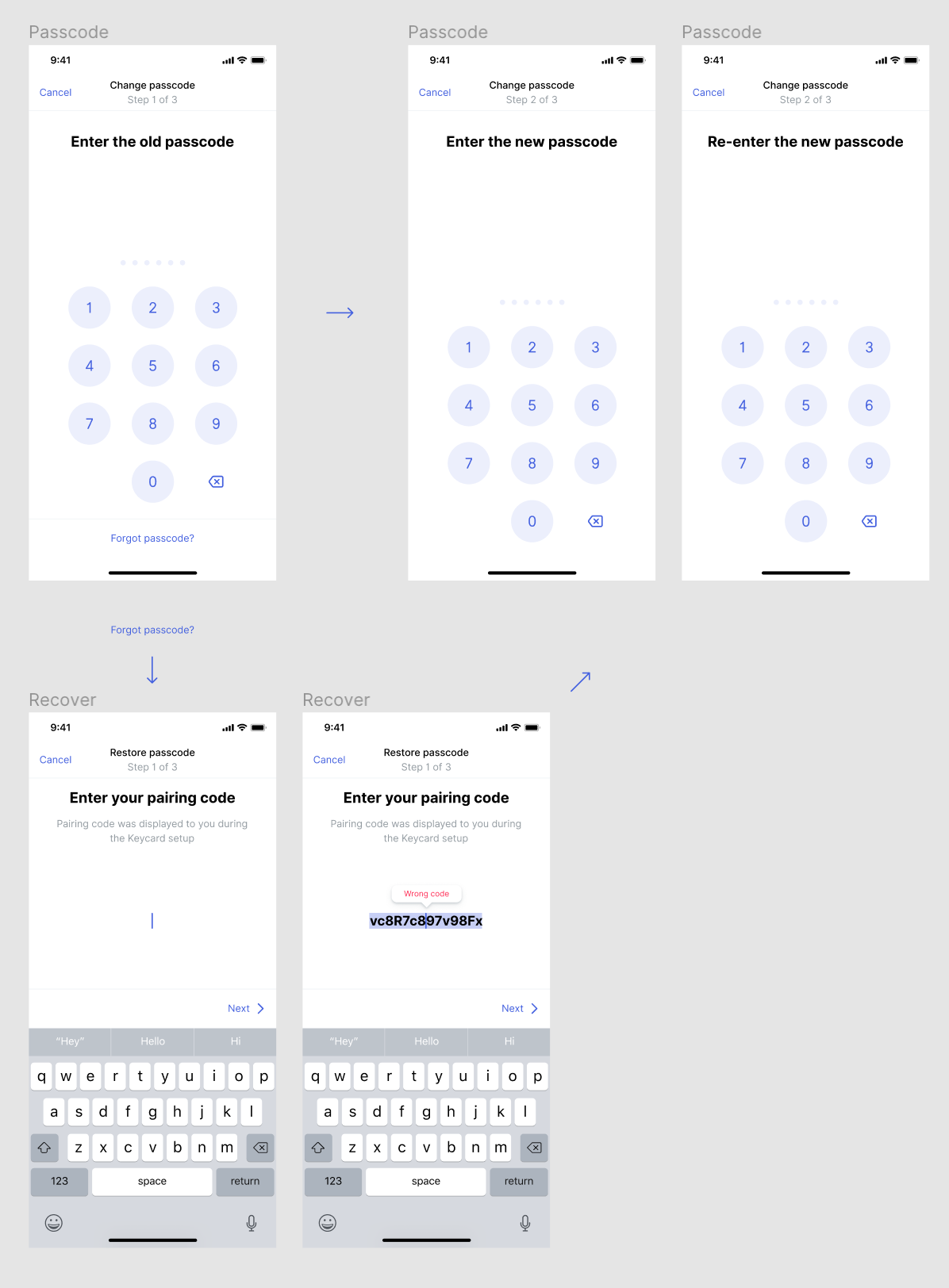
also, i'm adding "forgot passcode" button and flow. We were discussing a separate issue for this, but i think it might make sense to do it here
andmironov
on 10 Dec 2019
Was this page helpful?
0 / 5 - 0 ratings
Related issues
 annadanchenko
·
3Comments
annadanchenko
·
3Comments
 yevh-berdnyk
·
4Comments
annadanchenko
·
3Comments
yevh-berdnyk
·
4Comments
annadanchenko
·
3Comments
 Serhy
·
3Comments
Serhy
·
3Comments
 pcowgill
·
4Comments
pcowgill
·
4Comments
Most helpful comment
After discussion we're going for the first option, as described by andrei above.