Stackexchange.redis: RedisConnectionException: No connection is available to service this operation
Hi.
Recently updated our server with StackExchange.Redis v2.0.600.
About a day or two into running the library I started receiving thousands of these errors
RedisConnectionException: No connection is available to service this operation; It was not possible to connect to the redis server(s). To create a disconnected multiplexer, disable AbortOnConnectFail. ConnectTimeout; IOCP: (Busy=45,Free=955,Min=1000,Max=1000), WORKER: (Busy=43,Free=32724,Min=100,Max=32767), Local-CPU: n/a
Immediate issues were resolved by a web app restart, shortly after I reverted back to an older version of StackExchange.Redis.
Running Azure Redis Cache, ~20 client connections during these errors, ~120KiB throughput. 100Mb cache size. Redis Resource health shows "good"
 ConnorL33t
All 165 comments
Hmmm. Ok. I can't get much from that error message, but it does tell me
ways that I can improve that error message, i.e. track why a connection has
become unusable and report it. Will hack something in but: it might need
one round of better logging to know where to look for the actual fix.
On Thu, 11 Apr 2019, 19:25 Connor Lee, notifications@github.com wrote:
Hi.
Recently updated our server with StackExchange.Redis v2.0.600.
About a day or two into running the library I started receiving thousands
of these errorsRedisConnectionException: No connection is available to service this
operation; It was not possible to connect to the redis server(s). To create
a disconnected multiplexer, disable AbortOnConnectFail. ConnectTimeout;
IOCP: (Busy=45,Free=955,Min=1000,Max=1000), WORKER:
(Busy=43,Free=32724,Min=100,Max=32767), Local-CPU: n/aImmediate issues were resolved by a web app restart, shortly after I
reverted back to an older version of StackExchange.Redis.Running Azure Redis Cache, ~20 client connections during these errors,
~120KiB throughput. 100Mb cache size. Redis Resource health shows "good"—
You are receiving this because you are subscribed to this thread.
Reply to this email directly, view it on GitHub
https://github.com/StackExchange/StackExchange.Redis/issues/1120, or mute
the thread
https://github.com/notifications/unsubscribe-auth/AABDsCoxWZnlo02E625T8zPhdi7Giky9ks5vf34AgaJpZM4cqjO7
.
 mgravell
on 11 Apr 2019
mgravell
on 11 Apr 2019
I understand, I'll update and try to get a better error message when it's on nuget.
ConnorL33t
on 11 Apr 2019
We are also getting these errors on Azure Redis. Application restart fixes them temporarily, but then they are starting again. We are on 2.0.571
 sksk571
on 19 Apr 2019
sksk571
on 19 Apr 2019
We're also seeing this error pop up recently with the v2 library.
We have to restart our services in order to mitigate the issue, but it seems to come back after an hour or so.
Did anyone make any progress on figuring out what's going wrong?
 Tadimsky
on 15 May 2019
Tadimsky
on 15 May 2019
Same error. Turning on/off the AbortOnConnectFail setting has no impact.
Any ideas what is the main issue here ?
 bartdk-be
on 21 May 2019
bartdk-be
on 21 May 2019
Possibly related in 2.0.601.3402
AWS ElasticCache Redis Version 2.8.23
1,100 connections during this time with a 64 GB cache and ~35MB throughput
Process gets in this state and requires a restart
RedisConnectionException: No connection is available to service this operation: SETEX ****;
SocketClosed (ReadEndOfStream, last-recv: 0) on ***:6379/Interactive, Idle/MarkProcessed,
last: HSET, origin: ReadFromPipe, outstanding: 0, last-read: 0s ago, last-write: 46s ago, keep-alive: 60s,
state: ConnectedEstablished, mgr: 9 of 10 available, in: 0, in-pipe: 0, out-pipe: 0, last-heartbeat: 0s ago,
last-mbeat: 0s ago, global: 0s ago, v: 2.0.601.3402; IOCP: (Busy=0,Free=1000,Min=4,Max=1000),
WORKER: (Busy=3,Free=32764,Min=4,Max=32767), Local-CPU: n/a
 trpalmer
on 23 May 2019
trpalmer
on 23 May 2019
Any update on the issue?
We are also experiencing similar exceptions after updating to v2
StackExchange.Redis.RedisConnectionException: No connection is available to service this operation: HMSET ...; SocketClosed on .../Interactive, Idle/MarkProcessed, last: HMSET, origin: ReadFromPipe, outstanding: 0, last-read: 0s ago, last-write: 55s ago, keep-alive: 60s, state: ConnectedEstablished, mgr: 9 of 10 available, in: 0, last-heartbeat: 0s ago, last-mbeat: 0s ago, global: 0s ago, v: 2.0.601.3402; IOCP: (Busy=1,Free=999,Min=200,Max=1000), WORKER: (Busy=5,Free=32762,Min=200,Max=32767), Local-CPU: n/a
 Styrna
on 28 May 2019
Styrna
on 28 May 2019
We are also experiencing these quite regularly in our Azure Cloud Services. Using version 2.0.571.
 jglinsek
on 29 May 2019
jglinsek
on 29 May 2019
Today we downgraded our dll to 2.0.5 and we are not experiencing those errors anymore
Styrna
on 30 May 2019
@Styrna what version specifically did you go to? As noted, we are seeing it with 2.0.571 but I see versions 2.0.505, 2.0.513 and 2.0.519 out there. Also there are some later versions 2.0.588 and 2.0.593.
jglinsek
on 1 Jun 2019
2.0.519.65453 is working fine for us.
Styrna
on 4 Jun 2019
Same issue for me on 2.0.601
No connection is available to service this operation: GET ...; An existing connection was forcibly closed by the remote host; IOCP: (Busy=1,Free=999,Min=2,Max=1000), WORKER: (Busy=3,Free=8188,Min=2,Max=8191), Local-CPU: n/a SocketFailure on ..., Idle/Faulted, last: GET, origin: ReadFromPipe, outstanding: 10, last-read: 0s ago, last-write: 0s ago, keep-alive: 60s, state: ConnectedEstablished, mgr: 9 of 10 available, in: 0, last-heartbeat: 0s ago, last-mbeat: 0s ago, global: 0s ago, v: 2.0.601.3402 Unable to read data from the transport connection: An existing connection was forcibly closed by the remote host. An existing connection was forcibly closed by the remote host
Not sure if this helps:
StackExchange.Redis.RedisConnectionException:
...
System.Runtime.CompilerServices.ConfiguredValueTaskAwaitable`1+ConfiguredValueTaskAwaiter.GetResult (System.Private.CoreLib, Version=4.0.0.0, Culture=neutral, PublicKeyToken=7cec85d7bea7798e)
   at System.Net.Security.SslStreamInternal+<<FillBufferAsync>g__InternalFillBufferAsync|38_0>d`1.MoveNext (System.Net.Security, Version=4.1.1.0, Culture=neutral, PublicKeyToken=b03f5f7f11d50a3a)
   at System.Runtime.ExceptionServices.ExceptionDispatchInfo.Throw (System.Private.CoreLib, Version=4.0.0.0, Culture=neutral, PublicKeyToken=7cec85d7bea7798e)
   at System.Runtime.CompilerServices.TaskAwaiter.ThrowForNonSuccess (System.Private.CoreLib, Version=4.0.0.0, Culture=neutral, PublicKeyToken=7cec85d7bea7798e)
   at System.Runtime.CompilerServices.TaskAwaiter.HandleNonSuccessAndDebuggerNotification (System.Private.CoreLib, Version=4.0.0.0, Culture=neutral, PublicKeyToken=7cec85d7bea7798e)
   at System.Runtime.CompilerServices.ConfiguredValueTaskAwaitable`1+ConfiguredValueTaskAwaiter.GetResult (System.Private.CoreLib, Version=4.0.0.0, Culture=neutral, PublicKeyToken=7cec85d7bea7798e)
   at System.Net.Security.SslStreamInternal+<ReadAsyncInternal>d__34`1.MoveNext (System.Net.Security, Version=4.1.1.0, Culture=neutral, PublicKeyToken=b03f5f7f11d50a3a)
   at System.Runtime.ExceptionServices.ExceptionDispatchInfo.Throw (System.Private.CoreLib, Version=4.0.0.0, Culture=neutral, PublicKeyToken=7cec85d7bea7798e)
   at System.Runtime.CompilerServices.TaskAwaiter.ThrowForNonSuccess (System.Private.CoreLib, Version=4.0.0.0, Culture=neutral, PublicKeyToken=7cec85d7bea7798e)
   at Pipelines.Sockets.Unofficial.StreamConnection+AsyncStreamPipe+<CopyFromStreamToReadPipe>d__13.MoveNext (Pipelines.Sockets.Unofficial, Version=1.0.0.0, Culture=neutral, PublicKeyToken=42ea0a778e13fbe2Pipelines.Sockets.Unofficial, Version=1.0.0.0, Culture=neutral, PublicKeyToken=42ea0a778e13fbe2: C:\Code\Pipelines.Sockets.Unofficial\src\Pipelines.Sockets.Unofficial\StreamConnection.AsyncStreamPipe.csPipelines.Sockets.Unofficial, Version=1.0.0.0, Culture=neutral, PublicKeyToken=42ea0a778e13fbe2: 97)
   at System.Runtime.ExceptionServices.ExceptionDispatchInfo.Throw (System.Private.CoreLib, Version=4.0.0.0, Culture=neutral, PublicKeyToken=7cec85d7bea7798e)
   at System.IO.Pipelines.PipeCompletion.ThrowLatchedException (System.IO.Pipelines, Version=4.0.0.1, Culture=neutral, PublicKeyToken=cc7b13ffcd2ddd51)
   at System.IO.Pipelines.Pipe.GetReadResult (System.IO.Pipelines, Version=4.0.0.1, Culture=neutral, PublicKeyToken=cc7b13ffcd2ddd51)
   at System.IO.Pipelines.Pipe.GetReadAsyncResult (System.IO.Pipelines, Version=4.0.0.1, Culture=neutral, PublicKeyToken=cc7b13ffcd2ddd51)
   at System.IO.Pipelines.Pipe+DefaultPipeReader.GetResult (System.IO.Pipelines, Version=4.0.0.1, Culture=neutral, PublicKeyToken=cc7b13ffcd2ddd51)
   at StackExchange.Redis.PhysicalConnection+<ReadFromPipe>d__110.MoveNext (StackExchange.Redis, Version=2.0.0.0, Culture=neutral, PublicKeyToken=c219ff1ca8c2ce46StackExchange.Redis, Version=2.0.0.0, Culture=neutral, PublicKeyToken=c219ff1ca8c2ce46: C:\projects\stackexchange-redis\src\StackExchange.Redis\PhysicalConnection.csStackExchange.Redis, Version=2.0.0.0, Culture=neutral, PublicKeyToken=c219ff1ca8c2ce46: 1475)
Inner exception System.Net.Sockets.SocketException handled at System.Net.Sockets.Socket+AwaitableSocketAsyncEventArgs.ThrowException:
 moshegutman
on 5 Jun 2019
moshegutman
on 5 Jun 2019
Hi,
We've upgraded from 2.0.513 due to the performance issue, but now there is "No connection is available to service this operation" errors.
Any progress regarding this issue?
StackExchange.Redis.RedisConnectionException: No connection is available to service this operation: HSET MessageQueue:ProcessingListsData; IOCP: (Busy=0,Free=1000,Min=100,Max=1000), WORKER: (Busy=71,Free=1976,Min=100,Max=2047), Local-CPU: n/a
   at StackExchange.Redis.ConnectionMultiplexer.ExecuteSyncImpl[T](Message message, ResultProcessor
1 processor, ServerEndPoint server)
at StackExchange.Redis.RedisBase.ExecuteSync[T](Message message, ResultProcessor1 processor, ServerEndPoint server)
at StackExchange.Redis.RedisDatabase.HashSet(RedisKey key, RedisValue hashField, RedisValue value, When when, CommandFlags flags)
 stas-vi
on 10 Jun 2019
stas-vi
on 10 Jun 2019
Hi,
We have a similar issue with 2.0.571. There are thousands of No connection is available to service this operation in our Production environment (so it really affects Production). The issue could be resolved by restarting the service (node).
Running Azure Redis Cache, Client host: Azure VM. Clients and Server are located in the same region.
RedisConnectionException: Message: No connection is available to service this operation: XXX WWWWW;
It was not possible to connect to the redis server(s).
To create a disconnected multiplexer, disable AbortOnConnectFail. ConnectTimeout;
IOCP: (Busy=0,Free=3000,Min=500,Max=3000), WORKER: (Busy=5,Free=2995,Min=500,Max=3000), Local-CPU: n/a
 MaximKojine
on 11 Jun 2019
MaximKojine
on 11 Jun 2019
Hi,
We have a similar issue with 2.0.571. There are thousands of
No connection is available to service this operationin our Production environment (so it really affects Production). The issue could be resolved by restarting the service (node).Running Azure Redis Cache, Client host: Azure VM. Clients and Server are located in the same region.
RedisConnectionException: Message: No connection is available to service this operation: XXX WWWWW; It was not possible to connect to the redis server(s). To create a disconnected multiplexer, disable AbortOnConnectFail. ConnectTimeout; IOCP: (Busy=0,Free=3000,Min=500,Max=3000), WORKER: (Busy=5,Free=2995,Min=500,Max=3000), Local-CPU: n/a
@mgravell This is causing a huge issue for our production servers and processing. We cannot take latest Reid’s package as it has severe performance issue and now we are experiencing this issue consistently. This is completely unacceptable - as according to you, it seems more of a logging issue - I understand that you need to log from exact location - as to why connections are being dropped, but still, this is not an acceptable behavior - specially when this package is recommended by MS Azure team. We have 8 different production instances and we are experiencing this issue on all production system. Out of all these instances, largest one is a shared deployment with 6 x 13GB Redis. Off course we are trying to handle all these connection issues in our pipeline, however, doing so is causing massive delays in the system. cc @MaximKojine
 tejasavora
on 11 Jun 2019
tejasavora
on 11 Jun 2019
@tejasavora I think we're all frustrated, but remember this is OSS - @mgravell & StackOverflow are allowing us to use this library, and supporting our use of this lib for free.
ConnorL33t
on 11 Jun 2019
@ConnorL33t
Did you try to play with KeepAlive and syncTimeout settings? Or resolveDns?
MaximKojine
on 11 Jun 2019
2 weeks so far without those errors on 2.0.519.65453.
Just downgrade a little till the issue is solved.
Styrna
on 11 Jun 2019
@ConnorL33t I totally understand that and I do not deny that. @mgravell apologies for some very blunt words. However, my frustration was directed more towards Azure Redis team and their recommendation to go with stackexhange driver initially and then over the time problems we have faced in production environments.
And definitely, thanks are in order for being us use this library.
tejasavora
on 12 Jun 2019
If it would be a trivial code issue - then everybody would experience it. Millions of StackExchange.Redis NuGet downloads and only a thousand (maybe a hundred) complains. Could it be an issue with server or client environment - Azure Redis (or AWS) or Azure-hosted client? What can we do to help @mgravell to fix this issue?
MaximKojine
on 12 Jun 2019
We found that the issue may be connected to the size of the objects stored in Redis cache. After reducing average object size from ~200Kb to ~20Kb the amount of errors significantly decreased.
sksk571
on 13 Jun 2019
Why is the issue closed?
Tadimsky
on 14 Jun 2019
why the issue is close. It's still happenning in my customer's side. The same issue:
SocketClosed on flowgear1.redis.cache.windows.net:6380/Interactive, Idle/MarkProcessed, last: SET, origin: ReadFromPipe, outstanding: 0, last-read: 38s ago, last-write: 92s ago, keep-alive: 60s, state: ConnectedEstablished, mgr: 9 of 10 available, in: 0, last-heartbeat: 34s ago, last-mbeat: 2s ago, global: 2s ago, v: 2.0.601.3402
 SvenRandom8
on 14 Jun 2019
SvenRandom8
on 14 Jun 2019
My apologies - I must have accidentally closed this on mobile
ConnorL33t
on 14 Jun 2019
We just deployed an update that downgraded to version 2.0.519.65453 (on Azure Cloud Services using Azure Redis) and over the course of about 8 hours so far, these errors have disappeared. Thanks for tip @Styrna, it definitely appears to be an issue introduced in some version between 2.0.519.65453 and 2.0.571.
jglinsek
on 26 Jun 2019
Sorry, I should let the community know. We deployed an update that downgraded NuGet to version 2.0.519 (on Azure Service Fabric using Azure Redis) a few weeks ago and we didn't see this error since. Thank you very much @Styrna.
I agree with @jglinsek that something was introduced between 2.0.519 and 2.0.571.
MaximKojine
on 26 Jun 2019
I have the same issue for one week now in the production. It s big problem for us. there are lots of Redis exceptions and our website performance getting low.
No connection is available to service this operation: EXISTS https://localhost:44372/api/ContentAreas?localeId=en-us&contentAreaName=benefitsOfRegistration; UnableToConnect (None, 0-read, last-recv: 0) on xxxxxxx.redis.cache.windows.net:6380/Interactive, Flushed, last: ECHO, origin: ResetNonConnected, outstanding: 9, last-read: 5s ago, last-write: 4s ago, unanswered-write: 5s ago, keep-alive: 60s, state: ConnectedEstablishing, mgr: 10 of 10 available, last-heartbeat: never, global: 0s ago, v: 2.0.519.65453; IOCP: (Busy=0,Free=1000,Min=4,Max=1000), WORKER: (Busy=4,Free=8187,Min=4,Max=8191), Local-CPU: n/a
` public static void SetupCache(Container container)
{
var log = new StringWriter();
        //Cache
        container.Register<IConnectionMultiplexer>(() =>
        {

            var cacheConnection = ConfigurationManager.ConnectionStrings["CacheConnection"].ConnectionString;
            var connection = ConnectionMultiplexer.Connect(cacheConnection, log);

            return connection;
        }, Lifestyle.Singleton);
        var logOutput = log.ToString();
        container.Register<ICacheService, CacheService>();
    }`
 amwayDarshana
on 15 Jul 2019
amwayDarshana
on 15 Jul 2019
2.0.519.65453 is working fine for us.
No this is not working for me.
amwayDarshana
on 15 Jul 2019
For me personally helped to downgrade library to 1.* and change number of IOCP as recommendation says (https://github.com/StackExchange/StackExchange.Redis/blob/master/docs/Timeouts.md).
I would start with increasing IOCP, downgrade may not be required in every case.
Recommendation: Given the above information, in 1.* it's recommend to set the minimum configuration value for IOCP and WORKER threads to something larger than the default value. We can't give one-size-fits-all guidance on what this value should be because the right value for one application will be too high/low for another application. This setting can also impact the performance of other parts of complicated applications, so you need to fine-tune this setting to your specific needs. A good starting place is 200 or 300, then test and tweak as needed.
 sgwozdz
on 15 Jul 2019
sgwozdz
on 15 Jul 2019
I’m not sure about the rest of the reported, but in my original report the environment had already set those minimums to much higher than default. The error message has a busy value less than half of the minimum
ConnorL33t
on 15 Jul 2019
I’m not sure about the rest of the reported, but in my original report the environment had already set those minimums to much higher than default. The error message has a busy value less than half of the minimum
Busy=0,Free=1000,**Min=4**,Max=1000),
You mean to increase this Min value. How can I do that?
amwayDarshana
on 15 Jul 2019
@amwayDarshana
You need to increase completionPortThreads
https://docs.microsoft.com/en-us/dotnet/api/system.threading.threadpool.setminthreads?view=netcore-2.2
sgwozdz
on 16 Jul 2019
In none of the cases we got the error there is any evidence of IOCP thread exhaustion - the busy count is 0 or lower than the minimum, which means new IOCP thread should be available without delay. I see the same in the above posts as well. How's increasing it would yield anything? Or may be there is a logging bug the output is incorrect or at least not aligned with the value at the moment of the problem occurrence?
 mstavrev
on 16 Jul 2019
mstavrev
on 16 Jul 2019
The problem root cause identified.
- client will establish TCP connection with Redis cache .
- Then, if the client trying to connect to the SSL port 6380, Client and redis cache server will start the TLS communication in this case, TLS 1.2 is used.
- so, non-ssl is good, ssl communication is aborted.
If I change the Allow Access Only vis SSL to No.
Timeout exception disappeared.
Azure Redis
Port 6379 non ssl
Port 6380 for SSL

amwayDarshana
on 16 Jul 2019
We are also running in this issue and using 2.0.519 (nuget package).
So is there any plans and timeline for a fix?
 hoffe86
on 16 Jul 2019
hoffe86
on 16 Jul 2019
We are experiencing similar errors (.NET471):
StackExchange.Redis.RedisConnectionException: No connection is available to service this operation:
EVAL; SocketClosed (ReadEndOfStream, last-recv: 0) on ....redis.cache.windows.net:6379/Interactive,
Writing/MarkProcessed, last: EVAL, origin: ReadFromPipe, outstanding: 3, last-read: 0s ago,
last-write: 0s ago, keep-alive: 60s, state: ConnectedEstablished, mgr: 9 of 10 available, in: 0,
in-pipe: 0, out-pipe: 0, last-heartbeat: 0s ago, last-mbeat: 0s ago, global: 0s ago, v: 2.0.601.3402;
IOCP: (Busy=0,Free=1000,Min=4,Max=1000),
WORKER: (Busy=21,Free=32746,Min=80,Max=32767), Local-CPU: n/a
It happens only in some of our servers rather rarely. But when it happens then a multiplexer instance is broken forever for all the Redis commands being sent to the multiplexer. The only workaround that works is to recycle App pool.
Additional info: we have two connection multiplexer instances in our application connected to the same Redis server. One instance is working properly, another one is broken at the same time (and same AppDomain).
Update: A socket for Interactive ConnectionType is not among active Redis clients (result of Redis command CLIENT LIST) when errors start to occur. At the same time, socket for Subscription ConnectionType is anong active Redis clients thus the broken multiplexer instance is able to receive and process messages from subscription channels. It seems to me as if ReconnectRetryPolicy is not applied for some reason.
 footcha
on 17 Jul 2019
footcha
on 17 Jul 2019
@amwayDarshana
Looks like my Azure Redis Cache already has those settings, and has had them through my upgrades/downgrades.
ConnorL33t
on 17 Jul 2019
Unfortunately, we still experience this issue even with 2.0.519 (nuget package).
It happens not as often as before, but it still happens. And 2.0.519 brought a much worse problem, there is an issue with Redis pub/sub. Time of time, our subscribers stop to receive notifications and we have to restart our VMs.
MaximKojine
on 17 Jul 2019
I still have the exception.
version: 2.5 (I tryed 2.0.519 same exceptions)
`Microsoft.AspNetCore.Session.SessionMiddleware:Error: Error closing the session.
StackExchange.Redis.RedisConnectionException: No connection is available to service this operation: EVAL; UnableToConnect on localhost:6379/Interactive, Initializing/NotStarted, last: NONE, origin: BeginConnectAsync, outstanding: 0, last-read: 2s ago, last-write: 2s ago, keep-alive: 60s, state: Connecting, mgr: 10 of 10 available, last-heartbeat: never, global: 0s ago, v: 2.0.593.37019; IOCP: (Busy=0,Free=1000,Min=2,Max=1000), WORKER: (Busy=1,Free=32766,Min=2,Max=32767), Local-CPU: n/a ---> StackExchange.Redis.RedisConnectionException: UnableToConnect on localhost:6379/Interactive, Initializing/NotStarted, last: NONE, origin: BeginConnectAsync, outstanding: 0, last-read: 2s ago, last-write: 2s ago, keep-alive: 60s, state: Connecting, mgr: 10 of 10 available, last-heartbeat: never, global: 0s ago, v: 2.0.593.37019
at StackExchange.Redis.TaskExtensions.TimeoutAfter(Task task, Int32 timeoutMs) in C:projects\stackexchange-redis\src\StackExchange.Redis\TaskExtensions.cs:line 49
at StackExchange.Redis.ConnectionMultiplexer.WaitAllIgnoreErrorsAsync(Task[] tasks, Int32 timeoutMilliseconds, TextWriter log, String caller, Int32 callerLineNumber) in C:projects\stackexchange-redis\src\StackExchange.Redis\ConnectionMultiplexer.cs:line 705
--- End of inner exception stack trace ---
at StackExchange.Redis.ConnectionMultiplexer.ThrowFailed[T](TaskCompletionSource1 source, Exception unthrownException) in C:\projects\stackexchange-redis\src\StackExchange.Redis\ConnectionMultiplexer.cs:line 2174
--- End of stack trace from previous location where exception was thrown ---
at Microsoft.Extensions.Caching.StackExchangeRedis.RedisExtensions.HashMemberGetAsync(IDatabase cache, String key, String[] members)
at Microsoft.Extensions.Caching.StackExchangeRedis.RedisCache.GetAndRefreshAsync(String key, Boolean getData, CancellationToken token)
at Microsoft.Extensions.Caching.StackExchangeRedis.RedisCache.RefreshAsync(String key, CancellationToken token)
at Microsoft.AspNetCore.Session.DistributedSession.CommitAsync(CancellationToken cancellationToken)
at Microsoft.AspNetCore.Session.SessionMiddleware.Invoke(HttpContext context)
Is there any alternative to solve the problem?
 gavrilyuc
on 18 Jul 2019
gavrilyuc
on 18 Jul 2019
Hi,
I'm facing the same problem with Nuget version 2.0.519.
"No connection is available to service this operation: GET xxxx; UnableToConnect on tnazeu-pd-mhs-rediscache.redis.cache.windows.net:6380/Interactive, Initializing, last: NONE, origin: BeginConnectAsync, outstanding: 0, last-read: 0s ago, last-write: 0s ago, unanswered-write: 385712s ago, keep-alive: 60s, state: Connecting, mgr: 10 of 10 available, last-heartbeat: never, global: 0s ago, v: 2.0.519.65453; IOCP: (Busy=3,Free=997,Min=24,Max=1000), WORKER: (Busy=4,Free=32763,Min=24,Max=32767), Local-CPU: n/a"
This is affecting production, is there any update/alternative for this bug yet?
Thanks,
Aiyappa
 AiyappaND
on 18 Jul 2019
AiyappaND
on 18 Jul 2019
Make sure in local machine have SSL and TSL communication enabled. If you are using virtual PC it may disabled by the network administrator.
Try to user wireshark network trace tool.
And capture a trace calls from your application to server. and check which ports are actually using.
You can track down the actual problem by examining Ethernet port requests.
I solved my Redis no connection issue after checking network trace. it was our side issue. We pointed our wrong server in wrong environment.
amwayDarshana
on 19 Jul 2019
@amwayDarshana, your problem is related to inability to connect to Redis due to mismatch between how the Redis instance was configured (to deny non-SSL connections) and how the client was setup.
The original thread is about having Redis client which had been working for minutes, hours even days fine that suddenly breaks and begins to throw RedisConnectionException for no apparent reason - the Redis cache instance is available, up and running and nothing had been changed on either the client nor the server.
mstavrev
on 23 Jul 2019
same issue here w/ .601
 mts57017
on 23 Jul 2019
mts57017
on 23 Jul 2019
Same issue here StackExchange.Redis.RedisConnectionException: SocketClosed on xxxxx
 firephantomassasin
on 24 Jul 2019
firephantomassasin
on 24 Jul 2019
dotnet core 2.2 project running on Ubuntu 18.04
same issue
both v1.2.6 and v2.0.601
 sgyy
on 29 Jul 2019
sgyy
on 29 Jul 2019
I suggest you to contact Microsoft support . They helped me to solve the problem. I did not update stackexchange.version buy they check network traffic using wireshark and solved the issue.
I highly suggest you to check network traffic log. Check what are the requests going though Ethernet port. Using wireshark.
Check TSL request and how SSL handshake works.
Use psping and check any firewall issues.
Please let me know any progress after you done.
amwayDarshana
on 31 Jul 2019
Make sure get master database may be helpful (?)
IDatabase GetDatabase(ConnectionMultiplexer conn)
{
    return (from endPoint in conn.GetEndPoints()
            select conn.GetServer(endPoint) into server
            where !server.IsSlave
            select server.Multiplexer.GetDatabase())
        .FirstOrDefault();
}
 metavige
on 16 Aug 2019
metavige
on 16 Aug 2019
@mgravell Any news on this?
 programcsharp
on 7 Sep 2019
programcsharp
on 7 Sep 2019
If it matters, we had also reverted back to 2.0.519.65453. Now almost three weeks, no issue of that sort. With our mixture of Redis requests no noticeable performance impact as well.
mstavrev
on 7 Sep 2019
Any update?
I have tried downgrading to 2.0.519 from 2.0.601 but I am still get the errors.
 xygon
on 21 Oct 2019
xygon
on 21 Oct 2019
I am also facing this issue on our production environment when using Redis for Session State (all the users just got dropped from the server).
This has only just started happening (or at least I have only noticed it recently) and it has occured twice in the last 2 weeks. No reset or redis or the web app is required, users can login again and the Session State is accessible.
Stack Trace:
StackExchange.Redis.RedisConnectionException: No connection is available to service this operation: EVAL; UnableToConnect on xxx.redis.cache.windows.net:6380/Interactive, Initializing/NotStarted, last: NONE, origin: BeginConnectAsync, outstanding: 0, last-read: 5s ago, last-write: 5s ago, keep-alive: 60s, state: Connecting, mgr: 10 of 10 available, last-heartbeat: never, global: 0s ago, v: 2.0.601.3402; IOCP: (Busy=0,Free=1000,Min=300,Max=1000), WORKER: (Busy=1,Free=8190,Min=300,Max=8191), Local-CPU: n/a ---> StackExchange.Redis.RedisConnectionException: UnableToConnect on xxx.redis.cache.windows.net:6380/Interactive, Initializing/NotStarted, last: NONE, origin: BeginConnectAsync, outstanding: 0, last-read: 5s ago, last-write: 5s ago, keep-alive: 60s, state: Connecting, mgr: 10 of 10 available, last-heartbeat: never, global: 0s ago, v: 2.0.601.3402
   at System.Runtime.CompilerServices.TaskAwaiter.ThrowForNonSuccess(Task task)
   at System.Runtime.CompilerServices.TaskAwaiter.HandleNonSuccessAndDebuggerNotification(Task task)
   at StackExchange.Redis.TaskExtensions.<TimeoutAfter>d__9.MoveNext()
--- End of stack trace from previous location where exception was thrown ---
   at System.Runtime.CompilerServices.TaskAwaiter.ThrowForNonSuccess(Task task)
   at System.Runtime.CompilerServices.TaskAwaiter.HandleNonSuccessAndDebuggerNotification(Task task)
   at StackExchange.Redis.ConnectionMultiplexer.<WaitAllIgnoreErrorsAsync>d__72.MoveNext()
   --- End of inner exception stack trace ---
   at StackExchange.Redis.ConnectionMultiplexer.ExecuteSyncImpl[T](Message message, ResultProcessor`1 processor, ServerEndPoint server)
   at StackExchange.Redis.RedisBase.ExecuteSync[T](Message message, ResultProcessor`1 processor, ServerEndPoint server)
   at StackExchange.Redis.RedisDatabase.ScriptEvaluate(String script, RedisKey[] keys, RedisValue[] values, CommandFlags flags)
   at Microsoft.Web.Redis.StackExchangeClientConnection.<>c__DisplayClass7_0.<Eval>b__0() in C:\TeamCity\buildAgent\work\59b31e8e4035fd30\src\Shared\StackExchangeClientConnection.cs:line 68
   at Microsoft.Web.Redis.StackExchangeClientConnection.OperationExecutor(Func`1 redisOperation) in C:\TeamCity\buildAgent\work\59b31e8e4035fd30\src\Shared\StackExchangeClientConnection.cs:line 86
   at Microsoft.Web.Redis.StackExchangeClientConnection.RetryLogic(Func`1 redisOperation) in C:\TeamCity\buildAgent\work\59b31e8e4035fd30\src\Shared\StackExchangeClientConnection.cs:line 118
   at Microsoft.Web.Redis.StackExchangeClientConnection.Eval(String script, String[] keyArgs, Object[] valueArgs) in C:\TeamCity\buildAgent\work\59b31e8e4035fd30\src\Shared\StackExchangeClientConnection.cs:line 68
   at Microsoft.Web.Redis.RedisConnectionWrapper.UpdateExpiryTime(Int32 timeToExpireInSeconds) in C:\TeamCity\buildAgent\work\59b31e8e4035fd30\src\RedisSessionStateProvider\RedisConnectionWrapper.cs:line 89
   at Microsoft.Web.Redis.RedisSessionStateProvider.<ResetItemTimeoutAsync>d__22.MoveNext() in C:\TeamCity\buildAgent\work\59b31e8e4035fd30\src\RedisSessionStateProvider\RedisSessionStateProvider.cs:line 315
--- End of stack trace from previous location where exception was thrown ---
   at System.Runtime.CompilerServices.TaskAwaiter.ThrowForNonSuccess(Task task)
   at System.Runtime.CompilerServices.TaskAwaiter.HandleNonSuccessAndDebuggerNotification(Task task)
   at Microsoft.AspNet.SessionState.SessionStateModuleAsync.<AcquireStateAsync>d__65.MoveNext()
--- End of stack trace from previous location where exception was thrown ---
   at System.Runtime.CompilerServices.TaskAwaiter.ThrowForNonSuccess(Task task)
   at System.Runtime.CompilerServices.TaskAwaiter.HandleNonSuccessAndDebuggerNotification(Task task)
   at Microsoft.AspNet.SessionState.TaskAsyncHelper.EndTask(IAsyncResult ar)
   at Microsoft.AspNet.SessionState.SessionStateModuleAsync.EndAcquireState(IAsyncResult result)
   at System.Web.HttpApplication.AsyncEventExecutionStep.System.Web.HttpApplication.IExecutionStep.Execute()
   at System.Web.HttpApplication.<>c__DisplayClass285_0.<ExecuteStepImpl>b__0()
   at System.Web.HttpApplication.StepInvoker.Invoke(Action executionStep)
   at System.Web.HttpApplication.StepInvoker.<>c__DisplayClass4_0.<Invoke>b__0()
   at Microsoft.AspNet.TelemetryCorrelation.TelemetryCorrelationHttpModule.OnExecuteRequestStep(HttpContextBase context, Action step)
   at System.Web.HttpApplication.<>c__DisplayClass284_0.<OnExecuteRequestStep>b__0(Action nextStepAction)
   at System.Web.HttpApplication.StepInvoker.Invoke(Action executionStep)
   at System.Web.HttpApplication.ExecuteStepImpl(IExecutionStep step)
   at System.Web.HttpApplication.ExecuteStep(IExecutionStep step, Boolean& completedSynchronously)
The web app is running ASP.Net 4.6.2 as an Azure App Service using StackExchange.Redis v2.0.601
It is configured to be SSL only (and that should not be the problem as all clients are SSL and the initial connection works fine and appears to continue to work for days before dropping).
The number of sessions being managed is small - 100 max at the moment - and the size of each session is also small with only 6 string and 5 bit fields being held. The total size of data on Redis was <900kB when the issue last happened and the reported server load was not going over 1%.
This is becoming a major problem for us, and getting some clarity for any permanent resolution as well as any temporary workarounds (confirmed working) is needed.
 marshall76963
on 31 Oct 2019
marshall76963
on 31 Oct 2019
@marshall76963, we had downgraded to 2.0.519.65453 almost 3 months ago. So far, we have not had even a single incident. Prior to that we used to have those in almost all load-tests we did prior to production deployment. We are running .Net Core 2.2 on the applications that use Redis most actively, but we also have one application running .NET 4.6.1 which is using Redis for session state.
We resorted to the downgrade as a last resort measure, because no one of the developers had answered the numerous complains and switching to a different Redis client so late in the development cycle was very expensive and risky.
mstavrev
on 31 Oct 2019
We're still having this issue sporadically on version 2.0.601:
StackExchange.Redis.RedisConnectionException: No connection is available to service this operation: EVAL; SocketClosed on [redacted].redis.cache.windows.net:6380/Subscription, Idle/MarkProcessed, last: SUBSCRIBE, origin: ReadFromPipe, outstanding: 0, last-read: 0s ago, last-write: 0s ago, keep-alive: 60s, state: ConnectedEstablished, mgr: 9 of 10 available, in: 0, last-heartbeat: never, last-mbeat: 0s ago, global: 0s ago, v: 2.0.601.3402; IOCP: (Busy=0,Free=1000,Min=6,Max=1000), WORKER: (Busy=7,Free=8184,Min=6,Max=8191), Local-CPU: n/a
And the stack trace:
at StackExchange.Redis.ConnectionMultiplexer.ExecuteSyncImpl(StackExchange.Redis.Message message, StackExchange.Redis.ResultProcessor1[T] processor, StackExchange.Redis.ServerEndPoint server) in C:projects\stackexchange-redis\srcStackExchange.Redis\ConnectionMultiplexer.cs line 2239`
at StackExchange.Redis.RedisBase.ExecuteSync(StackExchange.Redis.Message message, StackExchange.Redis.ResultProcessor1[T] processor, StackExchange.Redis.ServerEndPoint server) in C:projects\stackexchange-redis\srcStackExchange.Redis\RedisBase.cs line 54`
at StackExchange.Redis.RedisDatabase.ScriptEvaluate(System.Byte[] hash, StackExchange.Redis.RedisKey[] keys, StackExchange.Redis.RedisValue[] values, StackExchange.Redis.CommandFlags flags) in C:\projects\stackexchange-redis\src\StackExchange.Redis\RedisDatabase.cs line 1163
We're running on an Azure app service on .NET Framework. It seems to happen randomly and a server reboot fixes it for a few hours before it occurs again.
 marklar423
on 31 Oct 2019
marklar423
on 31 Oct 2019
I solved it through the ThreadPool.SetMinThreads setting.
 lbhnrg2021
on 1 Nov 2019
lbhnrg2021
on 1 Nov 2019
I solved it through the ThreadPool.SetMinThreads setting.
Unfortunately I have had this setting in place (ThreadPool.SetMinThreads(300, 300);) for months but still see the connection drop every 5 days or so.
This is a necessary part of the solution to prevent issues and I made my changes based on the following articles:
- https://gist.github.com/JonCole/e65411214030f0d823cb
- https://github.com/StackExchange/StackExchange.Redis/issues/366
...but I think there is an underlying defect that causes this probelm and enough people have reported it against StackExchange.Redis >version 2.0.6.
marshall76963
on 1 Nov 2019
My naive way to work around this issue was whenever there's any timeouts/read errors, I'm disposing multiplexer connection then recreate a new ConnectionMultiplexer instance.
And had to move away from using "AddStackExchangeRedisCache()" to my own Singleton class that acts as a cache.
 yolocoder
on 1 Nov 2019
yolocoder
on 1 Nov 2019
@mgravell Any response? Anything at all? At least tell us you're too busy to help right now. :) Refer us to someone else maybe?
 MisinformedDNA
on 4 Nov 2019
MisinformedDNA
on 4 Nov 2019
Recently I catch it on 2.0.513. Simple operations (SETEX... ) produce 'No connection is available to service this operation'. But Lua scripts produce 'You can't write against a read only replica'
I use Master+Slave Redis behind HAProxy
        | HAProxy |
        +---------+
           /
       +----+ +----+
       | R1 | | R2 |           Redis servers
       +----+ +----+
May be Error 'No connection is available to service this operation' is incorrect?
Example of first type exception
No connection is available to service this operation: SETEX test:test; IOCP: (Busy=0,Free=32767,Min=200,Max=32767), WORKER: (Busy=3,Free=32764,Min=200,Max=32767)
Example of second type exception
ERR Error running script (call to f_e33b11533c835a45c0a852a44ae6e502fc144572): @user_script:5: @user_script: 5: -READONLY You can't write against a read only replica.
 AlexeiScherbakov
on 7 Nov 2019
AlexeiScherbakov
on 7 Nov 2019
Same here. All of a sudden we started to receive the exception this morning.
No connection is available to service this operation
The Redis Cache is configured for SSL. We use the latest version of StackExchange.Redis.StrongName 1.2.6
 afrischk
on 8 Nov 2019
afrischk
on 8 Nov 2019
Hi guys,
StackExchange.Redis version -> 2.0.601
We use Azure Redis Server which supports master-slave replication. We tried both Standard and Premium Azure Redis plans. We do not use SSL connection due to performance reasons.
To check stability of work for our application we also checks edge cases:
redis master restart and switch slave to master - for this scenario all was fine ;-)
redis restart both - master and slave - in this scenario our application entered into state when it is not possible to access Redis Server and started write huge amount of log records and did not stop to write this log records even Redis Server become available. So only restart of our application helped us to solve problem.
I added stack of exception below:
2019-11-08 18:33:08.6682 StackExchange.Redis.RedisConnectionException: No connection is available to service this operation: HGETALL heartbeat; A connection attempt failed because the connected party did not properly respond after a period of time, or established connection failed because connected host has failed to respond; IOCP: (Busy=0,Free=1000,Min=8,Max=1000), WORKER: (Busy=5,Free=8186,Min=8,Max=8191), Local-CPU: n/a ---> StackExchange.Redis.RedisConnectionException: SocketFailure (ReadSocketError/TimedOut, last-recv: 4) on ourredisinstance.redis.cache.windows.net:6379/Interactive, Idle/Faulted, last: HGETALL, origin: ReadFromPipe, outstanding: 2, last-read: 30s ago, last-write: 10s ago, unanswered-write: 23s ago, keep-alive: 60s, state: ConnectedEstablished, mgr: 9 of 10 available, in: 0, in-pipe: 0, out-pipe: 0, last-heartbeat: 0s ago, last-mbeat: 0s ago, global: 0s ago, v: 2.0.601.3402 ---> System.Net.Sockets.SocketException: A connection attempt failed because the connected party did not properly respond after a period of time, or established connection failed because connected host has failed to respond
   at Pipelines.Sockets.Unofficial.SocketAwaitableEventArgs.GetResult()
   at Pipelines.Sockets.Unofficial.SocketConnection.<DoReceiveAsync>d__74.MoveNext()
--- End of stack trace from previous location where exception was thrown ---
   at System.IO.Pipelines.PipeCompletion.ThrowLatchedException()
   at System.IO.Pipelines.Pipe.GetReadResult(ReadResult& result)
   at System.IO.Pipelines.Pipe.GetReadAsyncResult()
   at System.IO.Pipelines.Pipe.DefaultPipeReader.GetResult(Int16 token)
   at StackExchange.Redis.PhysicalConnection.<ReadFromPipe>d__110.MoveNext()
   --- End of inner exception stack trace ---
   --- End of inner exception stack trace ---
   at StackExchange.Redis.ConnectionMultiplexer.ThrowFailed[T](TaskCompletionSource
1 source, Exception unthrownException)
--- End of stack trace from previous location where exception was thrown ---
at System.Runtime.CompilerServices.TaskAwaiter.ThrowForNonSuccess(Task task)
at System.Runtime.CompilerServices.TaskAwaiter.HandleNonSuccessAndDebuggerNotification(Task task)
at System.Runtime.CompilerServices.ConfiguredTaskAwaitable1.ConfiguredTaskAwaiter.GetResult()
at TestProject.Services.CacheService.AzureRedisCache.<GetHashValue>d__18.MoveNext() in c:\TestProject.Services\CacheService\AzureRedisCache.cs:line 213
--- End of stack trace from previous location where exception was thrown ---
at System.Runtime.CompilerServices.TaskAwaiter.ThrowForNonSuccess(Task task)
at System.Runtime.CompilerServices.TaskAwaiter.HandleNonSuccessAndDebuggerNotification(Task task)
at System.Runtime.CompilerServices.TaskAwaiter1.GetResult()
at TestProject.Services.HeartbeatService.
--- End of stack trace from previous location where exception was thrown ---
at System.Runtime.CompilerServices.TaskAwaiter.ThrowForNonSuccess(Task task)
at System.Runtime.CompilerServices.TaskAwaiter.HandleNonSuccessAndDebuggerNotification(Task task)
at System.Runtime.CompilerServices.TaskAwaiter1.GetResult()
at TestProject.Core.Heartbeat.HeartbeatManager.<CheckAllHosts>d__11.MoveNext() in c:\TestProject.Core\Heartbeat\HeartbeatManager.cs:line 62
--- End of stack trace from previous location where exception was thrown ---
at System.Runtime.CompilerServices.TaskAwaiter.ThrowForNonSuccess(Task task)
at System.Runtime.CompilerServices.TaskAwaiter.HandleNonSuccessAndDebuggerNotification(Task task)
at System.Runtime.CompilerServices.TaskAwaiter.GetResult()
at TestProject.Core.Heartbeat.HeartbeatManager.<StartTask>d__9.MoveNext() in c:\TestProject.Core\Heartbeat\HeartbeatManager.cs:line 42 redis-command: HGETALL heartbeat;request-sent-status: WaitingToBeSent
StackExchange.Redis.RedisConnectionException: SocketFailure (ReadSocketError/TimedOut, last-recv: 4) on ourredisinstance.redis.cache.windows.net:6379/Interactive, Idle/Faulted, last: HGETALL, origin: ReadFromPipe, outstanding: 2, last-read: 30s ago, last-write: 10s ago, unanswered-write: 23s ago, keep-alive: 60s, state: ConnectedEstablished, mgr: 9 of 10 available, in: 0, in-pipe: 0, out-pipe: 0, last-heartbeat: 0s ago, last-mbeat: 0s ago, global: 0s ago, v: 2.0.601.3402 ---> System.Net.Sockets.SocketException: A connection attempt failed because the connected party did not properly respond after a period of time, or established connection failed because connected host has failed to respond
at Pipelines.Sockets.Unofficial.SocketAwaitableEventArgs.GetResult()
at Pipelines.Sockets.Unofficial.SocketConnection.<DoReceiveAsync>d__74.MoveNext()
--- End of stack trace from previous location where exception was thrown ---
at System.IO.Pipelines.PipeCompletion.ThrowLatchedException()
at System.IO.Pipelines.Pipe.GetReadResult(ReadResult& result)
at System.IO.Pipelines.Pipe.GetReadAsyncResult()
at System.IO.Pipelines.Pipe.DefaultPipeReader.GetResult(Int16 token)
at StackExchange.Redis.PhysicalConnection.<ReadFromPipe>d__110.MoveNext()
--- End of inner exception stack trace --- Redis-FailureType: SocketFailure;Redis-EndPoint: ourredisinstance.redis.cache.windows.net:6379;Redis-Origin: ReadFromPipe;Redis-Outstanding-Responses: 2;Redis-Last-Read: 30s ago;Redis-Last-Write: 10s ago;Redis-Unanswered-Write: 23s ago;Redis-Keep-Alive: 60s;Redis-Previous-Physical-State: ConnectedEstablished;Redis-Manager: 9 of 10 available;Redis-Inbound-Bytes: 0;Redis-Inbound-Pipe-Bytes: 0;Redis-Outbound-Pipe-Bytes: 0;Redis-Last-Heartbeat: 0s ago;Redis-Last-Multiplexer-Heartbeat: 0s ago;Redis-Last-Global-Heartbeat: 0s ago;Redis-Version: 2.0.601.3402
System.Net.Sockets.SocketException (0x80004005): A connection attempt failed because the connected party did not properly respond after a period of time, or established connection failed because connected host has failed to respond
at Pipelines.Sockets.Unofficial.SocketAwaitableEventArgs.GetResult()
at Pipelines.Sockets.Unofficial.SocketConnection.<DoReceiveAsync>d__74.MoveNext()
--- End of stack trace from previous location where exception was thrown ---
at System.IO.Pipelines.PipeCompletion.ThrowLatchedException()
at System.IO.Pipelines.Pipe.GetReadResult(ReadResult& result)
at System.IO.Pipelines.Pipe.GetReadAsyncResult()
at System.IO.Pipelines.Pipe.DefaultPipeReader.GetResult(Int16 token)
at StackExchange.Redis.PhysicalConnection.<ReadFromPipe>d__110.MoveNext()
 myltik
on 8 Nov 2019
myltik
on 8 Nov 2019
Same here. All of a sudden we started to receive the exception this morning.
No connection is available to service this operationThe Redis Cache is configured for SSL. We use the latest version of
StackExchange.Redis.StrongName 1.2.6
I was able to resolve the issue by updating StackExchange.Redis to the latest version 2.0.601. The Redis Cache itself runs on version 4.0.14.24.
afrischk
on 13 Nov 2019
Same here. All of a sudden we started to receive the exception this morning.
No connection is available to service this operation
The Redis Cache is configured for SSL. We use the latest version ofStackExchange.Redis.StrongName 1.2.6I was able to resolve the issue by updating
StackExchange.Redisto the latest version2.0.601. The Redis Cache itself runs on version4.0.14.24.
for me the problem is still exists.
myltik
on 13 Nov 2019
Hello All,
StackExchange.Redis.StrongName version : 1.2.1
Microsoft.Web.RedisSessionStateProvider version : 2.2.6.344
All of a sudden our production server (Azure) throwing exception messages:
Exception Category 1 "Timeout performing EVAL, inst: 1, mgr: Inactive, err: never, queue: 17, qu: 0, qs: 17, qc: 0, wr: 0, wq: 0, in: 0, ar: 0, clientName......"

Exception Category 2 "No connection is available to service this operation: EVAL; A connection attempt failed because the connected party did not properly respond after a period of time..."

Is this something related to Threadpool Throttling ??
 RajaInzamam
on 21 Nov 2019
RajaInzamam
on 21 Nov 2019
Same here. All of a sudden we started to receive the exception this morning.
No connection is available to service this operation
The Redis Cache is configured for SSL. We use the latest version ofStackExchange.Redis.StrongName 1.2.6I was able to resolve the issue by updating
StackExchange.Redisto the latest version2.0.601. The Redis Cache itself runs on version4.0.14.24.for me the problem is still exists.
Same here.
 dtalas
on 21 Nov 2019
dtalas
on 21 Nov 2019
FWIW, we have this problem on 2.0.601 as well. Basically the server runs flawlessly and then suddenly the ConnectionMultiplexer dies forever and the app has to be restarted. The message of the exception thrown for any Redis command is: No connection is available to service this operation: PUBLISH aj.wst.STATUS_TEST_CHANNEL; IOCP: (Busy=0,Free=1000,Min=4,Max=1000), WORKER: (Busy=99,Free=32668,Min=4,Max=32767), Local-CPU: n/a
 andresjacobo
on 21 Nov 2019
andresjacobo
on 21 Nov 2019
FWIW, we have this problem on
2.0.601as well. Basically the server runs flawlessly and then suddenly theConnectionMultiplexerdies forever and the app has to be restarted. The message of the exception thrown for any Redis command is:No connection is available to service this operation: PUBLISH aj.wst.STATUS_TEST_CHANNEL; IOCP: (Busy=0,Free=1000,Min=4,Max=1000), WORKER: (Busy=99,Free=32668,Min=4,Max=32767), Local-CPU: n/a
This is exactly what we see happening too. We're going to look at writing our own multiplexer
 stevieboy84
on 21 Nov 2019
stevieboy84
on 21 Nov 2019
Quick update on my observations...
I encountered the No connection is available to service this operation error twice in two weeks on a Azure RedisCache server whilst it had less than 1Mb data and a small number of objects (covering some custom dictionaries and ASP.Net sessions) using version StackExchange.Redis version 2.0.601.
Following the suggestion of @mgravell I downgraded to version 2.0.519.65453 as well as making the following changes:
- Used a
SemaphoreSlimto limit the concurrent number of connections to 6 made from any caller when reading/writing the custom dictionary. - Modified a repetative read command (triggered every 10 seconds) to use a LuaScript instead of multiple calls to get keys then values so that there are fewer transactions being processed between the caller and the RedisCache server.
- Updated my ASP.Net SessionState connection string as follows:
<sessionState timeout="181" mode="Custom" customProvider="redis-cache-provider">
  <providers>
    <add
      name="redis-cache-provider"
      type="Microsoft.Web.Redis.RedisSessionStateProvider"
      host="xxxxx.redis.cache.windows.net"
      port="6380"
      ssl="true"
      throwOnError="false"
      accessKey="my-secret-key"
      connectionTimeoutInMilliseconds="15000"
      operationTimeoutInMilliseconds="5000"
      retryTimeoutInMilliseconds="3000"
      applicationName="custom-sessionstate" />
  </providers>
</sessionState>
In addition to the above, I had already set ThreadPool.SetMinThreads(300, 300); to ensure that there should be enough worker threads to process requests.
Since that point, I have not faced a recurrence of the issue and it has been over 3 weeks. I cannot say for sure what (if any) of the above changes have made the difference, but thought I would share as it may help others facing similar issues.
marshall76963
on 22 Nov 2019
I create a simple method for distinguish broken HAProxy scenario from others:
            RedisResult count = await _connectionMultiplexer.GetDatabase().ScriptEvaluateAsync(
                @"local value=redis.call('INCR', KEYS[1])
redis.call('EXPIRE',KEYS[1],ARGV[1])
return value",
                new RedisKey[] {_pingKey},
                new RedisValue[] {60});
When this code throws exception 'READONLY You can't write against a read only replica.' - Multiplexor recreation is needed.
AlexeiScherbakov
on 27 Nov 2019
We were running into the same issues with RedisConnectionException. Going back to the older stack exchange client wasn't really an option as we then ran into a whole bunch of RedisTimeoutExceptions as we presumably then lose a bunch of performance optimizations. I ended up writing a class like the following to automatically create a ConnectionMultiplexer per thread and putting it in thread local storage. Then if we do get a RedisConnectionException we can catch it and recreate the connection on that thread and not worry about interrupting other threads.
/// <summary>
/// Represents a connection to a Redis database. One connection per thread will be created.
/// </summary>
public class RedisConnection : IDisposable
{
    /// <summary>
    /// The configuration options used to connect to the Redis database
    /// </summary>
    private readonly ConfigurationOptions configurationOptions;

    /// <summary>
    /// The Redis ConnectionMultiplexer object
    /// </summary>
    private readonly ThreadLocal<ConnectionMultiplexer> connectionMultiplexer = new ThreadLocal<ConnectionMultiplexer>();

    /// <summary>
    /// Initializes a new instance of the RedisConnection object.
    /// </summary>
    /// <param name="configurationOptions">The configuration options to use when connecting to the Redis database.</param>
    public RedisConnection(ConfigurationOptions configurationOptions)
    {
        this.configurationOptions = configurationOptions;
    }

    /// <summary>
    /// Returns a pointer to the Redis ConnectionMultiplexer object. If one hasn't been created on this thread yet
    /// it will be created and returned.
    /// </summary>
    public ConnectionMultiplexer Multiplexer
    {
        get
        {
            if (!this.connectionMultiplexer.IsValueCreated)
            {
                connectionMultiplexer.Value = CreateConnectionMultiplexer();
            }

            return this.connectionMultiplexer.Value;
        }
    }

    /// <summary>
    /// Get the total outstanding requests on this connection.
    /// </summary>
    /// <returns></returns>
    public long GetTotalOutstanding()
    {
        return this.Multiplexer.GetCounters().TotalOutstanding;
    }

    /// <summary>
    /// Disposes the Redis connection.
    /// </summary>
    public void Dispose()
    {
        if (connectionMultiplexer.Value != null)
        {
            connectionMultiplexer.Value.Dispose();
            connectionMultiplexer.Value = null;
        }
    }

    /// <summary>
    /// Used to recreate the connection. Typically used if we're getting a RedisConnectionException back.'
    /// </summary>
    public void RecreateConnection()
    {
        connectionMultiplexer.Value = CreateConnectionMultiplexer();
    }

    /// <summary>
    /// Create a Redis connection
    /// </summary>
    /// <returns>The Redis ConnectionMultiplexer</returns>
    private ConnectionMultiplexer CreateConnectionMultiplexer()
    {
        return ConnectionMultiplexer.Connect(this.configurationOptions);
    }
}
e.g.
and use it like the following where connection is a RedisConnection
try
{
    connection.Multiplexer.GetDatabase().StringSet(data, When.Always);
}
catch (RedisConnectionException)
{
    connection.RecreateConnection();
}
then loop around and try again as appropriate if you get a connection exception
 deanro
on 4 Dec 2019
deanro
on 4 Dec 2019
Upgrading from framework 4.6.1 to 4.6.2 solved my exception:
RedisConnectionException: No connection is available to service this operation; It was not possible to connect to the redis server(s).
 raul-00
on 4 Dec 2019
raul-00
on 4 Dec 2019
We were running into the same issues with RedisConnectionException. Going back to the older stack exchange client wasn't really an option as we then ran into a whole bunch of RedisTimeoutExceptions as we presumably then lose a bunch of performance optimizations. I ended up writing a class like the following to automatically create a ConnectionMultiplexer per thread and putting it in thread local storage. Then if we do get a RedisConnectionException we can catch it and recreate the connection on that thread and not worry about interrupting other threads.
@deanro Need to be careful not to use this on the thread pool and ending up with hundreds of connections to the Redis instance, which is exactly the purpose of the multiplexer to begin with.
 israellot
on 5 Dec 2019
israellot
on 5 Dec 2019
It's certainly something to consider. I also experimented with having a limited size connection pool that the clients could retrieve a connection and then return it to the pool after they're done but that was a bigger change with our existing code base.
Thanks
Dean.
deanro
on 5 Dec 2019
Also facing this issue on WebForms (4.5.2).
UnableToConnect on <server>/Interactive, origin: ResetNonConnected, input-buffer: 0, outstanding: 0, last-read: 5s ago, last-write: 5s ago, unanswered-write: 231128s ago, keep-alive: 60s, pending: 0, state: Connecting, last-heartbeat: never, last-mbeat: -1s ago, global: 5s ago, mgr: Inactive, err: never
[RedisConnectionException: No connection is available to service this operation: EVAL; SocketFailure on <server>/Subscription, origin: Error, input-buffer: 0, outstanding: 0, last-read: 4s ago, last-write: 4s ago, unanswered-write: 232139s ago, keep-alive: 60s, pending: 0, state: Connecting, last-heartbeat: never, last-mbeat: -1s ago, global: 4s ago, mgr: Inactive, err: never; IOCP: (Busy=0,Free=1000,Min=8,Max=1000), WORKER: (Busy=1,Free=32766,Min=8,Max=32767), Local-CPU: n/a]
   StackExchange.Redis.ConnectionMultiplexer.ExecuteSyncImpl(Message message, ResultProcessor`1 processor, ServerEndPoint server) +732
   StackExchange.Redis.RedisBase.ExecuteSync(Message message, ResultProcessor`1 processor, ServerEndPoint server) +122
   StackExchange.Redis.RedisDatabase.ScriptEvaluate(String script, RedisKey[] keys, RedisValue[] values, CommandFlags flags) +141
   Microsoft.Web.Redis.<>c__DisplayClass7_0.<Eval>b__0() in D:\BuildAgent\work\7ed95ebd4aa4fca7\src\Shared\StackExchangeClientConnection.cs:68
   Microsoft.Web.Redis.StackExchangeClientConnection.OperationExecutor(Func`1 redisOperation) in D:\BuildAgent\work\7ed95ebd4aa4fca7\src\Shared\StackExchangeClientConnection.cs:86
   Microsoft.Web.Redis.StackExchangeClientConnection.RetryLogic(Func`1 redisOperation) in D:\BuildAgent\work\7ed95ebd4aa4fca7\src\Shared\StackExchangeClientConnection.cs:122
   Microsoft.Web.Redis.StackExchangeClientConnection.Eval(String script, String[] keyArgs, Object[] valueArgs) in D:\BuildAgent\work\7ed95ebd4aa4fca7\src\Shared\StackExchangeClientConnection.cs:68
   Microsoft.Web.Redis.RedisConnectionWrapper.TryTakeWriteLockAndGetData(DateTime lockTime, Int32 lockTimeout, Object& lockId, ISessionStateItemCollection& data, Int32& sessionTimeout) in D:\BuildAgent\work\7ed95ebd4aa4fca7\src\RedisSessionStateProvider\RedisConnectionWrapper.cs:184
   Microsoft.Web.Redis.RedisSessionStateProvider.GetItemFromSessionStore(Boolean isWriteLockRequired, HttpContext context, String id, Boolean& locked, TimeSpan& lockAge, Object& lockId, SessionStateActions& actions) in D:\BuildAgent\work\7ed95ebd4aa4fca7\src\RedisSessionStateProvider\RedisSessionStateProvider.cs:345
   Microsoft.Web.Redis.RedisSessionStateProvider.GetItemExclusive(HttpContext context, String id, Boolean& locked, TimeSpan& lockAge, Object& lockId, SessionStateActions& actions) in D:\BuildAgent\work\7ed95ebd4aa4fca7\src\RedisSessionStateProvider\RedisSessionStateProvider.cs:250
   System.Web.SessionState.SessionStateModule.GetSessionStateItem() +170
   System.Web.SessionState.SessionStateModule.BeginAcquireState(Object source, EventArgs e, AsyncCallback cb, Object extraData) +1017
   System.Web.AsyncEventExecutionStep.System.Web.HttpApplication.IExecutionStep.Execute() +703
   System.Web.HttpApplication.ExecuteStepImpl(IExecutionStep step) +75
   System.Web.HttpApplication.ExecuteStep(IExecutionStep step, Boolean& completedSynchronously) +158
I'm using version 1.2.6 because later versions (2.0+) will throw the System.Memory assembly not found exception ( #1296 )
 EricWu91
on 8 Dec 2019
EricWu91
on 8 Dec 2019
Redis itself is a single threaded server application, so multiply connection to Redis server in one service is a waste of resources. Exceptions: If you have HA redis configuration you can read from slave instances, also some operations on latest Redis servers can be executed in parallel (but docs don't tell which :-) )
There are many problems that are masked under 'No connection is available to service this operation' exceptions. For me problem was in HAProxy before master-slave Redis pair. After some network issues redis servers perform multiple master-slave roles changes and client become connected transparently to slave server. This is variation of @myltik scenario. For normal operations 'No connection is available to service this operation' error is returned. But for write scripts library returns real error: 'READONLY You can't write against a read only replica.'
AlexeiScherbakov
on 8 Dec 2019
Experienced a similar issue
Exception while executing function: FunctionName1 No connection is available to service this operation: GET keyName1; It was not possible to connect to the redis server(s). To create a disconnected multiplexer, disable AbortOnConnectFail. ConnectTimeout; IOCP: (Busy=0,Free=1000,Min=6,Max=1000), WORKER: (Busy=3,Free=8188,Min=6,Max=8191), Local-CPU: n/a It was not possible to connect to the redis server(s). To create a disconnected multiplexer, disable AbortOnConnectFail. ConnectTimeout
Looks like the only temporary solution is to restart the app service (function app for me)
In the short-term, perhaps I need to create some type of auto-healer which restarts the app service (func app) when these types of exceptions are thrown.
 jstallm
on 18 Dec 2019
jstallm
on 18 Dec 2019
I have such kind of issue these days and google lots of materials and still unable to find the answers, could you help me out on this issue. Thanks a lot.
It was not possible to connect to the redis server(s). SocketFailure (None, last-recv: 125) on 10.17.221.211:6379/Interactive, Flushed, last: ECHO, origin: ReadFromPipe, outstanding: 7, last-read: 0s ago, last-write: 0s ago, unanswered-write: 0s ago, keep-alive: 60s, state: ConnectedEstablishing, mgr: 9 of 10 available, last-heartbeat: never, global: 81s ago, v: 2.0.519.65453
source codes as below:
            connectionString = connectionString ?? RedisConnectionString;
            var connect = ConnectionMultiplexer.Connect(connectionString);
Hope someone could help me out. Thanks.
 chenxu7601257
on 20 Dec 2019
chenxu7601257
on 20 Dec 2019
Same issue as @chenxu7601257. I have searched a lot but i didn't find something to work for me.
I used docker compose with yml file. The only way to work for me is using the solution without containers.
 dsmyrnaios
on 25 Dec 2019
dsmyrnaios
on 25 Dec 2019
@mgravell We also started getting these immediately after upgrading to latest redis version 601
StackExchange.Redis.RedisConnectionException: No connection is available to service this operation: GET tenantDb_MEax9UTojt2AYe8S_docdb; UnableToConnect on arcgisredisdev1.redis.cache.windows.net:6380/Interactive, Flushed/ReadAsync, last: ECHO, origin: ResetNonConnected, outstanding: 0, last-read: 5s ago, last-write: 5s ago, keep-alive: 60s, state: ConnectedEstablishing, mgr: 10 of 10 available, last-heartbeat: never, global: 0s ago, v: 2.0.601.3402; IOCP: (Busy=0,Free=1000,Min=200,Max=1000), WORKER: (Busy=0,Free=32767,Min=200,Max=32767), Local-CPU: n/a ---> System.AggregateException: One or more errors occurred. ---> StackExchange.Redis.RedisConnectionException: UnableToConnect on arcgisredisdev1.redis.cache.windows.net:6380/Interactive, Flushed/ReadAsync, last: ECHO, origin: ResetNonConnected, outstanding: 0, last-read: 5s ago, last-write: 5s ago, keep-alive: 60s, state: ConnectedEstablishing, mgr: 10 of 10 available, last-heartbeat: never, global: 0s ago, v: 2.0.601.3402
   --- End of inner exception stack trace ---
   --- End of inner exception stack trace ---
   at StackExchange.Redis.ConnectionMultiplexer.ExecuteSyncImpl[T](Message message, ResultProcessor`1 processor, ServerEndPoint server)
   at StackExchange.Redis.RedisBase.ExecuteSync[T](Message message, ResultProcessor`1 processor, ServerEndPoint server)
   at StackExchange.Redis.RedisDatabase.StringGet(RedisKey key, CommandFlags flags)
 atomaras
on 10 Jan 2020
atomaras
on 10 Jan 2020
I tried debugging "No connection available" exceptions. My findings are as follows;
When ConnectionMultiplexer.Connect(configurationOptions) returns, the multiplexer is not connected to all redis servers. As I checked this ConnectionMultiplexer.IsConnecting, and it was still returning true.
So, after ConnectionMultiplexer.Connect(configurationOptions), I waited little bit for ConnectionMultiplexer.IsConnecting to become false, which will indicate that all underlying connections are connected to redis servers. Then, I stopped getting "No connection available" exceptions.
From looking into the stackexchange redis code it looked like the following line could be a problem, where it does "fireandforget" and doesn't wait for connections to complete.
@mgravell or others please let me know if this is indeed the issue.
 adyada
on 17 Jan 2020
adyada
on 17 Jan 2020
@adyada I think you are on to something. We have only gotten the exception like 2 or 3 times in total, but it all started with version 2.0.601. We connect to Redis when we start our apps and it has failed to start 2 or 3 times with the same exception. By just restarting (we do this automatically on exit code != 0), the problem goes away so it feels like some kind of race condition as you say. Great find!
Also, "I need a fix ASAP"
People in this thread really need to remember that this is a FREE package. The maintainers of this library are working on this package for FREE. They don't owe you anything. It's open source, try and debug it/fix it yourself instead of just demanding fixes.
 joseftw
on 20 Jan 2020
joseftw
on 20 Jan 2020
Hey!
Any update on this? :/ We experienced this issue for a while now but unable to fix it.. I've developed that class:
public class RedisHelper : IRedisHelper
{
    private static string RedisDBConnectionString =>
        ConfigurationManager.ConnectionStrings["MS_RedisDBConnectionString"].ConnectionString;

    private Lazy<ConnectionMultiplexer> LazyConnectionMultiplexer { get; set; }

    public RedisHelper()
    {
        LazyConnectionMultiplexer = new Lazy<ConnectionMultiplexer>(() => ConnectionMultiplexer.Connect(RedisDBConnectionString));
    }

    public async Task StoreAsync<T>(string key, T value)
    {
        var transaction = LazyConnectionMultiplexer.Value.GetDatabase().CreateTransaction();
        var task = transaction.HashSetAsync(key, value.ToHashEntries());
        if (await transaction.ExecuteAsync())
            await task;
    }

    public async Task<T> GetAsync<T>(string key)
        => (await LazyConnectionMultiplexer.Value.GetDatabase().HashGetAllAsync(key)).ConvertFromRedis<T>();

    public async Task RemoveAsync(string key)
    {
        var transaction = LazyConnectionMultiplexer.Value.GetDatabase().CreateTransaction();
        var task = transaction.KeyDeleteAsync(key);
        if (await transaction.ExecuteAsync())
            await task;
    }
}
Thing is, when I use RemoveAsync, the line if (await transaction.ExecuteAsync()) crashes all the time returning the following message:
"InnerException": {
        "Message": "An error has occurred.",
        "ExceptionMessage": "No connection is available to service this operation: EXEC; UnableToConnect (None, 0-read, last-recv: 0) on my-redis-instance-url/Interactive, Flushed/ReadAsync, last: ECHO, origin: ResetNonConnected, outstanding: 9, last-read: 5s ago, last-write: 4s ago, keep-alive: 60s, state: ConnectedEstablishing, mgr: 10 of 10 available, last-heartbeat: never, global: 4s ago, v: 2.0.601.3402; IOCP: (Busy=0,Free=1000,Min=1,Max=1000), WORKER: (Busy=4,Free=8187,Min=1,Max=8191), Local-CPU: n/a",
        "ExceptionType": "StackExchange.Redis.RedisConnectionException",
        "StackTrace": " ... "
        "InnerException": {
            "Message": "An error has occurred.",
            "ExceptionMessage": "UnableToConnect (None, 0-read, last-recv: 0) on my-redis-instance-url/Interactive, Flushed/ReadAsync, last: ECHO, origin: ResetNonConnected, outstanding: 9, last-read: 5s ago, last-write: 4s ago, keep-alive: 60s, state: ConnectedEstablishing, mgr: 10 of 10 available, last-heartbeat: never, global: 4s ago, v: 2.0.601.3402",
            "ExceptionType": "StackExchange.Redis.RedisConnectionException",
            "StackTrace": null
        }
    }
We also experienced this issue 2 weeks ago where redis was keeping crashing (at least 2/3 queries were crashing)
 Emixam23
on 24 Jan 2020
Emixam23
on 24 Jan 2020
@adyada I think you are on to something. We have only gotten the exception like 2 or 3 times in total, but it all started with version 2.0.601. We connect to Redis when we start our apps and it has failed to start 2 or 3 times with the same exception. By just restarting (we do this automatically on exit code != 0), the problem goes away so it feels like some kind of race condition as you say. Great find!
We are still experiencing this same problem. Is there any remedy available for this problem?
 udaimehra
on 30 Jan 2020
udaimehra
on 30 Jan 2020
ConnectionMultiplexer has IsConnecting parameter, you can check that. If that flag is true then that means the multiplexer is not connected to all redis servers yet, and you might get redis connection not available exceptions. So, you can wait until IsConnecting flag is false after doing ConnectionMultiplexer.Connect
adyada
on 30 Jan 2020
We're exploring a theory on a now-known cause and could use your help. For anyone experiencing issues on a .NET Framework application - are you in either of the following cases?
.NET Framework Web Projects
In web.config, either explicitly setting
<add key="aspnet:UseTaskFriendlySynchronizationContext" value="false" />
or, something less than 4.5 in <httpRuntime> (also web.config):
<httpRuntime targetFramework="4.x" />
.NET Framework Non-web Projects
In app.config, something less than 4.5 in <supportedRuntime>:
<configuration>
    <startup>
        <supportedRuntime version="v4.x" sku=".NETFramework,Version=v4.x"/>
    </startup>
</configuration>
To clarify: it doesn't matter what your .csproj (or other) target framework is for this case. These .config flags define runtime quirk behavior and alter how threads are handled - resulting in some of our should-be-dedicated bits being stolen and our queue indefinitely hung in a bad state.
If this matches anyone here, it'd be _hugely_ helpful to know. @mgravell is working on a workaround for this scenario.
 NickCraver
on 1 Feb 2020
NickCraver
on 1 Feb 2020
.net web project. Not using aspnet:UseTaskFriendlySynchronizationContext.
targetFramework="4.7.2" on both httpRuntime and compilation.
Timeouts have calmed down since we offloaded a lot of the large objects we were storing in redis thinking we were getting network bound and increased the timeouts but they still happen periodically during periods of low CPU on the client and low cpu on the redis server.
Also azure redis cache and server are in the same region.
Timeout performing SET (5000ms), next: ZADD us:prod:commonCache_1.75:activeUsers, inst: 3, qu: 0, qs: 9, aw: False, rs: ReadAsync, ws: Idle, in: 346, serverEndpoint: Unspecified/ihubapp.redis.cache.windows.net:6380, mgr: 10 of 10 available, clientName: us-ihubapp-prod-east, IOCP: (Busy=0,Free=1000,Min=200,Max=1000), WORKER: (Busy=11,Free=32756,Min=200,Max=32767), v: 2.0.601.3402 (Please take a look at this article for some common client-side issues that can cause timeouts: https://stackexchange.github.io/StackExchange.Redis/Timeouts)
 dplarina
on 1 Feb 2020
dplarina
on 1 Feb 2020
It seems as if @mgravell has pushed version 2.1.0-preview.23 of the client to nuget :)
From what I can see from the latest activity, the issue may be related to Thread Theft which is described here.
I have deployed to production with the feature flag set. Lets X fingers.
(In my particular case, I got the errors from an Orleans app which uses its own custom task scheduler)
 rmja
on 3 Feb 2020
rmja
on 3 Feb 2020
I am working on IoT project that keeps current devices state in Redis (2.0.601). I did couple of tests with 20K devices with different state size: 1KB, 20KB and 150KB. Every device generates 2 messages per minute and on every message the device persists the current state in the cache. For one minute all devices perform 40K Set operations. There is no problem with the tests with 1KB or 20KB state size. When I run a test with 150KB device state size ( 40K Set ops x 150KB state size = 6GB total size per minute) in about 5 to 10 min from the beginning of the test I am seeing the following exceptions:
Type : StackExchange.Redis.RedisConnectionException, StackExchange.Redis, Version=2.0.0.0, Culture=neutral, PublicKeyToken=c219ff1ca8c2ce46
Message : No connection is available to service this operation: SET device10000; IOCP: (Busy=2,Free=998,Min=100,Max=1000), WORKER: (Busy=1,Free=32766,Min=1000,Max=32767), Local-CPU: n/a
Source : StackExchange.Redis
Help link :
FailureType : UnableToResolvePhysicalConnection
CommandStatus : WaitingToBeSent
Data : System.Collections.ListDictionaryInternal
TargetSite : Void ThrowFailedT in C:projects\stackexchange-redis\srcStackExchange.RedisConnectionMultiplexer.cs:line 2201
When I downgrade to Redis 2.0.519, I don't see this exception even with 150KB device state size.
 dmoeff
on 4 Feb 2020
dmoeff
on 4 Feb 2020
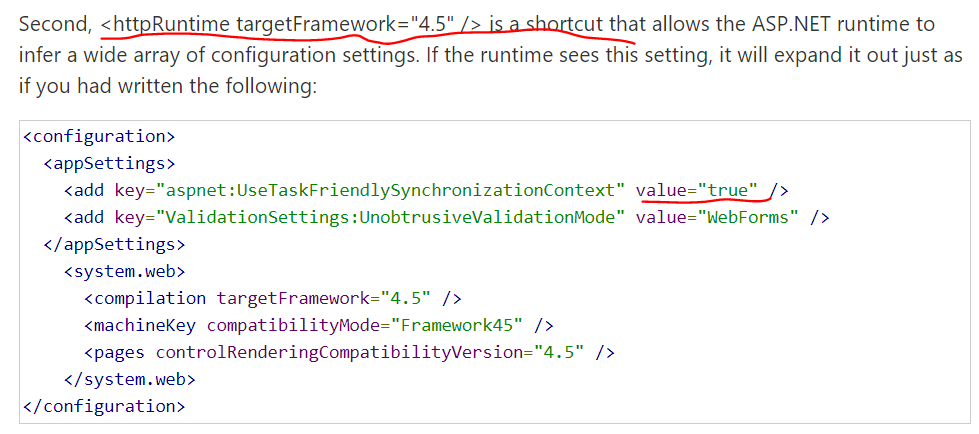
@mgravell I read your post about Thread Theft but i noticed a discrepancy compared to what your citation says. Your citation says that setting httpRuntime to 4.5 infers that "aspnet:UseTaskFriendlySynchronizationContext" will be true (not false).
I debugged our web app (which does have httpRuntime targetFramework="4.5") and our SyncContext is

which seems to Post asynchronously by default https://referencesource.microsoft.com/#system.web/AspNetSynchronizationContext.cs,130
atomaras
on 4 Feb 2020
I have now validated in production for a few days, and the 2.1.0-preview does not seem to solve the issue, even after manually setting ConnectionMultiplexer.SetFeatureFlag("preventthreadtheft", true); during app startup:-(
rmja
on 6 Feb 2020
@rmja are you able to share any of the data from the exception? The numbers etc have meaning to me.
mgravell
on 6 Feb 2020
@mgravell of cause:
StackExchange.Redis.RedisConnectionException: No connection is available to service this operation: HGETALL thekey; It was not possible to connect to the redis server(s). ConnectTimeout; IOCP: (Busy=0,Free=1000,Min=2,Max=1000), WORKER: (Busy=1,Free=32766,Min=2,Max=32767), Local-CPU: n/a
 ---> StackExchange.Redis.RedisConnectionException: It was not possible to connect to the redis server(s). ConnectTimeout
And does that happen reliably / immediately? If so: what would I need to see I?
mgravell
on 6 Feb 2020
The pattern I see is that it works absolutely fine for hours, or even multiple days, then at some point the connection goes bad, and all communication through the multiplexer fails - not a single command is being successfully sent to the server. All other apps on the same machine can continue to communicate to Redis, and restarting the app also resolves the issue.
The multiplexer is a singleton which is created with this snippet:
private volatile ConnectionMultiplexer _connection;
private readonly SemaphoreSlim _connectionLock = new SemaphoreSlim(1);
private IDatabase _database;

protected async Task<IDatabase> EnsureConnectedAsync()
        {
            if (_connection?.IsConnected == true)
            {
                return _database;
            }

            await _connectionLock.WaitAsync();

            try
            {
                if (_connection?.IsConnected == true)
                {
                    return _database;
                }

                var connection = await ConnectionMultiplexer.ConnectAsync(_options.ConnectionString);

                _database = connection.GetDatabase(_options.Database);
                _connection = connection;
            }
            finally
            {
                _connectionLock.Release();
            }

            return _database;
        }
I am on .NET Core 3.1
rmja
on 6 Feb 2020
FYI: I can see now that I do not correctly dispose the old multiplexer in case that IsConnected on it becomes false. I have now inserted _connection?.Dispose() right before assigning the _connection variable so that the snippet above becomes:
private volatile ConnectionMultiplexer _connection;
private readonly SemaphoreSlim _connectionLock = new SemaphoreSlim(1);
private IDatabase _database;

protected async Task<IDatabase> EnsureConnectedAsync()
        {
            if (_connection?.IsConnected == true)
            {
                return _database;
            }

            await _connectionLock.WaitAsync();

            try
            {
                if (_connection?.IsConnected == true)
                {
                    return _database;
                }

                var connection = await ConnectionMultiplexer.ConnectAsync(_options.ConnectionString);

                _database = connection.GetDatabase(_options.Database);

                _connection?.Dispose();
                _connection = connection;
            }
            finally
            {
                _connectionLock.Release();
            }

            return _database;
        }
@mgravell If you need me to do anything, let me know. I am fine with running a fork spitting out additional debug information if that can be helpful.
rmja
on 6 Feb 2020
@mgravell Could
StackExchange.Redis.RedisConnectionException: No connection is available to service this operation: HGETALL thekey; It was not possible to connect to the redis server(s). ConnectTimeout; IOCP: (Busy=0,Free=1000,Min=2,Max=1000), WORKER: (Busy=1,Free=32766,Min=2,Max=32767), Local-CPU: n/a
 ---> StackExchange.Redis.RedisConnectionException: It was not possible to connect to the redis server(s). ConnectTimeout
error be caused because we don't wait while connecting to redis servers, as that is a fireAndForget call here
https://github.com/StackExchange/StackExchange.Redis/blob/bb981525a99299d676a99d85725def8c7e1a7a30/src/StackExchange.Redis/PhysicalBridge.cs#L1119
@rmja I see that you are trying to use _connection?.IsConnected to determine if a multiplexer is connected to all redis servers or not. If a connection multiplexers has to connect to multiple redis servers then _connection?.IsConnected flag returns true if it is connected to anyone of the redis servers. It may not be connected to all redis servers.
https://github.com/StackExchange/StackExchange.Redis/blob/bb981525a99299d676a99d85725def8c7e1a7a30/src/StackExchange.Redis/ConnectionMultiplexer.cs#L2019
So, if you send a request using that multiplexer that needs to go to a redis server that the multiplexer is not connected to then you might get "No connection is available to service this operation" error.
I had the similar problem, I fixed it using _connection.IsConnecting flag. If _connection.IsConnecting is false then it means a multiplexer is most likely connected to all redis servers. If _connection.IsConnecting is true then it means it is not connected to at least one redis server.
But, I agree there should be some flag to determine if a multiplexer is connected to all redis servers, but IsConnected doesn't solve that purpose now.
adyada
on 6 Feb 2020
Redis is actually managing my sessions about my users but as I get random exceptions, I tried a workaround with my database but I need a fix asap it gets very annoying :'(
In go I have no issue so what can be the matter with C#?
Emixam23
on 6 Feb 2020
@adyada I only have one redis server, so I don't think that I will run into the issue that you describe.
rmja
on 6 Feb 2020
Is there a permanent solution for bug
 mesutpiskin
on 9 Feb 2020
mesutpiskin
on 9 Feb 2020
There almost certainly is. However, finding, testing and implementing that
solution requires time. Remember that this is a free library: any time we
spend here comes out of our evenings, weekends, etc.
We're working on it, but the fix doesn't just appear out of nowhere.
On Sun, 9 Feb 2020, 14:13 Mesut Pişkin, notifications@github.com wrote:
Is there a permanent solution for bug
—
You are receiving this because you were mentioned.
Reply to this email directly, view it on GitHub
https://github.com/StackExchange/StackExchange.Redis/issues/1120?email_source=notifications&email_token=AAAEHMGYHKD4EHDB77VY733RCAFRHA5CNFSM4HFKGO52YY3PNVWWK3TUL52HS4DFVREXG43VMVBW63LNMVXHJKTDN5WW2ZLOORPWSZGOELGNP6A#issuecomment-583849976,
or unsubscribe
https://github.com/notifications/unsubscribe-auth/AAAEHMD5AT4LJHKS4ISTCM3RCAFRHANCNFSM4HFKGO5Q
.
mgravell
on 9 Feb 2020
I also observe what @47th mentioned. When objects that transit the library are large ( as in they go to LOH ) the service goes into this faulted state quite predictably. Connections that only fetch small objects live indefinitely without any problems.
israellot
on 10 Feb 2020
Same issue for me on 2.0.601 (.net framework 4.6.1)
No connection is available to service this operation: PING; It was not possible to connect to the redis server(s); ConnectTimeout; IOCP: (Busy=4,Free=996,Min=128,Max=1000), WORKER: (Busy=1,Free=32766,Min=256,Max=32767), Local-CPU: n/a It was not possible to connect to the redis server(s); ConnectTimeout
StackExchange.Redis.RedisConnectionException:
at StackExchange.Redis.ConnectionMultiplexer.ThrowFailed (StackExchange.Redis.StrongName, Version=1.2.6.0, Culture=neutral, PublicKeyToken=c219ff1ca8c2ce46)
at System.Runtime.ExceptionServices.ExceptionDispatchInfo.Throw (mscorlib, Version=4.0.0.0, Culture=neutral, PublicKeyToken=b77a5c561934e089)
at System.Runtime.CompilerServices.TaskAwaiter.HandleNonSuccessAndDebuggerNotification (mscorlib, Version=4.0.0.0, Culture=neutral, PublicKeyToken=b77a5c561934e089)
 angelacalborean
on 10 Feb 2020
angelacalborean
on 10 Feb 2020
I also encountered similar issues while connecting to redis running in our kubernetes cluster. I updated to the latest stackexchange library and tried the preventthreadtheft flag but no improvement.
I changed the abortConnect flag to abortConnect=False in the connection string and I haven't seen the problem again. Since the default for this value is true it could be implicitly happening for others too.
 alanwales
on 10 Feb 2020
alanwales
on 10 Feb 2020
@alanwales I have abortConnect=False from the beginning :(
I have the issue from the beginning :(
Emixam23
on 11 Feb 2020
Hey!
I just wanted to mention that, I tried to implement a "small retry system" and ran one of my function yesterday. My function is today stuck and keeps on retrying (x50k retries now) :O
So if it's related to a Thread approach issue, well once you're on a thread, the redis will be timeout again and again
Emixam23
on 12 Feb 2020
We've got this error just 2 times during the last 3 months since we switched to StackExchange.Redis 2.0.601. Both cases seconds after service (re)start, only 1 (different) client-node out of 18 identical misbehaved, although there were more (re)started at the same time.
Happened on dotnetcore 2.2 and 3.1. Redis on-premises.
Using StackExchange.Redis only via IDistributedCache abstraction, but because we had other issues - we're digging out ConnectionMutliplexer and subscribing for events (bad reflection, bad assumptions, but helped to understand several issues we had).
In both of those cases, we were successful to make the first call distributedCache.Remove("non-existing-key") to init connection, took roughly 4 seconds. But after 45 milliseconds (looks like without any other Redis calls up to this time, but cannot be sure due to no logs of happy-path, not detailed enough metrics) we've received this:
ConnectionMutliplexer.ConfigurationChanged event. Endpoint: Unspecified/RED02:6379
With the mentioned event we're also logging connectionMultiplexer.GetStatus():
RED01:6379: Cluster v5.0.4, master; 16 databases; keep-alive: 00:01:00; int: ConnectedEstablished; sub: ConnectedEstablished, 1 active; not in use: DidNotRespond
RED01:6379: int ops=10, qu=0, qs=0, qc=0, wr=0, socks=1; sub ops=3, qu=0, qs=0, qc=0, wr=0, subs=1, socks=1
Circular op-count snapshot; int: 0+10=10 (1.00 ops/s; spans 10s); sub: 0+3=3 (0.30 ops/s; spans 10s)
RED02:6379: Cluster v5.0.4, slave; 16 databases; keep-alive: 00:01:00; int: ConnectedEstablished; sub: ConnectedEstablished, 1 active; not in use: DidNotRespond
RED02:6379: int ops=10, qu=0, qs=0, qc=0, wr=0, socks=1; sub ops=3, qu=0, qs=0, qc=0, wr=0, subs=1, socks=1
Circular op-count snapshot; int: 0+10=10 (1.00 ops/s; spans 10s); sub: 0+3=3 (0.30 ops/s; spans 10s)
RED03:6379: Cluster v5.0.4, master; 16 databases; keep-alive: 00:01:00; int: ConnectedEstablished; sub: ConnectedEstablished, 1 active; not in use: DidNotRespond
RED03:6379: int ops=9, qu=0, qs=0, qc=0, wr=0, socks=1; sub ops=3, qu=0, qs=0, qc=0, wr=0, subs=1, socks=1
Circular op-count snapshot; int: 0+9=9 (0.90 ops/s; spans 10s); sub: 0+3=3 (0.30 ops/s; spans 10s)
RED04:6379: Cluster v5.0.4, slave; 16 databases; keep-alive: 00:01:00; int: ConnectedEstablished; sub: ConnectedEstablished, 1 active; not in use: DidNotRespond
RED04:6379: int ops=10, qu=0, qs=0, qc=0, wr=0, socks=1; sub ops=3, qu=0, qs=0, qc=0, wr=0, subs=1, socks=1
Circular op-count snapshot; int: 0+10=10 (1.00 ops/s; spans 10s); sub: 0+3=3 (0.30 ops/s; spans 10s)
RED05:6379: Cluster v5.0.4, master; 16 databases; keep-alive: 00:01:00; int: ConnectedEstablished; sub: ConnectedEstablished, 1 active; not in use: DidNotRespond
RED05:6379: int ops=9, qu=0, qs=0, qc=0, wr=0, socks=1; sub ops=3, qu=0, qs=0, qc=0, wr=0, subs=1, socks=1
Circular op-count snapshot; int: 0+9=9 (0.90 ops/s; spans 10s); sub: 0+3=3 (0.30 ops/s; spans 10s)
RED06:6379: Cluster v5.0.4, slave; 16 databases; keep-alive: 00:01:00; int: ConnectedEstablished; sub: ConnectedEstablished, 1 active; not in use: DidNotRespond
RED06:6379: int ops=10, qu=0, qs=0, qc=0, wr=0, socks=1; sub ops=3, qu=0, qs=0, qc=0, wr=0, subs=1, socks=1
Circular op-count snapshot; int: 0+10=10 (1.00 ops/s; spans 10s); sub: 0+3=3 (0.30 ops/s; spans 10s)
xx.yy.zz.3:6379: Cluster v5.0.4, master; 16 databases; keep-alive: 00:01:00; int: ConnectedEstablished; sub: n/a
xx.yy.zz.3:6379: int ops=10, qu=0, qs=0, qc=0, wr=0, socks=1; sub ops=0, qu=0, qs=0, qc=0, wr=0
Circular op-count snapshot; int: 0+10=10 (1.00 ops/s; spans 10s); sub:
xx.yy.zz.1:6379: Cluster v5.0.4, master; 16 databases; keep-alive: 00:01:00; int: ConnectedEstablished; sub: n/a
xx.yy.zz.1:6379: int ops=9, qu=0, qs=0, qc=0, wr=0, socks=1; sub ops=0, qu=0, qs=0, qc=0, wr=0
Circular op-count snapshot; int: 0+9=9 (0.90 ops/s; spans 10s); sub:
xx.yy.zz.5:6379: Cluster v5.0.4, master; 16 databases; keep-alive: 00:01:00; int: ConnectedEstablished; sub: n/a
xx.yy.zz.5:6379: int ops=9, qu=0, qs=0, qc=0, wr=0, socks=1; sub ops=0, qu=0, qs=0, qc=0, wr=0
Circular op-count snapshot; int: 0+9=9 (0.90 ops/s; spans 10s); sub:
xx.yy.zz.4:6379: Cluster v5.0.4, slave; 16 databases; keep-alive: 00:01:00; int: ConnectedEstablished; sub: n/a
xx.yy.zz.4:6379: int ops=10, qu=0, qs=0, qc=0, wr=0, socks=1; sub ops=0, qu=0, qs=0, qc=0, wr=0
Circular op-count snapshot; int: 0+10=10 (1.00 ops/s; spans 10s); sub:
xx.yy.zz.2:6379: Cluster v5.0.4, slave; 16 databases; keep-alive: 00:01:00; int: ConnectedEstablished; sub: n/a
xx.yy.zz.2:6379: int ops=10, qu=0, qs=0, qc=0, wr=0, socks=1; sub ops=0, qu=0, qs=0, qc=0, wr=0
Circular op-count snapshot; int: 0+10=10 (1.00 ops/s; spans 10s); sub:
xx.yy.zz.6:6379: Cluster v5.0.4, slave; 16 databases; keep-alive: 00:01:00; int: ConnectedEstablished; sub: n/a
xx.yy.zz.6:6379: int ops=10, qu=0, qs=0, qc=0, wr=0, socks=1; sub ops=0, qu=0, qs=0, qc=0, wr=0
Circular op-count snapshot; int: 0+10=10 (1.00 ops/s; spans 10s); sub:
Sync timeouts: 0; async timeouts: 0; fire and forget: 0; last heartbeat: 3s ago
and also connectionMultiplexer.GetCounters():
Total: int ops=116, qu=0, qs=0, qc=0, wr=0, socks=12; sub ops=18, qu=0, qs=0, qc=0, wr=0, subs=6, socks=6
After 7 seconds (might be first real Redis usage for that instance; lack of detailed metrics) all incoming requests start getting RedisConnectionException until service is restarted:
StackExchange.Redis.RedisConnectionException: No connection is available to service this operation: EVAL; IOCP: (Busy=0,Free=1000,Min=16,Max=1000), WORKER: (Busy=1,Free=32766,Min=16,Max=32767), Local-CPU: n/a
   at StackExchange.Redis.ConnectionMultiplexer.ThrowFailed[T](TaskCompletionSource`1 source, Exception unthrownException) in C:\projects\stackexchange-redis\src\StackExchange.Redis\ConnectionMultiplexer.cs:line 2201
--- End of stack trace from previous location where exception was thrown ---
   at Microsoft.Extensions.Caching.StackExchangeRedis.RedisExtensions.HashMemberGetAsync(IDatabase cache, String key, String[] members)
   at Microsoft.Extensions.Caching.StackExchangeRedis.RedisCache.GetAndRefreshAsync(String key, Boolean getData, CancellationToken token)
   at Microsoft.Extensions.Caching.StackExchangeRedis.RedisCache.GetAsync(String key, CancellationToken token)
Client config:
RED01,RED02,RED03,RED04,RED05,RED06,connectTimeout=10000,connectRetry=5,keepAlive=60,syncTimeout=100,responseTimeout=100,abortConnect=false
None of the other 17 nodes were receiving any ConnectionMutliplexer events, all 17 were working flawlessly at the same time. We are not heavy Redis users, roughly make 3 cache related requests per-second, per 1 of 18 nodes, roughly 1-20kB payloads.
Nothing suspicious in logs on Redis side.
Maybe this could help with debugging if that's related at all to the other issues.
 ptamasauskas
on 13 Feb 2020
ptamasauskas
on 13 Feb 2020
The issue is happening in one of our production environments and I do have a memory dump of a process that fails to connect to Azure Redis.
StackExchange.Redis version 2.0.601.
I looked at the dump, but it was hard to tell what is going on.
The issue started happening in 25 machines out of 600 machines in one of our prod clusters and it was very consistent. I.e. there was no successful connections established to 2 separate Azure Redis instances since Saturday.
It means that we can create a console app with new bits and try. Apparently, this is related to a weird machine state, but hard to tell for sure.
 SergeyTeplyakov
on 19 Feb 2020
SergeyTeplyakov
on 19 Feb 2020
Issue in my case is that I have configured redis in kubernetes, and service somehow sends the connection to different pods - master/slave.
In ServiceStack.Redis i get message "No master found in ..." so this massage has lead me to this conclusion..
With this lib i was also getting "No connection is available to service this operation..."
Version 2.0.519.65453 did not work for me for obvious reasons..
 scholtz
on 19 Feb 2020
scholtz
on 19 Feb 2020
This issue has occurred to me on VMWare with both the client and server VMs being on the same host.
 skeletank
on 20 Feb 2020
skeletank
on 20 Feb 2020
Hey!
Just a small note:
I have some microservices behind my monolith app service on Azure. My monolith asp.net backend is using gRPC to communicate with my microservices and... Unlike in local, the streams get shutdown on Azure, but in local in runs forever.
Why do I think there is a link?
Because this Redis connection resilience and my gRPC connection resilience have issues only on Azure env. Running my server locally and my microservices on GCP doesn't affect my gRPC channel unlike when it's on Azure.
Emixam23
on 25 Feb 2020
Seems there is a discrepancy in the comments:
Here it says that the issue could be experienced in web services if httpRuntime is 4.5 or aspnet:UseTaskFriendlySynchronizationContext set to false.
https://github.com/StackExchange/StackExchange.Redis/blob/master/docs/ThreadTheft.md
And this comment: https://github.com/StackExchange/StackExchange.Redis/issues/1120#issuecomment-581043623
says if httpRuntime is below 4.5.
Who should I believe?
We have sympthoms of thread theft because we seem to run out of threads (our web service accumulates requests, but doesn't make progress) when we enable Redis and we see some Timeouts and ConnectionExceptions, more of the latter than the first. We use version 588, so we were thinking on going back to 513 or increasing the httpRuntime to 4.5, currently we use 4.0.
And setting this flag ConnectionMultiplexer.SetFeatureFlag("preventthreadtheft", true); isn't possible in 588.
 eduardomtz
on 27 Feb 2020
eduardomtz
on 27 Feb 2020
A large part of me thinks the distinction is moot. We could spend time
researching it to clarify, but ultimately: both 4.0 and 4.5 have been
post-end-of-life since January 2016, and current versions of the library
support neither.
Does it really warrant the work to clarify?
On Thu, 27 Feb 2020, 19:01 Eduardo D. Martínez, notifications@github.com
wrote:
Seems there is a discrepancy in the comments:
Here it says that the issue could be experienced in web services if
httpRuntime is 4.5 or aspnet:UseTaskFriendlySynchronizationContext set to
false.https://github.com/StackExchange/StackExchange.Redis/blob/master/docs/ThreadTheft.md
And this comment: #1120 (comment)
https://github.com/StackExchange/StackExchange.Redis/issues/1120#issuecomment-581043623
says if httpRuntime is below 4.5.Who should I believe?
We have sympthoms of thread theft because we seem to run out of threads
(our web service accumulates requests, but doesn't make progress) when we
enable Redis and we see some Timeouts and ConnectionExceptions, more of the
latter than the first. We use version 588, so we were thinking on going
back to 513 or increasing the httpRuntime to 4.5, currently we use 4.0.
And setting this flag ConnectionMultiplexer.SetFeatureFlag("preventthreadtheft",
true); isn't possible in 588.—
You are receiving this because you were mentioned.
Reply to this email directly, view it on GitHub
https://github.com/StackExchange/StackExchange.Redis/issues/1120?email_source=notifications&email_token=AAAEHMHCQVJCLVKU32LQHATRFAEXBA5CNFSM4HFKGO52YY3PNVWWK3TUL52HS4DFVREXG43VMVBW63LNMVXHJKTDN5WW2ZLOORPWSZGOENFRH7Y#issuecomment-592122879,
or unsubscribe
https://github.com/notifications/unsubscribe-auth/AAAEHMGP5ZGTMXRLHFDDGJ3RFAEXBANCNFSM4HFKGO5Q
.
mgravell
on 27 Feb 2020
They are not supported when compiling. But nothing stops NET runtimes <= 4.5 to execute the code.
I agree we shouldn't use this old runtimes but currently this seems more of a recommendation. From my perspective if the library could experience deadlocking with old runtimes, this shouldn't be a recommendation but rather throw an exception if trying to use them with this library, to avoid affecting the application.
eduardomtz
on 27 Feb 2020
Perhaps this comment isn't intended for this discussion and I'll be happy to move it if required. I too have experienced a Redis Cache connection but my problem didn't surface until I set the resolveDns=true on my connection string. The moment I go to call GetDatabase() on the ConnectionMultiplexer object an exception is raised immediately. Removing the resolveDns=true clause fixes the error. Just odd that system works fine if I don't include that specific configuration item.
Redis Nuget Version: 2.0.601
.Net Version 4.7.2
StackExchange.Redis.RedisConnectionException: No connection is available to service this operation: ZCARD DeviceAge;
It was not possible to connect to the redis server(s).
There was an authentication failure; check that passwords (or client certificates) are configured correctly.
ConnectTimeout; IOCP: (Busy=1,Free=999,Min=4,Max=1000),
WORKER: (Busy=6,Free=2041,Min=4,Max=2047), Local-CPU: n/a --->
StackExchange.Redis.RedisConnectionException: It was not possible to connect to the redis server(s).
There was an authentication failure; check that passwords (or client certificates) are configured correctly. ConnectTimeout
--- End of inner exception stack trace ---
at StackExchange.Redis.ConnectionMultiplexer.ExecuteSyncImplT in C:projects\stackexchange-redis\srcStackExchange.Redis\RedisBase.cs:line 54
at StackExchange.Redis.RedisDatabase.SortedSetLength(RedisKey key, Double min, Double max, Exclude exclude, CommandFlags flags) in C:projects\stackexchange-redis\srcStackExchange.Redis\RedisDatabase.cs:line 1536
 MarkGillenTelular
on 2 Mar 2020
MarkGillenTelular
on 2 Mar 2020
We may have a lead on fixing this, please see https://github.com/StackExchange/StackExchange.Redis/pull/1374
 Plasma
on 6 Mar 2020
Plasma
on 6 Mar 2020
Excellent news. #1374 gave me some ideas on how to test Redis connection errors or more specifically when errors occur how to recovery gracefully. What led to this was a server that lost connection to the network but never recovered. Socket Errors galore. I suspected that perhaps the machine DNS cache or the DNS servers were unreachable but still I had expected, perhaps incorrectly so, that abortConnect would provide the level of fault tolerance required once the network was again reachable. Thank you for your reply.
MarkGillenTelular
on 6 Mar 2020
the same problem
 one-matrix
on 12 Mar 2020
one-matrix
on 12 Mar 2020
Any idea when the new release will be released?
Emixam23
on 18 Mar 2020
We are currently getting a PR in to dogfood this on Stack Overflow, but the 2.1.0-preview.53 release is on MyGet right now in the https://www.myget.org/feed/stackoverflow/package/nuget/StackExchange.Redis feed. As soon as we've proven it on Stack Overflow (as always) we'll release it as non-preview :)
NickCraver
on 18 Mar 2020
Thanks for that work, it means a lot!
Emixam23
on 18 Mar 2020
Looking forward to the 2.10 non-preview release!
 kicybot
on 19 Mar 2020
kicybot
on 19 Mar 2020
@NickCraver @mgravell I see that 2.1.0 has just been released to MyGet. Is it ready for production, or should we wait for Nuget?
kicybot
on 19 Mar 2020
Pushing now
mgravell
on 19 Mar 2020
I used 2.1.0 version but still I am getting this error```
StackExchange.Redis.RedisConnectionException: No connection is available to service this operation: GET c_63822cab-8af7-422b-8cdf-4a7444930e99; It was not possible to connect to the redis server(s). There was an authentication failure; check that passwords (or client certificates) are configured correctly. ConnectTimeout; IOCP: (Busy=3,Free=997,Min=4,Max=1000), WORKER: (Busy=0,Free=32767,Min=4,Max=32767), Local-CPU: n/a ---> StackExchange.Redis.RedisConnectionException: It was not possible to connect to the redis server(s). There was an authentication failure; check that passwords (or client certificates) are configured correctly. ConnectTimeout
--- End of inner exception stack trace ---
at StackExchange.Redis.ConnectionMultiplexer.ExecuteSyncImplT
at StackExchange.Redis.RedisDatabase.StringGet(RedisKey key, CommandFlags flags)
at APPSeConnect.Data.DataCache.CacheExtensions.GetBytes(IDatabase cache, String key)
Please suggest me any idea, I am also stuck here from few days
```
 kishorebarik26
on 19 Mar 2020
kishorebarik26
on 19 Mar 2020
It says that your credentials are invalid? There was an authentication failure; check that passwords (or client certificates) are configured correctly.
Can you perform a ping operation and see if you get a successful response?
 javaadpatel
on 19 Mar 2020
javaadpatel
on 19 Mar 2020
@javaadpatel the
There was an authentication failure; check that passwords (or client certificates) are configured correctly.
message is normal for this error, even if credentials are correct.
We have around 200 million daily requests to our clustered Azure Redis cache, and are experiencing this issue at random intervals. Was planning on releasing 2.1.0 on Monday, but now no so sure, if @kishorebarik26 is still experiencing it.
 xzuttz
on 19 Mar 2020
xzuttz
on 19 Mar 2020
@xzuttz ah I see, i thought 2.1.0 release had fixed this type of error.
javaadpatel
on 19 Mar 2020
@javaadpatel the
There was an authentication failure; check that passwords (or client certificates) are configured correctly.
message is normal for this error, even if credentials are correct.
We have around 200 million daily requests to our clustered Azure Redis cache, and are experiencing this issue at random intervals. Was planning on releasing 2.1.0 on Monday, but now no so sure, if @kishorebarik26 is still experiencing it.
@xzuttz you are right, its a common message, and we are still facing same issue for every get, or set. not randomly
kishorebarik26
on 20 Mar 2020
and we are still facing same issue for every get, or set.
That sounds like a config error when connecting; the following works just fine here using either 2.0.601 or 2.1.0 - does it work for you with your node?
``` c#
const string OUR_NODE = "LOLNOPE", PRIMARY_ACCESS_KEY = "NOT TELLING YOU!";
async static Task Main()
{
var config = new ConfigurationOptions
{
EndPoints = { $"{OUR_NODE}.redis.cache.windows.net" },
Password = PRIMARY_ACCESS_KEY,
Ssl = true
};
Console.WriteLine(config); // equivalent if using the string overload
// looks like: "REDACTED.redis.cache.windows.net,password=REDACTED,ssl=True"
    using var muxer = await ConnectionMultiplexer.ConnectAsync(config);
    var db = muxer.GetDatabase();

    RedisKey key = "abc";
    await db.KeyDeleteAsync(key);
    await db.StringIncrementAsync(key);
    await db.StringIncrementAsync(key, 42);
    var val = (int)await db.StringGetAsync(key);

    Console.WriteLine(val); // 43
}
```
mgravell
on 20 Mar 2020
Hi,
Currently my connection string is like this,
I tried with primary and secondary both connection strings.
```
private static Lazy
public static LazyThreadSafetyMode LazyThreadSafetyMode = LazyThreadSafetyMode.None;
private static Lazy
{
return new Lazy
{
return ConnectionMultiplexer.Connect(ConfigurationManager.AppSettings["RedisConnection"]);
}, LazyThreadSafetyMode);
}
    public static ConnectionMultiplexer Connection
    {
        get
        {
            return redisConnection.Value;
        }
        set
        {
            if (value == null)
                redisConnection = GetNewRedisConnection();
        }
    }
Access of cache
private IDatabase Cache
{
get
{
return CacheExtensions.Connection.GetDatabase();
}
}
Get of Cached value

 ```
public static byte[] GetBytes(this IDatabase cache, string key)
        {
            return cache.StringGet(key);
        }
Please suggest me where I am missing,
kishorebarik26
on 20 Mar 2020
In my case it didn't work regardless of if we created the connection using a connection string or by constructing ConfigurationOptions in code just like in @mgravell example above.
The problem turned out to be a version conflict in System.Buffers. This binding redirect solved it for me:
<dependentAssembly>
  <assemblyIdentity name="System.Buffers" culture="neutral" publicKeyToken="cc7b13ffcd2ddd51" />
  <bindingRedirect oldVersion="0.0.0.0-4.0.3.0" newVersion="4.0.3.0" />
</dependentAssembly>
 mrahl
on 20 Mar 2020
mrahl
on 20 Mar 2020
@kishorebarik26 , did you try the suggestion from @mgravell ? I've compiled this console app with @mgravell 's connection suggestion as well as what I can understand from your approach. I've tested with my Azure Redis Cache connection string and it's working perfectly with v2.1.0 .
Here is the repo: https://github.com/javaadpatel/RedisConnectionSample
javaadpatel
on 20 Mar 2020
thank you @javaadpatel my application is based on .net framwork, I have tested your sample code, unfortunately problem is still showing when I am using my connection string.
An exception of type 'StackExchange.Redis.RedisConnectionException' occurred in mscorlib.dll but was not handled in user code
Additional information: No connection is available to service this operation: PING; SocketClosed (0-sent) on aecdev.redis.cache.windows.net:6380/Subscription, Flushed/MarkProcessed, last: SUBSCRIBE, origin: ReadFromPipe, outstanding: 4, last-read: 0s ago, last-write: 0s ago, keep-alive: 60s, state: ConnectedEstablishing, mgr: 10 of 10 available, last-heartbeat: never, global: 0s ago, v: 2.1.0.1; IOCP: (Busy=0,Free=1000,Min=4,Max=1000), WORKER: (Busy=0,Free=2047,Min=4,Max=2047), Local-CPU: n/a

.net framwork sample project:
CacheDebugger.zip
kishorebarik26
on 23 Mar 2020
Is there any problem in my subscription, as your sample as it is also not running when I am using my connection string.
kishorebarik26
on 23 Mar 2020
Hi Guys, Happened also to me, I upgraded to new Redis version 2.1.28 and problem solved.
 HaimRozen
on 2 Apr 2020
HaimRozen
on 2 Apr 2020
We are facing the same issue in production for V1.2.6.where i am using below piece of code
private static IDatabase Cache
{
get
{
return Connection.GetDatabase();
}
}
    private static readonly Lazy<ConnectionMultiplexer> LazyConnection
      = new Lazy<ConnectionMultiplexer>(() => ConnectionMultiplexer.Connect(_configurationOptions));

    public static ConnectionMultiplexer Connection
    {
        get
        {
            return LazyConnection.Value;
        }
    }
..............................................................................................................
Will this solve the issues for V2.1.0???
 shivarajisnhce
on 3 Apr 2020
shivarajisnhce
on 3 Apr 2020
I'm seeing this in 2.1.30 when trying to connect to a Basic C0 instance on Azure in a .NET Core Console app.
EDIT: It started working after several attempts. I had just created the C0 instance. So maybe there was some latency starting it up? Unfortunately, it then stopped working when I stopped sending a connection string and built a ConfigurationOptions instead. :(
 petro2050
on 5 Apr 2020
petro2050
on 5 Apr 2020
I encountered the following error on a new Azure Redis instance when attempting to configure session state to use it, while older instances worked fine.
_"It was not possible to connect to the redis server(s). There was an authentication failure; check that passwords (or client certificates) are configured correctly. ConnectTimeout"_
It turned out that the new instance was provisioned with TLS 1.2 set as the default.
The solution for me was to set ssl=true and sslprotocols=tls12 in the connection string.
https://docs.microsoft.com/en-us/azure/azure-cache-for-redis/cache-remove-tls-10-11
 PaulMcManus23
on 6 Apr 2020
PaulMcManus23
on 6 Apr 2020
It turned out that the new instance was provisioned with TLS 1.2 set as the default.
The solution for me was to set ssl=true and sslprotocols=tls12 in the connection string.
https://docs.microsoft.com/en-us/azure/azure-cache-for-redis/cache-remove-tls-10-11
This fixed it for me; thanks a million, internet hero!
 alec-netsphere
on 23 Apr 2020
alec-netsphere
on 23 Apr 2020
I recently spent endless hours troubleshooting this stupid error:
StackExchange.Redis.RedisConnectionException: No connection is active/available to service this operation: SETEX DB001:bxdfbinhrwluqgap; UnableToConnect (0-read, 0-sent) on foobar.redis.cache.windows.net:6380/Interactive, Flushed/ReadAsync, last: ECHO, origin: ResetNonConnected, outstanding: 10, last-read: 5s ago, last-write: 4s ago, keep-alive: 60s, state: ConnectedEstablishing, mgr: 10 of 10 available, last-heartbeat: never, global: 5s ago, v: 2.1.30.38891, mc: 1/1/0, mgr: 10 of 10 available, clientName: FOOBARPC, IOCP: (Busy=0,Free=1000,Min=8,Max=1000), WORKER: (Busy=1,Free=32766,Min=8,Max=32767), v: 2.1.30.38891
Nothing was helpful until I came across this post and assembly binding redirect mentioned there. As soon as I added this:
<dependentAssembly>
        <assemblyIdentity name="System.Buffers" culture="neutral" publicKeyToken="cc7b13ffcd2ddd51" />
        <bindingRedirect oldVersion="0.0.0.0-4.0.3.0" newVersion="4.0.3.0" />
      </dependentAssembly>
my code started working just fine,
Question: what makes this assembly binding redirect so significant such that it resolves what appears to be a connection error (as per exception text)?
 TheAzureGuy
on 30 Apr 2020
TheAzureGuy
on 30 Apr 2020
Same cause here:
<dependentAssembly>
    <assemblyIdentity name="System.Buffers" culture="neutral" publicKeyToken="cc7b13ffcd2ddd51" />
      <bindingRedirect oldVersion="0.0.0.0-4.0.3.0" newVersion="4.0.3.0" />
</dependentAssembly>
 narcis-pv
on 4 May 2020
narcis-pv
on 4 May 2020
Now I am getting it even with our ol' reliable 2.0.513.63329 version targeting 4.6.2 framework.
StackExchange.Redis.RedisConnectionException: No connection is available to service this operation: GET redacted; UnableToConnect on redacted.redis.cache.windows.net:6380/Interactive, Flushed, last: ECHO, origin: ResetNonConnected, outstanding: 0, last-read: 5s ago, last-write: 5s ago, unanswered-write: 5s ago, keep-alive: 60s, state: ConnectedEstablishing, mgr: 10 of 10 available, last-heartbeat: never, global: 0s ago, v: 2.0.513.63329; IOCP: (Busy=0,Free=1000,Min=200,Max=1000), WORKER: (Busy=0,Free=32767,Min=200,Max=32767), Local-CPU: n/a ---> StackExchange.Redis.RedisConnectionException: UnableToConnect on redacted.redis.cache.windows.net:6380/Interactive, Flushed, last: ECHO, origin: ResetNonConnected, outstanding: 0, last-read: 5s ago, last-write: 5s ago, unanswered-write: 5s ago, keep-alive: 60s, state: ConnectedEstablishing, mgr: 10 of 10 available, last-heartbeat: never, global: 0s ago, v: 2.0.513.63329
Btw my System.Buffers redirect is exactly like other people have mentioned but I am still getting this issue.
atomaras
on 8 May 2020
After lots of troubleshooting we have also come to the conclusion that its a binding redirect issue. It is not a crash. Its an incompatibility issue with only slight version changes of dependendies. I don't know which one yet.
atomaras
on 8 May 2020
Spent a couple days on this and the solution I had was that our networking folks closed access to ports that weren't already whitelisted and once we had them open up port 6380 (SSL port) from our on premise firewall, I was able to connect. This was a project that used SOAP that connects to Redis cache on Azure.
Some interesting takeaway notes:
I WAS able to set a healthcheck by calling up an instance of GetDatabase() and then doing a db.Set("healthcheck", 1) PRIOR to opening up the SSL Port in a try catch block. I'm not sure how the Set worked but the HsetAsync didn't...(magic?). I would send a SOAP request to hit the healthcheck endpoint and this resulted in a "healthy" response each time. This lead me to believe I was not writing the code correctly to begin with and in an effort to not ping my heavily abused IT team, I wanted to make sure I was doing things right
The first sign when I should have realized that this was just a simple "poke a hole for the port" solution was when I was able to run the project locally and see it connect to Redis no problem. The hsetasync worked EVERYTIME on my computer which was running on VPN but not hidden behind any other networking layers. Whenever I deployed it to our test environments, that was when I observed the inability to connect to Redis with those calls.
In case someone could benefit from my code I'll leave some of it here as an example.
Healthcheck (called as part of a bigger healthcheck function)
private static async Task<bool> RedisCacheCheck()
        {
            try
            {
                var redisDB = RedisFactory.DBInstance;
                await redisDB.StringSetAsync("Healthcheck", 1);
                return await Task.FromResult(true);
            }
            catch(Exception ex)
            {
                return await Task.FromResult(false);
            }
        }
Setting up a Redis Factory to make singletons
using System.Configuration;
using System.IO;
using Serilog.Core;
using StackExchange.Redis;

namespace Tandem.tconnect.WebServices
{
    /// <summary>
    /// Redis DB Factory
    /// </summary>
    public sealed class RedisFactory
    {
        private static readonly object padLock = new object();
        private static IConnectionMultiplexer _connectionMultiplexer;
        private static Logger _logger = LoggerFactory.Instance;
        /// <summary>
        /// Gets the static Redis DB _instance
        /// </summary>
        public static IDatabase DBInstance
        {
            get
            {
                if(_connectionMultiplexer == null)
                {
                    // double-check thread safe
                    // https://csharpindepth.com/articles/singleton#dcl
                    lock (padLock)
                    {
                        if (_connectionMultiplexer == null)
                        {
                            string RedisHost = ConfigurationManager.AppSettings.Get("Redis.Host");
                            string RedisPort = ConfigurationManager.AppSettings.Get("Redis.Port");
                            string RedisSsl = ConfigurationManager.AppSettings.Get("Redis.Ssl");
                            string RedisKey = ConfigurationManager.AppSettings.Get("Redis.AccessKey");
                            // This should ALWAYS be set to false to account for network disruptions (Default is true)
                            // https://stackoverflow.com/a/30918632/3828302
                            string redisOptions = $"{RedisHost}:{RedisPort},abortConnect=false,ssl={RedisSsl},connectTimeout=10000,password={RedisKey}";

                            var log = new StringWriter();
                            _connectionMultiplexer = ConnectionMultiplexer.Connect(redisOptions, log);
                            _logger.Information("RedisFactory :: {@log}", log.ToString());
                        }
                    }
                }

                return _connectionMultiplexer.GetDatabase();
            }
        }
    }
}
The hashsetasync code, just for completeness
private async Task<bool>SetFieldInRedis(string hashVal1, string hashVal2, string fieldValue)
{
    int ttlSeconds = 3600;

    try
    {
        ttlSeconds = Int32.Parse(ConfigurationManager.AppSettings["RedisHashTtlSecs"]);
    }
    catch (FormatException e)
    {
        _logger.Error("SetFieldInRedis :: Could not int parse RedisHashTtlSecs | {@ttlSeconds}", ttlSeconds);
    }

    string hash = hashVal1.ToLower() + ":" + hashVal2.ToLower();
    try
    {
        var redisDb = RedisFactory.DBInstance;

        await redisDb.HashSetAsync(hash, "field", fieldValue);
        await redisDb.KeyExpireAsync(hash, DateTime.Now.AddSeconds(ttlSeconds));
        _logger.Information("SetFieldInRedis :: Updated field value in Redis | {@Parameters}",
        new
        {
            Hash = hash,
            field = fieldValue
        });
        return await Task.FromResult(true);
    }
    catch(Exception ex)
    {
        _logger.Error("SetFieldValueInRedis :: Could NOT update value in Redis | {@Parameters}",
        new
        {
            Error = ex.ToString()
        });
        return await Task.FromResult(false);
    }
}
 JeffLoo-ong
on 12 May 2020
JeffLoo-ong
on 12 May 2020
We are getting this error in production as well. It is becoming very disruptive. Our version is Microsoft.Extensions.Caching.StackExchangeRedis v3.1.0.
- Which depends on StackExchange.Redis v2.0.593
- Which depends on System.Buffers. v.4.5.0.
We are using the Azure Redis service.
Should we move back to the older Microsoft Redis cache extensions for stability? It has not been updated since the end of 2018.
There is also a new stable version of Microsoft.Extensions.Caching.StackExchangeRedis v3.1.4. Has anyone seen better stability with this version?
 ghawkescs
on 14 May 2020
ghawkescs
on 14 May 2020
Also curious if anyone has found stability in a downgrade of the Microsoft.Extensions.Caching.StackExchangeRedis package?
ghawkescs
on 14 May 2020
I wrote wrapper, which disposes old ConnectionMultiplexer and creates new when problem is happened. We cannot find any stable version. Even old 513,519 have problems. For 513 we wait for 6 months before it's happened :-D , but when it happened 20%-80% of all microservices with redis connections become broken.
AlexeiScherbakov
on 19 May 2020
I found that when I used .Net Framework projects with StackOverflow.Redis, It uses an lower version of ssl (1.0) than what is required (1.2). Using .Net Core works and must be using the correct version.
Using .Net Framework, you need to follow PaulMcManus23's advise and add ssl=True,sslprotocols=tls12 to the connection string
 chris31389
on 21 May 2020
chris31389
on 21 May 2020
Also running into this.
We have the redirect of System.Buffers in place.
I'm giving up. I'm moving everything to Azure CosmosDb which provides a great equivalent and very similar performance. It scales easier and is much more reliable. Cf. https://medium.com/@marcodesanctis2/using-azure-cosmos-db-as-your-persistent-geo-replicated-distributed-cache-b381ad80f8a0
 bartcoppens
on 25 May 2020
bartcoppens
on 25 May 2020
@FreddieDB does auto reconnect works already?
firephantomassasin
on 3 Jun 2020
@FreddieDB does auto reconnect works already?
It seams auto-reconnect does not work properly. I restart my service after error and everything goes fine.
 fadak
on 4 Jul 2020
fadak
on 4 Jul 2020
For anyone still having the same issue, we upgraded our "StackExchange.Redis.Extensions.Core" lib reference to Version="7.0.0-pre" and it seemed to have fixed the issue.
 alexanderdt
on 22 Jul 2020
alexanderdt
on 22 Jul 2020
Just so we're clear: StackExchange.Redis.Extensions.Core is an auxiliary library that consumes SE-Redis; it is maintained by different people, with no association or affiliation. If there's any problem with that library: you should really log issues with them.
mgravell
on 22 Jul 2020
We are also seeing the similar issue on a regular basis. The application is .NET Core and using StackExchange.Redis 2.0.601
StackExchange.Redis.RedisConnectionException: No connection is available to service this operation: GET OIX:https://clustrmaps.com/person/Fountain-992310; It was not possible to connect to the redis server(s). To create a disconnected multiplexer, disable AbortOnConnectFail. ConnectTimeout; IOCP: (Busy=0,Free=1000,Min=2,Max=1000), WORKER: (Busy=1,Free=32766,Min=2,Max=32767), Local-CPU: n/a
---> StackExchange.Redis.RedisConnectionException: It was not possible to connect to the redis server(s). To create a disconnected multiplexer, disable AbortOnConnectFail. ConnectTimeout
--- End of inner exception stack trace ---
at StackExchange.Redis.ConnectionMultiplexer.ThrowFailedT in C:projectsstackexchange-redissrcStackExchange.RedisConnectionMultiplexer.cs:line 2209
 chandrayan0011
on 30 Jul 2020
chandrayan0011
on 30 Jul 2020
We have recently upgraded to StackExchange.Redis.2.1.58 on .Net Framework 4.7.2 project and still see the issue.
StackExchange.Redis.RedisConnectionException: No connection is active/available to service this operation: SETNX xxxxx.cm.com: mc: 1/1/0, mgr: 10 of 10 available, clientName: xxxxx, IOCP: (Busy=0,Free=1000,Min=200,Max=1000), WORKER: (Busy=1,Free=32766,Min=2,Max=32767), v: 2.1.58.34321
at StackExchange.Redis.ConnectionMultiplexer.ExecuteSyncImplT
at ADEXS.Caching.RedisCache.Save(String key, RedisValue itemToSave, Nullable`1 expirationInSeconds, Boolean retry, When when)
 naresh8816
on 17 Sep 2020
naresh8816
on 17 Sep 2020
Hi All, I think this might help some people who have the same issue.
Also it can explain why a specific version fails and the others not.
If you accidentely set ConnectTimeout and leave it 0, it will throw an exception because it expects to connect within 0 ms.
I had this message: "No connection is available to service this operation; It was not possible to connect to the redis server(s)."
It was solved when I left ConnectTimeout to 5000 (default)
var options = new ConfigurationOptions
                {
                    Ssl = distributedCacheConfig.Ssl,
                    ConnectRetry = distributedCacheConfig.ConnectRetry,
                    SslProtocols = System.Security.Authentication.SslProtocols.None,
                    ConnectTimeout = distributedCacheConfig.ConnectTimeout,
                    Password = password,
                    AbortOnConnectFail = true
                };
 egbertn
on 1 Oct 2020
egbertn
on 1 Oct 2020
2.0.519.65453 is working fine for us.
Why does this comment have 3 votes for working and 3 votes for not working? Which version really fix this issue?
 tonyqus
on 23 Oct 2020
tonyqus
on 23 Oct 2020
For anyone trying to troubleshoot No connection is available to service this operation, look closer through your logs. I walked back to the first error before I started seeing the no connection failure and found:
timeout while synchronously flushing
Looks like we have a synchronous write:
https://github.com/StackExchange/StackExchange.Redis/blob/main/src/StackExchange.Redis/PhysicalConnection.cs#L889-L890
I have enough logging to know what keys we are writing and I know the object is pretty big. We should all be striving to cache smaller objects but I suspect (have not validated yet) that the exception being thrown breaks the connection somehow.
 CDargis
on 15 Jan 2021
CDargis
on 15 Jan 2021
Does using the latest version StackExchange.Redis 2.2.4 resolve this issue?
firephantomassasin
on 16 Jan 2021

 Strandedpirate
on 26 Jan 2021
Strandedpirate
on 26 Jan 2021
EDIT: I hastily created a separate issue (#1677) and fixed the problem. TLDR - Redis configuration needed to be adjusted as I was running it via Docker.
I am using SE.Redis 2.2.4 on .NET 5. I set up Redis 6.0.10 using its default configuration. Connecting to it fails immediately despite the timeouts I've set. When I tried using an invalid host name and/or invalid port the timeouts work so that means that the Redis server is definitely found but communication with it is broken. I can see via TCPView the sockets which are in TIME_WAIT state. How am I supposed to troubleshoot the issue from that error?
The code:
```c#
ConfigurationOptions redisConfiguration = new();
redisConfiguration.ConnectRetry = 16;
redisConfiguration.ConnectTimeout = 5000;
redisConfiguration.KeepAlive = 2;
redisConfiguration.EndPoints.Add("localhost:6379");
_redisConnection = await ConnectionMultiplexer.ConnectAsync(redisConfiguration);
The error:
It was not possible to connect to the redis server(s).
SocketClosed (ReadEndOfStream, 0-read, last-recv: 0) on localhost:6379/Interactive, Flushed/MarkProcessed,
last: ECHO,
origin: ReadFromPipe,
outstanding: 7,
last-read: 0s ago,
last-write: 0s ago,
keep-alive: 2s,
state: ConnectedEstablishing,
mgr: 7 of 10 available,
last-heartbeat: never,
global: 0s ago,
v: 2.2.4.27433
```
 cvetomir-todorov
on 3 Feb 2021
cvetomir-todorov
on 3 Feb 2021
I found that when I used .Net Framework projects with StackOverflow.Redis, It uses an lower version of ssl (1.0) than what is required (1.2). Using .Net Core works and must be using the correct version.
Using .Net Framework, you need to follow PaulMcManus23's advise and add
ssl=True,sslprotocols=tls12to the connection string
I used this solution to run Unit Tests.
Thanks.
 angelieri
on 5 Mar 2021
angelieri
on 5 Mar 2021
I spent hours trying to fix the connectivity issue, and finally, I found this post, added sslprotocols=tls12 to the connection string as suggested above, and this fixed the issue. Thanks @chris31389 😄
 paolosalvatori
on 24 Mar 2021
paolosalvatori
on 24 Mar 2021
@paolosalvatori what version of the nuget library are you using? And what version of .net?
firephantomassasin
on 24 Mar 2021
Thanks @paolosalvatori after adding sslprotocols=tls12 in the redis connection string it's working for me. Thanks for the help.
 DeepuNarwal
on 13 Apr 2021
DeepuNarwal
on 13 Apr 2021
Related issues
 BrennanConroy
·
6Comments
BrennanConroy
·
6Comments
 SkyKicker
·
3Comments
SkyKicker
·
3Comments
 FilipCotan
·
3Comments
FilipCotan
·
3Comments
 Vijay27anand
·
3Comments
Vijay27anand
·
3Comments
 sudheergn
·
5Comments
sudheergn
·
5Comments
Most helpful comment
@tejasavora I think we're all frustrated, but remember this is OSS - @mgravell & StackOverflow are allowing us to use this library, and supporting our use of this lib for free.