Sql-docs: SSMS 18 query window refresh issue
Hi,
I have installed SSMS version 18 in windows 10 OS.
Please see below screenshot for more details

My issue is whenever I modify / open store procedure in new query window old query window is not showing its data properly until I scroll.
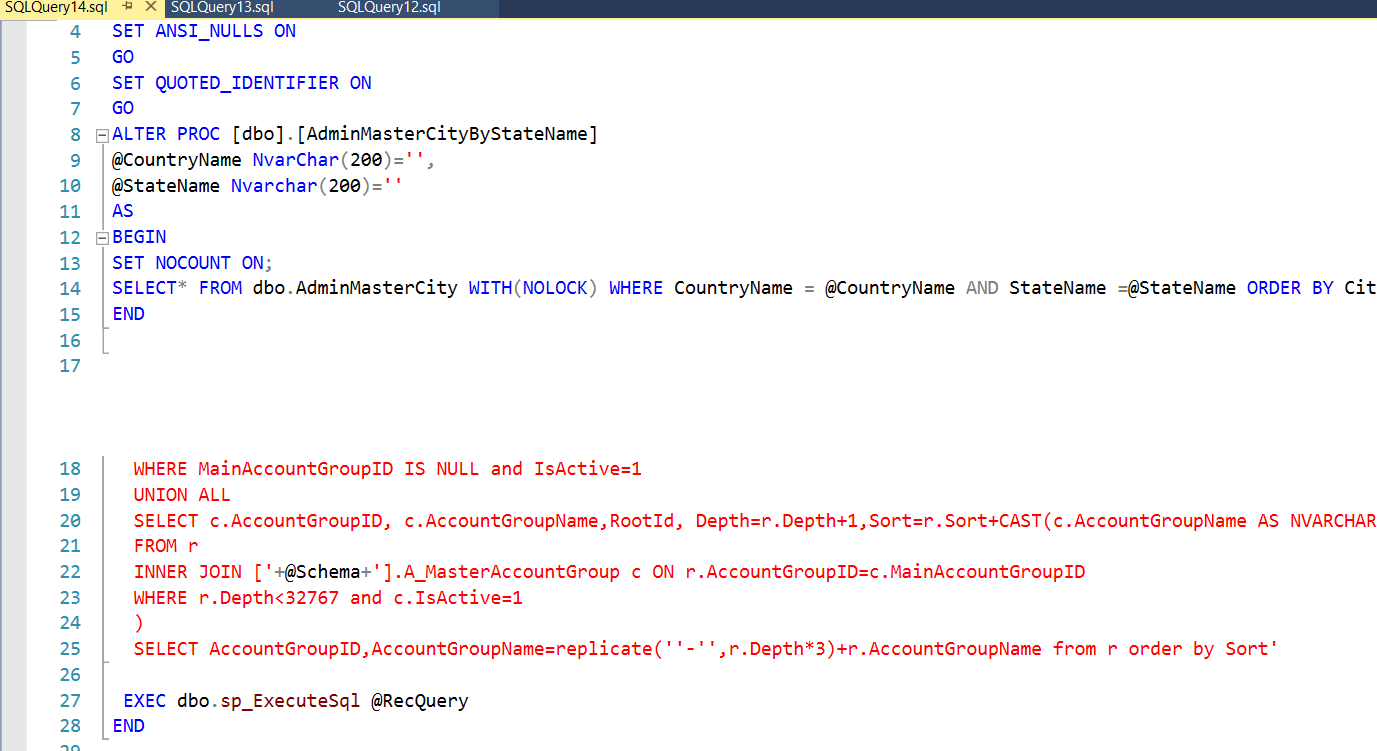
Red color text is another query window text.
Very strange issue.
I have already installed SSMS 2 times
Regards,
jigar
 jigarce
All 8 comments
@jigarce - Hello Jigar!
Thanks for contacting Microsoft! From my understanding, the issue you're describing seems to be an issue with the product, is that correct? If so, unfortunately, this form of contact is intended explicitly for reporting issues with the documentation, and not for the product. To get further assistance with your issue, we'd recommend engaging the community, or opening a ticket with Microsoft Support. More information can be found here: https://docs.microsoft.com/en-us/sql/sql-server/sql-server-get-help?view=sql-server-2017.
If you're looking to provide suggestions or ideas for improvement for the product, you can do so at https://aka.ms/sqlfeedback.
If I'm mistaken, and you're submitting feedback for the documentation, please reply to this comment to clarify further. Otherwise, we'll proceed with closing out this Git Issue within a few business days.
Our apologies that the SQL Docs team was unable to assist you further with your issue, but we appreciate you reaching out. Please let us know if there's anything more we can do for you.
Thanks again and hope you have a wonderful rest of your day!
 VanMSFT
on 17 May 2019
VanMSFT
on 17 May 2019
I had the same problem. Found a temporary solution by using keyboard shortcut CTRL + TAB to switch between the tabs.
 p4lpsk
on 13 Jul 2019
p4lpsk
on 13 Jul 2019
Thanks buddy!
Its working!
jigarce
on 14 Jul 2019
I had the same thing. Documentation says: Disable graphics hardware acceleration through Tools>Options.
[https://docs.microsoft.com/en-us/sql/ssms/release-notes-ssms?view=sql-server-2017]
 oppositive
on 17 Aug 2019
oppositive
on 17 Aug 2019
Its working thanks @oppositive
jigarce
on 19 Aug 2019
Thanks @oppositive!
 joelangell
on 3 Sep 2019
joelangell
on 3 Sep 2019
Thanks @oppositive!
 chaddblanchard
on 16 Nov 2019
chaddblanchard
on 16 Nov 2019
Thank you guys so much! I have tolerated this problem for years but now it is fixed!!
 bcooper1970
on 26 Nov 2019
bcooper1970
on 26 Nov 2019
Related issues
 rlundy
·
4Comments
rlundy
·
4Comments
 mverbaas
·
3Comments
mverbaas
·
3Comments
 sam-s4s
·
4Comments
sam-s4s
·
4Comments
 stevef51
·
4Comments
stevef51
·
4Comments
 hdisma
·
3Comments
hdisma
·
3Comments
Most helpful comment
I had the same thing. Documentation says: Disable graphics hardware acceleration through Tools>Options.
[https://docs.microsoft.com/en-us/sql/ssms/release-notes-ssms?view=sql-server-2017]