Sprints: U — Create learning pathway banners and place them on MDN
Note: Nick designed banners to point to the learning pathway, and this user story is about implementing something similar to point to the MDN FED learning pathway from other places.
Acceptance criteria
- [x] Create block banner to go within article content
- [x] Choose where to put them on MDN - make a list
- [ ] Put them on MDN.
 chrisdavidmills
All 19 comments
@chrisdavidmills heads up; we're currently working on two issues that will impact MDN's Q3 OKR process during this sprint (#7187 and #7186 respectively). We should have a better idea tomorrow of the scale of the solutions we plan to pursue for this /and next sprint. Once we find out, I'll follow up either in this issue or DM you in Slack.
 malqinneh
on 4 Jun 2020
malqinneh
on 4 Jun 2020
@malqinneh OK, thx for the heads up.
chrisdavidmills
on 5 Jun 2020
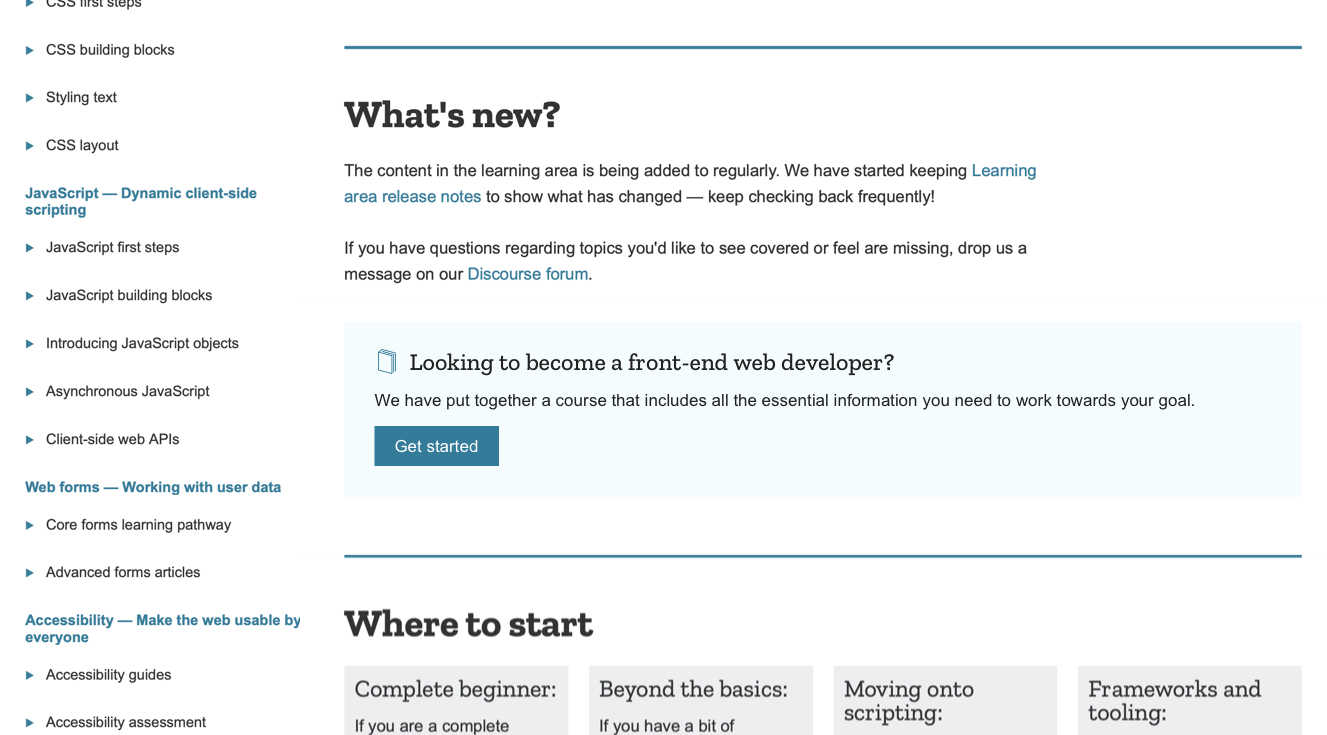
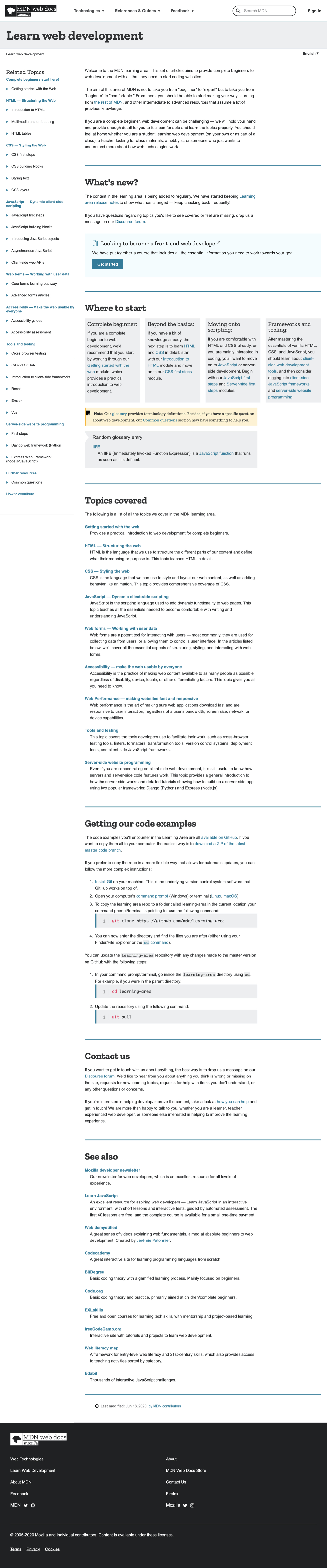
Worked with Chris on a banner for the learning area. We can use the same banner within article pages as well (tbd exactly where). Waiting to get feedback from @schalkneethling.
malqinneh
on 24 Jun 2020
Thanks, @malqinneh. I do not foresee any technical hurdles here. The only thing to note is that the styling will live inside the Kuma codebase but, the actual HTML(which I will provide), needs to be added to the content of the relevant pages.
I believe I am correct in saying that. Please correct me if I am wrong @chrisdavidmills 😸
 schalkneethling
on 25 Jun 2020
schalkneethling
on 25 Jun 2020
@schalkneethling sounds correct to me. Thanks man!
chrisdavidmills
on 25 Jun 2020
Here is a link to the Abstract collection for the learning pathway banner. See below for reference.
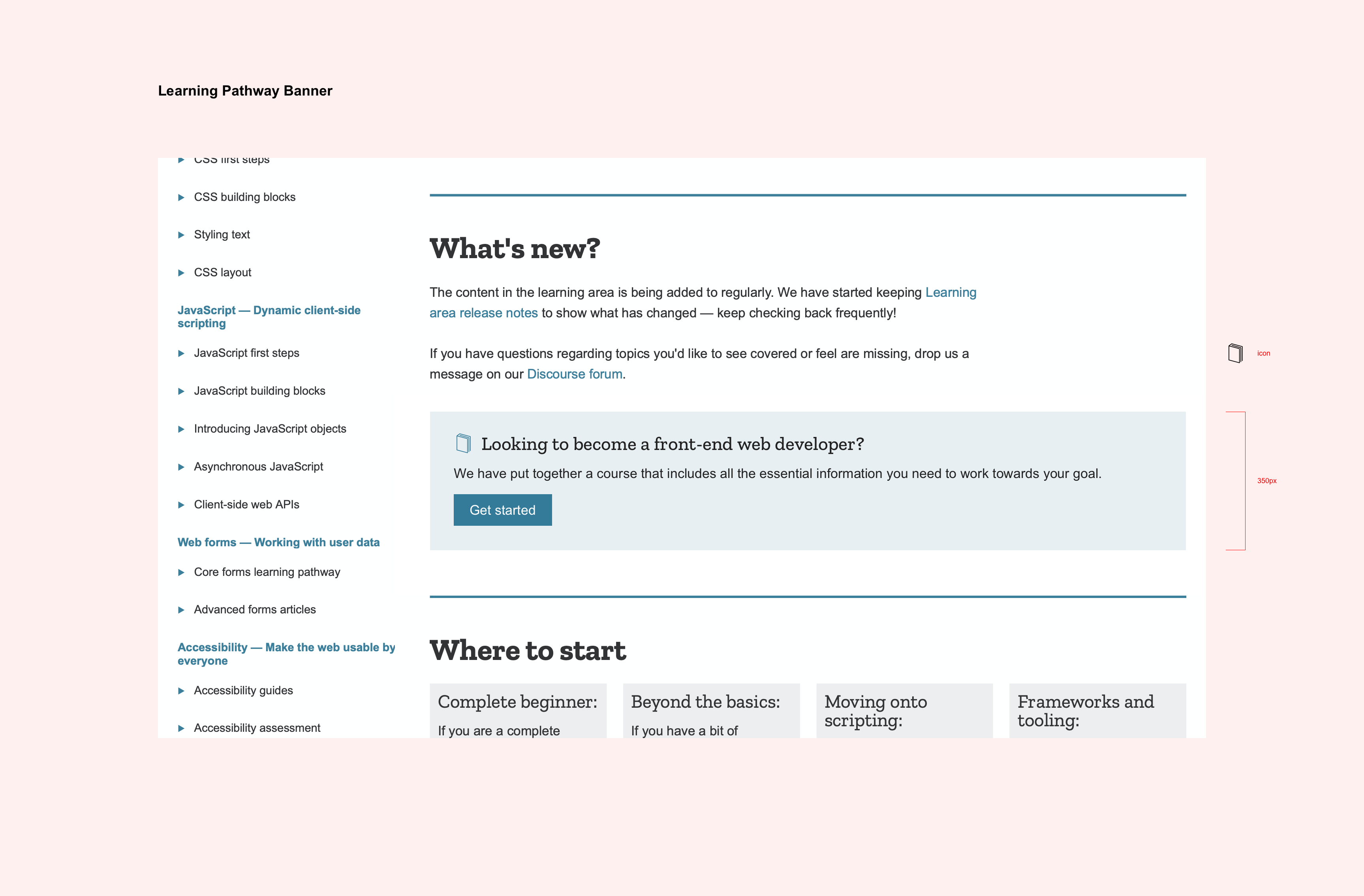
Also attaching the book icon in SVG format:
learning-pathway-icon.svg.zip
malqinneh
on 29 Jun 2020
Thanks @malqinneh!
I've created an HTML and CSS prototype which seems to fit the bill; see code below:
<div>
  <h3>Looking to become a front-end web developer?</h3>

  <p>We have put together a course that includes all the essential information you need to work towards your goal.</p>

  <p><a href="en-US/docs/Learn/Front-end_web_developer">Get started</a></p>
</div>
@font-face {
  font-family: "zillaslab";
  src: url("fonts/ZillaSlab-Medium.woff") format("woff");
}

div {
  background-color: #e7eff3;
  padding: 20px;
}

h3 {
  font-family: 'zillaslab';
  font-size: 1.44444rem;
  font-weight: 500;
  margin: 0;
  background: url('learning-pathway-icon.svg') no-repeat left;
  background-size: 24px 24px;
  padding-left: 33px;
}

h3, p {
  color: rgb(33, 33, 33);
}

p {
  font-family: arial;
  line-height: 1.6;
}

a {
  color: rgb(255, 255, 255);
  background-color: rgb(51, 123, 153);
  text-align: center;
  text-decoration: none;
  padding: 10px 20px;
}
I also created a version with inline styles that we could use on MDN already:
<div style="background-color: #e7eff3; padding: 10px 20px;">
  <h3 id="Looking_to_become_a_front-end_web_developer" style="background: no-repeat left; color: rgb(33, 33, 33); background-color: transparent; font-weight: 500;">Looking to become a front-end web developer?</h3>

  <p style="max-width: 100%;">We have put together a course that includes all the essential information you need to work towards your goal.</p>

  <p><a href="en-US/docs/Learn/Front-end_web_developer" style="color: rgb(255, 255, 255); background-color: rgb(51, 123, 153); text-align: center; text-decoration: none; padding: 10px 20px;">Get started</a></p>
</div>
But I forgot that MDN sanitizes certain inline styles when you publish article content. The styling missing from this that would make the icon work is as follows (should go on the <h3>):
padding-left: 33px;
background: url('https://media.prod.mdn.mozit.cloud/attachments/2020/06/30/17303/ac7af0461ca77064654abed11a69a321/learning-pathway-icon.svg') no-repeat left;
background-size: 24px 24px;
@schalkneethling can you put these styles into the platform so I can start using the banner?
@malqinneh are there any tweaks you'd like to see made to the code?
chrisdavidmills
on 30 Jun 2020
As for the places to put this banner on MDN, I was thinking:
- HTML landing page: https://developer.mozilla.org/en-US/docs/Web/HTML, below the three horizontal boxes
- CSS landing page: https://developer.mozilla.org/en-US/docs/Web/CSS, below the three horizontal boxes
- JS landing page: https://developer.mozilla.org/en-US/docs/Web/JavaScript, just above the two-column section.
Learning area — all the main topic and module landing pages:
- https://developer.mozilla.org/en-US/docs/Learn/HTML
- https://developer.mozilla.org/en-US/docs/Learn/HTML/Introduction_to_HTML
- https://developer.mozilla.org/en-US/docs/Learn/HTML/Multimedia_and_embedding
- https://developer.mozilla.org/en-US/docs/Learn/HTML/Tables
- https://developer.mozilla.org/en-US/docs/Learn/CSS
- https://developer.mozilla.org/en-US/docs/Learn/CSS/First_steps
- https://developer.mozilla.org/en-US/docs/Learn/CSS/Building_blocks
- https://developer.mozilla.org/en-US/docs/Learn/CSS/Styling_text
- https://developer.mozilla.org/en-US/docs/Learn/CSS/CSS_layout
- https://developer.mozilla.org/en-US/docs/Learn/JavaScript
- https://developer.mozilla.org/en-US/docs/Learn/JavaScript/First_steps
- https://developer.mozilla.org/en-US/docs/Learn/JavaScript/Building_blocks
- https://developer.mozilla.org/en-US/docs/Learn/JavaScript/Objects
- https://developer.mozilla.org/en-US/docs/Learn/JavaScript/Asynchronous
- https://developer.mozilla.org/en-US/docs/Learn/JavaScript/Client-side_web_APIs
- https://developer.mozilla.org/en-US/docs/Learn/Forms
- https://developer.mozilla.org/en-US/docs/Learn/Accessibility
- https://developer.mozilla.org/en-US/docs/Learn/Tools_and_testing
- https://developer.mozilla.org/en-US/docs/Learn/Tools_and_testing/Understanding_client-side_tools
- https://developer.mozilla.org/en-US/docs/Learn/Tools_and_testing/Client-side_JavaScript_frameworks
- https://developer.mozilla.org/en-US/docs/Learn/Tools_and_testing/GitHub
- https://developer.mozilla.org/en-US/docs/Learn/Tools_and_testing/Cross_browser_testing
Is this overkill? What do you think @malqinneh?
chrisdavidmills
on 30 Jun 2020
@schalkneethling can you put these styles into the platform so I can start using the banner?
@malqinneh are there any tweaks you'd like to see made to the code?
Thanks Chris! Let's stick the CSS inside Kuma and put a class on the root element. Then, I think it makes sense for this to be its own little section so, perhaps the following HTML:
<section class="in-page-callout webdev" aria-labelledby="callout-webdev-heading">
  <h3 id="callout-webdev-heading">Looking to become a front-end web developer?</h3>
  <p>We have put together a course that includes all the essential information you need to work towards your goal.</p>
  <p><a href="docs/Learn/Front-end_web_developer" class="cta primary">Get started</a></p>
</section>
@malqinneh are there any tweaks you'd like to see made to the code?
I trust that Schalk will ensure that all styles are consistent with what we have on MDN. Only thing I would clarify about the code is that background color should be set to: #E5EFF5 (it's a shade of the primary color on MDN).
malqinneh
on 30 Jun 2020
I have created the following issue to add the relevant CSS to the codebase:
https://github.com/mdn/kuma/issues/7300
@chrisdavidmills Are you happy with the HTML and related classes as suggested in https://github.com/mdn/sprints/issues/2286#issuecomment-651851287
schalkneethling
on 1 Jul 2020
@schalkneethling cool, thanks!
The HTML/classes look OK. The one thought I had is that id="callout-webdev-heading" should maybe be a class instead, as you might want more than one on a page. Or we could just drop it altogether, and instead use .webdev h3 ?
But whatever you're happy with, really.
chrisdavidmills
on 1 Jul 2020
@schalkneethling cool, thanks!
The HTML/classes look OK. The one thought I had is that
id="callout-webdev-heading"should maybe be a class instead,
The id there is not for styling purposes, it is to connect the heading(h3) with the section. If a section element has an accessible name it becomes a region. And in this case, a region with the heading "Looking to become a front-end web developer?"
I was thinking it will be useful for folks using assistive technologies i.e. we are calling that out as a distinct region on the page.
schalkneethling
on 1 Jul 2020
as you might want more than one on a page.
If we might have more than one frontend webdev specific banner per page, then that does become problematic.
schalkneethling
on 1 Jul 2020
The id there is not for styling purposes, it is to connect the heading(h3) with the section. If a section element has an accessible name it becomes a region. And in this case, a region with the heading "Looking to become a front-end web developer?"
Ah yes, this makes sense ;-)
If we might have more than one frontend webdev specific banner per page, then that does become problematic.
I guess we probably don't _really_ want to have more than one per page ;-)
chrisdavidmills
on 1 Jul 2020
schalkneethling
on 7 Jul 2020
OK, banner included on all the above list of pages. What do we think of this?
chrisdavidmills
on 9 Jul 2020
Related issues
 Elchi3
·
7Comments
Elchi3
·
7Comments
 wbamberg
·
6Comments
wbamberg
·
6Comments
 ExE-Boss
·
3Comments
Elchi3
·
4Comments
ExE-Boss
·
3Comments
Elchi3
·
4Comments
 arturjanc
·
5Comments
arturjanc
·
5Comments