Spksrc: FFmpeg EAC3 and/or DTS support in Video Station for DSM 6.x
_For new Package Requests, see the guidelines_
Setup
_Package Name:_ FFmpeg
_Package Version:_3.3.3-7
_NAS Model:_DS916+
_NAS Architecture:_Intel
_DSM version:_6.1.3-15152 Update 6
Expected behavior
Playback of video with Dolby tracks in DS Video work without issue
Actual behavior
Playback error "failed to play the video because the file format of the currently selected audio track is not supported" (for EAC3).
Steps to reproduce
_1._Launch DS Video
_2._Select video with EAC3 audio
_3._Play
Package log
_Check Package Center or /usr/local/{package}/var/_
n/a
Other logs (attempted a re-install)
_E.g. /var/log/messages or /var/log/synopkg.log_
2017/10/08 16:46:44 uninstall ffmpeg: begin to stop version 3.3.3-7
2017/10/08 16:46:45 uninstall ffmpeg 3.3.3-7 Begin start-stop-status stop
2017/10/08 16:46:45 uninstall ffmpeg 3.3.3-7 End start-stop-status stop ret=[0]
2017/10/08 16:46:45 uninstall ffmpeg 3.3.3-7 Begin unload apparmor
2017/10/08 16:46:45 uninstall ffmpeg 3.3.3-7 End unload apparmor ret=[0]
2017/10/08 16:46:45 uninstall ffmpeg: stop version 3.3.3-7 successfully, result 0
2017/10/08 16:46:45 uninstall ffmpeg 3.3.3-7 Begin preuninst
2017/10/08 16:46:45 uninstall ffmpeg 3.3.3-7 End preuninst ret=[0]
2017/10/08 16:46:45 uninstall ffmpeg 3.3.3-7 Begin /bin/rm -rf /volume1/@appstore/ffmpeg
2017/10/08 16:46:46 uninstall ffmpeg 3.3.3-7 End /bin/rm -rf /volume1/@appstore/ffmpeg ret=[0]
2017/10/08 16:46:46 uninstall ffmpeg 3.3.3-7 Begin postuninst
2017/10/08 16:46:46 uninstall ffmpeg 3.3.3-7 End postuninst ret=[0]
2017/10/08 16:46:46 uninstall ffmpeg: Uninstall 3.3.3-7 successfully
2017/10/08 16:47:21 install ffmpeg 3.3.3-7 Begin preinst
2017/10/08 16:47:21 install ffmpeg 3.3.3-7 End preinst ret=[0]
2017/10/08 16:47:21 install ffmpeg 3.3.3-7 Begin /bin/mv -f /volume1/@tmp/pkginstall/package /volume1/@appstore/ffmpeg
2017/10/08 16:47:21 install ffmpeg 3.3.3-7 End /bin/mv -f /volume1/@tmp/pkginstall/package /volume1/@appstore/ffmpeg ret=[0]
2017/10/08 16:47:21 install ffmpeg 3.3.3-7 Begin /bin/rm -rf /var/packages/ffmpeg
2017/10/08 16:47:21 install ffmpeg 3.3.3-7 End /bin/rm -rf /var/packages/ffmpeg ret=[0]
2017/10/08 16:47:22 install ffmpeg 3.3.3-7 Begin /bin/mkdir -p /var/packages/ffmpeg
2017/10/08 16:47:22 install ffmpeg 3.3.3-7 End /bin/mkdir -p /var/packages/ffmpeg ret=[0]
2017/10/08 16:47:22 install ffmpeg 3.3.3-7 Begin /bin/mv -f /volume1/@tmp/pkginstall/INFO /var/packages/ffmpeg/INFO
2017/10/08 16:47:22 install ffmpeg 3.3.3-7 End /bin/mv -f /volume1/@tmp/pkginstall/INFO /var/packages/ffmpeg/INFO ret=[0]
2017/10/08 16:47:22 install ffmpeg 3.3.3-7 Begin /bin/rm -rf /var/packages/ffmpeg/scripts
2017/10/08 16:47:22 install ffmpeg 3.3.3-7 End /bin/rm -rf /var/packages/ffmpeg/scripts ret=[0]
2017/10/08 16:47:22 install ffmpeg 3.3.3-7 Begin /bin/mv -f /volume1/@tmp/pkginstall/scripts /var/packages/ffmpeg/scripts
2017/10/08 16:47:22 install ffmpeg 3.3.3-7 End /bin/mv -f /volume1/@tmp/pkginstall/scripts /var/packages/ffmpeg/scripts ret=[0]
2017/10/08 16:47:22 install ffmpeg 3.3.3-7 Begin /bin/rm -rf /var/packages/ffmpeg/conf
2017/10/08 16:47:22 install ffmpeg 3.3.3-7 End /bin/rm -rf /var/packages/ffmpeg/conf ret=[0]
2017/10/08 16:47:22 install ffmpeg 3.3.3-7 Begin /bin/mv -f /volume1/@tmp/pkginstall/conf /var/packages/ffmpeg/conf
2017/10/08 16:47:22 install ffmpeg 3.3.3-7 End /bin/mv -f /volume1/@tmp/pkginstall/conf /var/packages/ffmpeg/conf ret=[0]
2017/10/08 16:47:22 install ffmpeg 3.3.3-7 Begin postinst
2017/10/08 16:47:22 install ffmpeg 3.3.3-7 End postinst ret=[0]
2017/10/08 16:47:24 install ffmpeg: begin to start version 3.3.3-7
2017/10/08 16:47:24 install ffmpeg 3.3.3-7 Begin pre-load apparmor
2017/10/08 16:47:24 install ffmpeg 3.3.3-7 End pre-load apparmor ret=[0]
2017/10/08 16:47:24 install ffmpeg 3.3.3-7 Begin start-stop-status start
2017/10/08 16:47:24 install ffmpeg 3.3.3-7 End start-stop-status start ret=[0]
2017/10/08 16:47:24 install ffmpeg: start version 3.3.3-7 successfully, result 0
2017/10/08 16:47:24 install ffmpeg 3.3.3-7 Begin /bin/rm -rf /volume1/@tmp/pkginstall
2017/10/08 16:47:24 install ffmpeg 3.3.3-7 End /bin/rm -rf /volume1/@tmp/pkginstall ret=[0]
2017/10/08 16:47:24 install ffmpeg 3.3.3-7 successfully
 houndtt
All 245 comments
First: we don't support DSM 6 so DSM 6.2 isn't supported as well...
Second: DS Video is a Synology SPK not one provided by us and it uses synologys FFMPEG build not the one we provide
 cytec
on 9 Oct 2017
cytec
on 9 Oct 2017
@houndtt
Is this issue only for EAC3 audio?
Or does it affect other codecs as well?
I have ffmpeg on DS918+ w/ DSM 6.1.3-15152 Update 6 and its working fine for DTS and others, but I don't know if I have any video encoded w/ EAC3 audio.
If you have a sample file with EAC3 audio to test I'd be interested to see if its working on the package I'm running.
 ChrisAnonymous
on 10 Oct 2017
ChrisAnonymous
on 10 Oct 2017
I believe a recent DSM update may have included an architecture change by Synology?
I don't have a "before picture" but, I believe VideoStation used to source the ffmpeg off the $PATH?
Now it looks like Synology are embedding ffmpeg at /volume1/@appstore/VideoStation/bin/ffmpeg.
As expected, I couldn't find anything in spksrc that hinted perhaps the packages used to make accommodations for this by - say - overriding Synology's choice of ffmpeg for VideoStation? Doing so might be inelegant, anyway.
$ /volume1/\@appstore/VideoStation/bin/ffmpeg -encoders | grep eac3
ffmpeg version 2.7.1 Copyright (c) 2000-2015 the FFmpeg developers
built with gcc 4.9.3 (crosstool-NG 1.20.0) 20150311 (prerelease)
configuration: --prefix=/usr/pkg --incdir='${prefix}/include/ffmpeg' --arch=i686 --target-os=linux --cross-prefix=/usr/local/x86_64-pc-linux-gnu/bin/x86_64-pc-linux-gnu- --enable-cross-compile --enable-optimizations --enable-pic --enable-gpl --enable-version3 --enable-nonfree --enable-libfaac --enable-encoders --enable-pthreads --disable-muxer=image2 --disable-muxer=image2pipe --disable-swscale-alpha --disable-ffplay --disable-ffserver --disable-doc --disable-devices --disable-bzlib --disable-altivec --enable-libopencore-amrnb --enable-libopencore-amrwb --enable-libmp3lame --disable-decoder=amrnb --disable-encoder=zmbv --disable-encoder=dca --disable-encoder=ac3 --disable-encoder=ac3_fixed --disable-encoder=eac3 --disable-decoder=eac3 --disable-encoder=truehd --disable-decoder=truehd --cc=/usr/local/x86_64-pc-linux-gnu/bin/x86_64-pc-linux-gnu-ccache-gcc --enable-shared --disable-static --enable-yasm --enable-libx264 --enable-encoder=libx264
libavutil 54. 27.100 / 54. 27.100
libavcodec 56. 41.100 / 56. 41.100
libavformat 56. 36.100 / 56. 36.100
libavdevice 56. 4.100 / 56. 4.100
libavfilter 5. 16.101 / 5. 16.101
libswscale 3. 1.101 / 3. 1.101
libswresample 1. 2.100 / 1. 2.100
libpostproc 53. 3.100 / 53. 3.100
$
You may notice eac3 has been disabled in the build arguments by Synology.
After backing up the vendor's binary, I boldly attempted to ln and then just plan mv the SynoCommunity ffmpeg version 3.3.3 into the VideoStation package... neither worked, so I asked myself why....
A ps auxwf while streaming yielded the arguments used by VideoStation to invoke ffmpeg for transcode. I tried to replicate the same invocation of the ffmpeg process from shell. I got Unrecognized option 'hls_seek_time'. Perhaps this argument has been deprecated, and I can see that VideoStation is making assumptions about the ffmpeg version that aren't going to be easily reconciled.
I empathize with @cytec that it's not feasible to provide what @houndtt and I are looking for in a sustainable way. I - or someone else - might be motivated to compile an older version of ffmpeg with eac3 to attempt a drop-in replacement.
 cr03
on 10 Oct 2017
cr03
on 10 Oct 2017
@ChrisAnonymous I can confirm the issue only happens with specifically eac3 files.
Check the media info in an episode or movie under VideoStation. It should tell you "eac" vs "ac3" or "aac-lc" or similar.
cr03
on 10 Oct 2017
I had the exact same issue. Downgrading videostation to the previous version fixed the issue
 repmeer
on 10 Oct 2017
repmeer
on 10 Oct 2017
@cr03 i guess the best way would be to report that to Synology so that they can fix it ;)
cytec
on 11 Oct 2017
Team, thanks for all your feedback on this. As suggested this needs to be resolved by Synology and I have logged a ticket regarding same. The details of the ticket are as follows:
Problem Explanation:
Summary: Latest compatibility update for DSM 6.2 beta breaks third-party 'ffmpeg' engines
Detail: Prior to the latest udpate (Version: 2.3.5-1471), users were able to install third party engines like the one from SynoCommunity. It appears that Video Station now includes an older embedded ffmpeg at '/volume1/[at]appstore/VideoStation/bin/ffmpeg' which overides the one from SynoCommunity (https://synocommunity.com/package/ffmpeg).
From preliminary analysis the embedded version in Video Station is version 2.7.1 whereas the SynoCommunity version is v3.3.3. It is thought that in the previous architecture that Video Station used to source the ffmpeg off the $PATH or some other mechanism that allowed third party versions to be used. I am hoping that consideration can be given to allowing this setup once again.
Problem Reproduce Steps:
Launching Video Station and playing media files with esoteric media formats like EAC3 for audio results in an error "failed to play the video because the file format of the currently selected audio track is not supported". Prior to the latest update with the SynoCommunity ffmpeg install this worked flawlessly.
I'll update the team once I receive a response.
houndtt
on 11 Oct 2017
Same issues here, thanks for your research guys! Looking forward to the reply from Synology and a fix.
 royduin
on 12 Oct 2017
royduin
on 12 Oct 2017
I also dropped a ticket at Synology Support. They answered that E-AC3 is currently not supported.
repmeer
on 13 Oct 2017
This is what i from Synology Support today
_Maybe you have used 3rd party like ffmpeg?
Please note we don't support e-ac-3 is because the copy right issue,
those 3rd party package is against the copy right, we are suggest to remove it.
Sorry for your inconvenience._
So i don't Synology is going to fix it in a future release.
repmeer
on 13 Oct 2017
Please note we don't support e-ac-3 is because the copy right issue,
those 3rd party package is against the copy right, we are suggest to remove it.
I'm still awaiting my response from Synology (they initially asked for a debug log). If the above is correct then I would suggest that there be some sort of compromise. Synology operates on a whole community of open-source projects. Either the vendor allows their users the choice of decoder packages (much like they allow for a choice of web servers, interpreters, etc.) via some sort of selector to toggle the newly included stripped down decoder... or they allow for a paid option (much like they do for survelliance, anti-virus and file systems).
houndtt
on 13 Oct 2017
Here is reference about Dolby software patents claimed to be infringed: https://github.com/SynoCommunity/spksrc/issues/2952#issuecomment-336574101
 ymartin59
on 14 Oct 2017
ymartin59
on 14 Oct 2017
@ymartin59
And what are you trying to tell with your comment? I don't see that see that your comment is contributing anything with value to this thread.
repmeer
on 15 Oct 2017
@ymartin59 I think you may have fumbled the link you wanted to paste -- it just links to this issue. Try again?
cr03
on 15 Oct 2017
I made a ticket and the answer was "eac3 format was never officially supported", if I use "ffmpeg unofficial package may be broken because of updates of Video Station". I downgrade to VideoStation-x86_64-2.3.4-1468 (DS416play) and solved the problem for now. Waiting for a better solution.
 lgxmedia
on 17 Oct 2017
lgxmedia
on 17 Oct 2017
Well I did the rollback to version 2.3.4-1468 and the EAC3 audio is once again transcoding. For those who are unsure about the process, the steps I took were as follows:
- Check for the binary for your Synology and download the previous version
For me I use a Synology DS916+ so this was:
(a) Checking https://www.synology.com/en-global/support/download/DS916+#packages
(b) Identifying the previous version using https://www.synology.com/en-global/releaseNote/VideoStation?model=DS916%2B
(c) Manually altering the download link on the packages page to https://global.download.synology.com/download/Package/spk/VideoStation/2.3.4-1468/VideoStation-x86_64-2.3.4-1468.spk
- Uninstall the existing Video Station in Package Centre (be sure that the remove database checkbox is unchecked)
- Perform a manual install with the downloaded package file
As an update to the ticket with Synology they closed it as a feature request with the following generic reply: _"We have sent up your concerns with the ffmpeg process in DSM 6.2 beta and your desire to source the ffmpeg off the $PATH or some other mechanism that allowed third party versions to be used, to our features and development team."_
I also did a bit of experimenting with the downgraded version following in the steps of @cr03. My output for the 'ffmpeg' in Video Station was as follows:
/var/packages/VideoStation/target/bin$ ffmpeg -encoders | grep eac3
ffmpeg version 2.7.1 Copyright (c) 2000-2015 the FFmpeg developers
built with gcc 4.9.3 (crosstool-NG 1.20.0) 20150311 (prerelease)
configuration: --prefix=/usr --incdir='${prefix}/include/ffmpeg' --arch=i686 --target-os=linux --cross-prefix=/usr/local/x86_64-pc-linux-gnu/bin/x86_64-pc-linux-gnu- --enable-cross-compile --enable-optimizations --enable-pic --enable-gpl --enable-shared --disable-static --enable-version3 --enable-nonfree --enable-libfaac --enable-encoders --enable-pthreads --disable-bzlib --disable-protocol=rtp --disable-muxer=image2 --disable-muxer=image2pipe --disable-swscale-alpha --disable-ffserver --disable-ffplay --disable-devices --disable-bzlib --disable-altivec --enable-libopencore-amrnb --enable-libopencore-amrwb --enable-libmp3lame --disable-vaapi --disable-decoder=amrnb --disable-encoder=zmbv --disable-encoder=dca --disable-encoder=ac3 --disable-encoder=ac3_fixed --disable-encoder=eac3 --disable-decoder=dca --disable-decoder=eac3 --disable-decoder=truehd --cc=/usr/local/x86_64-pc-linux-gnu/bin/x86_64-pc-linux-gnu-ccache-gcc --enable-yasm --enable-libx264 --enable-encoder=libx264
libavutil 54. 27.100 / 54. 27.100
libavcodec 56. 41.100 / 56. 41.100
libavformat 56. 36.100 / 56. 36.100
libavdevice 56. 4.100 / 56. 4.100
libavfilter 5. 16.101 / 5. 16.101
libswscale 3. 1.101 / 3. 1.101
libswresample 1. 2.100 / 1. 2.100
libpostproc 53. 3.100 / 53. 3.100
I don't see any output in the ps auxwf | grep ffmpeg which helps me understand which 'ffmpeg' was being used. Perhaps you guys can help?
root 24877 0.0 0.0 23116 972 pts/3 S+ 08:15 0:00 \_ grep --color=auto ffmpeg
root 24855 99.2 0.1 117124 14396 ? Rl 08:14 0:03 \_ /var/packages/VideoStation/target/bin/ffmpeg -ss 633.258 -i /volume1/video/[...].mkv -threads 0 -vcodec copy -vsync 2 -vbsf h264_mp4toannexb=repeatheader -acodec libmp3lame -ab 256k -ac 2 -f ssegment -segment_format mpegts -segment_list_type m3u8 -hls_seek_time 633258 -segment_time 8 -segment_time_delta 1.258 -segment_start_number 00079 -avoid_negative_ts 0 -break_non_keyframes 0 -map 0:0 -map 0:1 /tmp/VideoStation/HLS/[...]/slice-%05d.ts
Just downgraded to 2.3.4-1468, let's hope Synology is picking this up and it will work again with the next release.
royduin
on 17 Oct 2017
Please close issue, if there is nothing we can do here.
ymartin59
on 20 Oct 2017
Just as an update, I attempted to upgrade to Video Station version 2.3.6-1475 this morning but the problem with the EAC3 audio still persists. Rolled back to version 2.3.4-1468 and all is once again well with the world. Hopefully Synology will fix this soon.
houndtt
on 6 Nov 2017
Just to confirm what @houndtt pointed out, I could fix Video Station playback issues by downgrading manually from 2.3.6-1475 to 2.3.4-1468 .
Synology wake up !
 sciolto
on 20 Nov 2017
sciolto
on 20 Nov 2017
I know this issue was closed, but I have to say Videostation can not play DTS either AC3 originally, after install 3rd part FFMPEG from the community source, you get both DTS and AC3 works.
What I want to point is why DTS and AC3 can be played but EAC3 won't? Is there anything FFMPEG community edition can do the same thing to enable EAC3?
 kurtn2005
on 23 Nov 2017
kurtn2005
on 23 Nov 2017
@kurtn2005 Because EAC3 is a codec that has licensefees. Synology is not willing to pay for that.
repmeer
on 23 Nov 2017
@repmeer correct me if I am worng, from my understanding, both DTS and AC3 are need license and original VideoStation can not streaming both of them, and this can be proved by the lead of compile parameters of original FFMPEG which comes with VideoStation, however, after install the community FFMPEG package, DTS and AC3 works, why they are enabled? Should be some things changed after install community edition, I beleive.
I assume it can be enable EAC3 with community edition as well.
kurtn2005
on 24 Nov 2017
Can somebody pls post a link to the community version of FFMPEG? Do I get it right that after the installation of ffmpef community edition I can update my video station again if I just want to play MKVs with AC3 and DTS?
 mtoensing
on 9 Dec 2017
mtoensing
on 9 Dec 2017
For those who want to update to post-2.3.4 (for bugfixes) but still want to play EAC3 videos:
Login to your NAS via SSH and copy these files to another location: volume1/@appstore/VideoStation/lib/libsynovte.so and volume1/@appstore/VideoStation/lib/ffmpeg/libavcodec.so.56
Update Video Station and replace the new versions of these files with the old ones you copied.
 HandyHarry
on 12 Dec 2017
HandyHarry
on 12 Dec 2017
Thanks @HandyHarry! My files were in slightly different locations so my steps were as follows:
- Backup the (version 2.3.4-1468) files using the following commands:
cp /volume1/@appstore/VideoStation/lib/libsynovte.so [backup location]
cp /volume1/@appstore/VideoStation/lib/ffmpeg/libavcodec.so.56 [backup location]
- Upgrade to VideoStation 2.3.7-1484 (or current version)
- Stop VideoStation from running
- Backup the new files using the following commands:
cd /volume1/@appstore/VideoStation/lib/
sudo mv libsynovte.so libsynovte.so.bak
cd /volume1/@appstore/VideoStation/lib/ffmpeg/
sudo mv libavcodec.so.56 libavcodec.so.56.bak
- Copy the old files back into place with the following commands:
sudo cp [backup location]/libsynovte.so /volume1/@appstore/VideoStation/lib/
sudo cp [backup location]/libavcodec.so.56 /volume1/@appstore/VideoStation/lib/ffmpeg/
- Update the file properties to match the original with the following commands:
cd /volume1/@appstore/VideoStation/lib/
sudo chown VideoStation:VideoStation libsynovte.so
sudo chmod 644 libsynovte.so
cd /volume1/@appstore/VideoStation/lib/ffmpeg/
sudo chown VideoStation:VideoStation libavcodec.so.56
sudo chmod 644 libavcodec.so.56
- Start VideoStation and test playback
So far so good. I would also recommend keeping the backup files in the backup location for future upgrades.
houndtt
on 13 Dec 2017
A totally noob question here - I understand that need to downgrade the Video Station to get the audio codecs working. I can do this manually but I believe that I have to uninstall the current version first. What will happen to all my libraries if I do this? Will it keep everything?
Thanks in advance.
 kajolab
on 22 Dec 2017
kajolab
on 22 Dec 2017
@kajolab Yes your library will preserved. Own observation
repmeer
on 22 Dec 2017
@repmeer thanks for a quick answer. But are you really sure?
I have many TV shows, films and home videos and a number of playlists, too; quite a few manually edited. I know I am not going to lose the actual video files, it's everything around them I am worried about. Since I am at the latest ver. of Video Station I have to uninstall it first in order to go on. Would you, or anybody else here, be willing to reassure me?
Thanks once more!
kajolab
on 22 Dec 2017
Yes i am sure. As i said "own observation"
repmeer
on 22 Dec 2017
ok, then I go for it. I will post how it went, in case anybody finds it useful - not that you didn't say that already...
kajolab
on 22 Dec 2017
When you uninstall VideoStation you will find a check option to remove or not the library. Tested few days ago when I used houndtt solution and worked great.
lgxmedia
on 22 Dec 2017
@repmeer and @lgxmedia thanks guys! You were, of course, right. I kept everything but... was really scared for a while when the new(old) version installed successfully but got stuck att starting the service in about 5 or so minutes.
Thanks again!
kajolab
on 22 Dec 2017
@houndtt Thank you for your guide, may I have these two files so that I can replace them directly without downgrading the VideoStation?
kurtn2005
on 23 Jan 2018
@houndtt I noticed that we may have different architecture of VideoStation so I did by myself, it works fine! Thanks a lot!
kurtn2005
on 23 Jan 2018
Version 2.3.8-1486 was released today. The issue hasn’t been resolved, but the above solution still works. You do have to replace the files again after the update though.
HandyHarry
on 23 Jan 2018
@ymartin59 Back from my trip and interested, too. What issues have you identified?
 m4tt075
on 26 Jan 2018
m4tt075
on 26 Jan 2018
Anyone can provide your old libsynovte.so and libavcodec.so.56 here? I cannot downgrade my video station.
updata:
download video station 2.3.4-1468 from https://archive.synology.com/download/Package/spk/VideoStation/2.3.4-1468/
and unpack it and the within there is package.tgz file, unpack it you can find the lib/libsynovte.so and lib/ffmpeg/libavcodec.so.56, upload and replace,just work fine.
 Youngv
on 9 Feb 2018
Youngv
on 9 Feb 2018
I downgraded my videostation to 2.3.4-1468 on my ds218+. But it won't play any e-ac3. Something else I can try?
 Casburggraaf
on 9 Feb 2018
Casburggraaf
on 9 Feb 2018
@Casburggraaf what is your ffmpeg package version ? next update should be published soon
ymartin59
on 10 Feb 2018
Same I did the update the file by just downloading and unzipping the package and it's still not reading eac3
 zzarbi
on 12 Feb 2018
zzarbi
on 12 Feb 2018
@houndtt @ymartin59 @m4tt075 I know you are all working on this, thank you for your efforts. On a DS 918+, @houndtt's fix works to get Video Station on post 1468 builds working (copied the files from my 412+ running 1468VS onto the 918+ no isssue) I have some concerns though. I'm a basic linux user, minimal skills. But I noticed that even with hound's fix, ps -ef | grep ffmpeg shows that video station still uses its native ffmpeg and not the one I manually installed (3.4-1 from cytec). Is there anything I can do to force VideoStation to use the newer one, or am I just locked into the one that now ships with VideoStation.
 phoenixfire82
on 22 Feb 2018
phoenixfire82
on 22 Feb 2018
With ffmpeg 3.4.1-9 just released, can you update Video Station to 2.3.8-1486, or do you still need to keep Video Station at 2.3.4-1468? [DS215j]
 Specials
on 25 Feb 2018
Specials
on 25 Feb 2018
@Specials, I'm currently running Video Station 2.3.8-1486. The only trick is to manually replace the install with the two older codec files per the tip that @HandyHarry brought to the table. See https://github.com/SynoCommunity/spksrc/issues/2952#issuecomment-351269151
houndtt
on 26 Feb 2018
Hey guys, I just tried the update to the latest version 2.4.0-1505. This version as with previous ones does not allow EAC3 playback. Unfortunately, this version has a new codec file at the location /volume1/@appstore/VideoStation/lib/ffmpeg/libavcodec.so.57.
Replacing it with the older libavcodec.so.56 file causes the package to fail to launch. Replacing just the /volume1/@appstore/VideoStation/lib/libsynovte.so alone allows the package to launch but goes into a loop when trying to play EAC3 encoded videos.
Without a working codec, I am thus going to have to downgrade to Video Station 2.3.8-1486.
houndtt
on 6 Mar 2018
@houndtt Confused. Our ffmpeg version has just been upgraded and ships with libavcodec.so.57 now. I don't know whether your workaround still applies, but at least the versions should match.
m4tt075
on 6 Mar 2018
@m4tt075 Interesting. The workaround from @HandyHarry suggested that we needed to use the previous versions of libsynovte.so and libavcodec.so.56 from Video Station. Are you saying that I can use the version of libavcodec.so.57 supplied with ffmpeg instead?
Based on what I've seen there is a version at /volume1/@appstore/ffmpeg/lib/libavcodec.so.57. I don't see a version of libsynovte.so in your build so I guess we will still have to use the previous version from Video Station?
Going to try it out with the current and the previous versions of libsynovte.so and see what happens...
Update:
So for this experiment I have installed ffmpeg version 3.4.1-9 as well as Video Station 2.4.0-1505. On launch the installation is able to play AC3, DTS but not EAC3.
- Experiment A: Copy the version of libavcodec.so.57 from
/volume1/@appstore/VideoStation/lib/ffmpeg/. This results in Video Station unable to launch with 'Operation Failed'. - Experiment B: With the above file in place, copy the version of libsynovte.so from the backup of Video Station 2.3.4-1468. This results in Video Station unable to launch with 'Operation Failed'.
Based on the above the libavcodec.so.57 file from ffmpeg does not seem compatible as a replacement for the one in Video Station.
houndtt
on 6 Mar 2018
So @houndtt what is the current recommendation for the current installation of VideoStation?
 mlinton
on 12 Mar 2018
mlinton
on 12 Mar 2018
@mlinton, best to stay with Video Station 2.3.8-1486 if you need EAC3.
houndtt
on 12 Mar 2018
@houndtt Sorry for the late reply. Yes, what you tested is what I hoped would be worthwhile. Unfortunate it did not work out. No other idea then...
m4tt075
on 12 Mar 2018
I don't understand why Synology wouldn't provide additional paid packages for these codecs. This way they don't have to pay and ship the feature to enterprises/consumers that don't need it but make it available in a friendly way to those that do need/want it. I would gladly pay for a hassle free solution.
 Tweaqer
on 20 Mar 2018
Tweaqer
on 20 Mar 2018
Yes, it's very frustrating how they are treating with this issue. I opened another support case with them and got a lukewarm response. I don' know if we should start a campaign and start flooding them with requests to fix what they broke. Anyway, below was the ticket and response...
Problem Explanation:
Since Video Station 2.3.5-1471 I can't seem to playback media with audio using the E-AC3 codec. Some online have indicated this was as a result of licencing the codec.
Problem Reproduce Steps:
Synology generally supported open source packages but the recent change in the ffmpeg codec has broken this. I would suggest you guys consider allowing users the choice of decoder packages (much like you allow for a choice of web servers, interpreters, etc.) via some sort of selector to toggle the newly included stripped down ffmpeg codec... or you allow for a paid option (much like you do for survelliance, anti-virus and file systems). This way Synology will continue to support your community of open-source projects and customers.
Agent Response:
Sadly this is correct and not supported at this time. I appreciate your feedback and will send this feedback to our product management team for further consideration. I can't currently give a timeline for its inclusion, but you can sign up here to be notified of updates automatically by email: http://sy.to/registersynologyaccount
houndtt
on 21 Mar 2018
The problem is that Synology can probably take no (explicit) action to resolve this issue.
On one hand they are unable to get the proper licenses. This is either because of prohibitive cost or because they simply aren't allowed to license the decoder as the NAS is not a playback device.
On the other hand they cannot make changes to explicitly allow their customers to work around the licensing restrictions. That this used to be possible by coincidence is not a 'get out of jail free card' for making changes to allow this by design.
Related to this, has anyone analysed exactly how video station is finding and loading the ffmpeg libraries (dynamically loading from explicit location, RPATH, LD_LIBRARY_PATH, etc)? Maybe there is still an option to get it to load the correct version if it can be injected in the current search path.
 jbogers
on 21 Mar 2018
jbogers
on 21 Mar 2018
@jbogers finding out about the architecture of Video Station would be great but I don't know how to do that. Only basic knowledge of Linux unfortunately. Anyone have any ideas of how to approach this?
houndtt
on 10 Apr 2018
@houndtt you can check the content of the Video Station app in /volume1/@appstore/Video Station. Video Station includes it's own ffmpeg binary, but it did nothing when I replaced it with a link to one that doesn't disable eac3. I suppose that on top of the ffmpeg version, the app has its own checks to prevent loading an unsupported video.
 dhayab
on 10 Apr 2018
dhayab
on 10 Apr 2018
The build prefix they used to builf ffmpeg found in line 67108 in libavcodec.so.56
Clearly they disabled ac3, maybe one could build it with ac3.
--prefix=/usr/pkg --incdir='${prefix}/include/ffmpeg' --arch=i686 --target-os=linux --cross-prefix=/usr/local/i686-pc-linux-gnu/bin/i686-pc-linux-gnu- --enable-cross-compile --enable-optimizations --enable-pic --enable-gpl --enable-version3 --enable-nonfree --enable-libfaac --enable-encoders --enable-pthreads --disable-muxer=image2 --disable-muxer=image2pipe --disable-swscale-alpha --disable-ffplay --disable-ffserver --disable-doc --disable-devices --disable-bzlib --disable-altivec --enable-libopencore-amrnb --enable-libopencore-amrwb --enable-libmp3lame --disable-decoder=amrnb --disable-encoder=zmbv --disable-encoder=dca --disable-encoder=ac3 --disable-encoder=ac3_fixed --disable-encoder=eac3 --disable-decoder=eac3 --disable-encoder=truehd --disable-decoder=truehd --cc=/usr/local/i686-pc-linux-gnu/bin/i686-pc-linux-gnu-ccache-gcc --enable-shared --disable-static --enable-yasm --enable-libx264 --enable-encoder=libx264 --enable-libh264_smd --enable-smd --disable-filter=hqdn3d --extra-libs='-ljson-c -lgdl -losal -lpal -lsven -lismd_core -lismd_audio -lismd_viddec -lismd_videnc -lismd_vidpproc -lplatform_config -lffmpeg_plugin' libavcodec license: nonfree and unredistributable avcodec_encode_audio() does not support this codec
Also it could be patching the libavcodec56.so so it cant reach the unnsupported codec could work.

 techbliss
on 7 May 2018
techbliss
on 7 May 2018
@techbliss this is a little over my level of expertise. If any of you guys can build a new libavcodec.so.57 using this concept I would be happy to test it for you. Otherwise maybe some step by step build instructions for those of us not too familiar?
houndtt
on 23 May 2018
Interestingly, it still works on my unit as I just tested.
DS916+, DSM 6.2-23739, Video Station 2.4.1-1554, ffmpeg 3.4.1-9
Tested with video file, which has DTS audio track and is obviosly not compatible with Synology ffmpeg impementation due to that.
 E-t-z
on 5 Jun 2018
E-t-z
on 5 Jun 2018
@E-t-z Well based on previous tests DTS should work (see https://github.com/SynoCommunity/spksrc/issues/2952#issuecomment-370762929) but this thread was about video with EAC3 audio. This should fail for you, can you confirm?
houndtt
on 6 Jun 2018
@houndtt as I understood, main problem was third party ffmpeg not being called, in that case it should not matter what codec is being used, unless it is being supported by the Video Station built in ffmpeg. Fair enough, I will try to find somekind of Demo clip with EAC3 audio and will test it out.
Right now, it still looks like (by observing ps output), it calls external ffmpeg when one is present, at least when audio codec is DTS.
E-t-z
on 6 Jun 2018
Looks like content using EAC3 as audio codec is quite scarce at best, so far I have been unable to find any demo clips with it. All of them are AC3, DTS, Atmos or whatnot.
Only thing I was able to get my hands on was this: http://www.demo-world.eu/download-2d-trailers/?file=dolby_digital_plus_channel_check_lossless-DWEU.mkv&pic=dolby_digital_plus_channel_check_lossless.jpg
Yep, and you were correct: DTS works, EAC3 (at least that particular 7.1 channel one) does not.
Still it would be quite interesting to understand, why it happily sideloads third party ffmpeg for DTS but not for EAC3?
E-t-z
on 6 Jun 2018
So, that would mean that Video Station 2.4.1-1554 supports DTS natively, with no hacks?
I am not very technical, just have been following this discussion in order to find a solution to the common problem.
kajolab
on 7 Jun 2018
No, it does not mean that, for DTS you still need third party ffmpeg, according to my testing.
E-t-z
on 7 Jun 2018
Thanks a lot - but that's a bad news...I keep using the workaround described earlier in this discussion and refrain from updating the Video Station until anything else comes up. Thanks for keeping up the good work, and sharing it.
kajolab
on 7 Jun 2018
For me that hack works for DTS even on newest Video Station (2.4.1-1554), for EAC3 it does not.
Next, I will try to figure out how and what decides this selection process and maybe I will come up with something.
E-t-z
on 7 Jun 2018
No luck so far?
Tweaqer
on 2 Jul 2018
I re-open. I find it interesting. Maybe @E-t-z will find a hint how to progress on that point.
ymartin59
on 3 Jul 2018
OK, it seems rather interesting indeed.
After updating VideoStation to 2.4.2-1561, DTS is broken as well.
If I attempt to play back file with DTS all I get is "spinning wheel" and it does not play.
ps -ef | grep ffmpeg shows that ffmpeg is not running so it is not being loaded at all, neither 3rd party or built in one.
Uninstalling synocommunity ffmpeg package fixes the issue, no "spinning wheel" but an regular "Audio track not supported" error.
E-t-z
on 3 Jul 2018
@E-t-z This issue doesn't appear to be limited to 2.4.2-1561 as I have experienced the exact same issue when using previous versions on my 216Play.
To make things even more confusing: I am currently running 2.4.2-1561 and DTS usually works perfectly fine until it magically stops working (with the spinning circle just as you described).
Have you tried rebooting your NAS already? That usually fixes the issue for me. Surely inconvenient, but a workaround, i guess?
(I have no idea why this is happening though. And the apparently non-existing log files don't help either.)
I think that it does load ffmpeg though. After clicking play on a video I hammered in ps -ef | grep ffmpeg repeatedly into my ssh console and eventually ffmpeg came up (but terminated shortly after).
 ghost
on 4 Jul 2018
ghost
on 4 Jul 2018
Interesting @mac80211. For me the DTS playback has always been stable. My current setup is as follows:
- DS916+ running DSM 6.2-23739 Update 1
- Video Station version 2.3.8-1486 modified with the
libsynovte.soandlibavcodec.so.56files from version 2.3.4-1468 (https://github.com/SynoCommunity/spksrc/issues/2952#issuecomment-351269151) - ffmpeg version 3.4.1-9
As for the ffmpeg running and quickly terminating I believe that this is only called for the initial audio transcoding before streaming but does not run after that.
houndtt
on 7 Jul 2018
In my case reinstalling ffmpeg from SynoCommunity fixed this, still I have been unable to understand by which means Video Station decides when to actually call it.
For DTS it loads SynoCommunity one for E-AC3 it does not.
E-t-z
on 8 Jul 2018
I seem to have issues with AC3 occasionally. Very inconsistent...
Does anyone know if the videostation update is safe to do? Or does it create new compatibility issues?
 JernejCG
on 24 Sep 2018
JernejCG
on 24 Sep 2018
@JernejCG I recently updated to the latest version (v2.4.3-1565) and this still breaks E-AC3 support. Since I almost exclusively watch video's on Android TV in my home, I disabled transcoding and set the DS Video app to always use an external player (MX player with a custom codec). This allows me to watch AC3, E-AC3 and DTS video without issues, be it without using the transcoding capabilities of my DS214Play...
 wouterroos
on 24 Sep 2018
wouterroos
on 24 Sep 2018
@wouterroos, perhaps a bit off topic, but I am trying to reproduce exactly what you did. Could you shortly describe how did tell DS Video app to use specifically MX player? Thanks in advance.
kajolab
on 25 Sep 2018
@kajolab on DS Video for Android TV I did the following:
- Select 'Settings' from the main menu after signing in
- Select 'Video Settings'
- Set 'Video Transcoding' to 'Off'
- Set 'Set third-party player as default' to 'On'
After that it always defaulted to MX Player (which is the only stand-alone player I have installed on my Android TV). To get MX Player to use a custom codec, refer to https://forum.xda-developers.com/apps/mx-player/mx-player-custom-codec-dts-support-t2156254
wouterroos
on 25 Sep 2018
Thanks!
kajolab
on 26 Sep 2018
@wouterroos what would be a practical solution for Apple TV?
JernejCG
on 4 Oct 2018
@JernejCG VLC?
E-t-z
on 4 Oct 2018
@E-t-z very true, for most people. Since I use an overhead projector and airplay the sound to an amplifier VLC is useless. They somehow haven't implemented the 2 second delay needed to have audio and video in sync. And unfortunately the app on tvOS has no option to set that manually.
JernejCG
on 4 Oct 2018
@JernejCG I don't have Apple TV so unfortunately I'm not able to help you there.
wouterroos
on 5 Oct 2018
I have already given up using videostation. I use Plex on my Apple TV. It plays all type op video and audio codecs.
repmeer
on 5 Oct 2018
@repmeer Do you have to be online for Plex? It used to be so
JernejCG
on 8 Oct 2018
I have already given up using videostation. I use Plex on my Apple TV. It plays all type op video and audio codecs.
@repmeer How you access the video files on NAS from Plex on Apple TV? Has the Plex service pack to be installed on Synology too? Sorry, haven't used Plex before.
 x-Felix
on 25 Nov 2018
x-Felix
on 25 Nov 2018
Same! I use Plex, bought a older mac mini and just share media via network (some issue when the Nas restarts). Plex itself is free but if you want to be able to use from anywhere i think you have to buy a membership or a lifetime membership.
zzarbi
on 26 Nov 2018
So I've been thinking about this issue and based on the comments from @cr03, I was going to try to build my own version of the 'ffmpeg' binaries to see if we can use the same method of file replacement that @HandyHarry suggested but with the current version. I first started to look at the difference in the 'ffmpeg' between VideoStation 2.3.4-1468 and the current 2.4.3-1565. From the output it seems that the newer one uses a custom build of 'ffmpeg' as follows:
Output from 2.3.4-1468:
admin@Demo-NAS:/var/packages/VideoStation/target/bin$ sudo ./ffmpeg -encoders
ffmpeg version 2.7.1 Copyright (c) 2000-2015 the FFmpeg developers
built with gcc 4.9.3 (crosstool-NG 1.20.0) 20150311 (prerelease)
configuration: --prefix=/usr/pkg --incdir='${prefix}/include/ffmpeg' --arch=i686 --target-os=linux --cross-prefix=/usr/local/x86_64-pc-linux-gnu/bin/x86_64-pc-linux-gnu- --enable-cross-compile --enable-optimizations --enable-pic --enable-gpl --enable-version3 --enable-nonfree --enable-libfaac --enable-encoders --enable-pthreads --disable-muxer=image2 --disable-muxer=image2pipe --disable-swscale-alpha --disable-ffplay --disable-ffserver --disable-doc --disable-devices --disable-bzlib --disable-altivec --enable-libopencore-amrnb --enable-libopencore-amrwb --enable-libmp3lame --disable-decoder=amrnb --disable-encoder=zmbv --cc=/usr/local/x86_64-pc-linux-gnu/bin/x86_64-pc-linux-gnu-ccache-gcc --enable-shared --disable-static --enable-yasm --enable-libx264 --enable-encoder=libx264
libavutil 54. 27.100 / 54. 27.100
libavcodec 56. 41.100 / 56. 41.100
libavformat 56. 36.100 / 56. 36.100
libavdevice 56. 4.100 / 56. 4.100
libavfilter 5. 16.101 / 5. 16.101
libswscale 3. 1.101 / 3. 1.101
libswresample 1. 2.100 / 1. 2.100
libpostproc 53. 3.100 / 53. 3.100
Output from 2.4.3-1565:
admin@Demo-NAS:/var/packages/VideoStation/target/bin$ sudo ./ffmpeg -encoders
ffmpeg version AudioStation-6.4.2-3330-180711 Copyright (c) 2000-2017 the FFmpeg developers
built with gcc 4.9.3 (crosstool-NG 1.20.0) 20150311 (prerelease)
configuration: --prefix=/usr/pkg --incdir='${prefix}/include/ffmpeg' --arch=i686 --target-os=linux --cross-prefix=/usr/local/x86_64-pc-linux-gnu/bin/x86_64-pc-linux-gnu- --enable-cross-compile --enable-optimizations --enable-pic --enable-gpl --enable-version3 --enable-nonfree --enable-encoders --enable-pthreads --disable-muxer=image2 --disable-muxer=image2pipe --disable-swscale-alpha --disable-ffplay --disable-ffserver --disable-doc --disable-devices --disable-bzlib --disable-altivec --enable-libopencore-amrnb --enable-libopencore-amrwb --enable-libmp3lame --disable-decoder=amrnb --disable-encoder=zmbv --disable-encoder=dca --disable-decoder=dca --disable-encoder=ac3 --disable-encoder=ac3_fixed --disable-encoder=eac3 --disable-decoder=eac3 --disable-encoder=truehd --disable-decoder=truehd --extra-cflags=-I/usr/local/x86_64-pc-linux-gnu/x86_64-pc-linux-gnu/sys-root/usr/pkg/include --extra-ldflags=-L/usr/local/x86_64-pc-linux-gnu/x86_64-pc-linux-gnu/sys-root/usr/pkg/lib --cc=/usr/local/x86_64-pc-linux-gnu/bin/x86_64-pc-linux-gnu-ccache-gcc --enable-shared --disable-static --enable-yasm --enable-libx264 --enable-vaapi --enable-encoder=h264_vaapi --enable-encoder=libx264
libavutil 55. 58.100 / 55. 58.100
libavcodec 57. 89.100 / 57. 89.100
libavformat 57. 71.100 / 57. 71.100
libavdevice 57. 6.100 / 57. 6.100
libavfilter 6. 82.100 / 6. 82.100
libswscale 4. 6.100 / 4. 6.100
libswresample 2. 7.100 / 2. 7.100
libpostproc 54. 5.100 / 54. 5.100
Based on the library file versions it seems that this was built using FFmpeg 3.3.9 "Hilbert" which seems to match the versions at https://www.ffmpeg.org/download.html.
Now attempting to build a version on my Synology VM using the generic guide (https://trac.ffmpeg.org/wiki/CompilationGuide/Generic), there are a number of components which are missing including 'gcc-4.9.3' (which I got from https://ftp.gnu.org/pub/pub/gnu/gcc/gcc-4.9.3/) and 'crosstool-ng-1.20.0' (which I got from http://crosstool-ng.org/download/crosstool-ng/). At least these were the things I thought I needed based on the 'ffmpeg' output above.
Now that I have them trying to install them has proven challenging and I got stuck. I'm wondering if this should be compiled on a Synology at all or if it would be simpler to fire up an Ubuntu or other Linux machine and build it there. Any thoughts from the community on the best way forward?
houndtt
on 20 Dec 2018
In theory you should be able to cross compile from a linux distro.
https://trac.ffmpeg.org/wiki/CompilationGuide/CrossCompilingForWindows.
But i think the best option is to use a similar architecture , like building it on the NAS itself.
Maybe use a linux docker container on the nas, should make everything easier
Also i think the right build prefix is what i mentioned on May 7 in this thread.
Where you can see they spesific disable the ec3
--prefix=/usr/pkg --incdir='${prefix}/include/ffmpeg' --arch=i686 --target-os=linux --cross-prefix=/usr/local/i686-pc-linux-gnu/bin/i686-pc-linux-gnu- --enable-cross-compile --enable-optimizations --enable-pic --enable-gpl --enable-version3 --enable-nonfree --enable-libfaac --enable-encoders --enable-pthreads --disable-muxer=image2 --disable-muxer=image2pipe --disable-swscale-alpha --disable-ffplay --disable-ffserver --disable-doc --disable-devices --disable-bzlib --disable-altivec --enable-libopencore-amrnb --enable-libopencore-amrwb --enable-libmp3lame --disable-decoder=amrnb --disable-encoder=zmbv --disable-encoder=dca --disable-encoder=ac3 --disable-encoder=ac3_fixed --disable-encoder=eac3 --disable-decoder=eac3 --disable-encoder=truehd --disable-decoder=truehd --cc=/usr/local/i686-pc-linux-gnu/bin/i686-pc-linux-gnu-ccache-gcc --enable-shared --disable-static --enable-yasm --enable-libx264 --enable-encoder=libx264 --enable-libh264_smd --enable-smd --disable-filter=hqdn3d --extra-libs='-ljson-c -lgdl -losal -lpal -lsven -lismd_core -lismd_audio -lismd_viddec -lismd_videnc -lismd_vidpproc -lplatform_config -lffmpeg_plugin
techbliss
on 20 Dec 2018
@ymartin59 @cytec I've been reviewing this thread. Here my takeaways:
- Synology has been disabling DTS (= dca) and e-ac encoders and decoders in their
ffmpegbuilds for some time already - We have some indications why Synology had to do that, but it should not matter to us. I understand that those encoders and decoders are compatible with the GPLv3 license. As such, we should be able to keep them in our builds.
- Apparently, in the past, Synology's
VideoStationhas been able to "sideload" 3rd-partyffmpegpackages, but it seems that this is no longer possible. - There seems to be a "hack" to allow newer VideoStations to sideload 3rd-party
ffmpegpackages, but not always and not for everybody (might indicate platform dependencies, and we know that Synology does heavily patchffmpeg, at least for some architectures) - There is an idea to resemble the Synology
ffmpegbuilds as closely as possible, only enabling the missing en/de-coders, but it is not (yet) clear whether those builds would then be "accepted" byVideoStationas valid.
My conclusions:
- We ship
ffmpegas standalone package, and as dependency forchromaprint,comskip,rtmpdumpandtvheadend. - I believe we should focus on optimally supporting these packages. This includes keeping
ffmpegup-to-date with upstream. - I would not focus on trying to resemble the (mostly outdated)
ffmpegversions Synology is shipping, to work-aroundVideoStationlimitations. - As such, I'd just update our
ffmpegpackage, keeping "e-ac" and "dts" codecs, but nothing else
Do you agree with this approach?
Note to those trying to resemble the Synology ffmpeg builds:
I believe Synology is publishing their source code (including ffmpeg) here:
https://sourceforge.net/projects/dsgpl/files/Synology NAS GPL Source/
I'd use that as starting point...
m4tt075
on 9 Jan 2019
I agree with all points. I have not investigated how VideoStation uses ffmpeg or loads ffmpeg libraries... Probably API or options no longer match.
My idea is to investigate VideoStation later and try to design an hack - for instance a "bridge" to use recent ffmpeg. Synology sources may help, for the bridge and/or to port "optimization" patches to recent ffmpeg if we feel super-heros
ymartin59
on 9 Jan 2019
LOL In that case, I'll have to leave the super-hero stuff to you then. Beyond my pay-grade... ;-)
m4tt075
on 9 Jan 2019
Well personally i didn't care at all about the VideoStation stuff.. it was nice to have while it worked but it never was the initial scope of the package when i created it (mainly to provide a version with most codecs for video conversion and some dependencies) so i'm fine with just going back to the roots there ;)
cytec
on 10 Jan 2019
Thanks guys for taking up the mantle to work on this. I've been struggling to get anywhere with my pet project. I wasn't able to build anything in my Synology VM and then started to look at the generic package builds from Synology. These they seem to build on a Linux box and while they have open source packages here, they only go up to DSM 5.2. I even reached out to their support team but their only feedback was "_Our developers plan on getting DSM 6+ published at some point, however they've not provided a specific time window for that_".
I really hope the future work on the FFmpeg 4 community package finds a sustainable solution to this issue. Best regards and do let me know if you have any alpha or beta builds you want any help testing.
houndtt
on 10 Jan 2019
I have a DS214play and seldom use Video Station. I have this ffmpec package from cytec installed on the DS and video with DTS tracks is nicely played by videostation 2.4.4-1580, which starts 6 ffmpec processes to transcode i assume. I tested Video Station again today on my WinPC within Firefox, it plays DTS movies without problems. A movie with a EACS track though is not played at all: ffmpec is not started and videostation is saying that the audio track is not supported. So it seems the newest video station for my DS at least plays together with ffmpec regarding video with DTS tracks. EACS support by Video Station meaning that it starts ffmpec doing the transcoding is missing, maybe because they dont have a solution yet to satisfy licence questions?
 Hubfront
on 2 Feb 2019
Hubfront
on 2 Feb 2019
New GPL compliant FFmpeg 4.1 package has been published. Thanks to @m4tt075
May anyone interested please install and do some testing to confirm progress on that subject
ymartin59
on 6 Feb 2019
Hi @ymartin59, I performed an upgrade on a virtual DSM instance. While the DTS performed as well as it did before, the E-AC3 content failed to play with the current Video Station version 2.4.4-1580.
I also performed a ps auxwf while streaming and the following output was gathered for the DTS playback:
VideoSt+ 16375 0.0 0.4 384864 8480 ? S 22:55 0:00 synoscgi_SYNO.VideoStation2.Streaming_1_stream
root 16377 0.0 0.3 384864 8080 ? S 22:55 0:00 \_ synoscgi_SYNO.VideoStation2.Streaming_1_stream
root 16378 124 0.8 186952 17256 ? Rl 22:55 0:01 \_ /var/packages/ffmpeg/target/bin/ffmpeg -ss 0.000 -i /volume1/video/dts_orchestra_long_core_1080p-thedigitaltheater.mkv -threads 0 -acodec libmp3lame -ab 256k -ac 2 -vcodec copy -vsync 2 -map 0:0 -map 0:1 -f mpegts -vbsf h264_mp4toannexb pipe:
root 16379 26.0 0.7 90072 14780 ? S 22:55 0:00 \_ /var/packages/VideoStation/target/bin/ffmpeg -ss 0.000 -i - -threads 0 -vcodec copy -vsync 2 -vbsf h264_mp4toannexb=repeatheader -f ssegment -segment_format mpegts -segment_list_type m3u8 -hls_seek_time 0 -segment_time 8 -segment_time_delta 0.000 -segment_start_number 00000 -avoid_negative_ts 0 -break_non_keyframes 0 -acodec copy -map 0 /tmp/VideoStation/HLS/c55f3b760ed34ae415039099b0389954_HsB2asMp/slice-%05d.ts
No similar process was seen for the E-AC3 playback as I assume the process never kicked off. Hope this helps.
houndtt
on 6 Feb 2019
Sorry but I requested to test FFmpeg package and command line provided by it... Not Video Station for which probably nothing can be done.
ymartin59
on 6 Feb 2019
Hi,
Here is my ugly patch to be able to play a video with EAC3 audio in VideoStation (2.4.4-1583), the WebUI.
1 - Install ffmpeg community package
2 - ssh to DSM, sudo as root
3 - Execute these commands:
# replace old ffmpeg binary by the one from the community package, and filter unsupported "hls_seek_time" option
mv /var/packages/VideoStation/target/bin/ffmpeg /var/packages/VideoStation/target/bin/ffmpeg.old
echo H4sIAMiai1wAA32SMU/DMBCF9/sVhxuhBhRMWatUXRgYEAOiS1VVbnJOrCaxFZsyAP+d2KlQUgU8WXf33vN98uyKH1TDD8KWADPKSo0sWjNcrZC72nApa0PFXaULANEWNp3H8FGqinC7xWiGSeHwHnc7yDVkwlKnXjBUDWB3krKye0t03DtVUxxqtlTShduomXpdKC+XvVZdztf6pAZz/jW36ZwlioXQeKi+iUczwzZZkUHvmuuGfrd+ftk8PWKKUciZJqAk8pNouRHZURRk+UblpF+dcEo33HVx5AJPKU2rD57G2e1hdb3ALyxaMsjeGvtujG4d5ZjpnDK2RFdSgNap03FG/4Cxu68AVZZgSGJE1FMZF+Jp/793CIvrKgepACw5TJLO9NPnbde7b3ZGF3XTU7j+/059d4py8PMy+AEpctu1ngIAAA==|base64 -d|gunzip > /var/packages/VideoStation/target/bin/ffmpeg
chown VideoStation:VideoStation /var/packages/VideoStation/target/bin/ffmpeg
chmod 755 /var/packages/VideoStation/target/bin/ffmpeg

# remove "eac3" from blacklisted codecs in LibSynoVTE::ArgumentHelper::AbleToDecodeAudioByCodec()
cp /var/packages/VideoStation/target/lib/libsynovte.so /var/packages/VideoStation/target/lib/libsynovte.so.old
sed -i 's/eac3/ZXXZ/' /var/packages/VideoStation/target/lib/libsynovte.so
Maybe the ffmpeg package manager could add this synology patch that adds support for the "hls_seek_time" option?
https://gist.github.com/tmm1/280f11b9c252cec87167c4bd406b508c
or just silently ignore this option.
Tested on DS416play, DSM 6.2.1-23824 Update 6, VideoStation 2.4.4-1583
Linux ds416 3.10.105 #23824 SMP Tue Feb 12 16:50:45 CST 2019 x86_64 GNU/Linux synology_braswell_416play
 neves-0
on 14 Mar 2019
neves-0
on 14 Mar 2019
Hey @neves-0, I have no idea what you are doing above but it works! Ran your steps on my DSM VM running DSM 6.2-23739 and VideoStation 2.4.4-1583. The output from the modified build is as follows:
admin@Demo-NAS:/var/packages/VideoStation/target/bin$ sudo ./ffmpeg -encoders
ffmpeg version 4.1 Copyright (c) 2000-2018 the FFmpeg developers
built with gcc 4.9.3 (crosstool-NG 1.20.0) 20150311 (prerelease)
configuration: --target-os=linux --cross-prefix=/spksrc/toolchains/syno-x64-6.1/work/x86_64-pc-linux-gnu/bin/x86_64-pc-linux-gnu- --prefix=/var/packages/ffmpeg/target --extra-cflags=-I/spksrc/spk/ffmpeg/work-x64-6.1/install/var/packages/ffmpeg/target/include --extra-ldflags=-L/spksrc/spk/ffmpeg/work-x64-6.1/install/var/packages/ffmpeg/target/lib --extra-libs='-lxml2 -ldl' --pkg-config=/usr/bin/pkg-config --ranlib=/spksrc/toolchains/syno-x64-6.1/work/x86_64-pc-linux-gnu/bin/x86_64-pc-linux-gnu-ranlib --enable-cross-compile --enable-rpath --enable-pic --enable-shared --enable-gpl --enable-fontconfig --enable-libass --enable-libbluray --enable-avresample --enable-libfreetype --enable-libfribidi --enable-libmp3lame --enable-libopus --enable-libsoxr --enable-libvorbis --enable-libvpx --enable-libx264 --enable-libx265 --enable-gnutls --disable-debug --disable-doc --disable-static --arch=x86_64 --enable-thumb --enable-vaapi
libavutil 56. 22.100 / 56. 22.100
libavcodec 58. 35.100 / 58. 35.100
libavformat 58. 20.100 / 58. 20.100
libavdevice 58. 5.100 / 58. 5.100
libavfilter 7. 40.101 / 7. 40.101
libavresample 4. 0. 0 / 4. 0. 0
libswscale 5. 3.100 / 5. 3.100
libswresample 3. 3.100 / 3. 3.100
libpostproc 55. 3.100 / 55. 3.100
I do notice that the revised ffmpeg binary is much smaller than the previous one but it does seem to be stable. Can you shed some light as to what exactly you are doing with these commands for my understanding?
houndtt
on 14 Mar 2019
I have no idea what you are doing above but it works!
Nice :)
I do notice that the revised
ffmpegbinary is much smaller than the previous one but it does seem to be stable. Can you shed some light as to what exactly you are doing with these commands for my understanding?
The first set of commands replaces the VideoStation ffmpeg binary by a shell script that calls the ffmpeg community package binary, with the exception that it takes away the "hls_seek_time" option added by Synology. If we do not do this, the ffmpeg from the community package prints an error and stops. You can use this command to view this script:
cat /var/packages/VideoStation/target/bin/ffmpeg
The second set of commands removes "eac3" from a blacklisted codec list in an internal function of a Synology library. It would have been cleaner to make the LibSynoVTE::ArgumentHelper::AbleToDecodeAudioByCodec() function always return True, but patching the "eac3" string is more generic and allows to support all platforms (with a different instruction set).
neves-0
on 14 Mar 2019
@neves-0 Crikey! What a clever workaround. And sustainable for future updates. Kudos! Looking at the ffmpeg patch makes me shiver, though. I don't use Videostation at all, and, thus, have no appetite to port the patch to ffmpeg-4.1.x. But maybe someone else is willing to take it on...
m4tt075
on 14 Mar 2019
That sounds great, and I am not a programmer at all. And that's why I would need to know the following before i go ahead with this:
- Should I first uninstall the old VideoStation 2.3.4, that I run now?
- Can I revert to the old one if the workaround doesn't work?
I appreciate your answers.
kajolab
on 15 Mar 2019
neves-0 thanks a lot, it works!
kajolab u don't need uninstall, just start ssh, putty, copy/paste commands and done
later edit: there is a problem if u want to move at different time like middle of the movie, it freeze and cpu at 99% (with or without eac3 codec)
lgxmedia
on 15 Mar 2019
later edit: there is a problem if u want to move at different time like middle of the movie, it freeze and cpu at 99% (with or without eac3 codec)
indeed :(
I updated my previous comment to modify the script: it will now use the FFMPEG community binary only when the default one from VideoStation fails with "Unsupported codec". It does not correct the problem but it avoids spreading it to other non eac3 videos.
Here is the new script:
#!/bin/bash
#echo "$@" >> /tmp/ffmpeg.log
args=()
while [[ $# -gt 0 ]]
do
case "$1" in
-hls_seek_time)
shift
hls_seek_time="$1"
;;
-i)
shift
movie="$1"
args+=("-i" "$1")
;;
*)
args+=("$1")
;;
esac
shift
done
#echo "MOVIE = $movie" >> /tmp/ffmpeg.log
if /var/packages/VideoStation/target/bin/ffprobe "$movie" 2>&1 | grep "Unsupported codec"; then
bin=/var/packages/ffmpeg/target/bin/ffmpeg
else
args+=("-hls_seek_time" "$hls_seek_time")
bin=/var/packages/VideoStation/target/bin/ffmpeg.old
fi
set -- "${args[@]}"
#echo $bin >> /tmp/ffmpeg.log
#echo "$@" >> /tmp/ffmpeg.log
#echo >> /tmp/ffmpeg.log
$bin "$@"
What is strange is that when the CPU is at 99% and VideoStation freezes, ffmpeg is working to create slices of the video, it is doing its job well. I don't understand yet.
neves-0
on 15 Mar 2019
I updated my previous comment to modify the script: it will now use the FFMPEG community binary only when the default one from VideoStation fails with "Unsupported codec". It does not correct the problem but it avoids spreading it to other non eac3 videos.
Here is the new script:
@neves-0 so if i get this right, u implemented your "new script" into the "echo" command in your first tutorial, right?
 rschneider1509
on 21 Mar 2019
rschneider1509
on 21 Mar 2019
Hi @neves-0, I was able to test in more detail (original script not the new one) in my virtual DSM and I indeed was able to confirm differences in CPU load. In the original VideoStation 2.3.4-1468 it experiences CPU spikes around 60% when playing back and scrubbing through E-AC3 video and around 65% CPU when playing back and scrubbing through DTS video. For your script I see the near 100% CPU spikes for playing and scrubbing through E-AC3 video and weirdly I see the same near 100% CPU when playing but it seems to stop playing when I try to scrub through DTS video.
Based on this I'm going to hold off putting this solution into my live NAS since it would have a lot more processes running as well as several concurrent users. I hope we get to figure out why a specific function call to the community binary would behave differently than with previous versions since I thought older versions called the community binary anyway (for DTS, etc.) but maybe in a different way?
houndtt
on 21 Mar 2019
Interesting point... Googling "hls_seek_time" lands me to: https://gist.github.com/tmm1/280f11b9c252cec87167c4bd406b508c
So it may be possible to backport that support to recent FFmpeg version, hopefully with reasonable effort... if anyone is willing to work "for" Synology ;)
This comes from GPL violation reports: https://trac.ffmpeg.org/ticket/5814
And following blog may help to reproduce Video Station FFmpeg build: https://pcloadletter.co.uk/2017/01/07/cross-compiling-ffmpeg-for-serviio-1-8-with-shared-libraries-on-synology-nas-for-7-cpu-architectures/
including hardware transcoding thanks to Evansport SMD: https://emby.media/community/index.php?/topic/43282-hw-transcoding-on-evansport-ds415playds214play-machines/
or VAAPI supports.
About ffmpeg cpu consumption, I really doubt VAAPI works well in our latest build. It would be interesting to get verbose/debug output of ffmpeg commands as confirmation.
ymartin59
on 22 Mar 2019
@rschneider1509 that's right.
@houndtt I think the only real solution is to force Synology to publish the changes made to ffmpeg in VideoStation, as they have to do. With this patch, I'll take the time to recompile a Synology-compatible ffmpeg with all codecs.
@ymartin59 This is a patch for ffmpeg 2.7.1, a very old version from 2014. ffmepg in Videostation is 3.3.7, and 4.1 in ffmpeg community package. I'm not sure I want to waste my time applying this patch for the 2.7.1 version, especially since there may be some new options missing and new VideoStation patches applied to version 3.3.7.
The ffmpeg CPU consumption seems linked to a sort of infinite loop of transcoding, as if ffmepg did not get the order to stop. I have no time to investigate currently.
@kc6108 For TrueHD, try this (untested) :
sed -i 's/truehd/blabla/' /var/packages/VideoStation/target/lib/libsynovte.so
For DTS, it should be OK by installing the ffmpeg community package. Here is the pseudo code of the AbleToDecodeAudioByCodec function:
if codec is in blacklist, return 0
if codec is not dts, return 1
if custom ffmpeg (/var/packages/ffmpeg/target/bin/ffmpeg) is not installed, return 0
if custom ffmpeg supports dts, return 1
neves-0
on 25 Mar 2019
@neves-0 Many thanks for your effort in these investigations. You're right, it makes sense that Synology has to publish its own patch for 3.3.7... probably ffmpeg community has to trigger the "gpl violation" argument again.
ymartin59
on 25 Mar 2019
Hmmm, should we start a petition at a site like change.org to send to the management of Synology to update their open source submissions to include DSM 6.2?
houndtt
on 27 Mar 2019
These packages will need to be updated to at least the versions listed to work on DSM 6.2.2. You will not be able to use them in DSM 6.2.2 unless you update it.
Video Station – 2.4.5-1583
Synology has forced user to update video station to run on new DSM 6.2.2.
x-Felix
on 3 Apr 2019
https://sourceforge.net/projects/dsgpl/files/Packages/DSM%206.1%20Package%20Release/
Are these the sources everyone is looking for? The VideoStation tarballs contain ffmpeg 3.3.7 sources. Didn't look at them closely yet though.
 Mask
on 27 Apr 2019
Mask
on 27 Apr 2019
Based on what @Mask pointed out I did a clone of the ffmpeg repository at version 3.3.7, which is the same as the one relased by synology to find the patches added by synology to the original code.
I did a "diff" using git and if I manage to find how to compile the source I plan to build my own binary.
The problem is that I am not a programmer and I do not know how to compile the source.
Any help?
In the ffmpeg_opt.c I found the code that is blocking the audio codecs:
 fabiomanzoni
on 29 Apr 2019
fabiomanzoni
on 29 Apr 2019
Based on what @Mask pointed out I did a clone of the ffmpeg repository at version 3.3.7, which is the same as the one relased by synology to find the patches added by synology to the original code.
I did a "diff" using git and if I manage to find how to compile the source I plan to build my own binary.
The problem is that I am not a programmer and I do not know how to compile the source.Any help?
In the ffmpeg_opt.c I found the code that is blocking the audio codecs:
Actuelly, you can just comment lines 46,47 and 48 in synoconfig.h
_#if !defined(STANDALONE) && !defined(MY_ABC_HERE) && !defined(SYNO_MEDIASERVER)
define SYNO_SKIP_DISABLED_AUDIO_STREAM
endif_
I tried to run the configure and make commands successfully with this configuration (after having installed dependencies on an Ubuntu VM):
--arch=i686 --target-os=linux --enable-optimizations --enable-pic --enable-gpl --enable-version3 --enable-nonfree --enable-encoders --enable-pthreads --disable-muxer=image2 --disable-muxer=image2pipe --disable-swscale-alpha --disable-ffplay --disable-ffserver --disable-doc --disable-devices --disable-bzlib --disable-altivec --enable-libopencore-amrnb --enable-libopencore-amrwb --enable-libmp3lame --extra-cflags=-I/usr/local/x86_64-pc-linux-gnu/x86_64-pc-linux-gnu/sys-root/usr/pkg/include --extra-ldflags=-L/usr/local/x86_64-pc-linux-gnu/x86_64-pc-linux-gnu/sys-root/usr/pkg/lib --cc=/usr/local/x86_64-pc-linux-gnu/bin/x86_64-pc-linux-gnu-ccache-gcc --enable-shared --disable-static --enable-yasm --enable-libx264 --enable-vaapi --enable-encoder=h264_vaapi --enable-encoder=libx264
Unfortunatly, the web video player doesn't start with there binaries (It scrolls indefinitely when playing the video).
I think there is something wrong with my Synology Dev Environment...
 avbfr
on 1 May 2019
avbfr
on 1 May 2019
Based on what @Mask pointed out I did a clone of the ffmpeg repository at version 3.3.7, which is the same as the one relased by synology to find the patches added by synology to the original code.
I did a "diff" using git and if I manage to find how to compile the source I plan to build my own binary.
The problem is that I am not a programmer and I do not know how to compile the source.
Any help?
In the ffmpeg_opt.c I found the code that is blocking the audio codecs:
https://pastebin.com/NcWrmMfzActuelly, you can just comment lines 46,47 and 48 in synoconfig.h
_#if !defined(STANDALONE) && !defined(MY_ABC_HERE) && !defined(SYNO_MEDIASERVER) #define SYNO_SKIP_DISABLED_AUDIO_STREAM #endif_
I tried to run the configure and make commands successfully with this configuration (after having installed dependencies on an Ubuntu VM):
--arch=i686 --target-os=linux --enable-optimizations --enable-pic --enable-gpl --enable-version3 --enable-nonfree --enable-encoders --enable-pthreads --disable-muxer=image2 --disable-muxer=image2pipe --disable-swscale-alpha --disable-ffplay --disable-ffserver --disable-doc --disable-devices --disable-bzlib --disable-altivec --enable-libopencore-amrnb --enable-libopencore-amrwb --enable-libmp3lame --extra-cflags=-I/usr/local/x86_64-pc-linux-gnu/x86_64-pc-linux-gnu/sys-root/usr/pkg/include --extra-ldflags=-L/usr/local/x86_64-pc-linux-gnu/x86_64-pc-linux-gnu/sys-root/usr/pkg/lib --cc=/usr/local/x86_64-pc-linux-gnu/bin/x86_64-pc-linux-gnu-ccache-gcc --enable-shared --disable-static --enable-yasm --enable-libx264 --enable-vaapi --enable-encoder=h264_vaapi --enable-encoder=libx264
Unfortunatly, the web video player doesn't start with there binaries (It scrolls indefinitely when playing the video).
I think there is something wrong with my Synology Dev Environment...
Thanks for the feedback. I got to the same conclusion as you but still I do not have the skills to do that. I will wait for someone to continue those steps and build a binary (ou maybe patch a most recent ffmpeg).
Did you change the permissions for the binaries? maybe that was the problem.. I will test here
fabiomanzoni
on 2 May 2019
Yes, I did (even the suid). ;-)
avbfr
on 2 May 2019
Yes, I did (even the suid). ;-)
Maybe you should build the libraries (--enable-static --enable-shared)...
fabiomanzoni
on 2 May 2019
Already tried, Unfortunately, I encountered issues when building shared libraries so I tried to configure the Synology Dev Env but same results.
avbfr
on 2 May 2019
Anyone did build with success ?
 stoodi
on 31 May 2019
stoodi
on 31 May 2019
You can try this build command
The build prefix they used to builf ffmpeg found in line 67108 in libavcodec.so.56
Clearly they disabled ac3, maybe one could build it with ac3.
--prefix=/usr/pkg --incdir='${prefix}/include/ffmpeg' --arch=i686 --target-os=linux --cross-prefix=/usr/local/i686-pc-linux-gnu/bin/i686-pc-linux-gnu- --enable-cross-compile --enable-optimizations --enable-pic --enable-gpl --enable-version3 --enable-nonfree --enable-libfaac --enable-encoders --enable-pthreads --disable-muxer=image2 --disable-muxer=image2pipe --disable-swscale-alpha --disable-ffplay --disable-ffserver --disable-doc --disable-devices --disable-bzlib --disable-altivec --enable-libopencore-amrnb --enable-libopencore-amrwb --enable-libmp3lame --disable-decoder=amrnb --disable-encoder=zmbv --disable-encoder=dca --disable-encoder=ac3 --disable-encoder=ac3_fixed --disable-encoder=eac3 --disable-decoder=eac3 --disable-encoder=truehd --disable-decoder=truehd --cc=/usr/local/i686-pc-linux-gnu/bin/i686-pc-linux-gnu-ccache-gcc --enable-shared --disable-static --enable-yasm --enable-libx264 --enable-encoder=libx264 --enable-libh264_smd --enable-smd --disable-filter=hqdn3d --extra-libs='-ljson-c -lgdl -losal -lpal -lsven -lismd_core -lismd_audio -lismd_viddec -lismd_videnc -lismd_vidpproc -lplatform_config -lffmpeg_plugin
techbliss
on 2 Jun 2019
I don't know how to do that. Can I do it directly with my synology NAS or I need to use some linux PC, install some packages and try to use "make config" with those parameters pointed by techbliss?
fabiomanzoni
on 7 Jun 2019
Thanks @HandyHarry! My files were in slightly different locations so my steps were as follows:
- Backup the (version 2.3.4-1468) files using the following commands:
cp /volume1/@appstore/VideoStation/lib/libsynovte.so [backup location] cp /volume1/@appstore/VideoStation/lib/ffmpeg/libavcodec.so.56 [backup location]...
Does this still work?
If yes, does someone have the necessary files, as I can't downgrade to that VideoStation version due to the OS being too recent?
 melgu
on 17 Aug 2019
melgu
on 17 Aug 2019
@neves-0 , the fix you provide for the webUI works great, but now I'm asking how to fix the offline transcoding for DTS and EAC3.
 ikbenignace
on 6 Oct 2019
ikbenignace
on 6 Oct 2019
@neves-0, I put in your script and did all the commands.
1) tested a known eac3 audio codec video which doesn’t play the audio and gives the error that audio isn’t supported.
2) ran the ‘sed’ command to remove the eac3 from the LibSynoVTE
3) tried the same eac3 video, now it plays but has no video nor audio but has the subtitles
4) ran the mv and echo commands. retried the same video with eac3 audio codec. It doesn’t play but the time counter starts counting.
I did check all the versions of ffmpeg prior to doing your set of commands.
/bin/ffmpeg -> 2.7.1
/var/packages/VideoStation/target/bin/ffmpeg -> 3.3.7
/var/packages/ffmpeg/target/bin/ffmpeg -> 4.1
I edited your script with ‘vi’ (I’m an old unix admin) to remove the comment ‘#’ to see what was happening in the log. Here’s the contents of the /tmp/ffmpeg.log
"-ss 0.000 -i /volume2/video/myvideo.mkv -threads 0 -vcodec libx264 -vsync 2 -preset superfast -vprofile baseline -level 30 -s 1920x1080 -vb 1700994 -acodec libmp3lame -ab 128k -ac 2 -f ssegment
-pix_fmt yuv420p -segment_format mpegts -segment_list_type m3u8 -hls_seek_time 0 -segment_time 5 -segment_time_delta 0.000 -segment_start_number 00000 -individual_header_trailer 0 -avoid_negative_ts 0 -break_non_keyframes 1
-max_muxing_queue_size 1024 -map 0:0 -map 0:1 /tmp/VideoStation/HLS/659a143956ab57c58c544008c8902a2b_CXS5Hsyh/slice-%05d.ts
MOVIE = /volume2/video/myvideo.mkv
/var/packages/ffmpeg/target/bin/ffmpeg
-ss 0.000 -i /volume2/video/myvideo.mkv -threads 0 -vcodec libx264 -vsync 2 -preset superfast -vprofile baseline -level 30 -s 1920x1080 -vb 1700994 -acodec libmp3lame -ab 128k -ac 2 -f ssegment
-pix_fmt yuv420p -segment_format mpegts -segment_list_type m3u8 -segment_time 5 -segment_time_delta 0.000 -segment_start_number 00000 -individual_header_trailer 0 -avoid_negative_ts 0 -break_non_keyframes 1 -max_muxing_queu
e_size 1024 -map 0:0 -map 0:1 /tmp/VideoStation/HLS/659a143956ab57c58c544008c8902a2b_CXS5Hsyh/slice-%05d.ts”
Any ideas or things to try would be helpful. I have a mix of eac3 and aac_lc files that don’t play with the synology dist ffmpeg in VideoStation.
 EngMarc
on 1 Nov 2019
EngMarc
on 1 Nov 2019
Tried the steps above on my ds216+II.
After that my videostation became unusable. Videos weren't playing anymore EAC3 and regualr audio tracks, in the task manager hundred instances of ffmpeg.old showed up and pushing my cpu usage to 90% constantly. Not sure if this is a normal process. I killed the thing after 30 minutes or so.
Had to reinstall Videostation to get the whole thing working again :/
 skiwlkr
on 3 Nov 2019
skiwlkr
on 3 Nov 2019
Is there a simple way to read eac3 on web video station and or for transcoding ? I've searched everywhere for an answer :/
 RM29
on 25 Nov 2019
RM29
on 25 Nov 2019
Is there a simple way to read eac3 on web video station and or for transcoding ? I've searched everywhere for an answer :/
Easiest way would be a downgrade to Videostation version 2.3.4-1468
I did this on my DS216 play. I experienced some lags every other day, but usually gone after 5 mins. Not sure if this got something to do with the downgrade.
you can find the package for manual install here:
https://archive.synology.com/download/Package/spk/VideoStation/
When uninstalling the videostation package you'll be asked if you wanna keep your Library. Library works fine with the old version.
You will encounter some High cpu usage while watching eac3 videos because of the transcoding.
skiwlkr
on 25 Nov 2019
Running DSM 6.2.2-24922 Update 4 with VideoStation 2.4.6-1594. Followed the steps at https://github.com/SynoCommunity/spksrc/issues/2952#issuecomment-472705372 above in this thread. ffmpeg community edition is 4.1.
When I play a video encoded with H264 and EAC3 audio it plays just fine in VideoStation.
When I play a video encoded with H265 and EAC3 audio it will not play.
Anyone have any ideas?
 SecuritySense
on 8 Dec 2019
SecuritySense
on 8 Dec 2019
FFMPEG 4.2.x patches where merged with possible fix but official package isn't yet available. In the meantime you can give it a shot at testing packages I made available at:
Currently only x64/apollolake packages is available with the fix you are looking for (e.g. -14 packages). Let me know if you use another arch and I'll rebuild the needed packages.
 th0ma7
on 8 Dec 2019
th0ma7
on 8 Dec 2019
Thanks
If I update and it causes issues am I able to downgrade back to 4.1?
SecuritySense
on 8 Dec 2019
I installed ffmpeg_apollolake-6.1_4.2.1-14.spk (I have apollolake architecture) and H265 EAC3 still doesn't play
SecuritySense
on 8 Dec 2019
tried but no mutch benef with EAC3 and DTS support on DSvideo android or web videostation.
DS916+ dsm 6.2 videostation 2.4.6
I have uninstall the synocommunity and install the x64-14 and reboot the nas.
With synocommunity version x265 movies are woking
 Yod4z
on 10 Dec 2019
Yod4z
on 10 Dec 2019
I can't play EAC3 ou DTS on videostation ether with x265 or x264
But can play x265 with AC3 audio using synocomunity ffmpeg
Yod4z
on 10 Dec 2019
Got confused. Doing some testing. Back soon!
SecuritySense
on 10 Dec 2019
OK
DS918+
DSM 6.2.2-24922 Update 4
VideoStation 2.4.6-1594
th0ma7 ffmpeg_x64-6.1_4.2.1-14.spk
HEVC (265) AAC 6CH PLAYS
HEVC (265) AC3 640k PLAYS
HEVC (265) EAC3 (1080p content) PLAYS
HVEC (265) AC3 4K content PLAYS
HEVC (265) EAC3 (files listed as 4K or HDR 2160p WEB-DL DDP5.1) DOES NOT PLAY
HVEC (265) DTS DOES NOT PLAY
HEVC (265) 7.1/TrueHD/HDR/Atmoc DOES NOT PLAY
(even if it has additional AC3 audio streams you can select in VideoStation they do not play)
SecuritySense
on 10 Dec 2019
I wonder a few things:
- Are you able to test them directly using
ffmpegthrough command line? - Does similar files work using H264 instead
- Having tests unit files would help greatly...
My ffmpeg output show the following and indeed h265 "decoders" appears missing and worth investigating:
$ /usr/local/ffmpeg/bin/ffmpeg -codecs 2>/dev/null | grep -Ei -e ' e?ac3' -e 'truehd' -e 'dts' -e 'h26[45]' -e 'hevc'
 DEV.LS h264                 H.264 / AVC / MPEG-4 AVC / MPEG-4 part 10 (decoders: h264 h264_v4l2m2m ) (encoders: libx264 libx264rgb h264_v4l2m2m h264_vaapi )
 DEV.L. hevc                 H.265 / HEVC (High Efficiency Video Coding) (encoders: libx265 hevc_vaapi )
 DEA.L. ac3                  ATSC A/52A (AC-3) (decoders: ac3 ac3_fixed ) (encoders: ac3 ac3_fixed )
 DEA.LS dts                  DCA (DTS Coherent Acoustics) (decoders: dca ) (encoders: dca )
 DEA.L. eac3                 ATSC A/52B (AC-3, E-AC-3)
 DEA..S truehd               TrueHD
After a bit of investigation it seems the behaviour (e.g. -codecs output) is OK as the relevant line has the "D" at the beginning which associated to the native decoder. List in parentheses only shows up if there are more than one decoder/encoder.
Therefore problem is elsewhere.
th0ma7
on 11 Dec 2019
Output from the old renamed ffmpeg in VideoStation
```DEV.LS h264 H.264 / AVC / MPEG-4 AVC / MPEG-4 part 10 (decoders: h264 h264_cuvid ) (encoders: libx264 libx264rgb h264_nvenc h264_vaapi nvenc nvenc_h264 )
DEV.L. hevc H.265 / HEVC (High Efficiency Video Coding) (decoders: hevc hevc_cuvid ) (encoders: nvenc_hevc hevc_nvenc hevc_vaapi )
D.A.L. ac3 ATSC A/52A (AC-3) (decoders: ac3 ac3_fixed )
..A.LS dts DCA (DTS Coherent Acoustics)
..A.L. eac3 ATSC A/52B (AC-3, E-AC-3)
..A..S truehd TrueHD
Output from community ffmpeg

```DEV.LS h264                 H.264 / AVC / MPEG-4 AVC / MPEG-4 part 10 (encoders: libx264 libx264rgb h264_vaapi )
 DEV.L. hevc                 H.265 / HEVC (High Efficiency Video Coding) (encoders: libx265 hevc_vaapi )
 DEA.L. ac3                  ATSC A/52A (AC-3) (decoders: ac3 ac3_fixed ) (encoders: ac3 ac3_fixed )
 DEA.LS dts                  DCA (DTS Coherent Acoustics) (decoders: dca ) (encoders: dca )
 DEA.L. eac3                 ATSC A/52B (AC-3, E-AC-3)
 DEA..S truehd               TrueHD
I might have found a possible solution...
New testing package currently only available for apollolake, version -15 at:
@SecuritySense and @Yod4z can you give it a shot?
Just let me know if you need a build for another arch.
th0ma7
on 13 Dec 2019
Based on a few more readings I don't think my latest testing package (-15) will fix the remaining issues noted by @SecuritySense . And I also doubt they can bit fixed at this time although feedbacks more than welcomed.
HEVC (265) EAC3 (files listed as 4K or HDR 2160p WEB-DL DDP5.1) DOES NOT PLAY
HVEC (265) DTS DOES NOT PLAY
HEVC (265) 7.1/TrueHD/HDR/Atmoc DOES NOT PLAY
(even if it has additional AC3 audio streams you can select in VideoStation they do not play)
Although, looking back at the initial bug statement from @houndtt , could it actually be considered solved?
OK
DS918+
DSM 6.2.2-24922 Update 4
VideoStation 2.4.6-1594
th0ma7 ffmpeg_x64-6.1_4.2.1-14.spkHEVC (265) AAC 6CH PLAYS
HEVC (265) AC3 640k PLAYS
HEVC (265) EAC3 (1080p content) PLAYS
HVEC (265) AC3 4K content PLAYS
th0ma7
on 13 Dec 2019
Thanks @th0ma7, I don't have an Apollolake processor, since according to Synology's KB, my DS916+ has a Braswell processor. Any chance you can build one for me to test? Or give me detailed instructions about how to build (semi-newbie here).
houndtt
on 13 Dec 2019
I have a ds916+ ans i use the x64 package
Yod4z
on 13 Dec 2019
I have a DS1817+ with a Intel Atom C2538 processor. Not sure if the apollolake pkg will work or if I need to compile a new build (likely).
Can anyone out there do a compile build for the C2538 Atom cpu?
EngMarc
on 13 Dec 2019
I have a ds916+ ans i use the x64 package
What are you saying @Yod4z? You can install the package from th0ma7/synology on your Braswell processor?
houndtt
on 13 Dec 2019
Currently building generic x64 package compatbile with apollolake, broadwell, braswell and avoton (C2538) and others, all being x86_64 types:
I'm hoping to find few spare cycles to make them available by the end of day.
th0ma7
on 13 Dec 2019
Generic x64 package now available ffmpeg_x64-6.1_4.2.1-15.spk.
And question is: _Is the initial problem fixed?_
th0ma7
on 13 Dec 2019
Guys, I have the older DS1512+ running Atom D2700 - does it mean I can install the generic package and... update beyond DSM 6.2.1 and Video Station 2.4.6-1594 that I run now?
Will EAC3 and DTS play ok?
kajolab
on 13 Dec 2019
Tried " Generic x64 package ffmpeg_x64-6.1_4.2.1-15.spk
https://github.com/th0ma7/synology/blob/master/packages/ffmpeg_x64-6.1_4.2.1-15.spk.
"
but I got "Video format not suported " in videostation with a video with a
DTS audio stream.
Le ven. 13 déc. 2019 à 17:12, Vincent Fortier notifications@github.com a
écrit :
Generic x64 package now available ffmpeg_x64-6.1_4.2.1-15.spk
https://github.com/th0ma7/synology/blob/master/packages/ffmpeg_x64-6.1_4.2.1-15.spk
.—
You are receiving this because you commented.
Reply to this email directly, view it on GitHub
https://github.com/SynoCommunity/spksrc/issues/2952?email_source=notifications&email_token=AABEHT6KT42NHS3ADCNO77LQYOYAHA5CNFSM4D6HNHP2YY3PNVWWK3TUL52HS4DFVREXG43VMVBW63LNMVXHJKTDN5WW2ZLOORPWSZGOEG2N7NY#issuecomment-565501879,
or unsubscribe
https://github.com/notifications/unsubscribe-auth/AABEHTY2FGTKD7RMD5VYMIDQYOYAHANCNFSM4D6HNHPQ
.
fabiomanzoni
on 13 Dec 2019
Generic
x64package now available ffmpeg_x64-6.1_4.2.1-15.spk.
Are you planning an aarch64 (armv8) release?
melgu
on 14 Dec 2019
tried the -15 x64 on my ds916+ in videostation DTS audio or eac3 not supported.
I can creat some short video or my movie to see what i mean if you want
Yod4z
on 14 Dec 2019
eac3 file https://framadrop.org/r/_d8ohvmb-E#mQeNKqv8Lg/0Qpj4M+MDeJGDRx06inR6KEDSCojfvA0=
dts file https://framadrop.org/r/7VXUoviRnq#9EAD8aPGR6Wswg7Rde8OJ+4N/4lcp6AmkBhqvLhbIs0=
Yod4z
on 14 Dec 2019
DSM: 6.2.2-24922
VideoStation: 2.4.6-1594
FFMPEG: 4.2.1-15.spk
Using a personal file I had in my library I was able to reproduce the DTS error.
Although I'm unable to get suitable debug info from VideoStation.
Tried setting the log-level to debug using following but wasn't able to get much out of it:
# perl -i'.BACKUP' -pe 's/level(.*)/level(debug..emerg)/g' /volume1/@appstore/VideoStation/etc/syslog-ng.conf
# synoservice --restart pkgctl-VideoStation
Question to me are (and I may well be wrong):
1) Is it possible to determine if the issue is due to VideoStation OR FFMPEG ?
2) how to trace which ffmpeg is really being used by Videostation ?
Note for @melgu, I made available a aarch64 package.
th0ma7
on 14 Dec 2019
From previous post I downgraded videostation to version 2.3.4-1468.
It ended-up that my DTS video played just fine and catching ffmpeg using top:
  PID USER      PR  NI    VIRT    RES  %CPU %MEM     TIME+ S COMMAND
15377 root      20   0  117.0m  16.1m  98.7  0.1   1:02.72 R /var/packages/VideoStation/target/bin/ffmpeg -ss 0.000 -i /volume1/media/video/film/...
Then also direct ps command:
$ ps auxwf | grep ffmpeg
root     15296 96.2  0.1 122512 19480 ?        Rl   11:07   0:13  \_ /var/packages/VideoStation/target/bin/ffmpeg -ss 792.208 -i /volume1/media/video/film/2016 - 1.54.mkv -threads 0 -vcodec copy -vsync 2 -vbsf h264_mp4toannexb=repeatheader -acodec libmp3lame -ab 256k -ac 2 -f ssegment -segment_format mpegts -segment_list_type m3u8 -hls_seek_time 792208 -segment_time 8 -segment_time_delta 8.208 -segment_start_number 00098 -avoid_negative_ts 0 -break_non_keyframes 0 -map 0:0 -map 0:1 /tmp/VideoStation/HLS/ce7efd3d0c63f2cc602d4600f15d473f_jRj7858x/slice-%05d.ts
Interestingly, version 2.3.4 has the following:
ffmpeg version 2.7.1--enable-libfaac
While version 2.4.6 has the following which explains a lot:
ffmpeg version 3.3.7--disable-encoder=dca&--disable-decoder=dca--disable-encoder=ac3&--disable-encoder=ac3_fixed--disable-encoder=eac3&--disable-decoder=eac3--disable-encoder=truehd&--disable-decoder=truehd--enable-vaapi&--enable-encoder=h264_vaapi
Attempt in "adjusting" ffmpeg install of VideoStation 2.3.4 lead to:
2019-12-14T11:20:50-05:00 th0ma7-nas synoscgi_SYNO.VideoStation2.Subtitle_1_get[23222]: APIRunner.cpp:793 cannot open library: /var/packages/VideoStation/target/webapi5/SYNO.VideoStation.VTE.so. error = libmp3lame.so.0: failed to map segment from shared object
Attempt on version 2.4.6 lead to:
2019-12-14T12:16:57-05:00 th0ma7-nas synoscgi_SYNO.VideoStation2.Setting.PreAnalysis_1_get[8307]: APIRunner.cpp:793 cannot open library: /var/packages/VideoStation/target/webapi5/SYNO.VideoStation.so. error = libavformat.so.57: cannot open shared object file: No such file or directory
All in all videostation cgi binaries are compiled against the provided ffmpeg and I do not see any ways for it to be forced to properly use spksrc Synocommunuity ffmpeg. I may be wrong but only two options exists:
- Synology to change the VideoStation code to allow external
ffmpegversion (including libraries) - Someone comes up with an alternative to force VideoStation to use SynoCommunuity
ffmpeg - Use alternative option (personally a cifs share using Kodi would be way more efficient)
To conclude, to me this bug should be closed and opened against Synology directly.
th0ma7
on 14 Dec 2019
@th0ma7 - I think even if you put in a new ffmpeg build you have to do the mod advised by neves-0 which removes the blacklisted codecs in LivSynoVTE
"# remove "eac3" from blacklisted codecs in LibSynoVTE::ArgumentHelper::AbleToDecodeAudioByCodec()
cp /var/packages/VideoStation/target/lib/libsynovte.so /var/packages/VideoStation/target/lib/libsynovte.so.old
sed -i 's/eac3/ZXXZ/' /var/packages/VideoStation/target/lib/libsynovte.so”
Then the vid with VideoStation prohibited codec should go to the ffmpeg. If you don’t remove the libsynovte.so entry then no matter which ffmpeg version you put in there the library will prohibit it.
@th0ma7 - can I put the generic ffmpeg you posted on my Intel Atom C2538 DS1817+ ?
EngMarc
on 15 Dec 2019
@EngMarc can you please email me
SecuritySense
on 15 Dec 2019
I am current playing H264 with DTS soundtrack

SecuritySense
on 15 Dec 2019
SecuritySense how do you do? Are you using old videostation?
Yod4z
on 15 Dec 2019
@Yod4z DS918+
DSM 6.2.2-24922 Update 4
VideoStation 2.4.6-1594
th0ma7 ffmpeg_x64-6.1_4.2.1-14.spk
Have you commented out eac3 in libsynovte.so as per @EngMarc's comment above?
Do that first to check EAC3 is working. It should do as your DS916+ has a 64bit Intel Pentium N3710.
SecuritySense
on 15 Dec 2019
Currently playing HEVC 265 with 6 Channel DTS

From VideoStation


SecuritySense
on 15 Dec 2019
Have you done the samething for dts? In libsynovte
Yod4z
on 15 Dec 2019
Yes.
SecuritySense
on 15 Dec 2019
DSM: 6.2.2-24922
VideoStation: 2.4.6-1594
FFMPEG: 4.2.1-15.spk
So move back to latest version of VideoStation and did the suggested hack. Note that it's important to keep the same amount of characters for each modifications as otherwise I wasn't able to login into videostation unless I would put the backup file back into place:
$ sudo sed -i'-BACKUP' -e 's/eac3/ZAAP/' -e 's/dts/ZAP/' -e 's/truehd/ZAPZAP/' /var/packages/VideoStation/target/lib/libsynovte.so
Gave it a shot but it looks like it's still using videostation's ffmpeg:
4569 root 20 0 123.9m 16.5m 98.0 0.1 0:05.12 R /var/packages/VideoStation/target/bin/ffmpeg -ss 0.000 -i /volume1/media/video/film/...
Am I missing something to in order to get SynoCommunuity ffmpeg to be used instead of videostation default?
Note: @EngMarc yes, default x64 package should be compatible with your NAS.
th0ma7
on 15 Dec 2019
Tried sed -i 's/eac3/ZXXZ/' /var/packages/VideoStation/target/lib/libsynovte.so
Eac3 no more error but looping. Maybe ffmpeg problem.
Yod4z
on 15 Dec 2019
I commented out eacs and dts with sed:
sed -i 's/eac3/ZXXZ/' /var/packages/VideoStation/target/lib/libsynovte.so
sed -i 's/dts/ZXZ/' /var/packages/VideoStation/target/lib/libsynovte.so
ffmpeg in /var/packages/VideoStation/target/ffmpeg is the shell script created by:
mv /var/packages/VideoStation/target/bin/ffmpeg /var/packages/VideoStation/target/bin/ffmpeg.old
echo H4sIAMiai1wAA32SMU/DMBCF9/sVhxuhBhRMWatUXRgYEAOiS1VVbnJOrCaxFZsyAP+d2KlQUgU8WXf33vN98uyKH1TDD8KWADPKSo0sWjNcrZC72nApa0PFXaULANEWNp3H8FGqinC7xWiGSeHwHnc7yDVkwlKnXjBUDWB3krKye0t03DtVUxxqtlTShduomXpdKC+XvVZdztf6pAZz/jW36ZwlioXQeKi+iUczwzZZkUHvmuuGfrd+ftk8PWKKUciZJqAk8pNouRHZURRk+UblpF+dcEo33HVx5AJPKU2rD57G2e1hdb3ALyxaMsjeGvtujG4d5ZjpnDK2RFdSgNap03FG/4Cxu68AVZZgSGJE1FMZF+Jp/793CIvrKgepACw5TJLO9NPnbde7b3ZGF3XTU7j+/059d4py8PMy+AEpctu1ngIAAA==|base64 -d|gunzip > /var/packages/VideoStation/target/bin/ffmpeg
I also copied /var/packages/ffmpeg/target/bin/ffmpeg over the top of /bin/ffmpeg (after renaming it) just in case that had any effect.
EAC3 and DTS play fine with H264 and H265
SecuritySense
on 15 Dec 2019
@th0ma7 quick question, does your ffmpeg compile have the Synology Videostation extra command line argument ‘hls_seek_time’?
If not, then will use neves-0 script technique to strip the command line argument. I think the ‘hls_seek_time’ adds the functionality of going back to the last time the video was played but not sure.
I tried that before with the 4.1 ffmpeg from the community forum but the video pic was black with good sound for a h.265 eac3 video. I reverted back after that check since I can work around by playing these vids on my iPad -> VLC.
EngMarc
on 15 Dec 2019
@EngMarc can you please email me
not sure how to email you on here - I looked at your profile but it only had the hyperlink.
EngMarc
on 15 Dec 2019
Never mind the cat is out of the bag now ;-)
I've found that VideoStation may do some checking of files when the service is restarted so be aware when editing libsynovte.so.
You may have to revert to the original then make the sed changes again.
SecuritySense
on 15 Dec 2019
@EngMarc yes my packages has all the synology patches ported to ffmpeg 4.2.1 with hls_seek_time although after playing with the script it doesn't work so further investigation is needed on the patches side probably (and already having a clue as of why, new package may be upcoming shortly for that).
@SecuritySense the script was the missing part for me (150+ comments are hard to go through). thnx.
th0ma7
on 15 Dec 2019
@kc6108 it did ported the latest version of synology patches but it didn't got enabled at compilation time. Will be looking into it but help from C coders in the thread appreciated.
th0ma7
on 15 Dec 2019
Good news, I think I've nailed it!
Would require others to test things up before I can confirm submition of my patches to spksrc upstream. But my initial testing showed that this new ffmpeg build now handles -hls_seek_time option (fixed a #define) and should also enable other Synology optimizations as well.
Building of -16 in completed for a few archs. Following packages available for testing:
th0ma7
on 16 Dec 2019
That is awesome news, thnx for the feedback @kc6108 !
Additional testers on other arch would be appreciated to confirm all is looking good.
It's insteresting to see that you where able to simple symlink the ffmpeg file. I'm guessing you could also do the same with the ffprobe as well to be consistent?
BTW, the following one liner does the backup & change for all 3x "eac3", "dts", and "truehd" :
$ sudo sed -i'-BACKUP' -e 's/eac3/ZAAP/' -e 's/dts/ZAP/' -e 's/truehd/ZAPZAP/' /var/packages/VideoStation/target/lib/libsynovte.so
tested on my 916+ with last version (-16) and with kc6108 ln method for ffmpeg and ffprobe
working eac3, dts.
Thanks guys good job
Yod4z
on 16 Dec 2019
Just tested on my DS418 (aarch). When streaming inside the DS Video App on my Fire TV, DTS decoding works.
When I try to play the same video in my browser, it just shows the loading spinner, but nothing happens.
EDIT: Also works inside the DS Video iPhone app, but still no luck inside the browser (Safari 13).
EDIT 2: TrueHD doesn't work. But Dolby Digital Plus (EAC3) does work.
melgu
on 16 Dec 2019
good to know.
@th0ma7 let me know when you get the Atom version compiled and I’ll test it on my DS1817+. I have a good mix of both eac3 and aac videos. I’ll have to see if I have any dts videos. Not sure but likely in my huge library. Let me know if you need anything and also if you’re compiling ffprobe or if community pkg is available to put in place with the -16 ffmpeg build you are working on currently.
Marc
EngMarc
on 16 Dec 2019
I test on my DS918+, it works well! I can play eac3, dst with the method of @kc6108
I link ffmpeg and ffprobe from ffmpeg pkg to VideoStation and change libsynovte.so.
Tonight, I will test truehd.
thanks
UPDATE:
I tested and found that only part of the dst, eac3 and truehd can be played. Some videos will show http 405 error when playing.
By the way, because I cannot find ffmpeg and video station log, I cannot determine the cause of the error. Can anyone tell me where the log save.
DS 918+
DSM: 6.2.2-24922 Update4
VideoStation: 2.4.6-1594
FFMPEG: 4.2.1-16 (ffmpeg_apollolake-6.1_4.2.1-16.spk)
 lRoccoon
on 16 Dec 2019
lRoccoon
on 16 Dec 2019
@EngMarc if you using an Intel Atom then the x64 package should be good to go.
@873314461 if you want logging you will need to replace the VideoStation ffmpeg with a script such as being advised earlier that you will have to modify accordingly to meet your need. Uncommenting the few logging lines should do the trick. Good luck!
Bare in mind that you are modifying a software behaviour (e.g. VideoStation). As such this solution might not work exactly as intended and help & support will be limited. In the best world it either requires changes from Synology to add greater flexibility to VideoStation or you to switch to an alternative solution (I'd personally recommend CIFS/NFS export volume with Kodi client but it may not meet everyone's need).
It is my understanding that the original issue is now solved, closing the bug. Again, thnx all for testing!
th0ma7
on 16 Dec 2019
@kc6108 @th0ma7,
I just tested with h265 videos and the -16 version of ffmpeg.
It doesn't work with either of the two methods (symbolic link or wrapper script)
This is a pity because with the symbolic link method there are no more problems with the multiplication of ffmpeg processes and the impossibility to progress in the video.
However, with this version of ffmpeg, everything works fine with VideoStation version 2.3.4.
 BenjaminPoncet
on 16 Dec 2019
BenjaminPoncet
on 16 Dec 2019
@th0ma7 - does the x64 pkg posted have the hls_seek_time #define enabled (you noted -16 as I recall)?
EngMarc
on 16 Dec 2019
I was able to reproduce using a 1080p, AAC 5.1, h265 where it doesn't work with hevc file.
I noticed it tried using vaapi so I'll dig in that direction.
As the issue specific to this bug entry is solved please report a different issue against this problem specifically so it can be tracked down individually.
Thnx
th0ma7
on 17 Dec 2019
BTW, noticed that in order to be using vaapi setuid must be set on the ffmpeg binary as otherwise it cannot access the dri device file /dev/dri/renderD128 using the following:
$ sudo chmod u+s /var/packages/ffmpeg/target/bin/ffmpeg
th0ma7
on 17 Dec 2019
i have no probleme with x265 video
i have tried tu add sudo chmod u+s /var/packages/ffmpeg/target/bin/ffmpeg but see no change on cpu use. I noticed that videosation don't play the movie as original but higher quality
Yod4z
on 17 Dec 2019
It's a 1080p x265, all x264 play at original but not the x265. I have to try another x265 movie
Yod4z
on 17 Dec 2019
Has anyone managed to get any video with TrueHD or Atmos 7.1 playing (in either H264 or H265)?
Also had to revert back to -14 and the shell script as I was getting pixelation and artifacts in some of my videos.
SecuritySense
on 17 Dec 2019
With the -16 version the h265 10bit does not work.
As soon as I have some time I will prepare samples to be able to test more easily.
Concerning the evolution of the shell script, I would like to try it.
BenjaminPoncet
on 18 Dec 2019
Ok, I tested on -14 -15 builds: the h265 10bit does not work.
I tested the sed on _main 10_: No better
BenjaminPoncet
on 18 Dec 2019
I did some more tests: the VideoStation ffmpeg works with h265 10bit so it can't come from libsynovte.so.
I just think that the SynoCommunity's ffmpeg doesn't support this format or maybe not all the parameters passed by VideoStation for this format such as hls_seek_time
Here is the list of parameters used by VideoStation for my test:
-ss 0.000 -vaapi_device /dev/dri/renderD128 -hwaccel vaapi -hwaccel_output_format vaapi -noautorotate -i /volumeUSB2/usbshare/Films/VID_H265_10bit_AC3.mkv -vcodec h264_vaapi -vf format=nv12|vaapi,hwupload,setsar=sar=1,scale_vaapi=w=1856:h=1072 -vsync 2 -bf 0 -vb 1360275 -acodec libmp3lame -ab 128K -ac 2 -f ssegment -pix_fmt yuv420p -segment_format mpegts -segment_list_type m3u8 -segment_time 5 -segment_time_delta 0.000 -segment_start_number 00000 -avoid_negative_ts 0 -break_non_keyframes 1 -max_muxing_queue_size 1024 -map 0:0 -map 0:1 /tmp/VideoStation/HLS/7fab9891cc911233ccea174478a72d6a_OAcbBaCF/slice-%05d.ts
Edit
SynoCommunity's ffmpeg supports h265 10bit very well but maybe not via hardware acceleration.
I'll try to remove the parameters that cause problems via the shell script.
BenjaminPoncet
on 19 Dec 2019
Hi @BenjaminPoncet
Which shell script are you referring to when you say you are going to "remove the parameters that cause problems"?
SecuritySense
on 21 Dec 2019
New test -17 packages available at https://github.com/th0ma7/synology/tree/master/packages
I've ported @kref patches from https://github.com/kref/spksrc/commit/0b9f5d14e39ecc529409b33c953307f707971a36
Let me know if this helps and/or solve some of the problems found.
th0ma7
on 21 Dec 2019
Still can't play any 10bit audio with 265 using -17 (I'm using the symlink method for ffmpeg and ffprobe).
I remuxed a 265 Atmos 7.1 to 264 Atmos 7.1 (using Handbrake and passthru for audio) and that plays OK.
SecuritySense
on 21 Dec 2019
New test
-17packages available at https://github.com/th0ma7/synology/tree/master/packages
I've ported @kref patches from kref@0b9f5d1
Let me know if this helps and/or solve some of the problems found.
I have tested package -17, it indeed fixed the DTS-HD MA issue.
The only thing left now is the H.265 issue, VideoStation will transcode it and if this could be fixed in SynoCommunity ffmpeg, it will be a perfect version.
 chengleon
on 21 Dec 2019
chengleon
on 21 Dec 2019
Hi @chengleon would you happen to have a link to an example DTS-HD MA video that wouldn't play before and now plays as I still can't get my videos playing.
SecuritySense
on 21 Dec 2019
Still can't play any 10bit audio with 265 using -17
I wonder if a similar fix applied directly over x265 would do the trick... I'll investigate that for a bit.
th0ma7
on 21 Dec 2019
Thanks @th0ma7
SecuritySense
on 21 Dec 2019
Thank you @th0ma7 for a great job, we are very close to perfection.
@SecuritySense , I'm talking about the shell script method, it allows you to rewrite the ffmpeg transcoding parameters. So I tested the transcoding of my h265 10bit video with the default ffmpeg settings and it seems to work. I'm not done yet but there's a track to explore in addition to @th0ma7' work in order to have a more robust solution with a fail over.
BenjaminPoncet
on 21 Dec 2019
Remuxed a 265 DTS-HD MA 7.1 CH to 264 DTS-HD MA 7.1 CH and it plays fine.
SecuritySense
on 21 Dec 2019
Hi @BenjaminPoncet
Are you able to share your shell script?
SecuritySense
on 21 Dec 2019
hint: maybie related to https://github.com/intel/media-driver/issues/204
Looking into updating VAAPI layer which would include that fix into -18 test packages to see if there may be a resolution in sight.
th0ma7
on 21 Dec 2019
@SecuritySense , I haven't created a script yet, for the moment I'm testing with command lines. However, as soon as I have something that works, I'll share it here.
But honestly, I think @th0ma7 is going to be faster than me...
BenjaminPoncet
on 21 Dec 2019
I am currently not investing any time into the script thing, insuficient cycles to do that.
Still, I've created new packages -18 only for intel type architectures (apollolake & x64).
The new package set has the updated layer & tools related to VAAPI.
@SecuritySense please give it a shot and see if the h265 issue is finally solve.
th0ma7
on 21 Dec 2019
@th0ma7 - when I get back in town Monday afternoon, I will do the link to my installed -18 pkg and test it. I have a lot of different videos so will be pretty diverse testing.
Thank you very much for your diligence. We all are indebted to you and the group!
EngMarc
on 21 Dec 2019
I have tested the generic x64 and apollolake x64 -18 and still have some videos that don't play.
An example being one with the filename containing UHD 2160p HDR DTS-HDMA.5.1 HEVC which shows in VideoStation as hevc dts.
I also had some strange playback issues. Some videos that play when using the Shell Script method do not play when using the symlink method.
The videos had the following in the name 2160p UHD HDR BluRay H265 10bit DD5.1 and were shown in VideoStation as hevc ac3.
SecuritySense
on 22 Dec 2019
@th0ma7 , same! No better with the h265 10bit.
@SecuritySense , be careful with the shell script: it uses the SynoCommunity ffmpeg only when the VideoStation ffmpeg does not support the codec. So with the shell script a h265 10bit AC3 video works while with the symbolic link it doesn't work.
If it helps, here is the ffmpeg error return:
Input #0, matroska,webm, from '/volumeUSB2/usbshare/Films/VID_H265_10bit_AC3.mkv':
Metadata:
CREATION_TIME : 2019-12-19T20:28:19Z
ENCODER : Lavf57.7.2
Duration: 00:02:00.04, start: 0.000000, bitrate: 453 kb/s
Stream #0:0: Video: hevc (Main 10), yuv420p10le(tv, bt709), 1612x932 [SAR 1:1 DAR 403:233], 23.98 fps, 23.98 tbr, 1k tbn, 23.98 tbc (default)
Stream #0:1(eng): Audio: ac3, 48000 Hz, stereo, fltp, 160 kb/s (default)
Metadata:
title : Stereo
Stream mapping:
Stream #0:0 -> #0:0 (hevc (native) -> h264 (h264_vaapi))
Stream #0:1 -> #0:1 (ac3 (native) -> mp3 (libmp3lame))
Press [q] to stop, [?] for help
Incompatible pixel format 'yuv420p' for codec 'h264_vaapi', auto-selecting format 'vaapi_vld'
[h264_vaapi @ 0x11554c0] No usable encoding profile found.
Error initializing output stream 0:0 -- Error while opening encoder for output stream #0:0 - maybe incorrect parameters such as bit_rate, rate, width or height
[libmp3lame @ 0x1158780] 2 frames left in the queue on closing
Conversion failed!
BenjaminPoncet
on 22 Dec 2019
@th0ma7 , same! No better with the h265 10bit.
@SecuritySense , be careful with the shell script: it uses the SynoCommunity ffmpeg only when the VideoStation ffmpeg does not support the codec. So with the shell script a h265 10bit AC3 video works while with the symbolic link it doesn't work.If it helps, here is the ffmpeg error return:
Input #0, matroska,webm, from '/volumeUSB2/usbshare/Films/VID_H265_10bit_AC3.mkv':
Metadata:
CREATION_TIME : 2019-12-19T20:28:19Z
ENCODER : Lavf57.7.2
Duration: 00:02:00.04, start: 0.000000, bitrate: 453 kb/s
Stream #0:0: Video: hevc (Main 10), yuv420p10le(tv, bt709), 1612x932 [SAR 1:1 DAR 403:233], 23.98 fps, 23.98 tbr, 1k tbn, 23.98 tbc (default)
Stream #0:1(eng): Audio: ac3, 48000 Hz, stereo, fltp, 160 kb/s (default)
Metadata:
title : Stereo
Stream mapping:
Stream #0:0 -> #0:0 (hevc (native) -> h264 (h264_vaapi))
Stream #0:1 -> #0:1 (ac3 (native) -> mp3 (libmp3lame))
Press [q] to stop, [?] for help
Incompatible pixel format 'yuv420p' for codec 'h264_vaapi', auto-selecting format 'vaapi_vld'
[h264_vaapi @ 0x11554c0] No usable encoding profile found.
Error initializing output stream 0:0 -- Error while opening encoder for output stream #0:0 - maybe incorrect parameters such as bit_rate, rate, width or height
[libmp3lame @ 0x1158780] 2 frames left in the queue on closing
Conversion failed!
See https://github.com/SynoCommunity/spksrc/issues/3688#issuecomment-484685507
TL;DR you'll have to pass -vf scale_vaapi=format=nv12 for that to work with VAAPI, but the video quality will be affected. Best workaround is to stick with ffmpeg 4.0.x builds for now. Thanks though for confirming that this issue is still not fixed in the 4.2.x branch.
 jonozzz
on 22 Dec 2019
jonozzz
on 22 Dec 2019
@kc6108 when you say DTS-HD MA errors is that for H264 files only or includes H265?
@jonozzz where can I find the ffmpeg error log?
SecuritySense
on 22 Dec 2019
@jonozzz , I confirm that it works by rewriting the parameter -vf, after my last post, I found the same indications but I wanted to try to find better. From what I understand it's not possible...
@SecuritySense , I manage to get the error returns via the shell script by redirecting the error output of the ffmpeg to a file.
I post my shell script as soon as I can (I'm only on my mobile)
BenjaminPoncet
on 22 Dec 2019
@jonozzz I'm trying to understand your previous post; I've tried auto-rewriting the following:
-vf format=nv12|vaapi,hwupload,setsar=sar=1,scale_vaapi=w=1920:h=960
To
-vf scale_vaapi=format=nv12|vaapi,hwupload,setsar=sar=1,scale_vaapi=w=1920:h=960
But ended-up getting this error:
[Parsed_scale_vaapi_0 @ 0x2159fc0] Invalid output format.
[AVFilterGraph @ 0x1e08340] Error initializing filter 'scale_vaapi' with args 'format=nv12|vaapi'
Error reinitializing filters!
Failed to inject frame into filter network: Invalid argument
Error while processing the decoded data for stream #0:0
[libmp3lame @ 0x1a58fc0] 4 frames left in the queue on closing
Conversion failed!
Do you know what's missing?
th0ma7
on 22 Dec 2019
@th0ma7, You have to take out everything after the |
You just have to put :
-vf scale_vaapi=format=nv12
Or with your width and height scale :
-vf scale_vaapi=w=1920:h=960:format=nv12
BenjaminPoncet
on 22 Dec 2019
Thnx @BenjaminPoncet
Did a bit of testing and moving away from symlink and back to script with the following works:
#!/bin/bash

bin=/var/packages/ffmpeg/target/bin/ffmpeg

# DEBUG
#echo "$@" >> /tmp/ffmpeg.log

args=()
while [[ $# -gt 0 ]]
do
case "$1" in
    -vf)
       shift
       vf=$(echo "$1" | sed -e 's/format=nv12.*scale_vaapi/scale_vaapi/g' -e 's/$/:format=nv12/')
       # DEBUG
       #vf=$(echo "$1" | tee -a /tmp/ffmpeg.log | sed -e 's/format=nv12.*scale_vaapi/scale_vaapi/g' -e 's/$/:format=nv12/')
       #echo "vf: [$vf]" >> /tmp/ffmpeg.log
       args+=("-vf" "$vf")
       ;;
    -i)
       shift
       movie="$1"
       args+=("-i" "$1")
       # DEBUG
       #echo "movie=[$movie]" >> /tmp/ffmpeg.log
       ;;
    *)
       args+=("$1")
       ;;
esac
shift
done

set -- "${args[@]}"

# DEBUG
#echo $bin "$@" >> /tmp/ffmpeg.log
#echo >> /tmp/ffmpeg.log
#$bin "$@" 2>>/tmp/ffmpeg.log

$bin "$@"
Such as:
$ echo H4sIAHO//10AA61Sy26DMBA811+xNUgJqYibHBOBoqpVv6AnhCqHLGA1PBRb7qHtv3eDSYpI2lN9gAXP7MyO1rsVW1WLrdQlY1RFwsqDaGX2JgvUIs+rFgth5KFA0yHdH8Y8eHx6eHlmHmZlA9zfcIhjEKZqe8h83xCMiDqaBuy9VHuEJAHfg7AwcA9pynYNy6RGYi84qJoBndDmQVfQ0aXKzenD5pE/7cUI/gkadxAiTMhlc6ikiWq7WM5nOpN7fLVStkoM62LSo32xGhDEJGA31P40T6/mXcgZRAjleML/9+E0bb6CxLd5ejXW3uQx3LtoyikzTjbpeY5uvXZpquthVo1VGB0nu+ileDfxmTcOxvlzDRK/e/9psncyC8ZKQxECoZYZcyZ3TY2MaTQQhmTm48hINukXH6+dTxv56+45yLWLH9oyji9W9nzLvgHeqw2jHQMAAA== | base64 -d | gunzip | sudo tee > /var/packages/VideoStation/target/bin/ffmpeg
@kc6108 , Emby doesn't use VAAPI, so no hardware acceleration.
I've already tried using libx264 to transcode the h265 10bit for VideoStation via the shell script: It works but the CPU is peaking at 100% even with the ultrafast preset and there were occasional freezes.
FYI, I have a DS718+.
BenjaminPoncet
on 22 Dec 2019
My bad,
I uninstalled and re-installed Emby...
And I get the same error with Emby's ffmpeg as with SynoCommunity's one.
BenjaminPoncet
on 22 Dec 2019
@th0ma7 's has always the problem, mine is not ;) but it's not finished, I'm testing at the same time.
BenjaminPoncet
on 23 Dec 2019
I'm looking into creating a new build this time adding:
profilepatch from @kref- Per arch vaapi feature enablement
My guess is that vaapi might end-up breaking things on arch where specific features ain't supported.
More info here:
th0ma7
on 23 Dec 2019
@BenjaminPoncet
Does the new shell script still have the multiple/orphan ffmpeg processes issue when skipping ahead 1 or more times?
maybe we should exec ffmpeg instead of a forked child, so that videostation knows which process to kill.
 kref
on 23 Dec 2019
kref
on 23 Dec 2019
Good point @kref , feel free to share
@BenjaminPoncet yes, script still does have that problem of orphan processes.
Ultimately the goal is to only require a symlink along with something similare to #3828
But clearly this will require a few more cycles...
th0ma7
on 23 Dec 2019
@kc6108 , can you give me all the parameters used to play a h265 10bit video with your NAS, with my DS718+, Vaapi is used all the time so I don't have the same parameters as you: for example I don't have a -vprofile.
I'd like to test to see if it's better than rewriting the -vf with vaapi
BenjaminPoncet
on 23 Dec 2019
I seem to be able to play everything using the new shell script from @th0ma7
The only issue with that is the previously discussed seek issue where seeking forward creates a new ffmpeg thread
SecuritySense
on 23 Dec 2019
@SecuritySense , I'm very close to solving this problem.
But I still have a little problem because VideoStation doesn't like it too much when you kill the parent process.
I just have to keep the parent process alive while monitoring the child process.
Here is my script:
https://gist.github.com/BenjaminPoncet/bbef9edc1d0800528813e75c1669e57e
What doesn't work:
- offline transcoding
- the subrip of the subtiles
- some bugs related to the fact that VideoStation restarts the conversation several times (probably due to the parent process stopping)
Edit
I just solved the parent process problem with the shell wait command: just magic.
As a result, as I thought, VideoStation doesn't re-run the conversion several times (less in any case) and the offline transcoding re-runs.
There's still some work to do but rev 3 is already working very well.
Edit 2
The cute one line command for install:
echo H4sICPbUAF4AA2ZmbXBlZwCVVF1P2zAUfbZ/hUkjoExpoGObBAoCjXZDWgUqE3tAKLiJk1gkTRS76STW/77rfJCEZhn0qfU959yP3nsGO+aCL80FFQHGCU1plAlLP8c09YW1P8TrgIeM3N8TfUAMX5JD8vCA3Rg7VDCi6Uca4UuMBkYQClsw9mRLHrEhRggNRMA9mX9rBS3FwgQ+g9NTjAyu0BU2ijNeIhBSNXyw9jWDa3mqYc7KSRmlCbddlnGHNfkvlCZgix2sqeOwsJNYxv7FseOVTFbS9uI0orJPoY3c7sCJXeZ0156HKgbMbzsS8sXv8efjlqDXFGtwPMALh4bMzodira2P48OTwBofH54UxVnL7Gicp2qztvJ7PJQsPckqResLKBntvhbdPS269JKUCaZmswplSj0qZEPqoFlQSRUyZTSqVwhwTFAHF/nceMkwLjABbLT1yJwgJnrxQv4QZyWJ4RKTGB759IjzqDa7vruaKDGL6Pn+aeTsjJgySkzPixLmj8LYL7G3P+eTi1mBrfP0EG4u5hcz++5WEcrz6kTjeiita1FTaz8MMRysZWY0NRPqPFGfiVLIlKDBZH7QxQsMg0HHBog8K/3784eN1qps/ktVdt7TwXQ6u5l8K1oG5e7qkycehsSYNiOG/lyPaDMK4d9NuIuxUoGCIOf4rAcvpAsXRHaxAxbkAtPSd3BRk149kT6BKmHRxtfvVz8ub64uVRsVvbuXNeWyxmDMPeKnLAGJeJmxVPB4STwKtujuaP+t/5TIgIFDFkVM5vPreT7KLq2OYlDlw6jTiBE4MWpbcWUELyeIittfl8cAm3C00eAWBHOJwcieMEcH4Amm6e+1XsEhRgfq9bEWCfpEgPAC73MfGFNR0QYY1Y9gs+VFygMKE3jtAiqSn33VZH74qGvX0VuXHb192xFG9Q7vwh/QWFBUCr1vRdF7dxS9WlKPl6fRAf4LwfKzRuMHAAA=|base64 -d|gunzip > /var/packages/VideoStation/target/bin/ffmpeg
I just saw @kref 's suggestion regarding the exec command... It's certainly simpler than what I did :) Thank you for that.
I'll be able to simplify my script a little bit, still with the logistics of failover.
BenjaminPoncet
on 23 Dec 2019
@kc6108 I investigated a bit and I believe this may be due to unsupported VAAPI functionality of the CPU you are running on. If ffmpeg VAAPI enablements were addressed at compile time on a per arch basis this probably would not hapen.
In this specific cas it's trying to use 10-bit H265 (HEVC) over VAAPI on apollolake processor. Sadly this CPU does not support 10-bit encode over VAAPI. See also https://wiki.libav.org/Hardware/vaapi
Therefore I'm looking into the feasibility to create a per arch ffmpeg package resulting in theorical "right-fit" functionality enablement on each and every cases. I might have time to complete that over christmas vacations and confirm if my theory stands.
th0ma7
on 23 Dec 2019
@kc6108,
With:
-vf format=nv12|vaapi,hwupload,setsar=sar=1,scale_vaapi=w=1920:h=960
Output error : https://github.com/SynoCommunity/spksrc/issues/2952#issuecomment-568219794
With :
-vf scale_vaapi=w=1920:h=960:format=nv12
Everything's going well.
BenjaminPoncet
on 23 Dec 2019
@th0ma7 - I put in the ffmpeg 4.2.1-18 version on my DS1817+ (Atom) machine.
I linked "ln -s /var/packages/ffmpeg/target/bin/ffmpeg .”
I went into video station to try to play a H.265 eac3 file. I get it to play, no sound, subtitles work and no video?
I’ve played this video on VLC just fine.
Here’s a copy of my machine info in the pic.
Ideas?
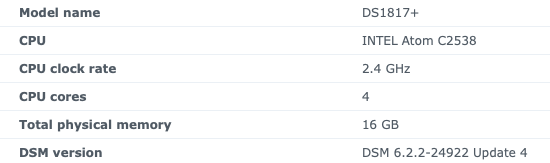
EngMarc
on 23 Dec 2019
@kc6108,
With -vf scale_vaapi=w=1920:h=960:format=nv12
I'm between 20 and 40%. So it's better than going through libx264. There's just a problem with the picture quality for the first 10 seconds. (There is no buffer or the buffer is too short.)
In fact, from what I understood when I tried to rewrite the -vf (https://gist.github.com/Brainiarc7/95c9338a737aa36d9bb2931bed379219): By removing hwupload, hardware acceleration is not complete during encoding, but decoding works. That's why CPU usage remains limited.
However, as @jonozzz (https://github.com/SynoCommunity/spksrc/issues/3688#issuecomment-484713944) suggests, this is more of an ffmpeg problem after 4.0.x versions.
For example: If I use VideoStation's ffmpeg (v3.3.7) with h265 10bit ac3 video the hwupload parameter works.
That's why I started encoding a wapper with failover logic. The goal being to use the VideoStation ffmpeg in priority and in case of failure the SynoCommunity ffmpeg and in case of failure the rewrite of some parameter.
To see the progress: https://gist.github.com/BenjaminPoncet/bbef9edc1d0800528813e75c1669e57e
BenjaminPoncet
on 24 Dec 2019
Good news, I think I've nailed it!
Would require others to test things up before I can confirm submition of my patches to spksrc upstream. But my initial testing showed that this new ffmpeg build now handles
-hls_seek_timeoption (fixed a#define) and should also enable other Synology optimizations as well.Building of
-16in completed for a few archs. Following packages available for testing:
Every scenario I have tested so far seems to be working correctly on my DS1812+
The ffmpeg shell script continues to create orphan ffmpeg processes, however; so I decided to use a symlink instead.
Here's exactly what I did to get everything working correctly:
Backup Synology's original ffmpeg and link directly to SynoCommunity's version instead:
mv /var/packages/VideoStation/target/bin/ffmpeg /var/packages/VideoStation/target/bin/ffmpeg.old
ln -sf /var/packages/ffmpeg/target/bin/ffmpeg /var/packages/VideoStation/target/bin/ffmpeg
Remove "eac3", "dts", and "truehd" from blacklisted codecs in LibSynoVTE::ArgumentHelper::AbleToDecodeAudioByCodec():
cp -p /var/packages/VideoStation/target/lib/libsynovte.so /var/packages/VideoStation/target/lib/libsynovte.so.old
sed -i 's/eac3/ZXXZ/' /var/packages/VideoStation/target/lib/libsynovte.so
sed -i 's/dts/ZXZ/' /var/packages/VideoStation/target/lib/libsynovte.so
sed -i 's/truehd/ZXZZXZ/' /var/packages/VideoStation/target/lib/libsynovte.so
The above 2 posts got web browser playback of EAC3 (in a x264 MKV) working for me on my DSPlay218 (aarch64); in particular the newer build of ffmeg solved an orphaned process created on every seek problem. Download transcode feature isn't working, the error message is the same one that used to appear when playing a video about the audio not supported, so I'd be interested in how to make that work.
 malhal
on 24 Dec 2019
malhal
on 24 Dec 2019
@malhal please open a new issue specifically for your transcoding problem on aarch64
Ho ho ho, new Christmas package set -19 available on my repo along with new helper script that should, I hope, permanently resolve the ffmpeg orphaned processes whend using a shell wrapper!
Script available here (regular & debug versions):
https://github.com/th0ma7/synology/tree/master/VideoStation
And new packages here:
https://github.com/th0ma7/synology/tree/master/packages
th0ma7
on 25 Dec 2019
@th0ma7 - thanks for the xmas present :D
Question: Do I need to use the shell script on my Atom DS1817+?
I was going to just link it to the ffmpeg install binary?
EngMarc
on 25 Dec 2019
@th0ma7 - I got eac3 to work with h.265 1080p with the -19 build on Atom DS1817+.
I did do the ln -sf for ffprobe, ffmpeg and vainfo like @kc6108 noted above. I did not use shell scripts in the VideoStation directory. I wanted to try it native to see if it worked and it did.
Thank you!
EngMarc
on 26 Dec 2019
@th0ma7
I tried -19 package with the script on my DS1019+ (apollolake), the hevc transcoding with stutter for couple of seconds in every ~10 seconds.
Trying to figure out what is the difference as the previous script has no such problem.
chengleon
on 26 Dec 2019
@chengleon
Use @kc6108 's script instead: https://github.com/SynoCommunity/spksrc/issues/2952#issuecomment-568600668
Or mine: https://gist.github.com/BenjaminPoncet/bbef9edc1d0800528813e75c1669e57e
@th0ma7
By launching ffmpeg with the "&", parent process stops and VideoStation restarts ffmpeg after few seconds. That's what creates this kind of freeze.
Either run ffmpeg with the exec command as suggested by @kref (cf: @kc6108's script)
Either use a wait / kill on SIGTERM logic (cf: my script)
BenjaminPoncet
on 26 Dec 2019
Has anyone noticed with -19 package the hevc transcoding with hardware acceleration on Apollo lake has some artifacts?
It’s likely related to some parameters or ffmpeg bug, my guess.
chengleon
on 26 Dec 2019
@kc6108
My buddy told me that the Intel Celeron J3455 in the DS918+ has support for Quick Sync Video which should be helping with hardware acceleration duties. He showed me that we should be seeing encoders/decoders for h264_qsv and hevc_qsv. He thinks ffmpeg may not be able to make use of the best hardware acceleration capabilities at the moment. I’m paraphrasing as most of the conversation went over my head, but basically ffmpeg can sometimes make choices based on the hardware, available drivers, and what’s built/compiled into ffmpeg (unless specifically told not to via the arguments passed in).
I guess he using a static, and slightly earlier version of ffmpeg on his DS918+ (with a slightly older version of Video Station... the one before hls_seek_time... that I understood) right now.
Thoughts?
I had a quick look over it but part of the minimal requirement is GCC 6.1 for proper C++ 11 support. It can probably be done with current GCC 4.93 from DSM6.x but this may trigger unexpected bugs and become hard to figure where the issue is. I've created issue #3830 to track this.
th0ma7
on 26 Dec 2019
Hi all,
Exchanges on this threads where really awesome, thnx to all who shared ideas and helped improving or testing the various scripts & new package sets. Changes are now all pushed spksrc upstream and official package are to be made available in the next few weeks.
I believe that the originating problem is now fully resolved (and a few other bits as well). Closing the thread.
Again thnx to all.
th0ma7
on 26 Dec 2019
-19 built for evansport-6.1
https://github.com/c-b-h/synology/tree/master/packages
 c-b-h
on 31 Dec 2019
c-b-h
on 31 Dec 2019
I have installed the latest 4.2.1-22 install with the symlink fix above and it works on a 1817+ -22 did not work directly, I still need to run the 6 lines of code above, not sure if thats the intended result.
 YerBabiE
on 9 Jan 2020
YerBabiE
on 9 Jan 2020
@YerBabiE you are absolutely right, currently things won't work out of the box and manual command lines are needed to get things going. Issues are with Synology VideoStation and SynoCommunity tries to find ways to alleviate/circumvent theses limitations without help from Synology.
Althgough we do have a project to ease this process but it ain't ready yet.
Feel free to follow it and become a early tester when ready at https://github.com/SynoCommunity/spksrc/pull/3828
Thnx for your time for testing.
th0ma7
on 9 Jan 2020
How about rebuild videostation from source and remove the restrictions of
using the external ffmpeg?
Le jeu. 9 janv. 2020 à 13:03, Vincent Fortier notifications@github.com a
écrit :
@YerBabiE https://github.com/YerBabiE you are absolutely right,
currently things won't work out of the box and manual command lines are
needed to get things going. Issues are with Synology VideoStation and
SynoCommunity tries to find ways to alleviate/circumvent theses limitations
without help from Synology.Althgough we do have a project to ease this process but it ain't ready yet.
Feel free to follow it and become a early tester when ready at #3828
https://github.com/SynoCommunity/spksrc/pull/3828Thnx for your time for testing.
—
You are receiving this because you commented.
Reply to this email directly, view it on GitHub
https://github.com/SynoCommunity/spksrc/issues/2952?email_source=notifications&email_token=AABEHTYJRBDXMSDMVBASK4LQ44HBBA5CNFSM4D6HNHP2YY3PNVWWK3TUL52HS4DFVREXG43VMVBW63LNMVXHJKTDN5WW2ZLOORPWSZGOEIQCJ7A#issuecomment-572531964,
or unsubscribe
https://github.com/notifications/unsubscribe-auth/AABEHT7VDFJSPQHPR6MJZSLQ44HBBANCNFSM4D6HNHPQ
.
fabiomanzoni
on 9 Jan 2020
FYI: I have just followed this https://gist.github.com/BenjaminPoncet/bbef9edc1d0800528813e75c1669e57e#gistcomment-3119240 instructions and on my DS 718+ most of things are working:
- BDMV, mkv, avi
- srt subtitles
- FDH and 4k (incl. hdr)
- AC3, DTS (HDMA), DD (TrueHD/Atmos)
They transcode all to FHD+Stereo with use of HW acceleration (almost no CPU load)
What is not working: iso files.
 mattPiratt
on 10 Jan 2020
mattPiratt
on 10 Jan 2020
@mattPiratt
Thnx a lot for the feedback!
Feel free to create a new issue related to ISO file support and I'll have a look at that at some point in the near future for a subsequent release.
th0ma7
on 10 Jan 2020
@fabiomanzoni
How about rebuild videostation from source and remove the restrictions of using the external ffmpeg?
VideoStation is owned and maintained by Synology.
We, SynoCommunity, do not have access to the source code to make changes.
th0ma7
on 10 Jan 2020
@fabiomanzoni
How about rebuild videostation from source and remove the restrictions of using the external ffmpeg?
VideoStation is owned and maintained by Synology.
We, SynoCommunity, do not have access to the source code to make changes.
How about this link :(thank you @Mask)
https://sourceforge.net/projects/dsgpl/files/Packages/DSM%206.1%20Package%20Release/
From : https://github.com/SynoCommunity/spksrc/issues/2952#issuecomment-487269639
fabiomanzoni
on 10 Jan 2020
Theses are all the original open sources that are tied to VideoStation and not the videostation software itself...
th0ma7
on 10 Jan 2020
Does anyone have an old copy of VideoStation-x86_64-2.4.6-1594.spk
Although there is an archive version on the website I have a suspicion that Synology have made changes to it as I have installed in on another device and followed my previous setup but it will not play some video types.
SecuritySense
on 25 Apr 2020
A quick google search pointed me here:
https://archive.synology.com/download/Package/spk/VideoStation/
Also please try not to repost on closed issues unless it's related to the original problem.
Cheers and good luck.
th0ma7
on 25 Apr 2020
Even though that is the archive I think they have made changes to our work above not longer works!! Can you email me off board please
SecuritySense
on 25 Apr 2020
I’ve been running the current video station (2.4.7-1603) and th0ma7’s recompiled ffmpeg (4.2.1-23) with a link from the video station bin ffmpeg to the ffmpeg bin directory.
so far, I have had no problems playing both mp4 and mkv container files. It plays aac, ac3 and dts audio formats. I haven’t seen any problems yet other than some one in a while audio station relaunch of a video doesn’t play. Simply closing the audio station window and reopening it seems to work fine. There is some CPU usage when fast forwarding or moving around in video files but this seems to subside once the process is done and has never been an issue.
I want to give @th0ma7 a very robust THANK YOU for all the hard work!
EngMarc
on 26 Apr 2020
Thnx @EngMarc and note that a new testing version related to PR #3965 is available here:
https://github.com/th0ma7/synology/tree/master/packages
Feel free to comment on the associated pull request page.
th0ma7
on 26 Apr 2020
sorry for the post because this thread has been closed but i have a probleme with DTS.
I have a working DTS in videostation with 4.2.2-24 iwth modified file to accepte DTS and link.
I have updated to DSM 6.2.3 and this morning updated ffmpeg to 4.2.2-28 (proposed via syno package)
then i tried to read movie with DST but error audio file not supported. x265 video codec work.
I tried 4.2.2-29 with no more succes. Videostation 2.4.7-1603.
Do i need to edit the file again to accept DTS audio file?
Same probleme with Eac3.
do i need ssh to edit again with:
sed -i 's/eac3/ZXXZ/' /var/packages/VideoStation/target/lib/libsynovte.so
sed -i 's/dts/ZXZ/' /var/packages/VideoStation/target/lib/libsynovte.so
sed -i 's/truehd/ZXZZXZ/' /var/packages/VideoStation/target/lib/libsynovte.so
?
Yod4z
on 29 Apr 2020
@Yod4z yes, anytime you upgrade VideoStation as otherwise it wont accept playing any unsupported file formats.
Do i need to edit the file again to accept DTS audio file?
Same probleme with Eac3.
do i need ssh to edit again with:
sed -i 's/eac3/ZXXZ/' /var/packages/VideoStation/target/lib/libsynovte.so
sed -i 's/dts/ZXZ/' /var/packages/VideoStation/target/lib/libsynovte.so
sed -i 's/truehd/ZXZZXZ/' /var/packages/VideoStation/target/lib/libsynovte.so
?
th0ma7
on 29 Apr 2020
sorry my bad i see in comment on BenjaminPoncet ffmpeg-wrapper that after videostation update i need to modifi again libsynovte.so
Yod4z
on 29 Apr 2020
Related issues
 echable9999
·
3Comments
echable9999
·
3Comments
 kraades
·
6Comments
kraades
·
6Comments
 TheMile
·
3Comments
TheMile
·
3Comments
 regblade85
·
8Comments
regblade85
·
8Comments
 zhuchun
·
7Comments
zhuchun
·
7Comments
Most helpful comment
Hi,
Here is my ugly patch to be able to play a video with EAC3 audio in VideoStation (2.4.4-1583), the WebUI.
1 - Install ffmpeg community package
2 - ssh to DSM, sudo as root
3 - Execute these commands:
Maybe the ffmpeg package manager could add this synology patch that adds support for the "hls_seek_time" option?
https://gist.github.com/tmm1/280f11b9c252cec87167c4bd406b508c
or just silently ignore this option.
Tested on DS416play, DSM 6.2.1-23824 Update 6, VideoStation 2.4.4-1583
Linux ds416 3.10.105 #23824 SMP Tue Feb 12 16:50:45 CST 2019 x86_64 GNU/Linux synology_braswell_416play