Spinnaker: Use of pipeline expressions within a templated pipeline (MPT v1) causes execution to fail
Issue Summary:
Cloud Provider(s):
Kubernetes V2
Environment:
Spinnaker 1.12.0, distributed deployment running on Kubernetes 1.10.11 deployed to AWS
Roer 0.11.3 (non-EKS cluster created via KOPS)
Feature Area:
Managed pipeline templates, Pipelines
Description:
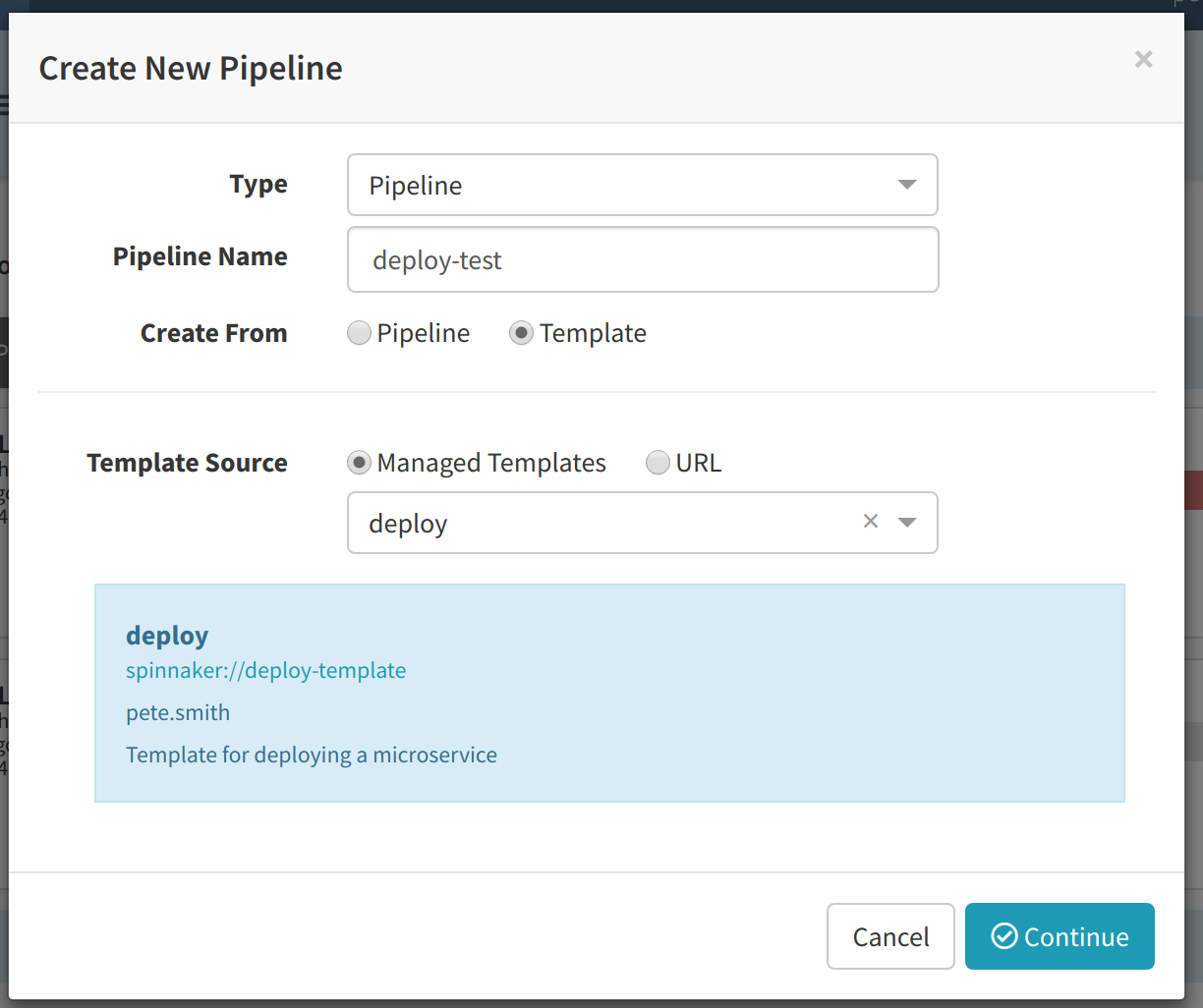
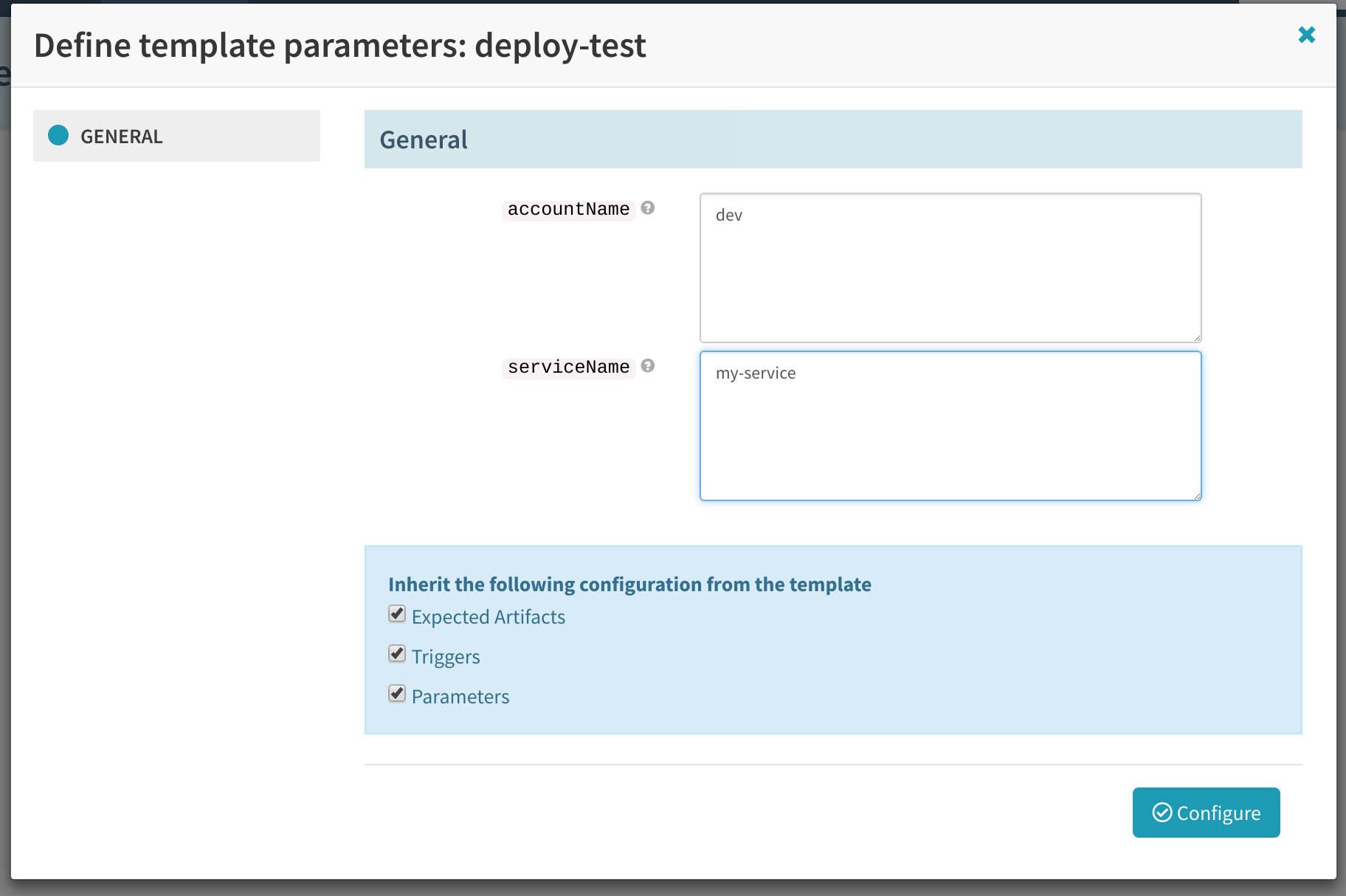
I have a parameterised pipeline, created using roer.
In order to create this template, I converted an existing working pipeline using roer pipeline convert and added some variables.
I created a pipeline based on the template from Deck. When running the pipeline, execution fails immediately with the error Failed on startup: Illegal repetition near index 0 ${ parameters.version } ^
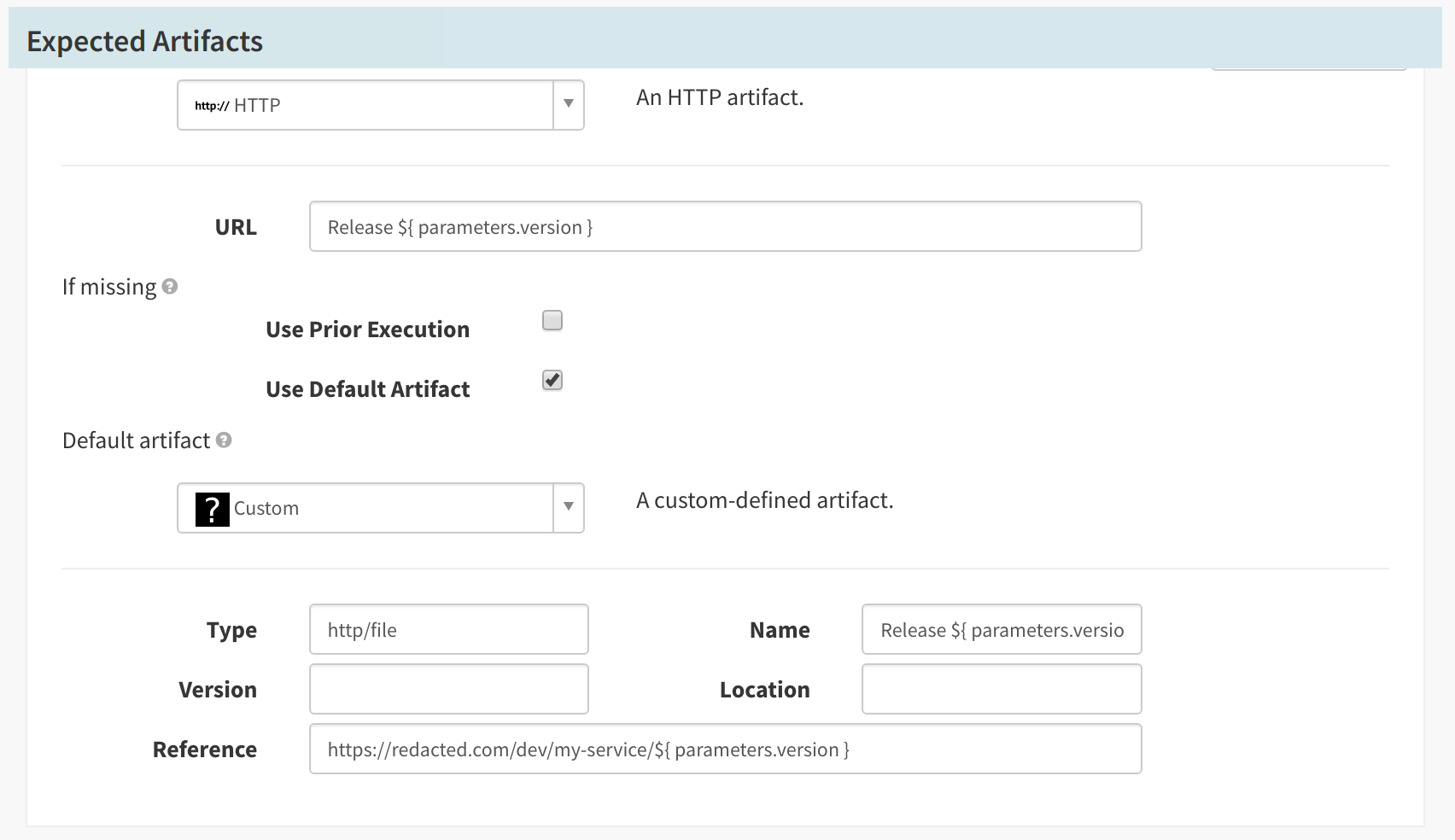
I am trying to use the version as part of an http artifact url. I experience this error with any pipeline template, not just parameters so for example even ${ 'test' } will fail with a similar error.
Steps to Reproduce:
- Convert an existing hand crafted pipeline containing an http file artefact, with the reference containing a pipeline expression
roer pipeline-template publish v1-pipeline-template.yaml- From the Deck UI, create a new pipeline in the same application as the existing working pipeline
- Enter variables and save
- Execute the pipeline, providing parameters
Additional Details:
Pipeline template is as follows:
```id: deploy-template
metadata:
description: Template for deploying a microservice
name: deploy
owner: pete.smith
scopes:
- global
protect: false
schema: "1"
variables:
- name: accountName
description: The environment in which to deploy
example: dev, prod
defaultValue: dev - name: serviceName
description: The name of the microservice
configuration:
concurrentExecutions:
limitConcurrent: true
parallel: false
expectedArtifacts:
- name: accountName
- defaultArtifact:
id: 2cf7de5d-c88c-4a15-b3a8-c618ac2857be
kind: custom
name: "Release ${ parameters.version }"
reference: https://redacted.com/{{ accountName }}/{{ serviceName }}/${ parameters.version }
type: http/file
id: 125ac941-a382-4e26-a5b4-ee72430d5dc1
matchArtifact:
id: 6d4963ea-1b80-4bec-9368-4b85eb4e3687
kind: custom
name: "Release ${ parameters.version }"
reference: https://redacted.com/{{ accountName }}/{{ serviceName }}/${ parameters.version }
type: http/file
useDefaultArtifact: true
usePriorArtifact: false
parameters: - label: ""
name: version
required: true
stages:
- config:
account: "{{ accountName }}"
cloudProvider: kubernetes
expectedArtifacts: []
kinds: []
labelSelectors:
selectors: []
location: ""
manifestArtifactAccount: http-artifact-account
manifestArtifactId: 125ac941-a382-4e26-a5b4-ee72430d5dc1
moniker:
app: "{{ serviceName }}"
options:
cascading: true
relationships:
loadBalancers: []
securityGroups: []
source: artifact
id: deployManifest1
inheritanceControl: {}
inject: {}
name: Deploy (Manifest)
type: deployManifest
- config:

The output of ```roer pipeline get my-service deploy-test``` is as follows:
{
"id": "ddaf99ec-76b3-4341-bfa5-963c3a55baf9",
"type": "templatedPipeline",
"name": "deploy-test",
"application": "my-service",
"parallel": false,
"limitConcurrent": true,
"keepWaitingPipelines": false,
"expectedArtifacts": [
{
"defaultArtifact": {
"id": "2cf7de5d-c88c-4a15-b3a8-c618ac2857be",
"kind": "custom",
"name": "Release ${ parameters.version }",
"reference": "https://redacted.com/dev/my-service/${ parameters.version }",
"type": "http/file"
},
"id": "125ac941-a382-4e26-a5b4-ee72430d5dc1",
"matchArtifact": {
"id": "6d4963ea-1b80-4bec-9368-4b85eb4e3687",
"kind": "custom",
"name": "Release ${ parameters.version }",
"reference": "https://redacted.com/dev/my-service/${ parameters.version }",
"type": "http/file"
},
"useDefaultArtifact": true,
"usePriorArtifact": false
}
],
"parameterConfig": [
{
"name": "version",
"required": true
}
],
"lastModifiedBy": "pete.smith",
"config": {
"configuration": {
"inherit": [
"parameters",
"expectedArtifacts",
"triggers"
]
},
"pipeline": {
"application": "my-service",
"name": "deploy-test",
"pipelineConfigId": "ddaf99ec-76b3-4341-bfa5-963c3a55baf9",
"template": {
"source": "spinnaker://deploy-template"
},
"variables": {
"accountName": "dev",
"serviceName": "my-service"
}
},
"schema": "1"
},
"updateTs": "1549281571000"
}
```
 beyond-code-github
All 3 comments
@beyond-code-github : I think this is due to the issue I've noted in #3915.
I think the best fix here is to remove the pipeline expression from the URL field. Are you actually trying to match an incoming artifact, or always falling back to the default artifact? If you're always falling back to the default artifact, you only need the pipeline expression in that field and can remove it from the match artifact field.
While the failure to start pipelines is a new issue introduced in Spinnaker 1.12, expressions actually never worked in the match part of the artifact. The matching happens before expression evaluation, and so including SpEL there will result in regular expression parsing errors. Spinnaker 1.12 fixed some bugs where matching was not happening at all in some cases for templated pipelines, which is why you're only now seeing the regular expression error.
Using pipeline expressions in the default artifact did work in 1.11 and continues to in 1.12. So if your expectation is just to always fall back to the default (which is what I suspect as the matching wasn't working in 1.11 anyway) then you can just clear out the first URL field, in the matching field, (or put something that will never match). Then leave the expression you already have in the second URL field on the default artifact.
If you are actually trying to do matching on a pipeline expression, then I'd like to understand the use case better as it probably wasn't working as you thought in 1.11 so more care is needed in terms of figuring out how to get it to work.
 ezimanyi
on 4 Feb 2019
ezimanyi
on 4 Feb 2019
Thanks @ezimanyi, your reasoning is correct on all counts. I can confirm I've now got this working with the SPEL template just applied the default artifact.
It's worth noting that the use of the default artifact itself took me several days of googling to figure out that it was even required, it could be good to simplify this area a little bit. Is there somewhere useful that I can provide that feedback to?
beyond-code-github
on 5 Feb 2019
@beyond-code-github : You're definitely not the first person to bring this up, and improving the workflow around artifacts is something on our radar. I don't think there's a particular issue tracking this, so I've created #3938; feel free to add any thoughts there.
ezimanyi
on 5 Feb 2019
Related issues
 port3000
·
3Comments
port3000
·
3Comments
 iniinikoski
·
3Comments
iniinikoski
·
3Comments
 axot
·
3Comments
axot
·
3Comments
 jaypz
·
3Comments
jaypz
·
3Comments
 rguthriemsft
·
4Comments
rguthriemsft
·
4Comments
Most helpful comment
@beyond-code-github : You're definitely not the first person to bring this up, and improving the workflow around artifacts is something on our radar. I don't think there's a particular issue tracking this, so I've created #3938; feel free to add any thoughts there.