Spectrum: YouTube URL not previewed/rendered
It seems there's a glitch in Spectrum so that now when I copy & paste a YouTube URL within a post the corresponding video doesn't get embedded, at least in _Preview_.
The URL I was using is https://youtu.be/vmqL-YEnKGg, even though the glitch doesn't appear to be tied to a particular one.
 pattacini
All 25 comments
This is because preview uses convert.spectrum.chat now, which only converts markdown to draftjs. Need to move the entire processing pipeline to it!
 mxstbr
on 11 Mar 2019
mxstbr
on 11 Mar 2019
Thanks @mxstbr 👍
Does it mean that once posted the video is rendered correctly?
pattacini
on 11 Mar 2019
Does it mean that once posted the video is rendered correctly?
Just made an attempt on a private channel and it doesn't seem so.
pattacini
on 11 Mar 2019
It should definitely be rendered correctly, if not then that's a double bug! I will investigate tomorrow, thanks for the note :+1:
mxstbr
on 11 Mar 2019
Hi @mxstbr
Any update on this?
pattacini
on 14 Mar 2019
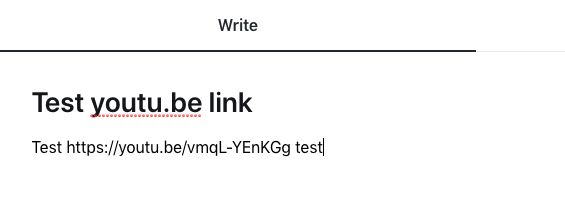
Yes, I tried in production and it works perfectly fine after publishing. Here is what I wrote:
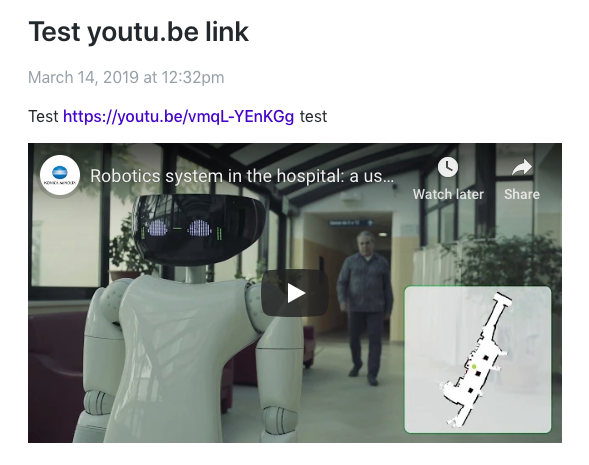
Here is what that rendered after publishing (not in the preview!):
Can you send me the exact input markdown you used? Also, is a browser extension potentially blocking YouTube embeds on your end?
mxstbr
on 14 Mar 2019
Thanks @mxstbr for being on this issue.
There wasn't any particular markdown I was fiddling with; I just tried multiple short combinations of text along with the link to make the video show up, but unsuccessfully.
I've also given a try to your specific testing post but it didn't work.
The weird thing is that I published this post recently in the same community and the video was embedded perfectly. Even more, if I copy & paste the text of that post in a new post, it works!
pattacini
on 14 Mar 2019
I've also given a try to your specific testing post but it didn't work.
🤔 Can you send a screenshot?
mxstbr
on 14 Mar 2019
Of course! Here it is:
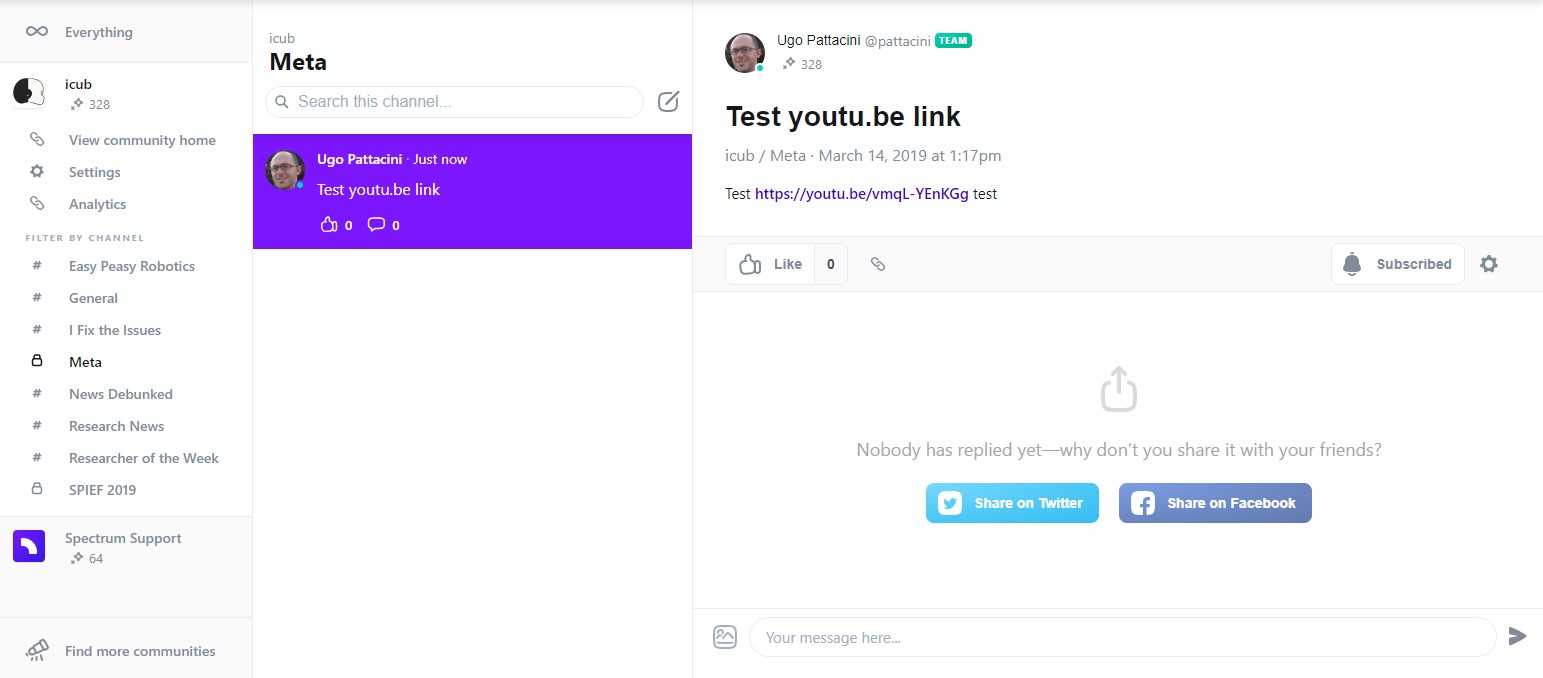
Further, I'm a Chrome user and thus with the idea to rule out any browser extension that might potentially interfere I tried out Edge and still the video didn't come off.
pattacini
on 14 Mar 2019
Sorry to bother, but without rendered videos, most of our posts become somewhat "skinny". The eye catchy part is undoubtedly the video itself.
Thus, any news on this?
pattacini
on 18 Mar 2019
I managed to reproduce just now, very strange! Will dig into this today, sorry for the wait 👍
mxstbr
on 18 Mar 2019
It seems that now the video gets rendered correctly, even though preview doesn't work yet 👍
pattacini
on 21 Mar 2019
Great to hear, I fixed that in #4798, sorry for not making a note here! I will tackle the preview updates sometime soon, although they are a lot lower priority at the moment 👍
mxstbr
on 21 Mar 2019
Cool 👍
Thanks again.
pattacini
on 21 Mar 2019
Hi!
As a related request, could I ask that these embeds use the "privacy-enhanced" non-tracking API? It should be a fairly small/straightforward change to the embed code!
E.g.:
<iframe width="560" height="315"
 src="https://www.youtube-nocookie.com/embed/3RpKmuRX0CM"
 allow="accelerometer; autoplay; encrypted-media; gyroscope; picture-in-picture"
 frameborder="0" allowfullscreen>
</iframe>
 flaki
on 25 Mar 2019
flaki
on 25 Mar 2019
Oh wow, is that an official thing? We should definitely switch to that if so!
mxstbr
on 26 Mar 2019
@mxstbr it's the signature you get from for example YouTube when you ask for the code to embed in your website in place of the mere URL.
pattacini
on 26 Mar 2019
Yes, it's in "beta" but it is indeed live on the Youtube share widget as a radio button as "privacy enhanced" embed.
flaki
on 26 Mar 2019
Videos URL are broken again: see https://spectrum.chat/icub/news-debunked/whats-in-the-backstage-of-r1-at-the-hospital~14bb3cf2-5d30-4c76-9513-78fb02b357af for an example.
This time, also markdown links within posts are broken (see #5002) so that I was forced to put them explicitly.
pattacini
on 30 Mar 2019
Uhm, what happened is:
- I dropped the link https://youtu.be/vmqL-YEnKGg in the post.
- The link was converted in its embeddable form and the video preview was correctly displayed.
- Then, I edited the post and saved but the video preview ceased to work.
Finally, by dropping the original link once more, I got it to work again.
pattacini
on 30 Mar 2019
Thanks for the reproduction, I have a pretty good idea what #5002 is about! Will fix tomorrow, sorry about the issues :pray:
mxstbr
on 31 Mar 2019
@pattacini , @mxstbr Is this resolved? if not, I can take this up.
Cheers.
 logeekal
on 24 Aug 2019
logeekal
on 24 Aug 2019
@logeekal the URL is rendered correctly but not previewed yet.
pattacini
on 24 Aug 2019
To add more info on this: when you also edit a post containing a video URL, the video is no longer rendered.
pattacini
on 24 Aug 2019
Thanks.. will check it out.
logeekal
on 24 Aug 2019
Related issues
 mattgaunt
·
4Comments
mattgaunt
·
4Comments
 davidluhr
·
3Comments
davidluhr
·
3Comments
 thundernixon
·
4Comments
thundernixon
·
4Comments
 mknepprath
·
7Comments
mxstbr
·
3Comments
mknepprath
·
7Comments
mxstbr
·
3Comments
Most helpful comment
It should definitely be rendered correctly, if not then that's a double bug! I will investigate tomorrow, thanks for the note :+1: