Spectrum: Add cropping step while uploading profile photos
I just found https://github.com/ricardo-ch/react-easy-crop by @ricardo-ch which looks super simple—we should use it to add a step where you can crop your avatar and header image when editing them on user and community profiles!
 mxstbr
All 21 comments
Can I try a swing at this? I'm really interested in getting involved with Spectrum.
 mackmmiller
on 21 Jun 2018
mackmmiller
on 21 Jun 2018
Do it!
mxstbr
on 21 Jun 2018
Hey @mxstbr @mackmmiller Just wondered if this was still being worked on? Would be happy to have a go at it, or assist where possible! :)
 titchimoto
on 17 Jul 2018
titchimoto
on 17 Jul 2018
@titchimoto, I've got a semi-working solution, but I'm having trouble with the styling. Maybe we can link up later and work it out?
mackmmiller
on 17 Jul 2018
Sure! :) Sounds good, let me know if there's anything I can do to (try!) help.
titchimoto
on 20 Jul 2018
Would love to help too!
 THEozmic
on 23 Aug 2018
THEozmic
on 23 Aug 2018
Might give this a crack since no one has pushed anything :)
 cain
on 29 Aug 2018
cain
on 29 Aug 2018
Okay. I do have a problem I'm currently facing: In the local set up, I am unable to modify my profile picture. Attempting to modify it just changes the displayed image to the default astronaut picture and in the settings page, it shows up as a broken image.
THEozmic
on 29 Aug 2018
Oh now @THEozmic :/ I've seen this locally as well but just haven't dug in to investigate (since it's a local-only error). I believe it's because it's trying to upload the image to s3+imgix instead of just saving it locally + loading the upload locally from your machine.
 brianlovin
on 29 Aug 2018
brianlovin
on 29 Aug 2018
Okay, I was thinking it might affect how this task is done, I'll try taking a closer look at things and let you know if it's a blocker.
THEozmic
on 29 Aug 2018
Looks like most websites use a modal to crop.
@brianlovin So the plugin requested by @mxstbr will crop the image on upload. But currently, no cropping is done on for the cover image.
The current cover banner on profile page changes the aspect ratio on responsiveness. So having one aspect ratio won't work well. Thoughts? :)
cain
on 30 Aug 2018
Is anyone currently working on this? I see that this hasn't had activity since August of last year. Would love to give this a try!
 jletey
on 18 Jun 2019
jletey
on 18 Jun 2019
@johnletey I don't think so :)
brianlovin
on 18 Jun 2019
@brianlovin I'll have a go at it then!
jletey
on 18 Jun 2019
Any Update? I'll try to go and get this done. :)
 orifmilod
on 6 Aug 2019
orifmilod
on 6 Aug 2019
No update yet @milad440550 :)
brianlovin
on 6 Aug 2019
@brianlovin Ill do my best to get it done. 😄
orifmilod
on 6 Aug 2019
@milad440550 I am not sure, how are you progressing on this. I spend time on this a little and came up with a prototype. If you are progressing nicely, let me know and I will leave it alone. I have some questions regarding this feature to ask that may help you as well which I will ask below.
@brianlovin, @mxstbr I tried to implement a quick prototype using react-image-crop library which seems pretty good from accessibility perspective as well. Here is a small video for the same. Please let me know your feedback.
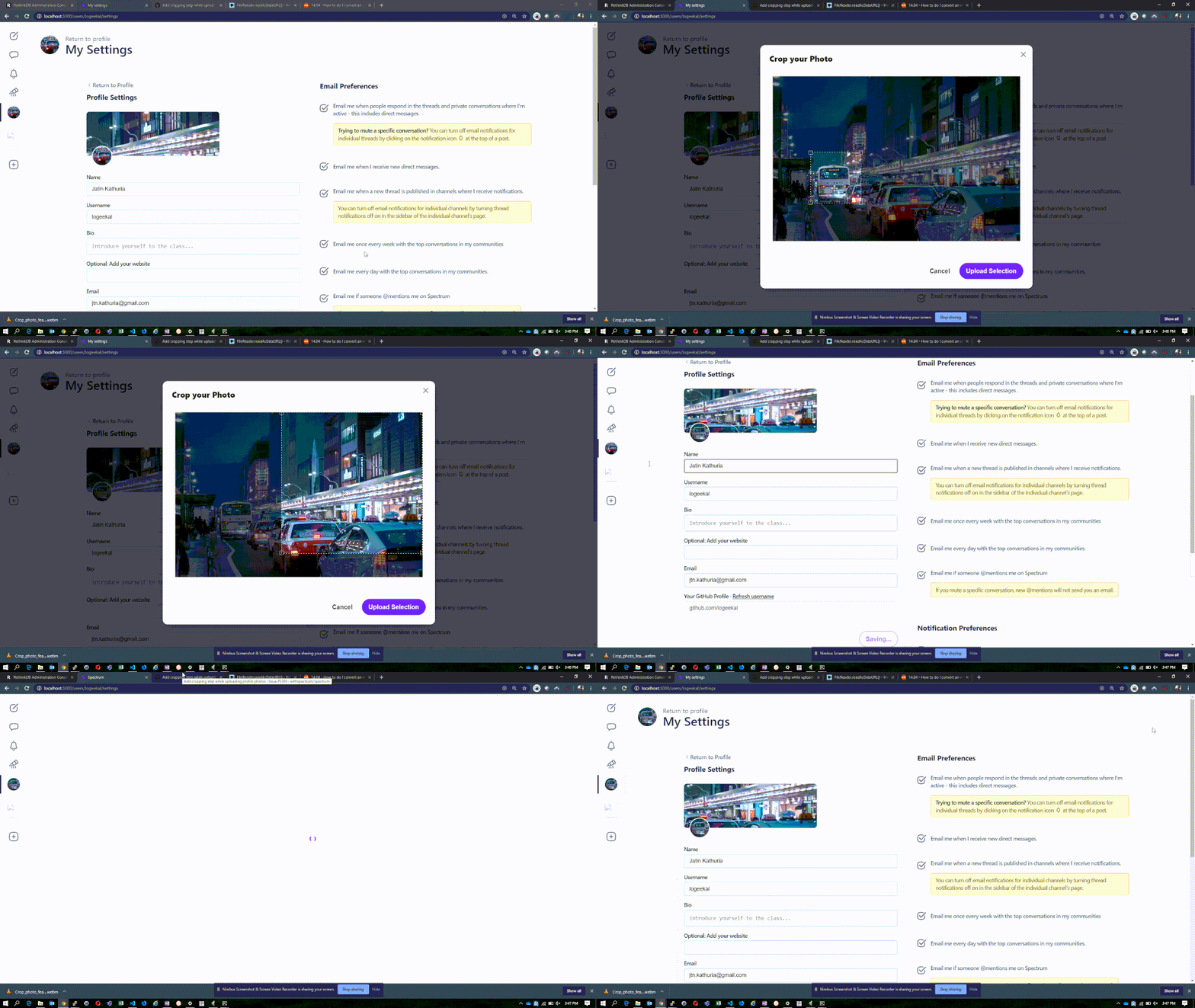
I have couple of questions, which may help whosoever doing this feature :
- What should be crop aspect ratio of profile and cover photo. in this demo it is 1.
Any feedback regarding the text that should be on the modal?
Logic for uploading profile photo and cover photo is duplicated and in my opinion should be deduplicated. Only difference is setting up of state variables. What do you think?
| 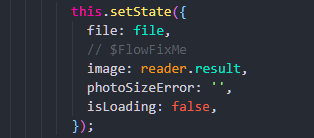 |
| 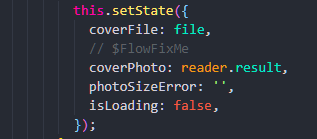 |
|
|---|---|
 logeekal
on 24 Aug 2019
logeekal
on 24 Aug 2019
Hey @logeekal, I have progressed and came with a prototype same as you, but It needs some polishing, Ill try to make a PR by the end of tomorrow, and made one function instead of 2 functions setProfilePhoto and setCoverPhoto and set name attribute to CoverInput and PhotoInput component.
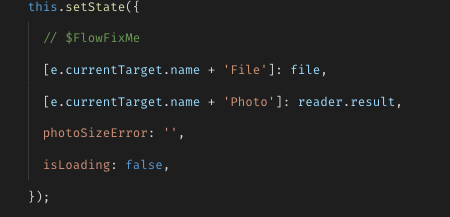
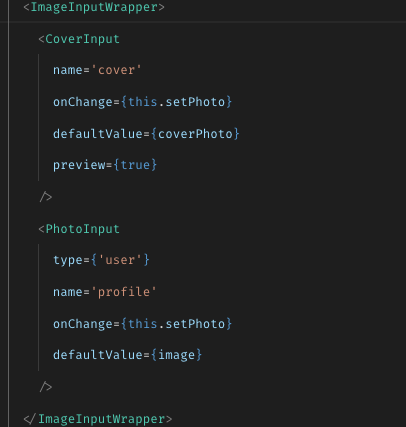
One question tho, when cropping the image, using the button, how do you refer to Cropper component?
In the documentation of cropperjs they are using ref attribute, and then when calling crop function it calls cropper reference this.refs.cropper.getCroppedCanvas().toDataURL() then set the cropped image.
But I don't know if that is ok to use ref attribute.
Also will accept any suggestion with improving the above code?
Thank you. 😄
orifmilod
on 24 Aug 2019
This is great. Its okay take your time for the PR no hurries. I will not move forward on this.
Although, I didn't use cropperjs but I think better way will be to pass a function from editform to Image Crop component and that function to take the copped image reference, even if it is through ref. But I think that ref should be used in crop component only that you are creating.
And It is awesome that you deduplicated the logic of SetProfilePhoto and SetCoverPhoto as it was bothering me as well.
Best of luck..
logeekal
on 24 Aug 2019
@brianlovin Hello Brian, I have fixed this issue and added the cropping step when uploading the image. It would be great if you take a look at and if it looks fine, you can merge it with the alpha branch. 😄
orifmilod
on 2 Sep 2019
Related issues
brianlovin
·
3Comments
 dmitryyankowski
·
4Comments
dmitryyankowski
·
4Comments
 mattgaunt
·
4Comments
mattgaunt
·
4Comments
 mknepprath
·
7Comments
mknepprath
·
7Comments
 davidluhr
·
3Comments
davidluhr
·
3Comments