Spectrum: [Mobile] Invariant Violation: Maximum update depth exceeded.
Issue Type (check one)
- [x] Bug Report
- [ ] Feature Idea
- [ ] Technical Discussion
- [ ] Question (these will be auto-closed, please ask them on Spectrum instead https://spectrum.chat/spectrum/open)
Description (type any text below)
i'm facing following error while mobile development.
i'd like to fix someday...
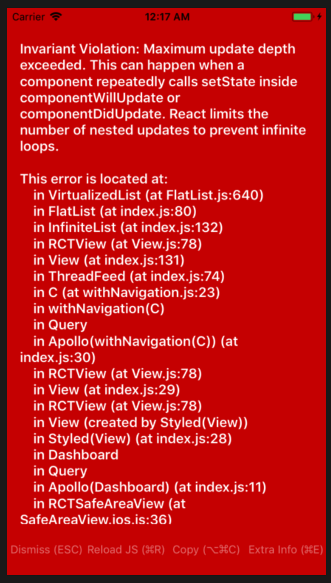
- full message
Invariant Violation: Maximum update depth exceeded. This can happen when a component repeatedly calls setState inside componentWillUpdate or componentDidUpdate. React limits the number of nested updates to prevent infinite loops.

This error is located at:
    in VirtualizedList (at FlatList.js:640)
    in FlatList (at index.js:80)
    in InfiniteList (at index.js:132)
    in RCTView (at View.js:78)
    in View (at index.js:131)
    in ThreadFeed (at index.js:74)
    in C (at withNavigation.js:23)
    in withNavigation(C)
    in Query
    in Apollo(withNavigation(C)) (at index.js:30)
    in RCTView (at View.js:78)
    in View (at index.js:29)
    in RCTView (at View.js:78)
    in View (created by Styled(View))
    in Styled(View) (at index.js:28)
    in Dashboard
    in Query
    in Apollo(Dashboard) (at index.js:11)
    in RCTSafeAreaView (at SafeAreaView.ios.js:36)
    in SafeAreaView (at index.js:9)
    in EnhancedComponent (at SceneView.js:10)
    in SceneView (at StackViewLayout.js:486)
    in RCTView (at View.js:78)
    in View (at createAnimatedComponent.js:147)
    in AnimatedComponent (at StackViewCard.js:12)
    in Card (at createPointerEventsContainer.js:28)
    in Container (at StackViewLayout.js:535)
    in RCTView (at View.js:78)
    in View (at StackViewLayout.js:432)
    in RCTView (at View.js:78)
    in View (at StackViewLayout.js:431)
    in StackViewLayout (at withOrientation.js:30)
    in withOrientation (at StackView.js:58)
    in RCTView (at View.js:78)
    in View (at Transitioner.js:146)
    in Transitioner (at StackView.js:22)
    in StackView (at createNavigator.js:96)
    in Navigator (at createKeyboardAwareNavigator.js:11)
    in KeyboardAwareNavigator (at createNavigationContainer.js:391)
    in NavigationContainer (at SceneView.js:10)
    in SceneView (at createTabNavigator.js:10)
    in RCTView (at View.js:78)
    in View (at ResourceSavingScene.js:14)
    in RCTView (at View.js:78)
    in View (at ResourceSavingScene.js:10)
    in ResourceSavingScene (at createBottomTabNavigator.js:79)
    in RCTView (at View.js:78)
    in View (at createBottomTabNavigator.js:70)
    in RCTView (at View.js:78)
    in View (at createBottomTabNavigator.js:69)
    in TabNavigationView (at createTabNavigator.js:80)
    in NavigationView (at createNavigator.js:96)
    in Navigator (at createNavigationContainer.js:391)
    in NavigationContainer (at App.js:89)
    in RCTView (at View.js:78)
    in View (at ActionSheet.ios.js:8)
    in ActionSheet (at ActionSheetProvider.js:23)
    in ActionSheetProvider (at App.js:88)
    in ThemeProvider (at App.js:87)
    in ApolloProvider (at App.js:86)
    in Provider (at App.js:85)
    in App (at registerRootComponent.js:35)
    in RootErrorBoundary (at registerRootComponent.js:34)
    in ExpoRootComponent (at renderApplication.js:35)
    in RCTView (at View.js:78)
    in View (at AppContainer.js:102)
    in RCTView (at View.js:78)
    in View (at AppContainer.js:122)
    in AppContainer (at renderApplication.js:34)
 ryota-murakami
All 28 comments
What did you do before that error happened?
 mxstbr
on 26 May 2018
mxstbr
on 26 May 2018
@mxstbr i think stayed home screen few minutes.
After confirm again, it waited for 5 minutes on the home screen and reproduced it.
I think setState in the vicinity is the cause. https://github.com/withspectrum/spectrum/blob/alpha/mobile/components/ThreadFeed/index.js#L61-L69
home screen
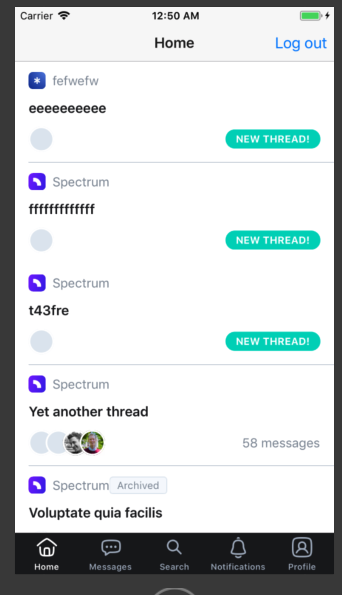
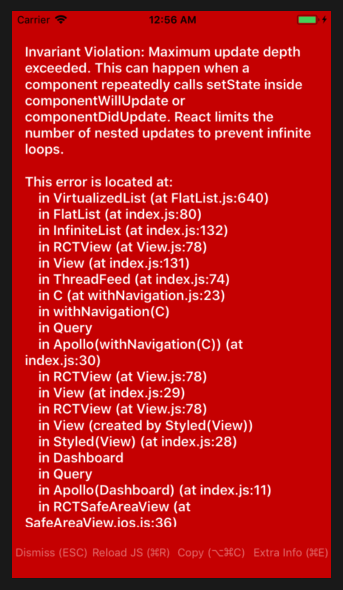
wait about 5 minutes...
↓reproduced
ryota-murakami
on 26 May 2018
I have seen this come up a few times and it’s definitely frustrating to debug since it won’t output any logs in the console until the final stack size is exceeded. I’ve found myself having to constantly toggle the perf monitor on and watch the memory usage while testing things. Anyways - appears we missed something where a set state or something related is acting up. Sorry for the trouble there!
 brianlovin
on 27 May 2018
brianlovin
on 27 May 2018
@brianlovin thank you for your response!
i also find out, it is reproduced in thread view, and i recorded video.(please look left-bottom console log)
https://www.dropbox.com/s/yv4ldccgypp0m8o/3159.mov?dl=0
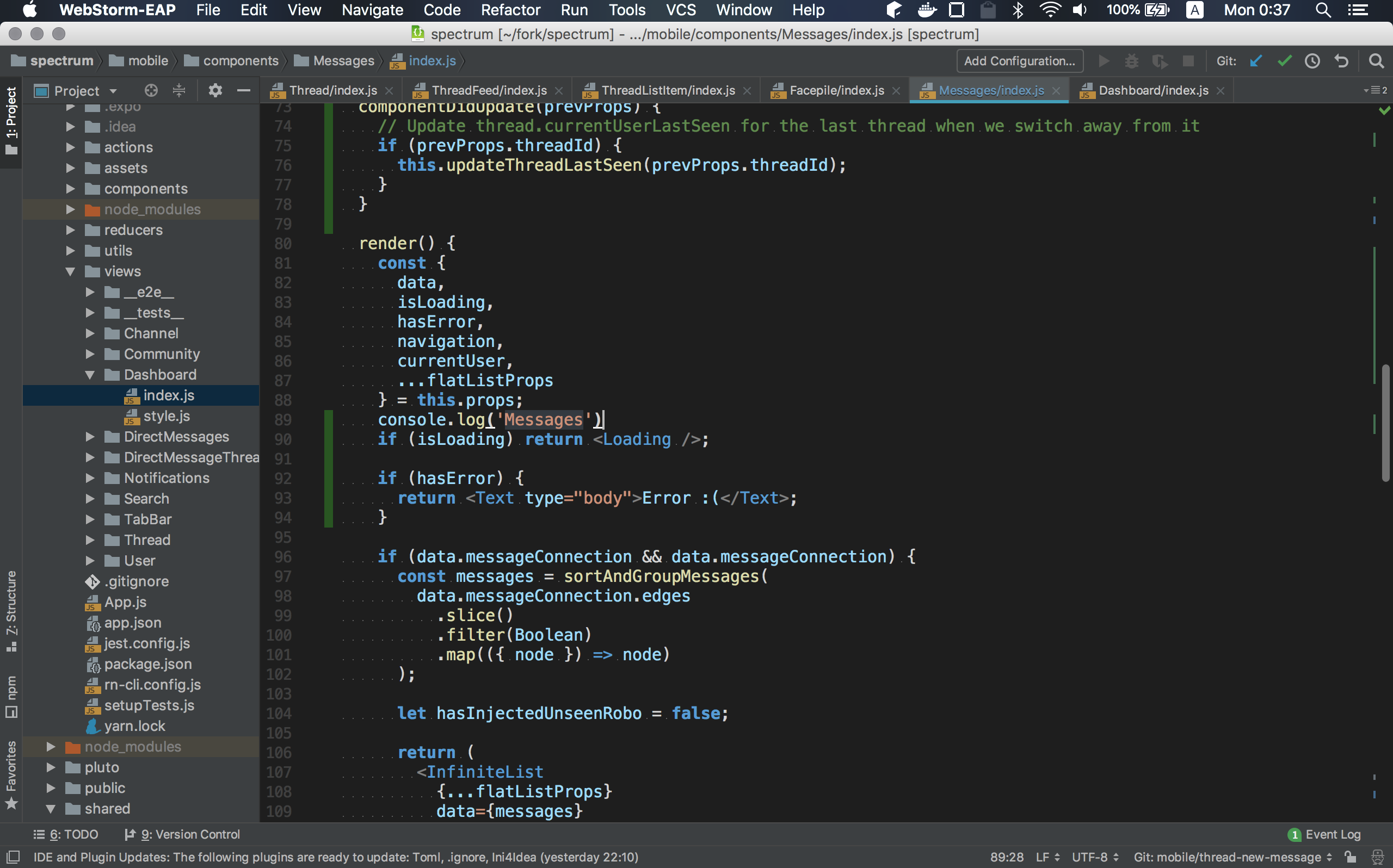
i inserted console.log('Messages') following line and visited thread view, then repeated console.log() about 1000 times and occur Invariant Violation: Maximum update depth exceeded..
https://github.com/withspectrum/spectrum/blob/alpha/mobile/components/Messages/index.js#L45
I confirmed the video procedure several times, but the same error always occurred after console.log ('Messages') was repeated about 1000 times.
- Insert
console.log('Messages')
ryota-murakami
on 27 May 2018
ryota-murakami
on 27 May 2018
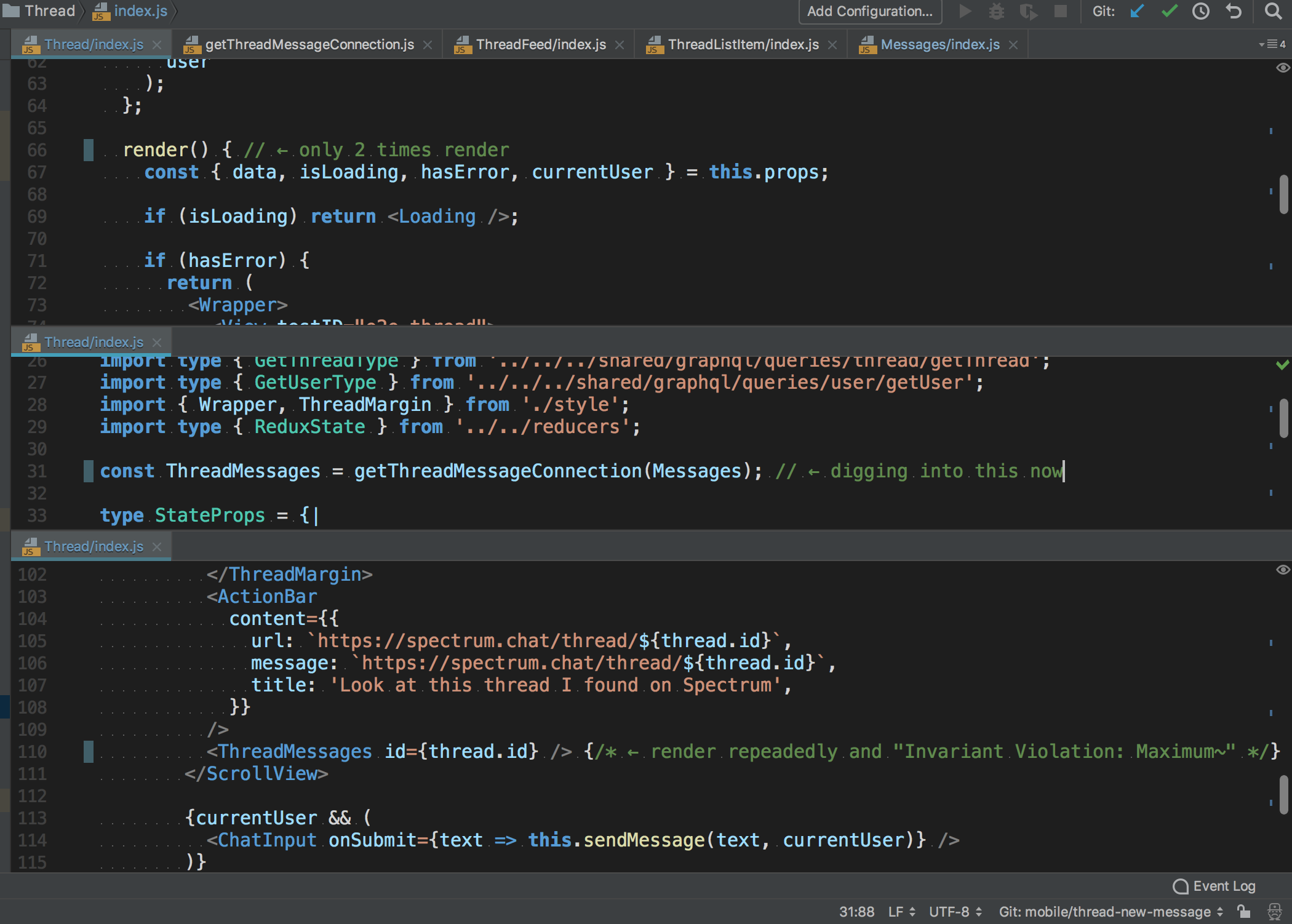
spectrum/mobile/views/Thread/index.js Thread.render() is not render repeatedly, only into Messages.
ryota-murakami
on 28 May 2018
I think it's the InfiniteList component that somehow triggers infinite rerenders 🤔
mxstbr
on 28 May 2018
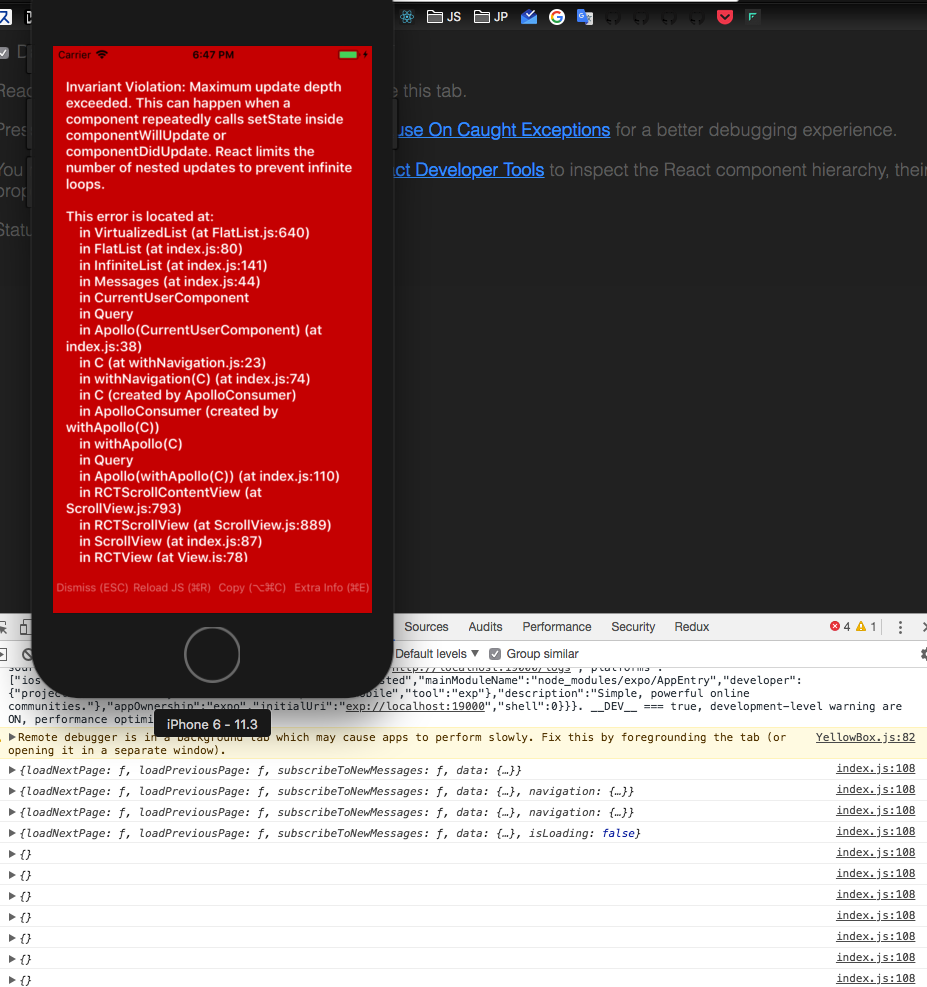
i just added following sfuff(diff() from deep-object-diff) into Messages Component,
  componentWillUpdate(next) {
    console.log(diff(this.props, next))
  }
occur infinite rerender with no props diff.
i'm trying fix to imlement currentUserLastSeen of https://github.com/withspectrum/spectrum/pull/3152 😀
ryota-murakami
on 28 May 2018
@ryota-murakami try adding that shouldComponentUpdate to the InfiniteList component, does that resolve it?
mxstbr
on 28 May 2018
@mxstbr thank you for your help🙇♂️
  shouldComponentUpdate() {
    return false
  }
i added ↑ stuff in the InfiniteList, then... yes it does! resolve it!
Perhaps I thought that subscription of graqlql was related, but I was reading the document etc in less detail about it📃
ryota-murakami
on 28 May 2018
Uhh we don't want it to never update, we do want it to update if the props change though 😅
mxstbr
on 28 May 2018
So this is something to do with the ThreadFeed. If you put a console.log into the Dashboard, it's only rendered once—but if you put a console.log in the ThreadFeed it's rendered a million times a second.
The weird thing is that the problem is _not_ the setState in the ThreadFeed, it's something else triggering it to re-render. It's really super weird, I got no clue what's going on.
mxstbr
on 29 May 2018
@mxstbr Of course shouldComponentUpdate = () => false stuff is temporary experiment code. i'm afraid I didn't make it clear enough🙇♂️
The weird thing is that the problem is not the setState in the ThreadFeed, it's something else triggering it to re-render. It's really super weird, I got no clue what's going on.
yeah, i agree.
I will comment again if I get clues for rerender, or Invariant Violation: Maximum update depth exceeded.
ryota-murakami
on 29 May 2018
I _think_ this PR fixes it: #3165 but the weird thing is that it breaks infinite scrolling, but that was also broken before—so I think it has something to do with FlatList. Investigating futher.
mxstbr
on 29 May 2018
oh, it's awesome! i'll merge my current working branch(https://github.com/withspectrum/spectrum/pull/3152) and test behavior.
ryota-murakami
on 29 May 2018
i don't know expected behavior of Infinite List, although this issue was obviously fix.
thanks @mxstbr 🙌
Infinite List broken problem is not yet resolved, but original issue was fix.
so i'll close this thread.
ryota-murakami
on 29 May 2018
Hi @mxstbr @ryota-murakami, I have faced same error in the below code. Can you help me to figure out what I am doing wrong?
counterStore: I have used Mobx.
@inject("counterStore")
@observer
export default class AddOn extends React.Component {
  constructor() {
    super();
    this.state = {
      isCheck: false,
      total: 0
    };
  }

  shouldComponentUpdate() {
    return false
  }

  render() {
    return (
      <View>
        <Native.Content>
          {/* Fries  */}
          <Native.ListItem>
            <Native.CheckBox
              checked={this.state.isCheck}
              color="#2ecc71"
              onPress={() => {

                this.setState({ isCheck: !this.state.isCheck });

                console.log("Value is4: " + this.state.isCheck);
                this.state.isCheck
                  ? this.props.counterStore.addInTotal(this.state.total)
                  : this.props.counterStore.subInTotal(this.state.total);
              }}
            />
            <Native.Body>
              <Native.Text style={{ fontFamily: "century-gothic" }}>
                {this.props.itemName}
              </Native.Text>
            </Native.Body>

            <Native.Right>
              <View
                style={{
                  flexDirection: "row",
                  alignItems: "flex-start",
                  justifyContent: "flex-start"
                }}
              >
                <Native.Text style={{ fontFamily: "century-gothic" }}>
                  {"Rs. "} {this.props.price}
                </Native.Text>
                <ItemIncreaseDecrease
                  itemPrice={this.props.price}
                  update={"SET_FRIES_TOTAL"}
                  isCheckboxChecked={this.state.isCheck} //if checked then no more increment
                  onPressIncrease={quantity => {
                    if (this.state.isCheck) {
                      this.setState({ total: this.props.price * quantity });
                    }
                  }}
                  onPressDecrease={quantity => {
                    if (this.state.isCheck) {
                      this.setState({ total: this.props.price * quantity });
                    }
                  }}
                />
              </View>
            </Native.Right>
          </Native.ListItem>
        </Native.Content>
      </View>
    );
  }
}
 badarshahzad
on 28 Aug 2018
badarshahzad
on 28 Aug 2018
When i was not using this
shouldComponentUpdate() {
    return false
  }
then application freeze when I click the checkbox and update the state. After couple of minutes I got the above mentioned screen by @ryota-murakami. When I used
shouldComponentUpdate() {
    return false
  }
then its not crashing but now its not updating the state. Can you tell me how to do this?
badarshahzad
on 28 Aug 2018
@badarshahzad I don't know the exact cause, but following inPress's callback doesn't work intentionally.
This document will help you understand how setState() behaves.
https://reactjs.org/docs/react-component.html#setstate
            <Native.CheckBox
              checked={this.state.isCheck}
              color="#2ecc71"
              onPress={() => {

                // this.setState() called but isCheck is not change immediately. setState() enqueued React internal.
                this.setState({ isCheck: !this.state.isCheck });

                console.log("Value is4: " + this.state.isCheck);
                // when code reached this tertiary operator, above setState() was not refrecting.
                this.state.isCheck
                  ? this.props.counterStore.addInTotal(this.state.total)
                  : this.props.counterStore.subInTotal(this.state.total);
              }}
            />
Thank you to share the docs link. I learn this
this.setState((prevState) => {
                    console.log("Preve State: " + prevState);
                    return {isCheck: !prevState.isCheck};
                  });
and added in my code.
The state is updating and value on console appearing correctly but now the checkbox view not update while the value is correct. when the this.state.isCheck istrue its not show the check mark. I believe it should work but something happening which don't send the correct value to the check box.
Now the code slightly change
@inject("counterStore")
@observer
export default class AddOn extends React.Component {
  constructor() {
    super();
    this.state = {
      isCheck: false,
      total: 0
    };
  }

  shouldComponentUpdate() {

    console.log("shouldComponentUpdate: " + this.state.isCheck);
    return false
  }

  render() {
    return (
      <View>
        <Native.Content>
          {/* Fries  */}
          <Native.ListItem>
            <Native.CheckBox
              checked={this.state.isCheck}
              color="#2ecc71"
              onPress={() => {

                this.setState((prevState) => {
                    console.log("Preve State: " + prevState);
                    return {isCheck: !prevState.isCheck};
                  });

                console.log("New State " + this.state.isCheck);
                this.state.isCheck
                  ? this.props.counterStore.addInTotal(this.state.total)
                  : this.props.counterStore.subInTotal(this.state.total);
              }}
            />
@badarshahzad Could you try remove shouldComponentUpdate?
shouldComponentUpdate return false mean, component always should not update.
  shouldComponentUpdate() {

    console.log("shouldComponentUpdate: " + this.state.isCheck);
    return false
  }
If i remove this then the application is freez and give the same error as you mentioned above. :disappointed:
badarshahzad
on 28 Aug 2018
I'm afraid, It was a bit tough to point out in chat finely, so there was a part I omitted the explanation.
Could you try following code?
@inject("counterStore")
@observer
export default class AddOn extends React.Component {
  constructor() {
    super();
    this.state = {
      isCheck: false,
      total: 0
    };
  }

  render() {
    return (
      <View>
        <Native.Content>
          {/* Fries  */}
          <Native.ListItem>
            <Native.CheckBox
              checked={this.state.isCheck}
              color="#2ecc71"
              onPress={() => {

                this.setState({ isCheck: !this.state.isCheck }, () => {
                  this.state.isCheck
                  ? this.props.counterStore.addInTotal(this.state.total)
                  : this.props.counterStore.subInTotal(this.state.total);});
              }}
            />
            <Native.Body>
              <Native.Text style={{ fontFamily: "century-gothic" }}>
                {this.props.itemName}
              </Native.Text>
            </Native.Body>

            <Native.Right>
              <View
                style={{
                  flexDirection: "row",
                  alignItems: "flex-start",
                  justifyContent: "flex-start"
                }}
              >
                <Native.Text style={{ fontFamily: "century-gothic" }}>
                  {"Rs. "} {this.props.price}
                </Native.Text>
                <ItemIncreaseDecrease
                  itemPrice={this.props.price}
                  update={"SET_FRIES_TOTAL"}
                  isCheckboxChecked={this.state.isCheck} //if checked then no more increment
                  onPressIncrease={quantity => {
                    if (this.state.isCheck) {
                      this.setState({ total: this.props.price * quantity });
                    }
                  }}
                  onPressDecrease={quantity => {
                    if (this.state.isCheck) {
                      this.setState({ total: this.props.price * quantity });
                    }
                  }}
                />
              </View>
            </Native.Right>
          </Native.ListItem>
        </Native.Content>
      </View>
    );
  }
}
If you still do not solve and Maximum update error appears, it is highly likely that rerender's Infinite Loop has occurred.
In that case, specifying only Props / State updates to be used within the component with shouldComponentUpdate () will solve the rerender condition.
Example
shouldComponentUpdate(nextProps, nextState) {
   if (this.props.coinStatus !== nextProps.coinStatus) false
   if (this.props.fooCoinMount !== nextProps.fooCoinMount) true
}
I spent my whole day to solve this problem. I have used the
foreceUpdate();
shouldComponentUpdate; // to abstrain from the loop
componentDidUpdate(); // as this call back help me when the state was updated and I need to add in total
totalValue  // this variable used as the state was not working properly
@inject("counterStore")
@observer
export default class AddOn extends React.Component {

  totalValue = 0;
  constructor(props) {
    super(props);
    this.state = {
      isCheck: false,
      total: this.props.price
    };

    totalValue = this.props.price;
  }

  componentDidUpdate() {
    this.state.isCheck
      ? this.props.counterStore.addInTotal(totalValue)
      : this.props.counterStore.subInTotal(totalValue);
  }
  shouldComponentUpdate(nextProps, nextState) {
    return false;
  }

  forceUpdateHandler() {
    this.forceUpdate();
  }

  render() {
    return (
      <View>
        <Native.Content>
          {/* Fries  */}
          <Native.ListItem>
            <Native.CheckBox
              checked={this.state.isCheck} //kind of jugar here
              color="#2ecc71"
              onPress={() => {
                this.setState(prevState => {

                  totalValue = this.state.total;

                  return { isCheck: !prevState.isCheck };
                });

                this.forceUpdateHandler();

                /**
                 * The problem I faced is to update the state of isCheck. When I click checkbox
                 * it update the state but it create loops and maximum update error occure.
                 * I commment below the issue here (https://github.com/withspectrum/spectrum/issues/3159#issuecomment-416563911)
                 * ryota-murakami suggested the docs link. I learn to setState update with prevState.
                 * I implemendted but didn't work. To resolve the maximum update for that reasone I call explicitly
                 * shouldComponentUpdate. Now the freeze and  maximum update error is resolved.
                 * The state is also update but the view still not update. I used this.foreceUpdate()
                 * to forecefully update at least once to update the view
                 */
              }}
            />
            <Native.Body>
              <Native.Text style={{ fontFamily: "century-gothic" }}>
                {this.props.itemName}
              </Native.Text>
            </Native.Body>

            <Native.Right>
              <View
                style={{
                  flexDirection: "row",
                  alignItems: "flex-start",
                  justifyContent: "flex-start"
                }}
              >
                <Native.Text style={{ fontFamily: "century-gothic" }}>
                  {"Rs. "} {this.props.price}
                </Native.Text>
                <ItemIncreaseDecrease
                  itemPrice={this.props.price}
                  update={"SET_FRIES_TOTAL"}
                  isCheckboxChecked={this.state.isCheck} //if checked then no more increment
                  onPressIncrease={quantity => {
                    if (this.state.isCheck) {
                      this.setState({ total: this.props.price * quantity });
                      totalValue = this.props.price * quantity;
                    }
                  }}
                  onPressDecrease={quantity => {
                    if (this.state.isCheck) {
                      this.setState({ total: this.props.price * quantity });
                      totalValue = this.props.price * quantity;
                    }
                  }}
                />
              </View>
            </Native.Right>
          </Native.ListItem>
        </Native.Content>
      </View>
    );
  }
}
@ryota-murakami thank you for you quick response and help. :+1: :wave: :heart:
badarshahzad
on 29 Aug 2018
@badarshahzad I'm glad know that, I'm afraid about my out of point response but learn a lot for me too.
Good Luck Your Development😀
ryota-murakami
on 29 Aug 2018
i have the same error with two components that i can open from each other
for example i'm in component A(inside a stackView ), i can open a B (inside a stackView ), from there i can open A and so one.
like inseption
is there a way to know the "depth" of a stackview ?
 alainib
on 5 Sep 2018
alainib
on 5 Sep 2018
Related issues
 entrptaher
·
3Comments
entrptaher
·
3Comments
 zefexdeveloper
·
5Comments
zefexdeveloper
·
5Comments
 davidluhr
·
3Comments
davidluhr
·
3Comments
 mknepprath
·
7Comments
mknepprath
·
7Comments
 atlx
·
5Comments
atlx
·
5Comments
Most helpful comment
@badarshahzad I'm glad know that, I'm afraid about my out of point response but learn a lot for me too.
Good Luck Your Development😀