182 will get us quite far if implemented correctly (which I assume we will do), but having a dedicated desktop app would be really nice.
It should be possible to use Electron and to render our existing app in there, adapting a bit of code to show native notifications etc. I assume that works, but haven't tried it, so a bit of experimentation will be necessary.
 mxstbr
All 31 comments
https://medium.freecodecamp.com/building-an-electron-application-with-create-react-app-97945861647c
miiiight take a stab at this bad boy tomorrow. seems worth doing as long as I don't fuck it up too much...
 superbryntendo
on 5 Apr 2017
superbryntendo
on 5 Apr 2017
I would just wait on this until we change to signinwithredirect. It will make your life easier. I already tried rolling a mac app wrapper and this was the biggest blocker because you have to handle pop ups manually
 brianlovin
on 5 Apr 2017
brianlovin
on 5 Apr 2017
This is a great guide on making and packaging (!) and Electron create-react-app app: https://medium.com/@kitze/%EF%B8%8F-from-react-to-an-electron-app-ready-for-production-a0468ecb1da3
mxstbr
on 13 Jun 2017
This is pretty great: https://slack.engineering/growing-pains-migrating-slacks-desktop-app-to-browserview-2759690d9c7b
mxstbr
on 30 Oct 2017
OK, so this first version should just be a wrapper and push notifications.
I think if anyone has Electron experience, this is probably a good first issue.
superbryntendo
on 11 Apr 2018
I shipped a couple of electron apps using https://www.electron.build/ and the experience was very pleasant. It takes care of the entire pipeline, from bundling to signing to pushing updates. https://webpack.electron.build/ is the webpack starter of electron.build.
 Raathigesh
on 11 Apr 2018
Raathigesh
on 11 Apr 2018
From looking at electron.build, it seems optimized for starting a new Electron app from scratch (correct me if I'm wrong)—we need to integrate Electron into an existing app though?
mxstbr
on 11 Apr 2018
You are right! electron.build could help if the plan is to have a separate build setup for the electron app and then integrate the web app via electron webview or load the html entry point directly from the file system into electron.
And I just realized the main web app is using create-react-app. so maybe it makes sense to follow the above-linked post.
I really liked electron.build because it takes care of a bunch of small things out of the box (re-building native modules, signing apps in multiple platforms, an auto-updater which does not require an update server but instead uses GitHub releases and etc) and provides a production-grade setup just like create-react-app but for electron apps 😄
Raathigesh
on 11 Apr 2018
OK, so this first version should just be a wrapper and push notifications.
I guess you are talking about Nativifier then, if its just a wrapper 😉
 deadcoder0904
on 11 Apr 2018
deadcoder0904
on 11 Apr 2018
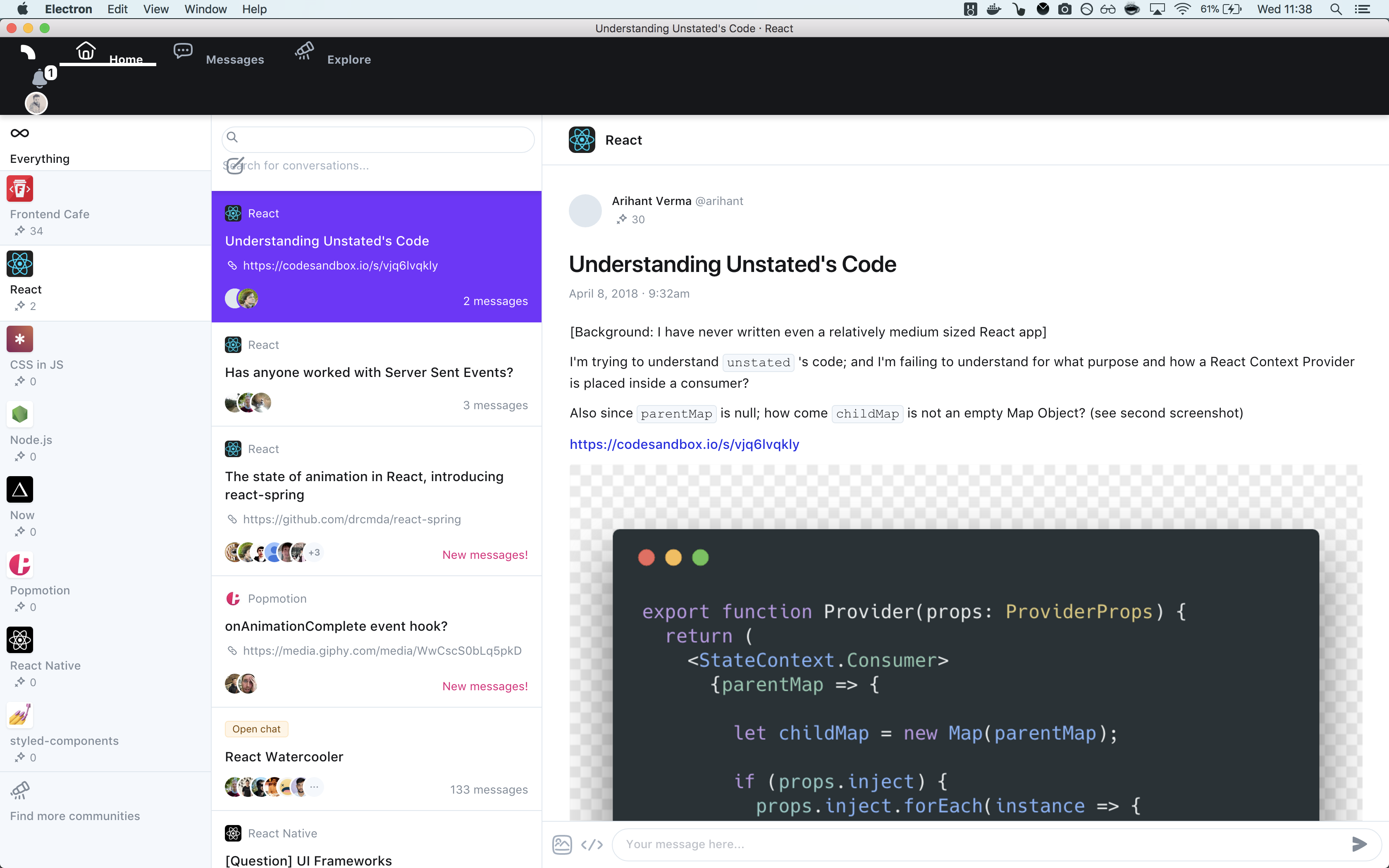
@mxstbr like that :
 spartDev
on 11 Apr 2018
spartDev
on 11 Apr 2018
Yeah like that! Except for the styling bugs :wink: PR?
mxstbr
on 11 Apr 2018
Did a ton of iterations on the Cerebral debugger related to this. Also managing auto updates. Codebase is a bit hurt by tons of iterations, but might be some helpful stuff in there.
Some takeaways:
- Get autoupdater in there
- Create a wrapper over JSON storage, you will most likely be storing stuff and really great to expose an API to the client to manage that
- Create a wrapper around messaging between client and electron, giving you the possibility to wait for a task in the client. Like from the client:
electron.task('whatever', 'somePayload').then(() => {
 // when task is done
})
It is by default just messaging between them, like browser <=> worker. This has a high degree of decoupling because you pass message in one place and listen for a different message to indicate it is done somewhere else. Often very nice to have it tightly coupled like the example above.
Here is that repo: https://github.com/cerebral/cerebral-debugger
Anyways, just some cents ;-)
 christianalfoni
on 11 Apr 2018
christianalfoni
on 11 Apr 2018
Of course about styling bugs ;)
just two thing:
- notification does not work actually (WebSocket is closed before the connection is established)
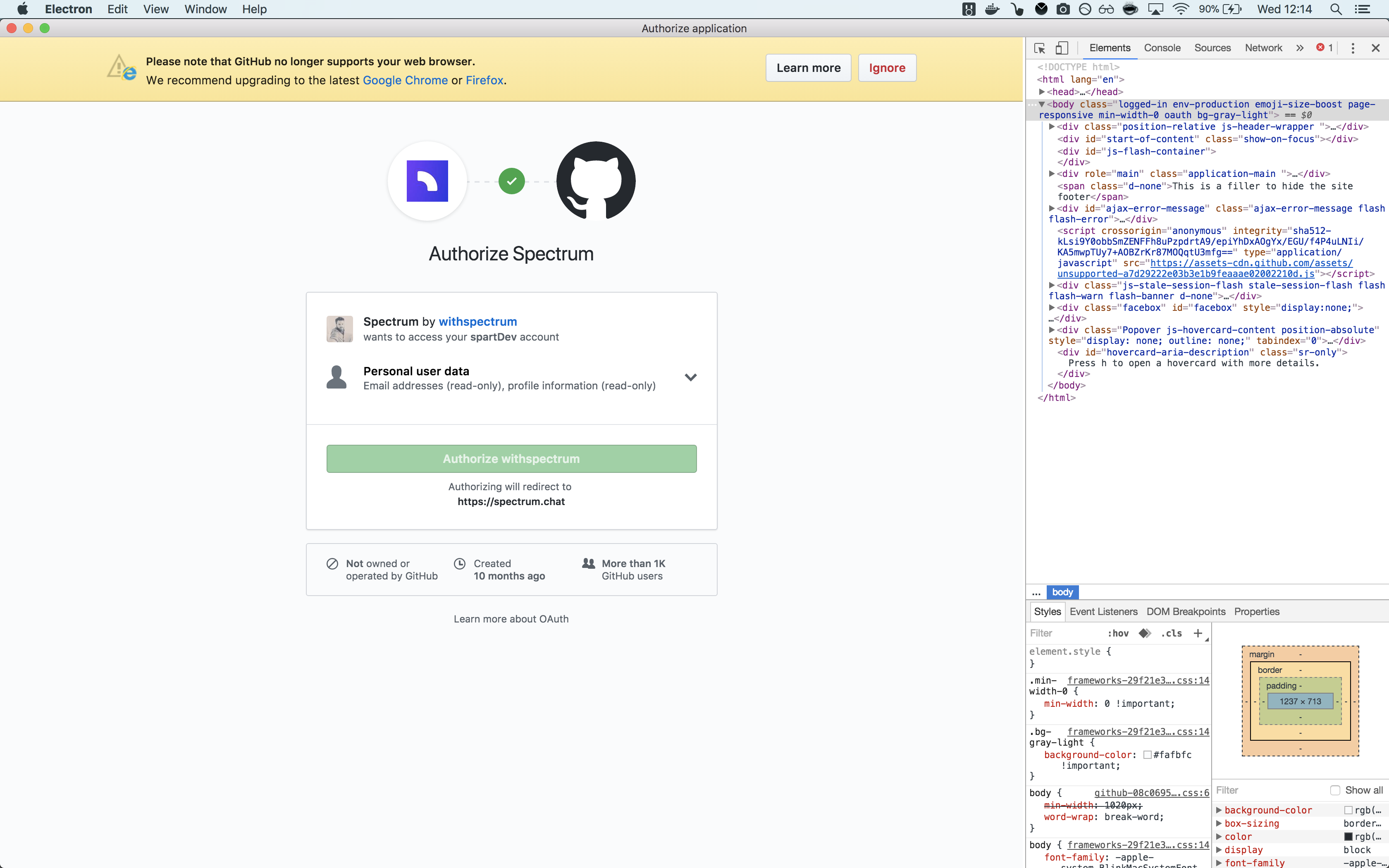
- When you logged in via gitHub, gitHub complain about the version of navigator:
spartDev
on 11 Apr 2018
nice tips from @christianalfoni
I take a look to his repo
spartDev
on 11 Apr 2018
Todo:
- [x] Packager script to ship on linux
- [x] Packager script to ship on windows
- [x] App Updater
- [ ] Add tray icon ?
- [ ] Add badge count & sound ?
spartDev
on 11 Apr 2018
I can take care of the icons!
superbryntendo
on 11 Apr 2018
A thing which is on my mind, actually we load spectrum web app as a remote URL but if we want notification, badge count etc ... we need to tell Electron app to show notification ...
Is it better to bundle the frontend into Electron with some code only for the desktop app ? What do you think ?
spartDev
on 12 Apr 2018
Yeah that's what I said in the PR, we have to bundle the frontend into Electron. :wink:
mxstbr
on 12 Apr 2018
OK I misunderstood that point ! 😉
I'm on it !
spartDev
on 12 Apr 2018
Ok after some search I have taken this approach:
Do not have the front end bundle into Electron but instead use the Electron preload script to create a “bridge” between Electron and the remote spectrum web app.
In Electron a preload script is a local JavaScript file that gets executed in the context of the remote web page before any other scripts on the remote. The preload script has access to Electron and node.js APIs, but when it has finished executing, those APIs are removed from the global scope so that the remote web page doesn’t have access to them.
In the Preload script i create a global object on window and add methods to it.
const { remote } = require('electron');

init();

function init() {
  window.interop = {
    setBadgeCount: setBadgeCount,
  };
}

function setBadgeCount(count) {
   remote.app.dock.setBadge('' + (count || ''));
}
Now the web app, once loaded, will be able to see and interact with that object and can safely call those methods without being able to access Electron/node.js APIs.
if (isElectron()) {
  window.interop.setBadgeCount(count);
 }
Are you ok with this approach ?
spartDev
on 13 Apr 2018
Yeah that sounds reasonable to me!
mxstbr
on 13 Apr 2018
btw I made good experiences using https://github.com/electron-userland/electron-forge
 nikgraf
on 13 Apr 2018
nikgraf
on 13 Apr 2018
@nikgraf electron-forge sound interesting, I would be happy to receive any ideas or suggestions.
@mxstbr any idea how to show notification count in dev ?
spartDev
on 13 Apr 2018
@spartDev I usually open Spectrum in a second, private browser window and log in with a different account, then send messages back and forth.
mxstbr
on 13 Apr 2018
I like to use distinct accounts in Safari, Firefox, and Chrome for cross-browser testing.
superbryntendo
on 13 Apr 2018
Yes, of course ! Thx!!!!
spartDev
on 13 Apr 2018
Hey is there still work available for this desktop app for spectrum...? I would like to contribute!
 fullstackguyhere
on 19 Apr 2018
fullstackguyhere
on 19 Apr 2018
Please consider building native Cocoa (for macOS) and .NET (for Windows) apps! Electron is terrible; I really don’t like running separate Chromium instances for each Electron app.
 Gerzer
on 24 May 2018
Gerzer
on 24 May 2018
@Gerzer That's not really something we can tackle right now with our limited team resources. You're welcome to dig in on that if it's a big concern of yours!
superbryntendo
on 25 May 2018
I saw this was moved to Done via automation. Does that mean this was finished, or the desktop app was abandoned?
 nathankurt
on 29 May 2018
nathankurt
on 29 May 2018
@nathankurt we're going to be pushing a beta version very soon (https://github.com/withspectrum/spectrum/pull/3171) - we will also post updates here with the build link https://spectrum.chat/thread/397ead04-e017-472f-b609-72b18ffc81b2
brianlovin
on 29 May 2018
Related issues
 mattgaunt
·
4Comments
brianlovin
·
3Comments
mattgaunt
·
4Comments
brianlovin
·
3Comments
 zefexdeveloper
·
5Comments
mxstbr
·
3Comments
zefexdeveloper
·
5Comments
mxstbr
·
3Comments
 carloslfu
·
3Comments
carloslfu
·
3Comments
Most helpful comment
I like to use distinct accounts in Safari, Firefox, and Chrome for cross-browser testing.