Spectre: Remove outline of clicked and focused `button` and `a`
Whenever I click something I get a "light-red" box around that element (mostly a and button).
Screenshots:
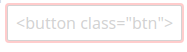
I have tried putting this into my scss file, but it does not work:
*:visited {outline:none !important}
*:link {outline:none !important}
*:focus {outline:none !important}
*:disabled {outline:none !important}
*:hover {outline:none !important}
*:active {outline:none !important}
button {
    &:visited, &:link,  &:focus, &:disabled, &:hover, &:active {
           outline:none !important
    }
}
a {
    &:visited, &:link,  &:focus, &:disabled, &:hover, &:active {
            outline:none !important
    }
}
 keltik85
All 2 comments
That's because the border is actually a box-shadow; a box-shadow: unset in your custom stylesheet should remove the "border" (I only tried it with Firefox's Developer Tools).
 Vectrex
on 28 Feb 2018
Vectrex
on 28 Feb 2018
👍2
❤1
🎉1
😄1
thanks for your quick response, writing it this way did work:
button {
        box-shadow: unset;
    &:visited, &:link,  &:focus, &:disabled, &:hover, &:active {
                box-shadow: unset;
    }
}
Was this page helpful?
0 / 5 - 0 ratings
Related issues
 tomcam
·
3Comments
tomcam
·
4Comments
tomcam
·
3Comments
tomcam
·
4Comments
 kwstaskara
·
3Comments
kwstaskara
·
3Comments
 alighasemzadeh
·
3Comments
alighasemzadeh
·
3Comments
 picturepan2
·
3Comments
picturepan2
·
3Comments
Most helpful comment
That's because the border is actually a box-shadow; a
box-shadow: unsetin your custom stylesheet should remove the "border" (I only tried it with Firefox's Developer Tools).