Specflow: Nunit3: TestFixtureSetUpAttribute does not exist in namespace NUnit.Framework
SpecFlow Version:
- [x] 2.2
- [ ] 2.1
- [ ] 2.0
- [ ] 1.9
Used Test Runner
- [ ] SpecFlow+Runner
- [ ] MSTest
- [x] NUnit
- [ ] Xunit
Version number:
3.8.1
Visual Studio Version
- [x] VS 2017
- [ ] VS 2015
- [ ] VS 2013
Are the latest Visual Studio updates installed?
- [x] Yes
- [ ] No
.NET Framework:
- [x] >= .NET 4
- [ ] before .NET 4
Test Execution Method:
- [x] Visual Studio Test Explorer
- [x] Resharper Unit Test Explorer
- [ ] TFS/VSTS – Task – PLEASE SPECIFY THE NAME OF THE TASK
- [ ] Command line – PLEASE SPECIFY THE FULL COMMAND LINE
<SpecFlow> Section in app.config
  <specFlow>
    <unitTestProvider name="NUnit" />
  </specFlow>
Issue Description
From time to time, when I make a change to a feature file, the custom tool runs and generates the MyFeature.feature.cs file, but seems to generate it using the wrong version of NUnit.
This appears to be completely intermittent, with no rhyme or reason to it. For instance, I encountered it a handful of times yesterday, then it went away. Today, I've worked on my feature files all day and suddenly one of them has started to have this problem again. It's not a consistent problem.
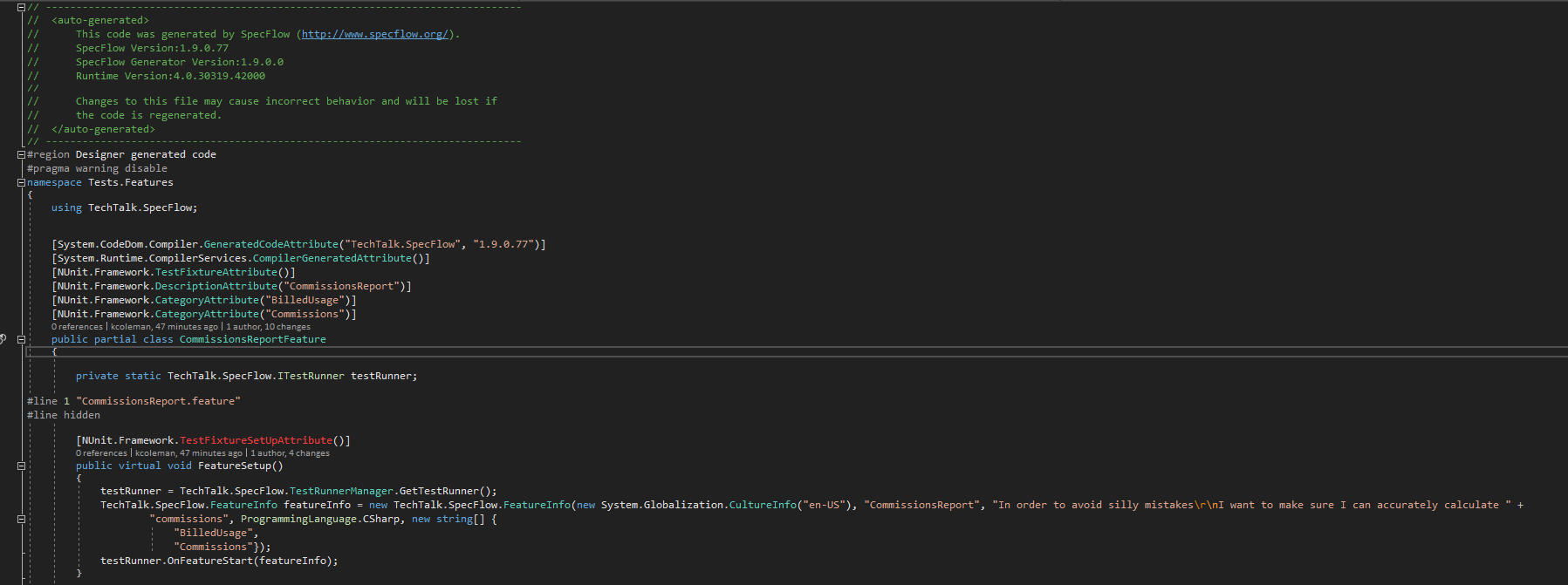
When the problem does occur, the feature.cs file in question will use NUnit attributes that no longer exist in Nunit 3:


If I look at the other feature.cs files, they remain correct:

When this happens, I can get it fixed, but it's a wacky process and doesn't always work, so it often takes a few tries. I first tried cleaning & rebuilding, or deleting the feature.cs file and "Run Custom Tool" on the feature file to re-generate the .cs file, but once the issue arises, it will continually generate a bad .cs file for that feature file.
Steps to fix:
1) delete the feature.cs file.
2) close visual studio.
3) re-open visual studio, and the project.
4) wait... eventually a window will pop up saying Specflow detected changes to your project and would like to regenerate feature.cs files, accept the prompt and the feature.cs will be generated correctly:

This hurts my productivity because I have to shut my VS instance down and re-open it. Sometimes numerous times in a day on really bad days.
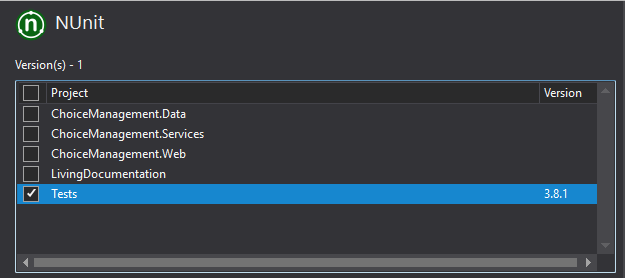
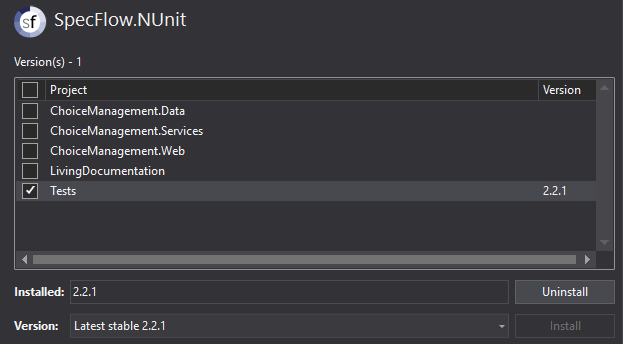
I've tried to solve this on my own, thinking this could maybe be triggered by something in my solution, however I have come up empty. The NUnit package is only referenced by one project in my solution, so I don't think it's getting confused by another version hanging out somewhere or anything:
Btw, I absolutely adore Specflow and have been a huge proponent for it since 2012. Keep up the great work Specflow team!!
Steps to Reproduce
Unfortunately, the issue seems hit or miss, and I can't consistently reproduce the problem. It will just happen randomly when I change and then save a Feature file. Some days It happens every time I make a change, and other days (like today) I can go all day and only see the problem once or twice.
Thanks for your time and help!
 kriscoleman
All 23 comments
Could you post the header of the code- behind file the next time you get the wrong Attributes?
 SabotageAndi
on 16 Nov 2017
SabotageAndi
on 16 Nov 2017
Yes, absolutely! So far today it's been good again, but the moment it happens I'll post them here. Thank you!
kriscoleman
on 17 Nov 2017
It just happened again this morning. Here are the headers when the problem occurred:
And after I closed VS and reopened it and waited for the 'Regenerate' prompt:
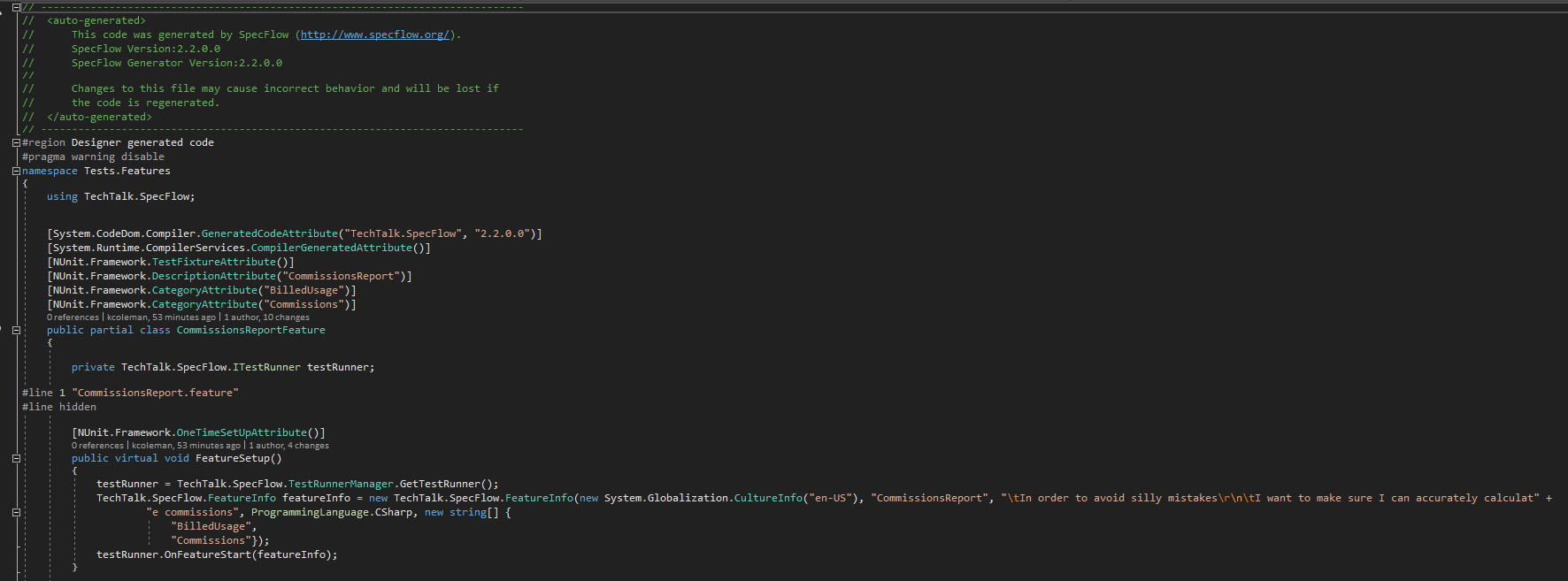
So weird! it's like when the problem occurs, somehow Specflow thinks it's version 1.9?
If I close and reopen solution and wait for the "Regenerate" prompts, it fixes itself back to 2.2.0.
Even more curious, my Specflow.Nunit is actually 2.2.1
Thanks for your help and support!
kriscoleman
on 17 Nov 2017
Have you by any chance got an old version of SpecFlow 1.9 in your /packages directory along with the newer SpecFlow version?
 Stephen-Mc
on 20 Nov 2017
Stephen-Mc
on 20 Nov 2017
I checked, but I do not:

kriscoleman
on 20 Nov 2017
Happens to me too, but for me it's constant. Somehow SpecFlow thinks it's still 1.9.0.77
Only has the latest SpecFlow and SpecFlow.NUnit in my packages folder. Manually deleted obj, bin folders, cleaned, rebuilt the solution. Checked the csproj, sln, and all the usual files, everything seems to be normal, but it is like somehow the previous version of the generator would be cached.
Oh yeah, and sometimes getting this also in the feature.cs files:
error Generation error: Object reference not set to an instance of an object.
Not sure how to repro that, it might be on me because currently happened after I tried different modifications on the SpecFlow target file, and csporj, etc after the generation still was done by 1.9.x
Using VS2015, NUnit 3.9.0 (tried with 3.8.x happened with that also), SpecFlow 2.2.1, SpecFlow.NUnit 2.2.1, .NET v4.5.2, got ReSharper, but would run tests with VSTE.
Issue is mostly the same, just not random, happens every time
 GoHawksDani
on 21 Nov 2017
GoHawksDani
on 21 Nov 2017
I can confirm this error too:
error Generation error: Object reference not set to an instance of an object.
I do see that one from time to time, but much less frequently than the other.
Update today:
I've updated a feature file 3 times this morning and haven't ran into this error.
Yesterday, I ran into this issue every time I touched a feature file. There are days where it's really consistent for me too, as Daniel mentioned.
Thanks!
kriscoleman
on 21 Nov 2017
The "#error Generation error: Object reference not set to an instance of an object." comes most of the times when there is no specflow section in the app.config
I would suggest to use the MSBuild integration (http://specflow.org/documentation/Generate-Tests-from-MsBuild/) for generating the code- behind files.
VS2017 has some problems loading the correct SpecFlow.dlls and dependencies (see #857)
SabotageAndi
on 21 Nov 2017
The "#error Generation error: Object reference not set to an instance of an object." comes most of the times when there is no specflow section in the app.config
I believe I have this in my app.config:


I would suggest to use the MSBuild integration
Is using the MSBuild integration the only solution here? I would really rather not have to follow those steps. The convenience of having the custom tool run when I save the feature file is nice enough, and I don't want to have to remember to remove the custom tool every time I create a new feature file (since it's added automatically to the feature file properties).
Specflow's version is also included in the path, so
<Import Project="..\packages\SpecFlow.2.2.0\tools\TechTalk.SpecFlow.targets" Condition="Exists('..\packages\SpecFlow.2.2.0\tools\TechTalk.SpecFlow.targets')" />
would probably need to be updated everytime the nuget package is updated, which isn't very intuitive.
I'm trying to get everyone at my dev shop on board with Specflow (and maybe get us to purchase Specflow + too!), so I need every convenience factor I can get. Is it possible we could still try to fix the root issue here?
Thank you for your time and help!
kriscoleman
on 21 Nov 2017
Ok, interesting where the null reference error comes. Could you repro that in a sample project?
About MSBuild integration:
Currently it is the only way to get something stable, because we couldn't reproduce the assembly load errors yet.
We are working on a nicer way (adding only a nuget package) to enable the MSBuild integration with SpecFlow 2.3. I hope we can release that version this year.
You would still have to remove the CustomTool for feature files, if you don't want that the code- behind file is generated at saving.
But you could let it there, because if you run the tests, VS starts a compile first and would "fix" so the code-behind file. ;-)
SabotageAndi
on 21 Nov 2017
Tried everything, but couldn't repro the not an instance issue. But reverting to older version when generating is a pretty steady issue for me. It seems like that the SpecificVersion node in the csproj is forced to be always False (when I changed the property of the TechTalk.SpecFlow reference in VS it just removed that node completely, but couldn't set it to true).
And the Reference node for SpecFlow seems also strange in the csproj. The Version was 2.1.0.0 when the SpecificVersion was set to False, and now when it's just missing, the Version attribute is 2.2.0.0
Tried to manually overwrite to 2.2.1.0, but that doesn't work :)
The HintPath points to the correct location.
The csproj contains SpecFlowSingleFileGenerator as Generator for the feature file items. VS shows that also as Custom Tool in the properties of the feature files.
Generated files have this in the header:
// SpecFlow Version:1.9.0.77
// SpecFlow Generator Version:1.9.0.0
// Runtime Version:4.0.30319.42000
And this attribute on the class: [System.CodeDom.Compiler.GeneratedCodeAttribute("TechTalk.SpecFlow", "1.9.0.77")]
GoHawksDani
on 22 Nov 2017
I had this problem in visual studio 2017, getting 1.9.0.77 as specflow version and 1.9.0.0 as generator version.
Fixed it by upgrading specflow in visual studio 2015 (which I also have on my machine and which had an older version of specflow).
 LeonHagenaarsKeus
on 13 Dec 2017
LeonHagenaarsKeus
on 13 Dec 2017
I found the same issue. A workaround that works for me is invoke in command line
specflow.exe generateall
In my case :
C:\Users\tequy>"C:\anyapp\packages\SpecFlow.2.3.2\tools\specflow.exe" generateall "C:\app\project.csproj"
 plorena
on 17 May 2018
plorena
on 17 May 2018
@plorena throws System.UnauthorizedAccessException
 aditki
on 13 Jul 2018
aditki
on 13 Jul 2018
@aditki Could we have a little bit more information than only the type of the exception?
SabotageAndi
on 16 Jul 2018
@SabotageAndi I was trying the workaround suggested by @plorena. I get the mentioned error though i am running it as an admin.
aditki
on 16 Jul 2018
Humm I am facing similar issue with Visual Studio 2017. Can someone please post what version of Specflow and NUnit is required to work the tests in Visual studio 2017 exactly?
Thanks a bunch in advance.
 sasonar
on 3 Aug 2018
sasonar
on 3 Aug 2018
@sasonar Except NUnit 3.7.* every version should work with the latest version of SpecFlow. If not, please open a new issue.
In this issue, the code is generated wrongly by an old version of SpecFlow.
SabotageAndi
on 7 Aug 2018
The original problem here is that a wrongly version of SpecFlow to generate the code-behind is used (1.9 and not 2.2.).
With some updates to the VS Extensions in the last weeks, this should be fixed.
It could be, that you have to update to SpecFlow 2.3..
SabotageAndi
on 8 Aug 2018
Happening to me again with VS 2017 and latest version of nunit and specflow
 Neek123
on 12 Oct 2018
Neek123
on 12 Oct 2018
Exactly same problem to me. I tried to execute specflow.exe generateall but it didnt work.
 LucasWBritz
on 17 Oct 2018
LucasWBritz
on 17 Oct 2018
Have been having the same issue all week. For a few days everything worked ok, then suddenly reverted back to the same state.
 TomFS
on 13 Nov 2018
TomFS
on 13 Nov 2018
@TomFS please open a new issue and fill out all info.
SabotageAndi
on 13 Nov 2018
Related issues
 samholder
·
7Comments
samholder
·
7Comments
 timvandenhof
·
6Comments
timvandenhof
·
6Comments
 omarpiani
·
7Comments
omarpiani
·
7Comments
 xDazedx
·
7Comments
xDazedx
·
7Comments
 zplan
·
4Comments
zplan
·
4Comments
Most helpful comment
I had this problem in visual studio 2017, getting 1.9.0.77 as specflow version and 1.9.0.0 as generator version.
Fixed it by upgrading specflow in visual studio 2015 (which I also have on my machine and which had an older version of specflow).