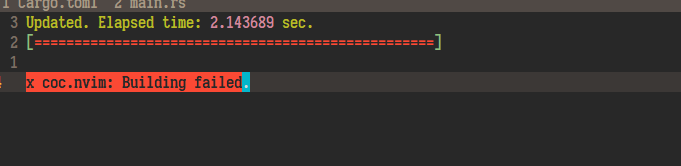
Spacevim: coc.nvim install failed under windows
 Matrix-Zhang
All 6 comments
@wsdjeg On May 9 2020, coc.nvim project has deleted the coc.nvim/install.sh file. It breaks following code:
https://github.com/SpaceVim/SpaceVim/blob/b90c7fb57a516bf473b7f1af5d32f832914ca9dc/autoload/SpaceVim/layers/autocomplete.vim#L70
 PeterDing
on 10 May 2020
PeterDing
on 10 May 2020
Yes I had the same problem on macos as well. The installation needs to be changed according to https://github.com/neoclide/coc.nvim/wiki/Install-coc.nvim#using-deinvim
 rohit-s8
on 11 May 2020
rohit-s8
on 11 May 2020
Same on archlinux
https://asciinema.org/a/tm0vmai6BsqRggM0001QSJmBf
 vperilla
on 16 May 2020
vperilla
on 16 May 2020
Guys, there is a temporary solution to fix the issue.
cd ~/.cache/vimfiles/repos/github.com/neoclide/coc.nvim/
git checkout .
git pull
git checkout release
❤1
👍1
Guys, there is a temporary solution to fix the issue.
cd ~/.cache/vimfiles/repos/github.com/neoclide/coc.nvim/
git checkout .
git pull
git checkout release
This doest solve anything for me.

 dev-martin
on 1 Jun 2020
dev-martin
on 1 Jun 2020
@dev-martin Maybe, you need to clone coc.nvim again to the directory.
cd ~/.cache/vimfiles/repos/github.com/neoclide/
rm -fr coc.nvim
git clone https://github.com/neoclide/coc.nvim
cd coc.nvim
git checkout release
👍1
Was this page helpful?
0 / 5 - 0 ratings
Related issues
 shabegom
·
3Comments
shabegom
·
3Comments
 s97712
·
4Comments
s97712
·
4Comments
 gennad
·
4Comments
gennad
·
4Comments
 zeroasterisk
·
4Comments
zeroasterisk
·
4Comments
 onerciller
·
5Comments
onerciller
·
5Comments
Most helpful comment
Guys, there is a temporary solution to fix the issue.