Spacevim: All plugs updating failed when execute SPUpdate
Environment Information
- OS: Ubuntu16.04 and MacOS
- vim version: Ubuntu: 7.4 Included patches: 1-1689 Extra pathces: 8.0
MacOS: 7.4 Included patches:1-898,8056
The reproduce ways from Vim starting
I install SpaceVim on my ubuntu and MacOS machine, the install steps goes well. However, when I input the SPUpdate command, all updating failed.
I have tried many times to reinstall the Spacevim and Vim itself, but this situation always occur.
Output of the :SPDebugInfo!


Screenshots
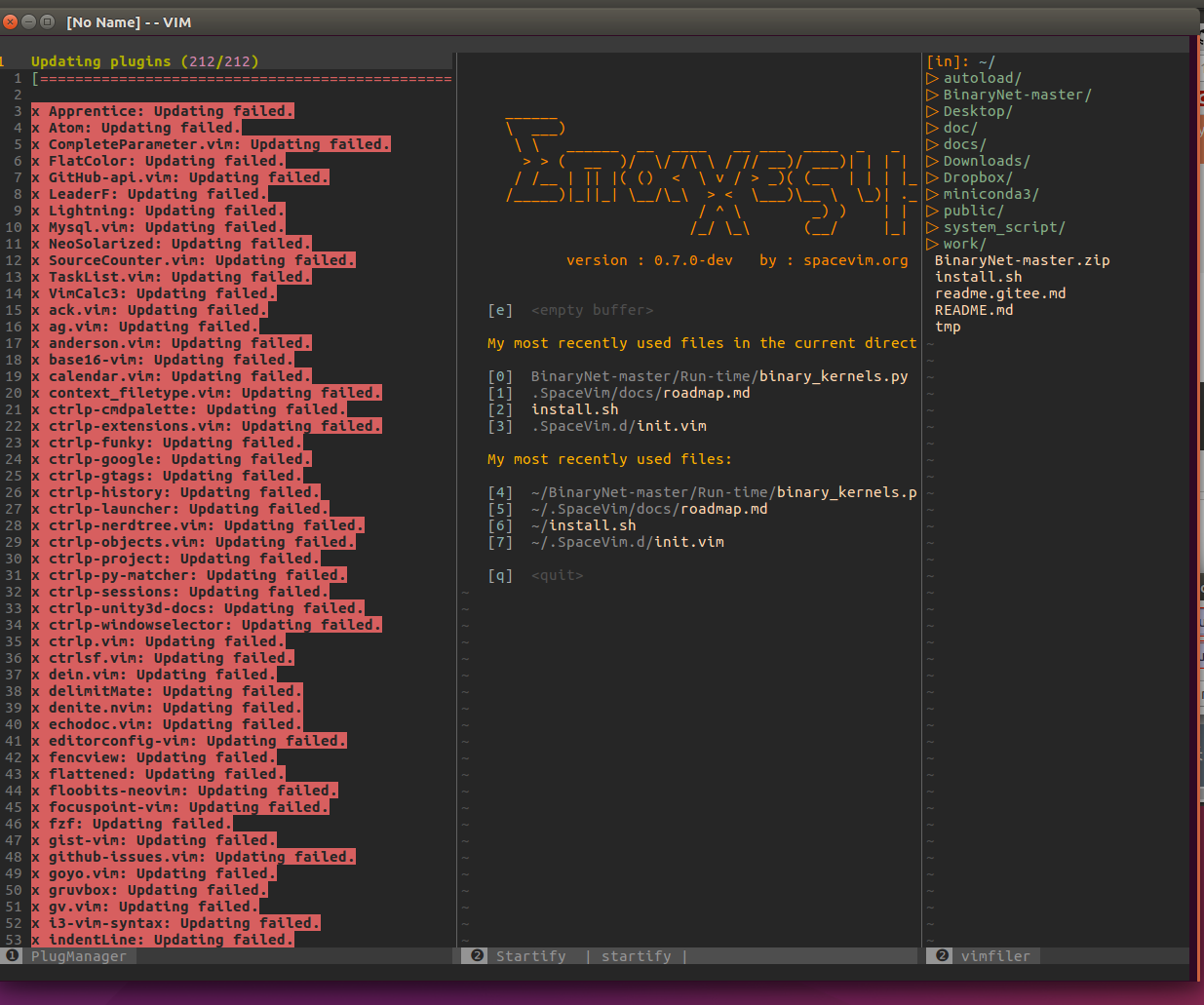
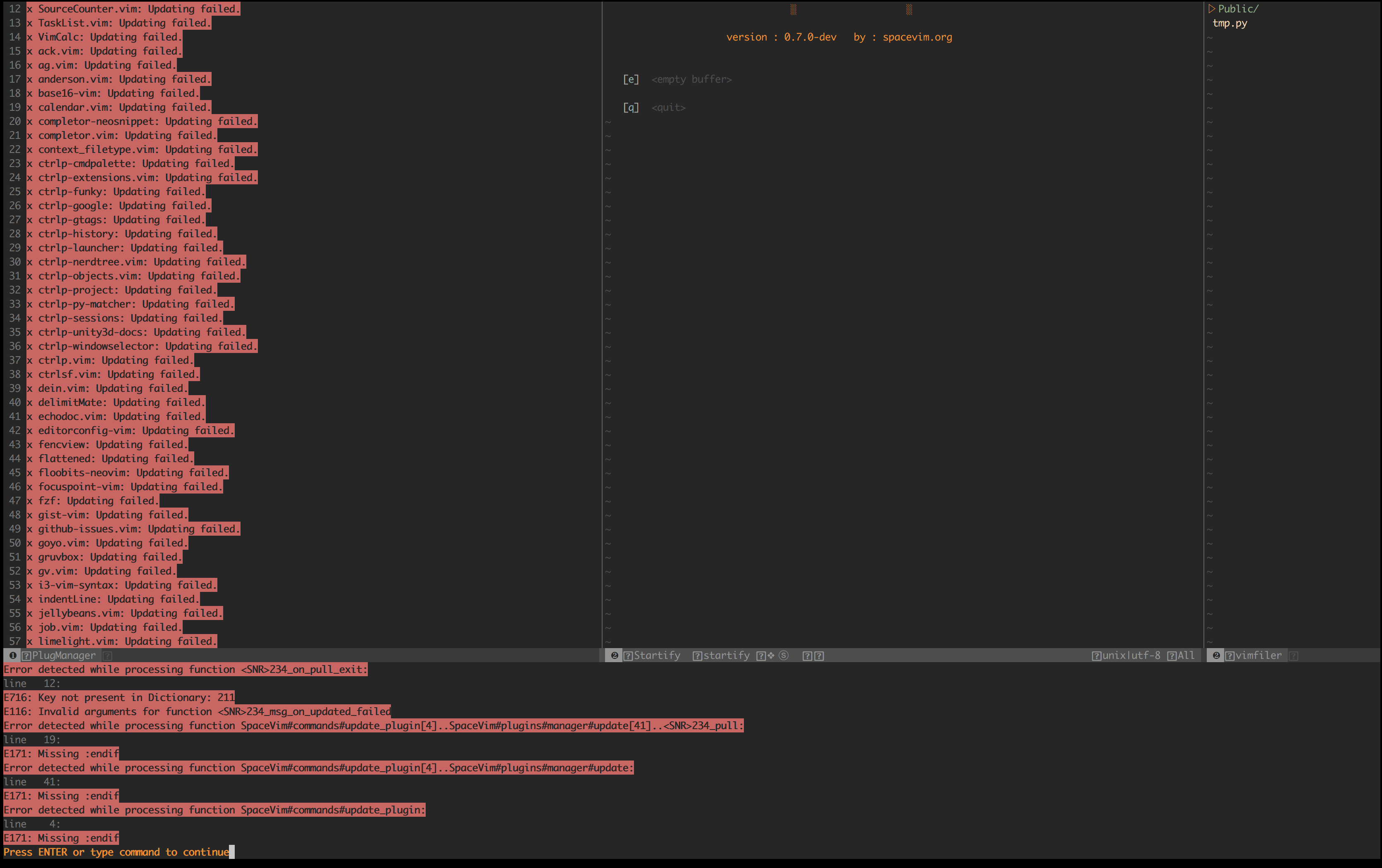
 bigbigda
All 32 comments
Please reinstall spacevim,
rm -rf ~/.SpaceVim
rm ~/.vim
 wsdjeg
on 27 Jan 2018
wsdjeg
on 27 Jan 2018
I have reinstall spacevim for many times. Except ~/.SpaceVim and ~/.vim, I have also tried deleted ~/.cache/*. These doesn't work.
bigbigda
on 27 Jan 2018
do you try with vim8? and you should report issue with issue templete, you error message is not complete. you can post resut of SPC h I and SPC b m.
wsdjeg
on 27 Jan 2018
I input SPC h I and SPC b m, respectively generate a blank __Message_Buffer__ and issue_report.md file. I have post the figure. I have not tried vim8. I will give a try.
bigbigda
on 27 Jan 2018
The vim8 solved my problem. Thank you !!!
bigbigda
on 27 Jan 2018
@bigbigda But this issue should be fix in vim7.4, what is your vim --version ?
wsdjeg
on 27 Jan 2018
and does it happend in both mac and ubuntu?
wsdjeg
on 27 Jan 2018
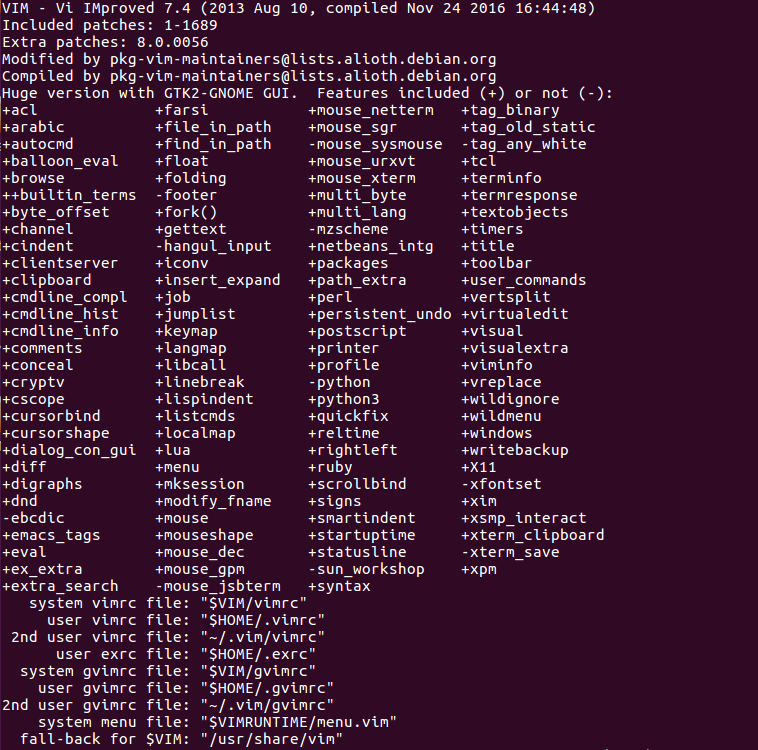
Yes, both ubuntu and mac. my vim version is 7.4.
Below is the vim --version of mac:
VIM - Vi IMproved 7.4 (2013 Aug 10, compiled Apr 4 2017 18:14:54)
Included patches: 1-898, 8056
Compiled by [email protected]
bigbigda
on 27 Jan 2018
please keep this issue open, I will test it.
wsdjeg
on 27 Jan 2018
With vim8, there is still some building failed. Is these matters? I guess it's because the vim is not compiled with php etc.
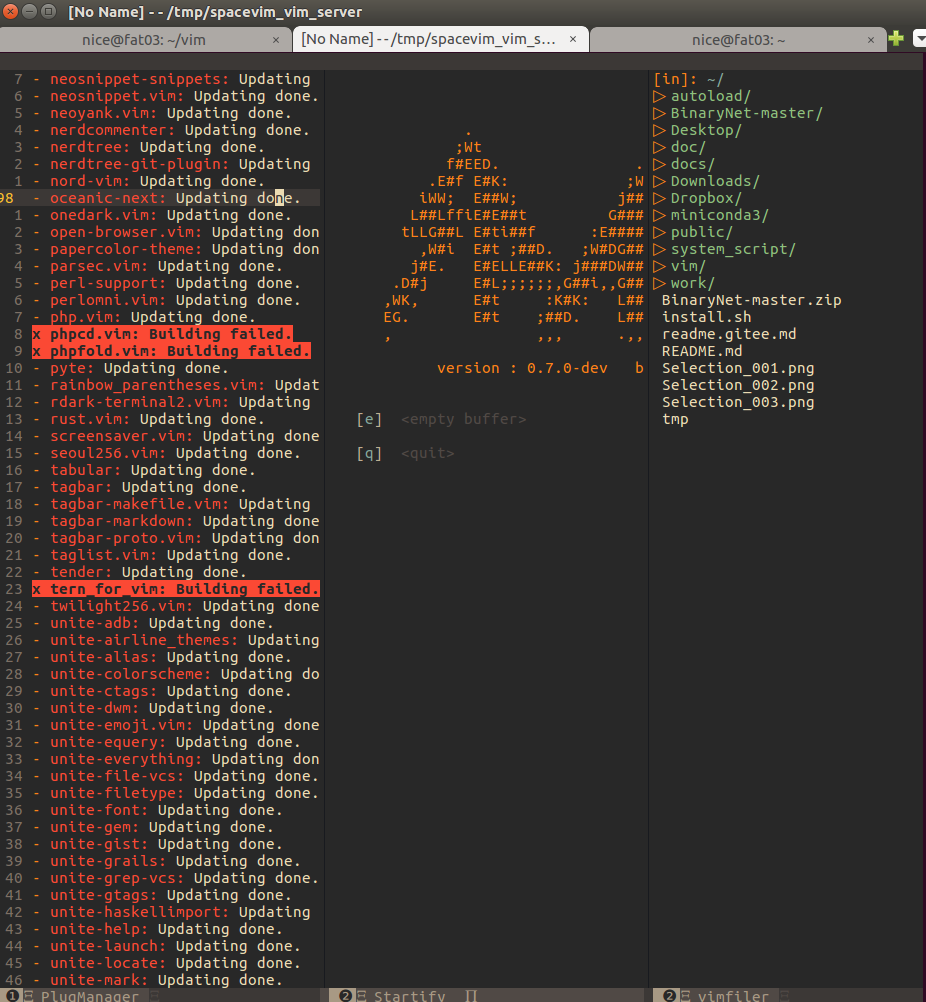
bigbigda
on 27 Jan 2018
Ok, the macos system and ubuntu system is really clean. (I don't install many things on them). The ubuntu is almost a raw 16.04.
bigbigda
on 27 Jan 2018
You can build this plugin yourself.
wsdjeg
on 27 Jan 2018
Where should I put the built file?
bigbigda
on 27 Jan 2018
I am really new to the plugin system of vim, is there one example or tutorial?
bigbigda
on 27 Jan 2018
please read the document of spacevim.
wsdjeg
on 27 Jan 2018
OK. I have read the document and found something like this:
If you want to add some custom plugins, use these options:
let g:spacevim_custom_plugins = [
\ ['plasticboy/vim-markdown', {'on_ft' : 'markdown'}],
\ ['wsdjeg/GitHub.vim'],
\ ]`
I wondered where to put the custom_plugins in to make it can be loaded by SpaceVim.
bigbigda
on 27 Jan 2018
I get it. I just need to write the repository name here and don't need to download anything. ORZ
bigbigda
on 27 Jan 2018
@bigbigda I just update spacevim, can you check it in the vim7.4?
wsdjeg
on 31 Jan 2018
still not work.
bigbigda
on 31 Jan 2018
@bigbigda can you post SPC h I info?
wsdjeg
on 31 Jan 2018
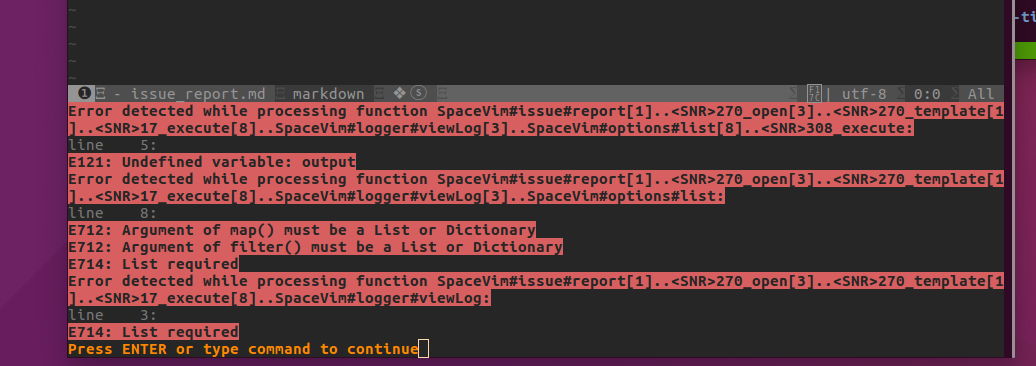
bigbigda
on 31 Jan 2018
can you post the info of vim --version, I will test it later.
wsdjeg
on 31 Jan 2018
bigbigda
on 31 Jan 2018
I have reproduced this bug in my another ubuntu machine. (now two ubuntu16.04 and one macos)
bigbigda
on 31 Jan 2018
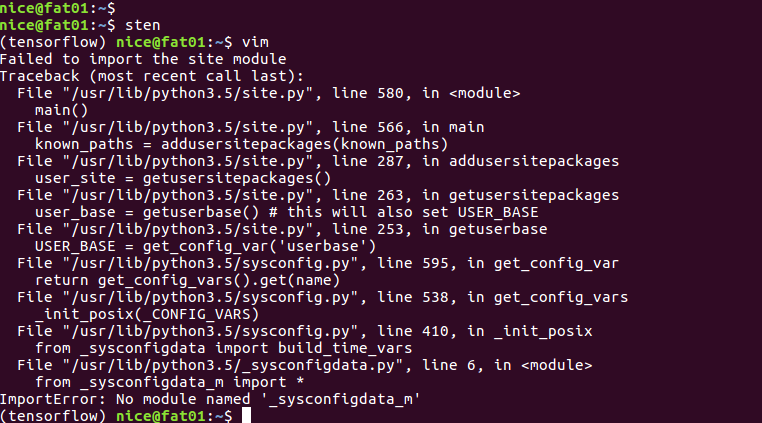
Another assosicative problem is that if I change my conda python enviroment, the vim will failed to run.
Perhaps this is a correct behavior.
bigbigda
on 31 Jan 2018
I got it, It is a vim bug.
wsdjeg
on 31 Jan 2018
could you explain it concretely ?
bigbigda
on 31 Jan 2018
you vim has +python3 feature, then echo has('python3') will return 1, but I think you can not use :py3 import io
wsdjeg
on 31 Jan 2018
I input :py3 import io, nothing returned. But if I input :py3 print ('2'), it returned 2
bigbigda
on 31 Jan 2018
as the picture shown above, your vim's py does not work. This is not issue with SpaceVim.
wsdjeg
on 31 Jan 2018
I am not sure wheter I confuse you with that picture. The original problem is under my normal vim enviroment and won't generate the failed to import the site error. That picture describe another problem that I can lanuch vim when I swith my python enviroment.
In fact, these are two problems and I should have post the second problem under a new issue.
FYI
bigbigda
on 5 Feb 2018
@bigbigda Sorry I can not reproduce in my vim.
wsdjeg
on 19 Feb 2018
Related issues
 zeroasterisk
·
4Comments
zeroasterisk
·
4Comments
 keai4le
·
4Comments
keai4le
·
4Comments
 everettjf
·
5Comments
wsdjeg
·
3Comments
everettjf
·
5Comments
wsdjeg
·
3Comments
 fmind
·
3Comments
fmind
·
3Comments