Sp-dev-fx-controls-react: Carousel height problem
Category
[ ] Enhancement
[ ] Bug
[x] Question
Version
Please specify what version of the library you are using: [1.20.0]
Expected / Desired Behavior / Question
Carousel control seems to have issues with height. Expected behavior is a proper height carousel, where you can see all the information supplied into the control.
Observed Behavior
The Carousel control is incredibly small so it hides all the supplied information (title, description)
Steps to Reproduce
Add the carousel with proper data on spfx 2019 on premise latest release + spfx-controls version 1.20.0
Picture of the results:
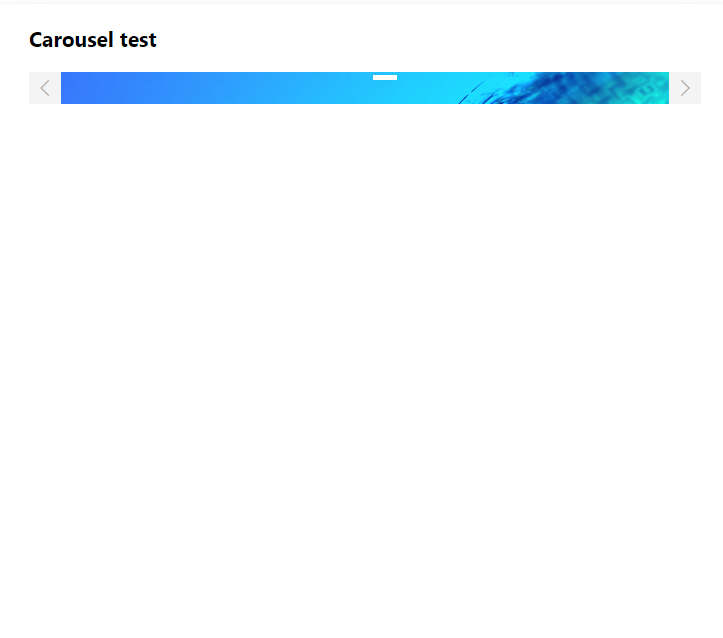
The title and description actually do show up in the elements if you check the console. The problem is the incredibly small height, for which i have no idea why it's set that way.
code:
https://pastebin.pl/view/fbae18bf
None of my styles feature a fixed height or something like that, the console output of the data supplied into the carousel is the following:
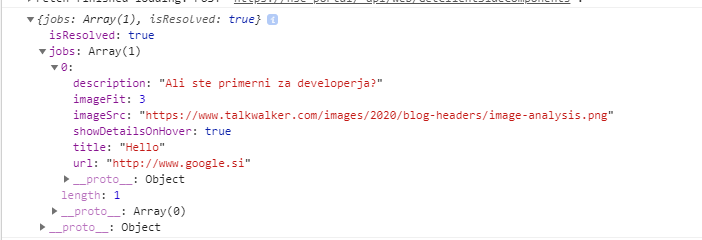
What am i missing? Why is the component so narrow?
Thanks!
 tuuuks
All 2 comments
Thank you for reporting this issue. We will be triaging your incoming issue as soon as possible.
![msftbot[bot] picture](https://avatars.githubusercontent.com/in/26612?v=4&s=40) msftbot[bot]
on 5 Nov 2020
msftbot[bot]
on 5 Nov 2020
Hi @tuuuks!
Thanks for reporting this one.
Current implementation expects the height to be specified in contentContainerStyles property.
Sample:
<Carousel contentContainerStyles={styles.carouselImageContent}
/// ...
/>
.carouselImageContent {
    height: 400px;
  }
 AJIXuMuK
on 9 Nov 2020
AJIXuMuK
on 9 Nov 2020
Related issues
 lenain71
·
3Comments
lenain71
·
3Comments
 enti333
·
7Comments
enti333
·
7Comments
 estruyf
·
6Comments
estruyf
·
6Comments
 rabwill
·
4Comments
rabwill
·
4Comments
 msgx
·
4Comments
msgx
·
4Comments
Most helpful comment
Hi @tuuuks!
Thanks for reporting this one.
Current implementation expects the height to be specified in
contentContainerStylesproperty.Sample: