Sp-dev-docs: Column Formatting New Image Field in Modern Lists
I see that Image is in the list of supported column types for column formatting, but it isn't clear if that is the new Image column type in modern lists. If that is supported, can we get an example? I can only return "object, object" when trying to adjust the column formatting. I simply want to make the thumbnail bigger. The thumbnail formatting options for document libraries don't work and you can't seem to get a src or title from the currentfield.
Document Details
⚠ Do not edit this section. It is required for docs.microsoft.com ➟ GitHub issue linking.
- ID: f60068c3-4534-a400-350b-fdbcefd684b6
- Version Independent ID: 228accdb-a7de-0671-34ad-60a37866c380
- Content: Use column formatting to customize SharePoint
- Content Source: docs/declarative-customization/column-formatting.md
- Product: sharepoint
- GitHub Login: @spdevdocs
- Microsoft Alias: spdevdocs
 MichaelS4G
All 6 comments
Thank you for reporting this issue. We will be triaging your incoming issue as soon as possible.
![msftbot[bot] picture](https://avatars2.githubusercontent.com/in/26612?v=4&s=40) msftbot[bot]
on 16 Oct 2020
msftbot[bot]
on 16 Oct 2020
Hi @MichaelS4G,
I think Image column type is supported, see below I add some style to the image column.
{
    "$schema": "https://developer.microsoft.com/json-schemas/sp/v2/column-formatting.schema.json",
    "elmType": "div",
    "children": [
        {
            "elmType": "img",
            "attributes": {
                "src": "@currentField.serverRelativeUrl"
            },
            "style": {
                "border": "2px solid red",
                "border-radius": "5px"
            }
        }
    ]
}
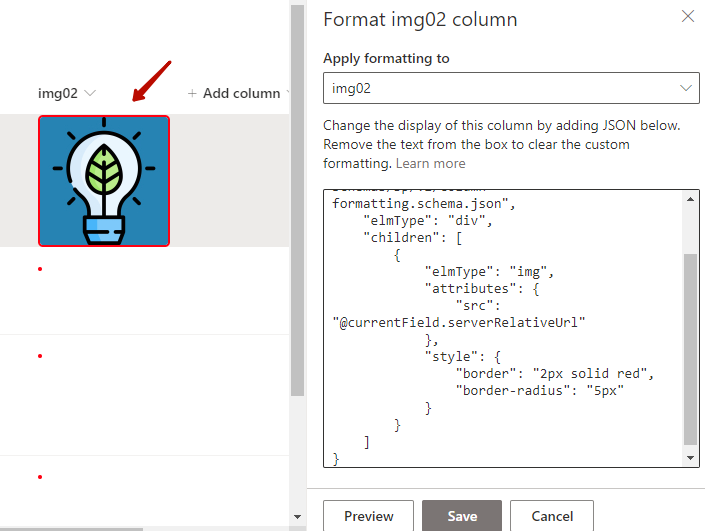
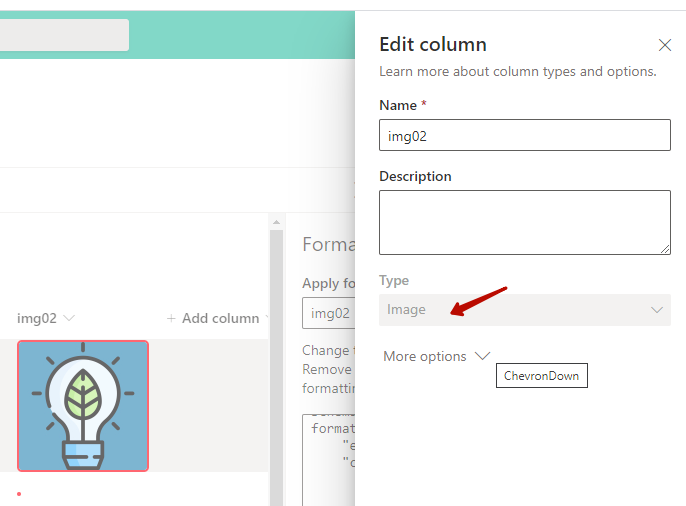
The above column is Image type, not Hyperlink or Picture.
How to know the property name of @currentField? I just get it via rest api request.

Baker Kong
Microsoft SharePoint Community Support
 kongmengfei
on 21 Oct 2020
kongmengfei
on 21 Oct 2020
@MichaelS4G Thanks for pointing out the gap in the documentation. I will update more details about how to use the Image column in list formatting.
 shagra-ms
on 21 Oct 2020
shagra-ms
on 21 Oct 2020
Thank you! @currentField.serverRelativeUrl seems to do the trick. I had tried guessing at other variations with no luck. The API suggestion is a good idea too.
MichaelS4G
on 21 Oct 2020
The documentation is not updated with an example. Closing this.
shagra-ms
on 19 Nov 2020
Issues that have been closed & had no follow-up activity for at least 7 days are automatically locked. Please refer to our wiki for more details, including how to remediate this action if you feel this was done prematurely or in error: Issue List: Our approach to locked issues
msftbot[bot]
on 26 Nov 2020
Related issues
 bengtmoss
·
3Comments
bengtmoss
·
3Comments
 karishmaTCS
·
3Comments
karishmaTCS
·
3Comments
 nanddeepn
·
3Comments
nanddeepn
·
3Comments
 christianbueschi
·
3Comments
christianbueschi
·
3Comments
 qrown
·
3Comments
qrown
·
3Comments