Sp-dev-docs: Custom field created doesn't appear on the UI. It is hidden
I create a custom field using the REST API :
POST https://{site_url}/_api/web/lists(guid'{list_guid}')/Fields
{
"__metadata": {
"type": "SP.Field"
},
"Title": "field title",
"FieldTypeKind": 2,
"Required": "true",
"EnforceUniqueValues": "true",
"StaticName": "field name"
}
Custom field created doesn't appear on the UI. It is hidden. To make it appear on the UI, we need to do the following:
Add column -> Show/ Hide columns -> Select the checkbox of the "field title" -> Apply
After doing these steps, I can see the newly created field/column on the UI
Shouldn't it automatically appear on the UI? Also if not, which REST API should I use to make it unhidden? Or which property should I change to make it unhidden via REST API
Document Details
⚠ Do not edit this section. It is required for docs.microsoft.com ➟ GitHub issue linking.
- ID: e5a8f160-c2fd-8692-1c3f-2c5c44c7a286
- Version Independent ID: 2d7064f8-409c-4465-3fbb-bd6a4c2806f5
- Content: Working with lists and list items with REST
- Content Source: docs/sp-add-ins/working-with-lists-and-list-items-with-rest.md
- Product: sharepoint
- GitHub Login: @spdevdocs
- Microsoft Alias: spdevdocs
 viveksk6
All 3 comments
Thank you for reporting this issue. We will be triaging your incoming issue as soon as possible.
 msft-github-bot
on 15 Jul 2020
msft-github-bot
on 15 Jul 2020
Hi viveksk6,
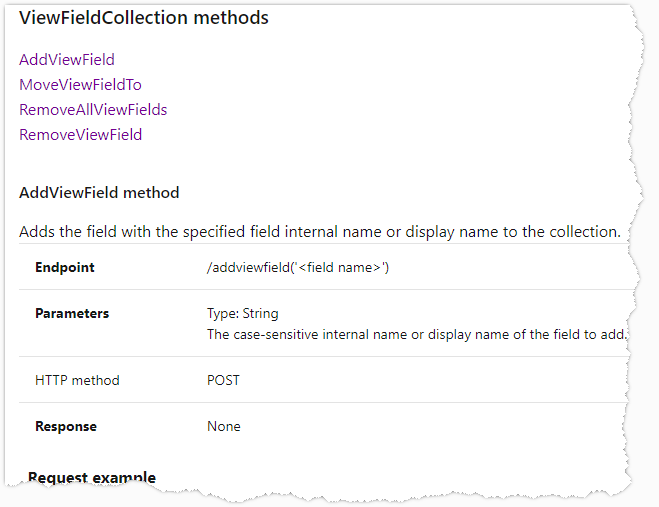
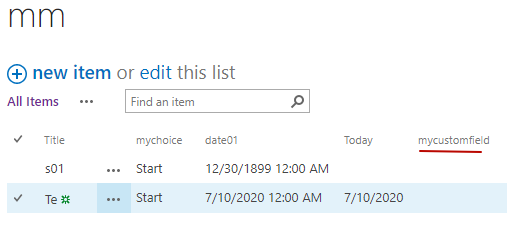
You need to add it to a view to display it. Here is the API reference:
Test :
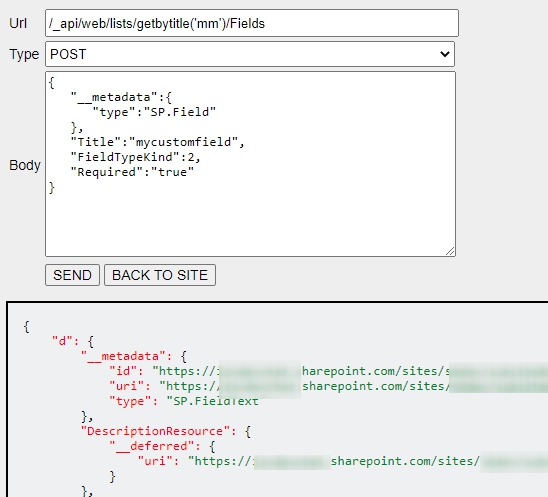
1, Create a field
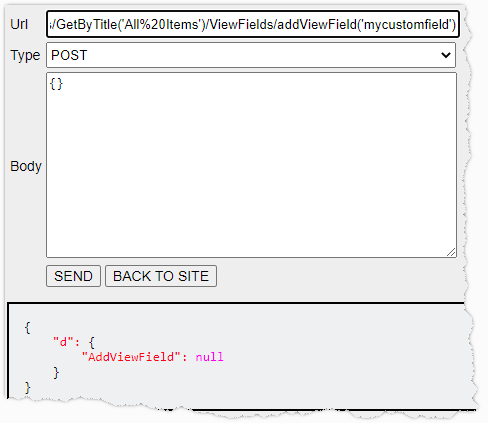
2, Add to a view (by default it's All Items)
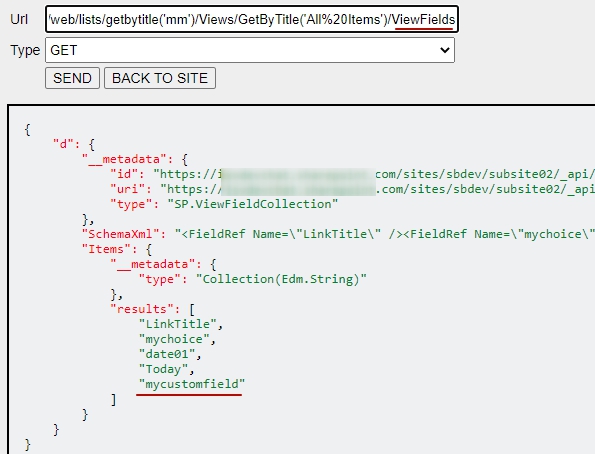
Result:
Baker Kong
Microsoft SharePoint Community Support
 kongmengfei
on 16 Jul 2020
kongmengfei
on 16 Jul 2020
Closing this issue as "answered". If you encounter a similar issue(s), please open up a new issue. See our wiki for more details: Issue-List: Our approach to closed issues
msft-github-bot
on 24 Jul 2020
Related issues
 mikeparkie
·
3Comments
mikeparkie
·
3Comments
 thechriskent
·
3Comments
thechriskent
·
3Comments
 patrick-rodgers
·
3Comments
patrick-rodgers
·
3Comments
 StfBauer
·
3Comments
StfBauer
·
3Comments
 ken-harris
·
3Comments
ken-harris
·
3Comments
Most helpful comment
Hi viveksk6,
You need to add it to a view to display it. Here is the API reference:
Test :
1, Create a field


2, Add to a view (by default it's All Items)
Result:


Baker Kong
Microsoft SharePoint Community Support