Sp-dev-docs: Fabric UI - Borders added to controls, ShimmeredDetailsList loading broken
Category
- [x] Bug
Describe the bug
Two issues have appeared on an existing SPFX solution.
1) Previously transparent borders are now appearing with colour, this is affecting the CommandBar and OverflowSet controls. Noting the class applying the style is sealed within the control.
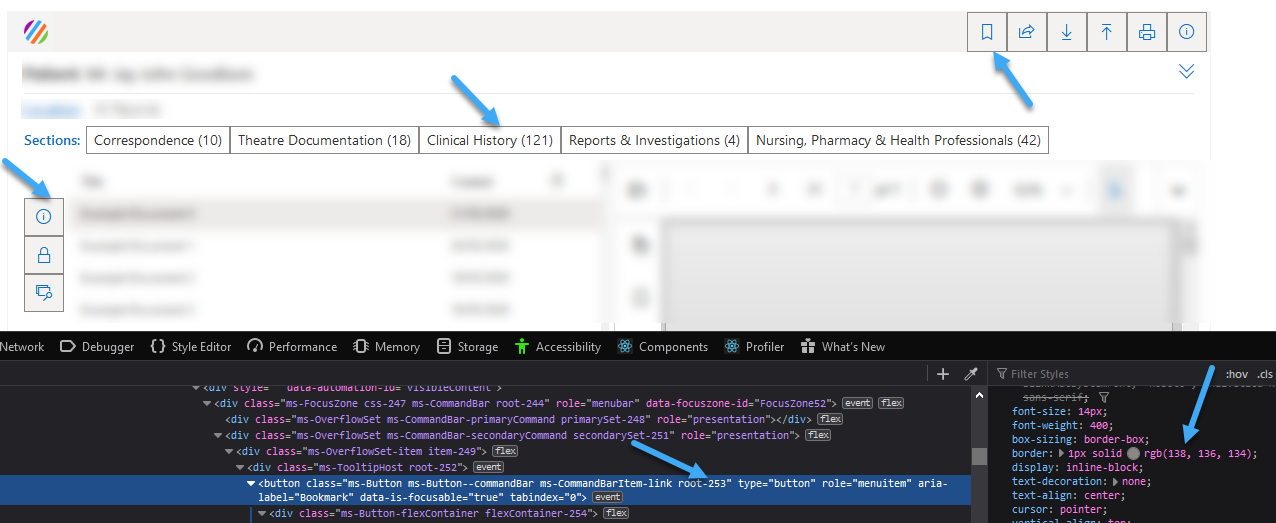
2) The ShimmeredDetailsList control loads fine initially but is not displaying the shimmer as you scroll and is randomly rendering items.
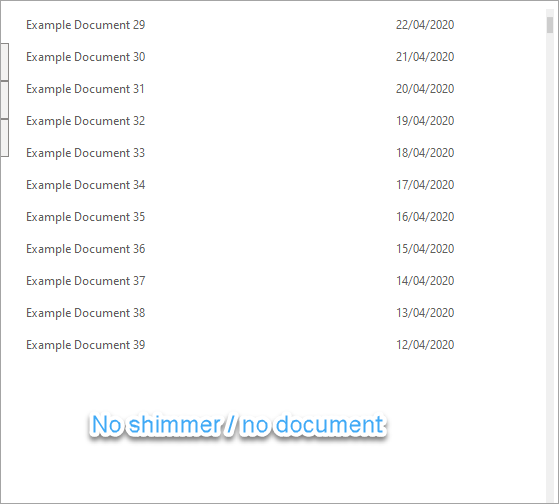
These issues have appeared where the code hasn't been updated. Neither of these issues occurs within the workbench, only once served or deployed to an SPO site.
Have upgraded the project to SPFX 1.10.0... same issue.
Expected behaviour
1) The borders should be transparent
2) The shimmer should render and items as you scroll
Environment details
Tested in Firefox, Chrome and Edge (Latest versions)
SharePoint Online

Thanks in advance
 Encodian
All 10 comments
Thank you for reporting this issue. We will be triaging your incoming issue as soon as possible.
 msft-github-bot
on 21 May 2020
msft-github-bot
on 21 May 2020
Update: The shimmer issue seems to have resolved itself... but the borders are still an issue. The error can be reproduced by creating a brand new project and just adding an affected control to the web part.
Thanks again
Encodian
on 26 May 2020
@Encodian asking the same question as in https://github.com/SharePoint/sp-dev-docs/issues/5764#issuecomment-634217688.
- Can you provide the isolated HTML to repro? Is it just a Fabric
<Button />that will exhibit this problem? - Does the problem remain after following this guidance to load legacy Fabric core styles? https://github.com/microsoft/fluentui/issues/13112#issuecomment-627632927
You'll have to specify loadLegacyFabricCss: true in your solution's manifest.
 KevinTCoughlin
on 26 May 2020
KevinTCoughlin
on 26 May 2020
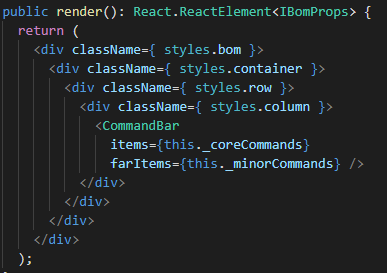
I just scaffolded a new 1.10.0 solution... relevant code below, where I've just added the CommandBar control and some data:
Via the workbench:

Via SharePoint post packaging and deployment:

I will check the questions/suggestions and update shortly.
Encodian
on 27 May 2020
@KevinTCoughlin
I have tried the suggested amendments which do not fix the issue.
- Added '"loadLegacyFabricCss": true' to the webpart manifest
- And then added the following to the render method:
SPComponentLoader.loadCss('https://static2.sharepointonline.com/files/fabric/office-ui-fabric-core/11.0.0/css/fabric.min.css');
No change, issue persists.
Encodian
on 27 May 2020
The only workaround that helped me is to add CSS overrides like:
.commandBar {
  :global {
    .ms-Button--commandBar {
      border: 0 none transparent;
    }
  }
}
 AJIXuMuK
on 24 Jun 2020
AJIXuMuK
on 24 Jun 2020
@KevinTCoughlin @andrewconnell Sorry to chase both, I realise this isn't a major issue but it'd be great to get an update if possible?
Encodian
on 2 Jul 2020
Same story here, this became an issue back in 1.9.1, upgrading to 1.10.0 and adding the import for "office-ui-fabric-core/dist/css/fabric.min.css" did not help
UPDATE: Upgrading office-ui-fabric-react to v7 fixed it - border is gone.
When you perform spfx package updates be sure to update office-ui-fabric-react package accordingly.
 tstojecki
on 7 Jul 2020
tstojecki
on 7 Jul 2020
Same problem. Any suggestion?
 yukumura
on 13 Jul 2020
yukumura
on 13 Jul 2020
Microsoft has recently upgraded the Office UI Fabric version on SharePoint Online to Fluent UI. For future and a current project that shows this issue, I would recommend considering upgrading to a newer version.
Checking the code on the local workbench might not show this issue because the workbench still used Office UI Fabric version 6.0.
 StfBauer
on 7 Sep 2020
StfBauer
on 7 Sep 2020
Related issues
 nanddeepn
·
3Comments
nanddeepn
·
3Comments
 SteIvanov
·
3Comments
SteIvanov
·
3Comments
 jonthenerd
·
3Comments
jonthenerd
·
3Comments
 zerovectorspace
·
3Comments
zerovectorspace
·
3Comments
 Ralms
·
3Comments
Ralms
·
3Comments