Sp-dev-docs: IOSX/Safari MSGraphClient To view Information on this page, you need to verify your identity
Category
- [ ] Question
- [ ] Typo
- [x] Bug
- [ ] Additional article idea
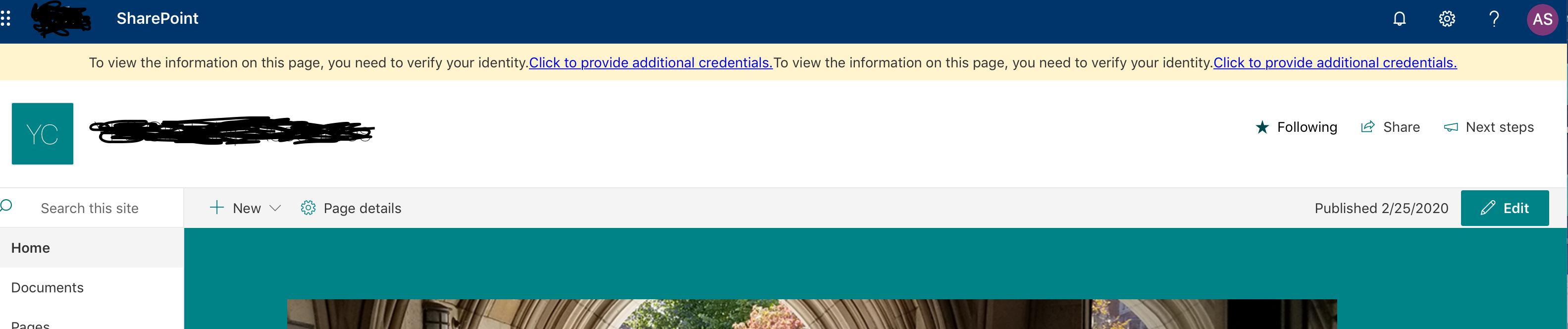
When using MSGraphClient on Safari non-private mode the user gets the following error on yellow bar at the top of the page. "To view the information on this page, you need to verify your identity. Click to provide additional credentials"
Expected or Desired Behavior
The MsGraphClient should not request additional credentials. This error is happening even after the user has just logged in. This only occurs in Safari. The API call works fine in IE, Chrome, and Firefox.
- OS: MacOS 10.14.6
- Framework: SharePoint Framework MSGraphClient
- Browser(s): Safari 13.0.5
- Tooling: SPFx
Submission guidelines (delete this section before submitting)
Steps to Reproduce
SharePoint Online
SPFx WebPart fetching data using MSGraphClient.
Example
var client = await this.context.msGraphClientFactory.getClient();
    var p = new Promise<string>(async (resolve, reject) => {
    let query = client
        .api("/me")
        .version("v1.0")
        .select("displayName,mail,userPrincipalName,id");
        let callback = (error: GraphError, response: any, rawResponse?: any) => {
                    reject(error);
          } else {
            // console.log(response);
            resolve(response);
          }
        };
      await query.get(callback);
    });
 half-naan
All 8 comments
Thank you for reporting this issue. We will be triaging your incoming issue as soon as possible.
 msft-github-bot
on 21 Feb 2020
msft-github-bot
on 21 Feb 2020
Hi. It has been 4 days and no have not received a response. Any recommendations or alternatives?
half-naan
on 25 Feb 2020
@half-naan do you have a screenshot of this?
Also, need more context... what version of SPFx?
 andrewconnell
on 27 Feb 2020
andrewconnell
on 27 Feb 2020
The more context details you can provide, the easier it is to help assist on issues. Any code you can provide and/or screenshots of the issue also help. The easier you can make it to reproduce the issue, the easier and quicker it is for someone to help you. Please refer to How to Create Good Issues, specifically How to Create Good Issues: Include context, in our wiki for more details.
msft-github-bot
on 27 Feb 2020
we are using version 1.10.0 and attached is the screenshot. Thank you!
half-naan
on 27 Feb 2020
Hi. Have you guys been able to reproduce the issue? Thank you.
half-naan
on 3 Mar 2020
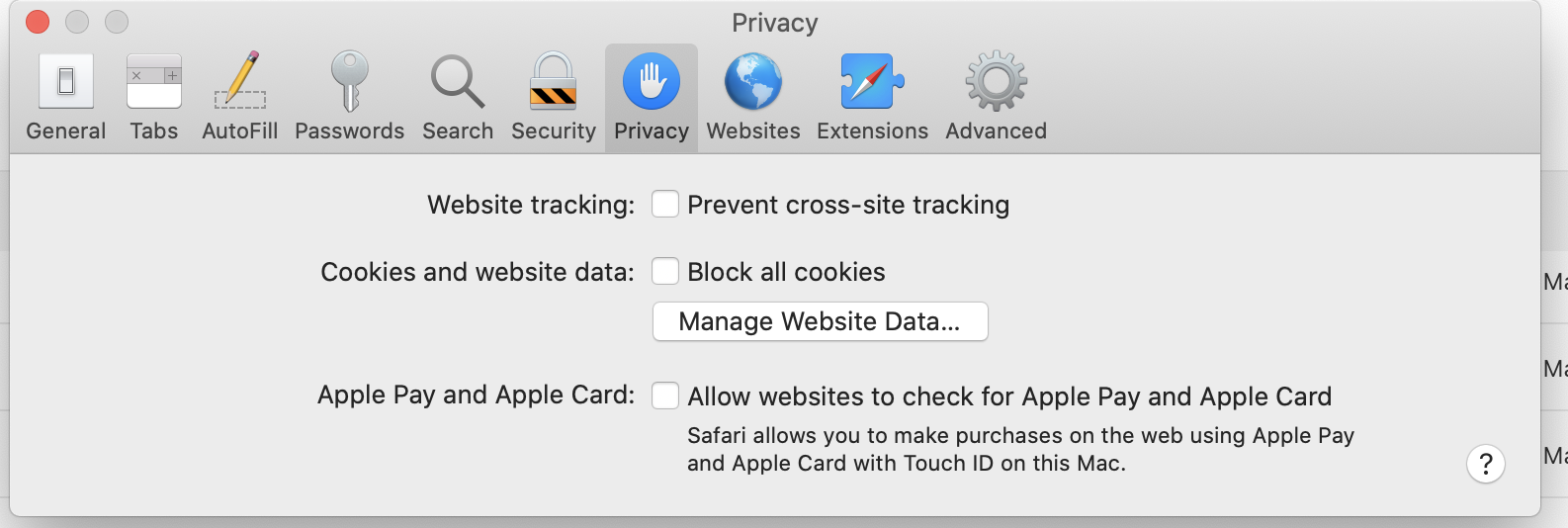
This only happens when prevent cross-site tracking is enabled (the default for Safari): When I disable it it works as normal. So I suspect there's a cross site cookie issue.
 ng-marcus
on 10 Mar 2020
ng-marcus
on 10 Mar 2020
Has there been any progress with this?
 edenruffellNG
on 21 Apr 2020
edenruffellNG
on 21 Apr 2020
Related issues
 jonthenerd
·
3Comments
jonthenerd
·
3Comments
 waldekmastykarz
·
3Comments
waldekmastykarz
·
3Comments
 zerovectorspace
·
3Comments
zerovectorspace
·
3Comments
 patrick-rodgers
·
3Comments
patrick-rodgers
·
3Comments
 thechriskent
·
3Comments
thechriskent
·
3Comments
Most helpful comment
This only happens when prevent cross-site tracking is enabled (the default for Safari): When I disable it it works as normal. So I suspect there's a cross site cookie issue.