Sp-dev-docs: After upgrading to SPFx v1.10, webpart creation fails
Category
- [ ] Question
- [ ] Typo
- [ ] Additional article idea
- [x] Bug
Question
When upgraded SPFx version to v1.10, creation of webpart fails.
Environment details (if applicable)
- OS: Windows 10
- Framework: Node.js v10.15.3
- Browser(s): [e.g. Chrome v79, Safari v22, FireFox v31, IE v11, Edge, Chromium Edge v79]
- Tooling: SPFx v1.10.0
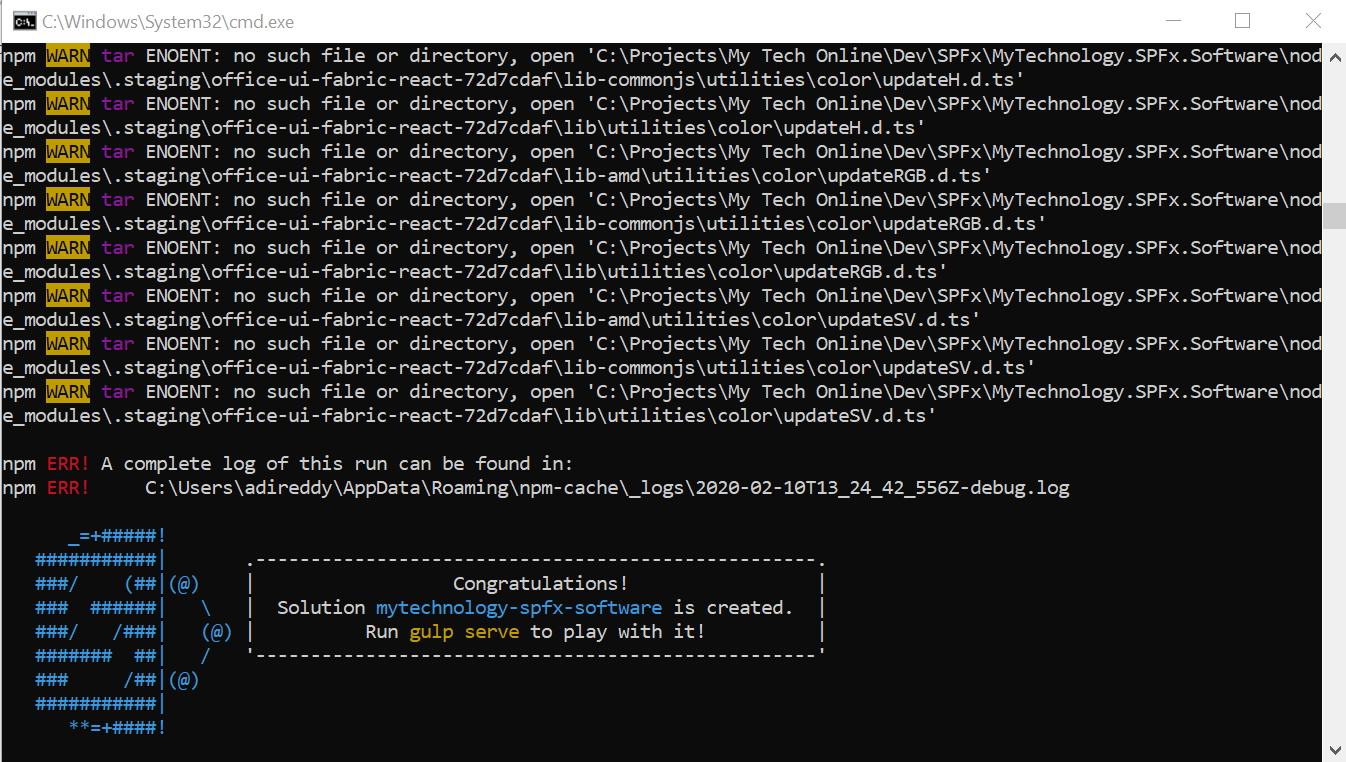
After I upgrade from @microsoft/generator-sharepoint from v9 to v10, tried creating a webpart, there were few warnings related to Office-UI-Fabric, and when I hit gulp serve, nothing works.
Also, I have updated gulp and yo with -g command added to latest.

Thanks for your contribution! Sharing is caring.
 sallaadithya
All 20 comments
Thank you for reporting this issue. We will be triaging your incoming issue as soon as possible.
 msft-github-bot
on 10 Feb 2020
msft-github-bot
on 10 Feb 2020
Quick update:
I just uninstalled the latest version (1.10) and installed 1.9.1, created a web-part, everything is working fine as previously did!!
sallaadithya
on 10 Feb 2020
Please use the command below to install the latest SPFX generator:
npm install @microsoft/generator-sharepoint@latest -g
After update, it will be able to generate the SPFX 1.9.1 solution
 Jerry0527
on 11 Feb 2020
Jerry0527
on 11 Feb 2020
Please use the command below to install the latest SPFX generator:
npm install @microsoft/generator-sharepoint@latest -g
After update, it will be able to generate the SPFX 1.9.1 solution
I'm not sure whether you understand my issue. I clearly said that I upgraded from 1.9.1 to v1.10 (obviously by running the above command from documentation) by which I faced the issue and later uninstalled the package (v1.10) and specifically installed the v1.9.1, then I was able to create and run the webpart.
After having this long sentence writing, my real intention is to tell that on the same machine, v1.9.1 is working fine where 1.10 was failing.
sallaadithya
on 11 Feb 2020
Can you see what the error was in the first screenshot?
 patmill
on 12 Feb 2020
patmill
on 12 Feb 2020
Sorry for the misunderstand, I just test to upgrade to 1.10.0 and the package.json will like:


Now I suggest you could change the dependencies to 1.10.0 for "@microsoft/.." and delete node_module folder, then run npm install to see if it works to build.
Jerry0527
on 12 Feb 2020
After upgrading the project, did you delete your node_modules folder, any package lock files, rerun npm install to get the dependencies and try again?
If that didn't work, have you tried creating a new v1.10 project and building it to see if that works? If so, that means there's something wrong with your project that you're upgrading.
Can you also share all globally installed packages? (npm list -g --depth=0)
 andrewconnell
on 13 Feb 2020
andrewconnell
on 13 Feb 2020
The more context details you can provide, the easier it is to help assist on issues. Any code you can provide and/or screenshots of the issue also help. The easier you can make it to reproduce the issue, the easier and quicker it is for someone to help you. Please refer to How to Create Good Issues, specifically How to Create Good Issues: Include context, in our wiki for more details.
msft-github-bot
on 13 Feb 2020
Actually, I was trying to test v1.10 by creating a new webpart, so as not to disturb my existing applications.
Here are the steps I followed:
- I have already v1.9.1 installed on my local desktop (Laptop) and we were developing few webparts for our ongoing development for a reputed company.
- When I heard about the recent release, I wanted to give a try to develop our upcoming webparts on v1.10, and probably upgrade the exisiting ones.
- So I opened cmd prompt, upgraded the version by typing "npm install -g @microsoft/generator-sharepoint". Nothing I added more lines, just left the cmd to complete.
- Then I restarted the machine (Not necessary though), created a new webpart by typing and following the rest in cmd as: yo @microsoft/sharepoint
- All I saw were Warnings (as attached in above), and when I hit gulp serve, nothing worked.
- Then I uninstalled v1.10 by tying "npm uninstall -g @microsoft/generator-sharepoint" and re-installed by typing as "npm install -g @microsoft/[email protected]", then created a sample webpart, on hit of gulp serve, it's working fine.
PS: Please confirm me if v1.10 is working for you, so that I can again test on my personal computer.
sallaadithya
on 17 Feb 2020
@sallaadithya said:
Please confirm me if v1.10 is working for you, so that I can again test on my personal computer.
Yup... v1.10 works great for me... no issues.
andrewconnell
on 17 Feb 2020
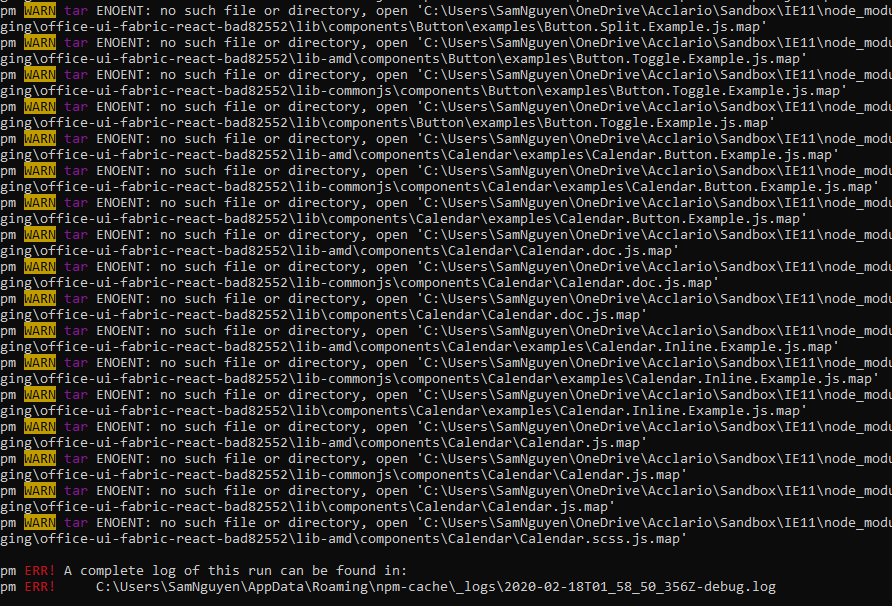
I am having exact same issue with SPFx v1.10 when creating new web part.
I had SPFx v1.9.1 it was working fine until I updated to v1.10
 NPM57
on 18 Feb 2020
NPM57
on 18 Feb 2020
@sallaadithya said:
Please confirm me if v1.10 is working for you, so that I can again test on my personal computer.
Yup... v1.10 works great for me... no issues.
This is working for me on my personal laptop.
Steps I followed:
Step 0: Already I have 1.9.1 installed on my computer
Step 1: Open cmd, Uninstalled by typing "npm uninstall -g @microsoft/generator-sharepoint"
Step 2: Install the latest version by typing "npm install -g @microsoft/generator-sharepoint"
Step 3: Created the default webpart HelloWorld, on hit of gulp serve, ran with out issues.
But not sure, when not following the step 1, gives an error.
sallaadithya
on 18 Feb 2020
I am having exact same issue with SPFx v1.10 when creating new web part.
I had SPFx v1.9.1 it was working fine until I updated to v1.10
Hello,
I recommend you to please uninstall the npm package first, then install later (No need of restarting computer required).
Hope it can fix the issue.
sallaadithya
on 18 Feb 2020
I am having exact same issue with SPFx v1.10 when creating new web part.
I had SPFx v1.9.1 it was working fine until I updated to v1.10
Hello,
I recommend you to please uninstall the npm package first, then install later (No need of restarting computer required).
Hope it can fix the issue.
Hi there,
Thanks for your suggestion but can you specify the node version that you are using for v1.10
I ma using node 8.0 which compatible to spfx 1.9.1
NPM57
on 18 Feb 2020
Hi there,
Thanks for your suggestion but can you specify the node version that you are using for v1.10
I ma using node 8.0 which compatible to spfx 1.9.1
Node version: v10.15.3
npm version: 6.4.1
sallaadithya
on 18 Feb 2020
Node version: v10.15.3
npm version: 6.4.1
Thanks, got it fixed
NPM57
on 18 Feb 2020
@sallaadithya said:
But not sure, when not following the step 1, gives an error.
Which is what? What's the error you get this time?
andrewconnell
on 18 Feb 2020
@sallaadithya said:
But not sure, when not following the step 1, gives an error.
Which is what? What's the error you get this time?
I haven't got any error this time.
But if I skip the step 1, ie., directly updating the package by running "npm install -g @microsoft/generator-sharepoint", and creating a webpart, gives me warnings as stated in my 1st comment, and hit on gulp serve nothing works.
sallaadithya
on 18 Feb 2020
- The upgrade instructions don't specify you have to uninstall anything... just reinstall the latest and you're good. But this shouldn't matter...
- warnings !== errors... you can ignore those.
I'll close this then as you're not having an issue and have resolved your issue.
andrewconnell
on 18 Feb 2020
Issues that have been closed & had no follow-up activity for at least 7 days are automatically locked. Please refer to our wiki for more details, including how to remediate this action if you feel this was done prematurely or in error: Issue List: Our approach to locked issues
msft-github-bot
on 25 Feb 2020
Related issues
 waldekmastykarz
·
3Comments
waldekmastykarz
·
3Comments
 bengtmoss
·
3Comments
bengtmoss
·
3Comments
 jonthenerd
·
3Comments
jonthenerd
·
3Comments
 StfBauer
·
3Comments
jonthenerd
·
3Comments
StfBauer
·
3Comments
jonthenerd
·
3Comments