Sp-dev-docs: Formatting list views hideColumnHeader doesn't work on List webpart
Category
- [x ] Question
- [ ] Typo
- [ ] Additional article idea
Question
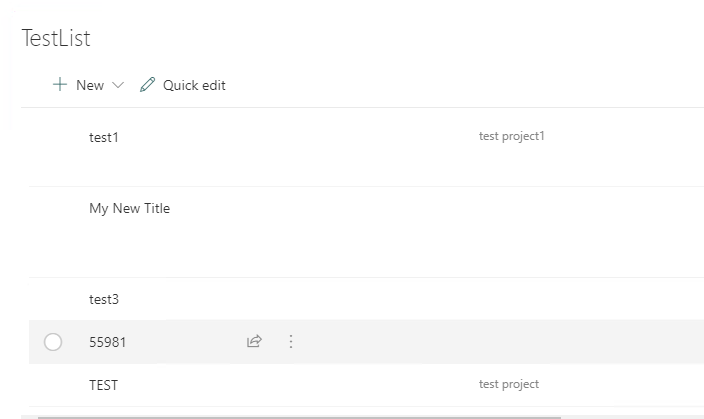
In SharePoint Online, Is there a way to hide the columns header of a formatted list view when displaying in the List webpart
Environment details
- Platform: SharePoint Online
 panggio
All 8 comments
Thank you for reporting this issue. We will be triaging your incoming issue as soon as possible.
 msft-github-bot
on 4 Feb 2020
msft-github-bot
on 4 Feb 2020
You could deploy react-script-editor to hide the header when you add list to modern page by List webpart
<style>
div.ms-DetailsList-headerWrapper{
display:none;
}
</style>
Lee
Microsoft SharePoint Community Support
 OS-Lee
on 5 Feb 2020
OS-Lee
on 5 Feb 2020
Thanks! I'm guessing that's not a supported customisation? Meaning, any updates from Microsoft to the platform could rollback this change
panggio
on 5 Feb 2020
@panggio Correct. This wouldn't be a supported customization and could break in the future.
 bcameron1231
on 5 Feb 2020
bcameron1231
on 5 Feb 2020
@bcameron1231 @thechriskent This isn't possible today with view formatting, correct?
 andrewconnell
on 5 Feb 2020
andrewconnell
on 5 Feb 2020
@andrewconnell hideColumnHeader should remove the headers. This is a recent bug re-introduced, and looks to be a duplicate of #5226
bcameron1231
on 5 Feb 2020
Closing this issue as a dupe. Please refer to our wiki for more details: Issue List Labels: status:duplicate
msft-github-bot
on 11 Feb 2020
The issue is now fixed.
 shagra-ms
on 13 Feb 2020
shagra-ms
on 13 Feb 2020
Related issues
 thechriskent
·
3Comments
thechriskent
·
3Comments
 qrown
·
3Comments
qrown
·
3Comments
 nanddeepn
·
3Comments
nanddeepn
·
3Comments
 jonthenerd
·
3Comments
jonthenerd
·
3Comments
 mikeparkie
·
3Comments
mikeparkie
·
3Comments