Sp-dev-docs: SPFx WebPart on appagehost.aspx will be removed after a few seconds
Category
- [ ] Question
- [ ] Typo
- [x] Bug
- [ ] Additional article idea
Expected or Desired Behavior
We have created a WebPart to render as an application page, so we leave the supportedHosts in the manifest.json empty and use the apppagehost.aspx URL to render our WebPart. The url looks like this: {siteUrl}/_layouts/15/appPageHost.aspx?componentId={componentId}.
Observed Behavior
This method worked well for a long time, now we have a problem with our first release tenant, where the WebPart is removed after a few seconds.
Steps to Reproduce
Create a new WebPart with SPFx version 1.8.2 and use the apppagehost.aspx page to render your WebPart. Our tenant is running in the first release mode, it seems like that the other tenants are not affected.
Open the URL and the WebPart will be rendered:

After a few seconds:

Html here looks like there should be a loading spinner...

I debuged a little bit in the SharePoint js files and found a file https://spoprod-a.akamaihd.net/files/sp-client/sp-pages-assembly_en-us_6c1243ef07241a9f41fe54d8c7adbc98.js which probably causes the issue. In this script a _clearChildren function is called that removes the content of the web part.

Any Suggestions what we could do to make it work again?
 db3005
All 38 comments
Thank you for reporting this issue. We will be triaging your incoming issue as soon as possible.
 msft-github-bot
on 11 Dec 2019
msft-github-bot
on 11 Dec 2019
Unless I'm mistaken, what you're doing isn't a supported scenario. That page is used to host components as tabs in Microsoft Teams. MSFT may have added logic to clear the page if a Teams context isn't detected to remove it from the page.
You may try using the current version of SPFx 1.9.1, but pretty sure this scenario isn't supported. The other option would be to set it as a full page app page to see if that works for your scenario.
 andrewconnell
on 11 Dec 2019
andrewconnell
on 11 Dec 2019
Hmm I think that for the teams tabs teamshostedapp.aspx is used. In the SPFx 1.8 release notes MSFT announced that there is a static page under appPageHost.aspx that will host any component in an app page - https://github.com/SharePoint/sp-dev-docs/wiki/SharePoint-Framework-v1.8-release-notes#app-pages - We have been using this page for almost half a year and it has always worked very well.
If we set it as a full page app page, do we need to add a page to each site collection to have this app page avaiable? That was the big advantage from the apppagehost.aspx, which is already on every site and we can simply render our component there.
db3005
on 12 Dec 2019
@db3005 - correct. This should be supported, and you don't need to create a one-off app page .aspx in the sitepages library per site. As to why the spinner clearing is removing it - that sounds like a bug.
Are you by any chance doing rendering inside your onInit function (or in a promise resolved by your onInit function)?
 patmill
on 12 Dec 2019
patmill
on 12 Dec 2019
@patmill - No, I start my rendering only in the render function. Even if I render a single div, it will be removed after 4-6 seconds.

->

db3005
on 13 Dec 2019
Could it relate to the webpart properties panel ? In my issue #5019 I found out that I can't view the properties panel after those webparts disappeared.
If I click on normal ootb webparts they show properties panel just fine, and if I click back on my custom webpart it will still show the properties panel but after I save the page and refresh, the properties panel cannot be opened again and the wp will disappear from the page.
 OverkillTV
on 15 Dec 2019
OverkillTV
on 15 Dec 2019
@patmill @andrewconnell - Any updates on this issue?
db3005
on 10 Jan 2020
@patmill Any updates on this? This problem has reached our productive tenants.
We created a ticket yesterday and the support engineer told us that this topic is being worked on but he could not give and eta or an internal id for this problem.
 MrTantum
on 18 Feb 2020
MrTantum
on 18 Feb 2020
This issue has been fixed and will be part of the next prod rollout.
 kemesfun
on 21 Feb 2020
kemesfun
on 21 Feb 2020
@kemesfun The accepted practice in this repo is to leave issues open until the fix is actually implemented & confirmed resolved by the OP (/cc @VesaJuvonen)
andrewconnell
on 21 Feb 2020
Has the prod rollout already happened? We just retested this and is still not working.
MrTantum
on 26 Mar 2020
@MrTantum Can you give more details of which release tenant you are on. I am getting an error now, but it is related to preloaded information on page and not with the webpart.
kemesfun
on 27 Mar 2020
It is a pre-release tenant:
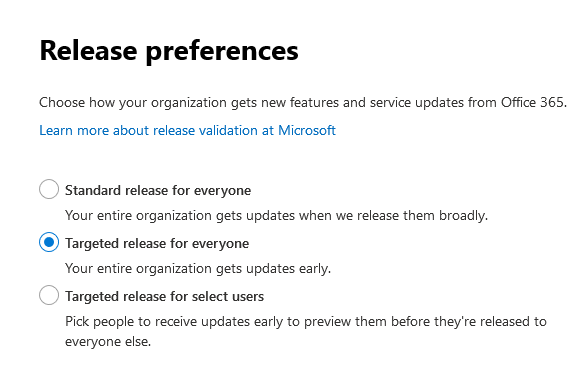
Tenant ID is: b92496b8-2082-44c9-8996-26a1d0e8e3f8
MrTantum
on 27 Mar 2020
This is happening in my production. Not sure if relating to this but my custom web part disappear right after added to the page.
I recorded the screen for more defails: https://youtu.be/-2UWAyXuZTY
OverkillTV
on 28 Mar 2020
@OverkillTV I couldn't repro this issue using a prod tenant.
The issue that I get is 'TypeError: Cannot read property 'Content' of undefined'. This is a new issue and isn't related to the original issue
kemesfun
on 30 Mar 2020
@db3005 can you confirm the issue has been resolved? MSFT (@kemesfun) stated the fix has been applied and rolledout.
andrewconnell
on 31 Mar 2020
@andrewconnell No, unfortunately the error still occurs. I created another standard SPFx WebPart without any changes and recorded the screen:
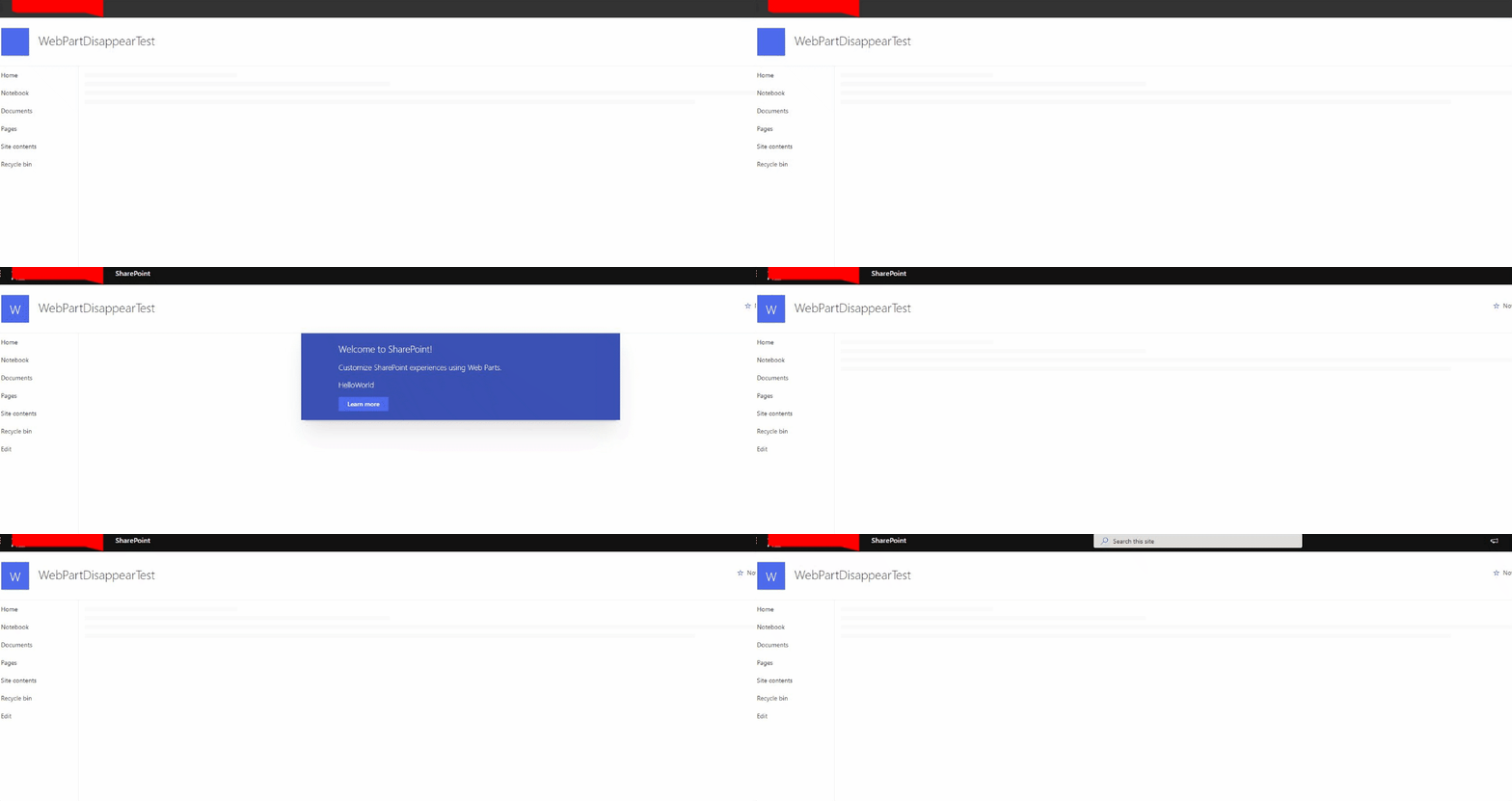
db3005
on 31 Mar 2020
@OverkillTV I couldn't repro this issue using a prod tenant.
The issue that I get is 'TypeError: Cannot read property 'Content' of undefined'. This is a new issue and isn't related to the original issue
Yeah I have 2 prod tenants. One has this issue, the other doesn't so not really sure why. They are in standard release.
OverkillTV
on 31 Mar 2020
@db3005 can you do the following commands: ctrl-shift-f12. I want to see which version of sp-client you are using because it is likely that the farm that you are didn't receive the code changes that were made that resolved this issue.
@OverkillTV It could be that your prod tenants are on two separate farms, so one has the newer code and the other doesn't. Can you confirm this?
kemesfun
on 31 Mar 2020
@kemesfun here's the screenshot:
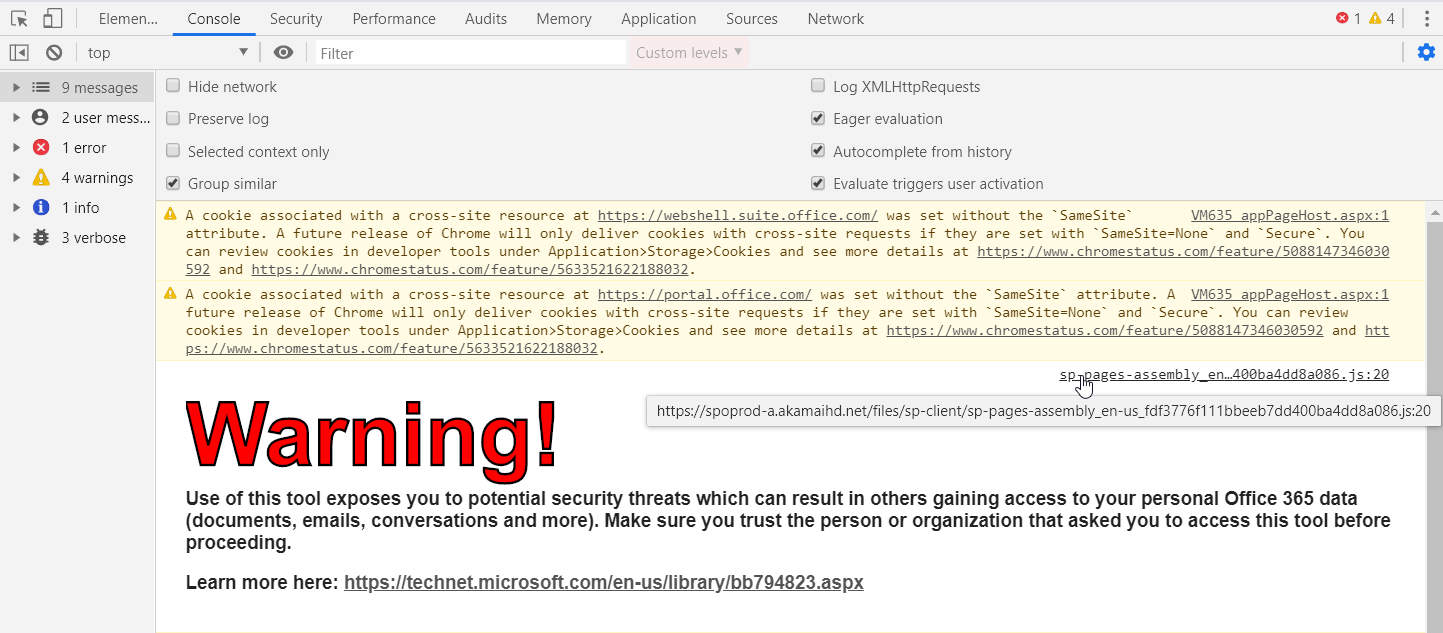
Is that enough for you to see the version?
db3005
on 1 Apr 2020
@db3005 can you do the following commands: ctrl-shift-f12. I want to see which version of sp-client you are using because it is likely that the farm that you are didn't receive the code changes that were made that resolved this issue.
@OverkillTV It could be that your prod tenants are on two separate farms, so one has the newer code and the other doesn't. Can you confirm this?
Yeah they are in different farms. But not sure how to check if one has newer than the other.
OverkillTV
on 1 Apr 2020
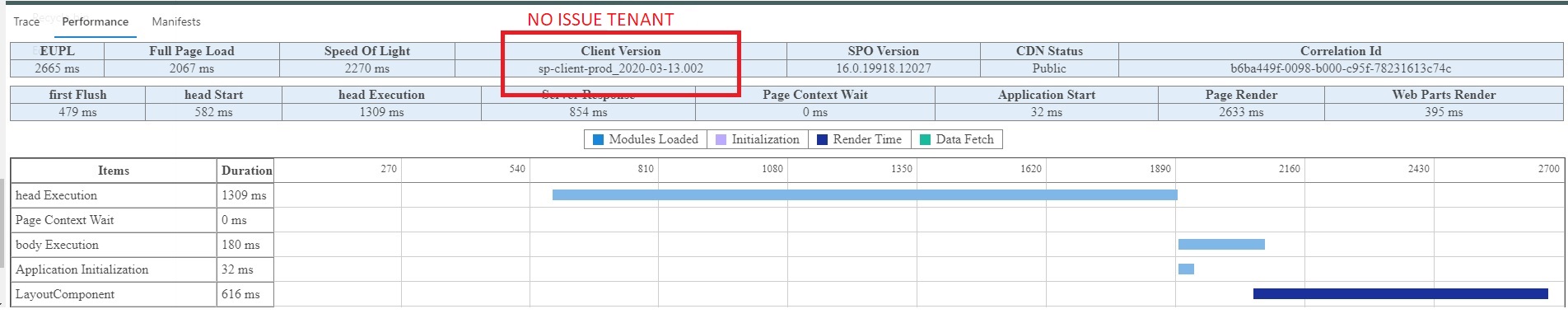
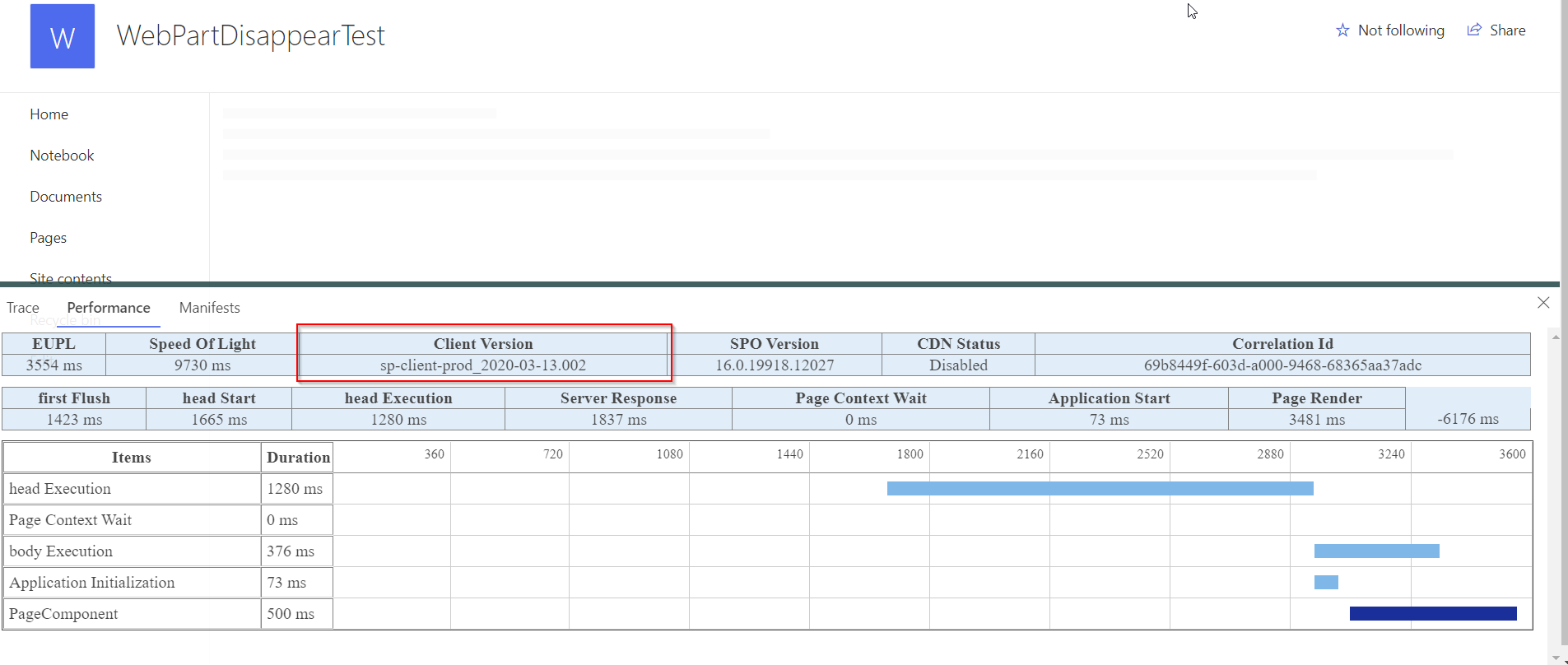
@db3005 sorry I forgot to ask you to click performance, you should see client version.
@OverkillTV running the command: ctrl-shift-f12, then clicking performance should show which version of sp-client you are on. This can verify that one farm has the newer code than the other.
kemesfun
on 1 Apr 2020
@kemesfun : They are in different version as well. Here is the screenshot:
Issued one:
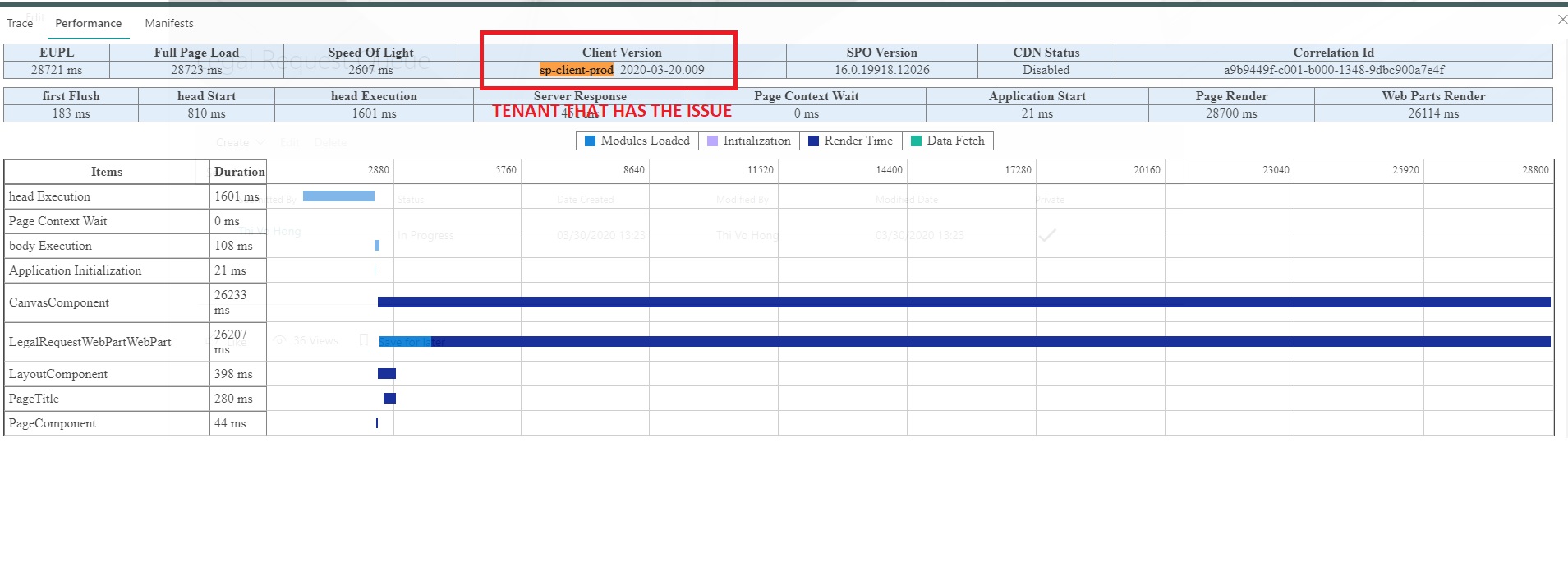
No issue one:
OverkillTV
on 2 Apr 2020
@kemesfun For me it is exactly the opposite, version sp-client-prod_2020-03-13.002 causes the issue
db3005
on 2 Apr 2020
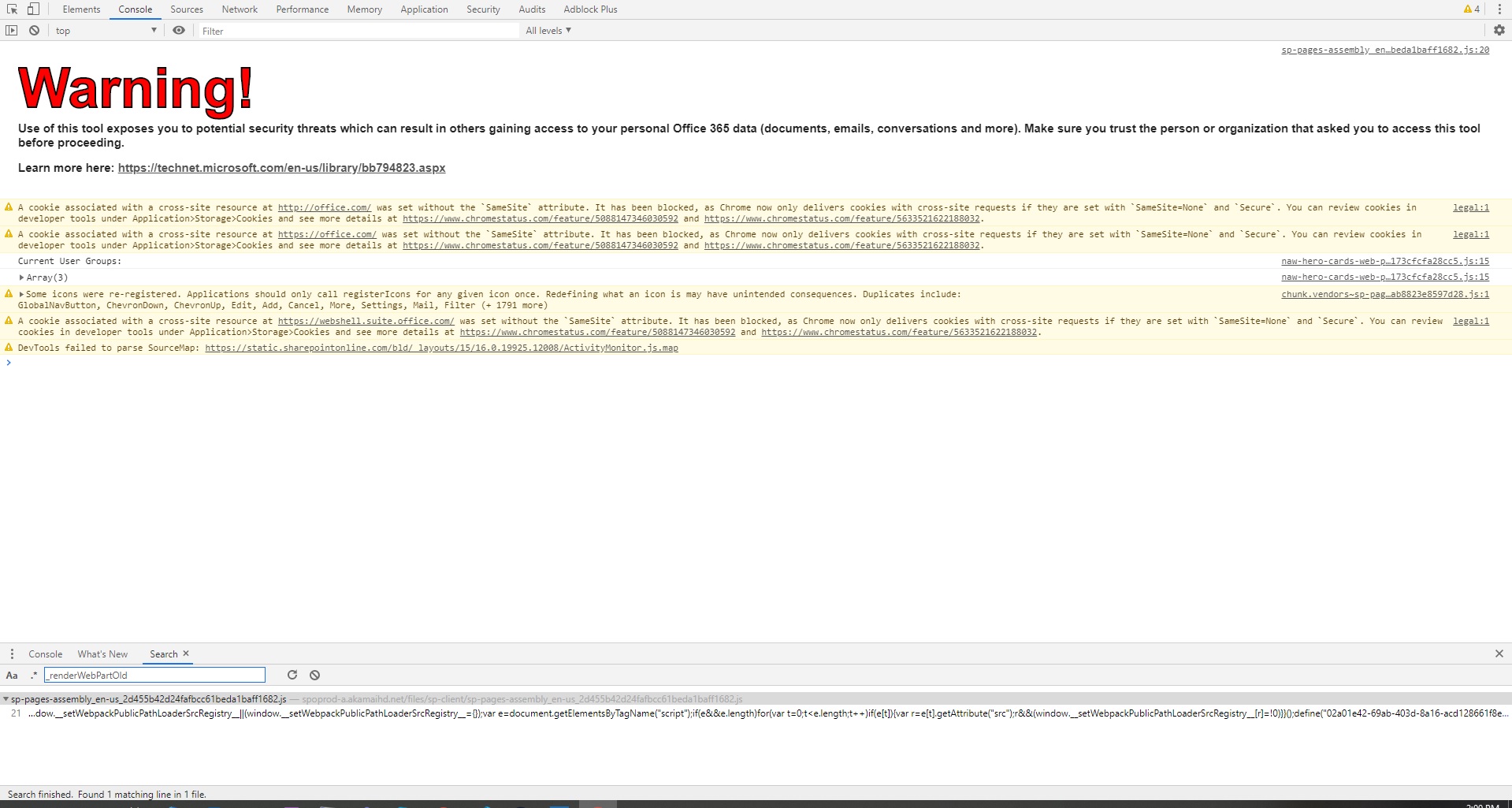
@db3005 @OverkillTV The reason for this can be because a Flight is on. Can you search for the method _renderWebPartOld? If this doesn't exist then the Flight is on.
kemesfun
on 2 Apr 2020
undefined in console or am I suppose to search in any specific files ?
OverkillTV
on 2 Apr 2020
@OverkillTV Hit F12 (go to the console) and hit ctrl+shit+f and search for the file that has this. If it doesn't show, then the Flight is on.
kemesfun
on 2 Apr 2020
There is file that contains the _renderWebPartOld
OverkillTV
on 2 Apr 2020
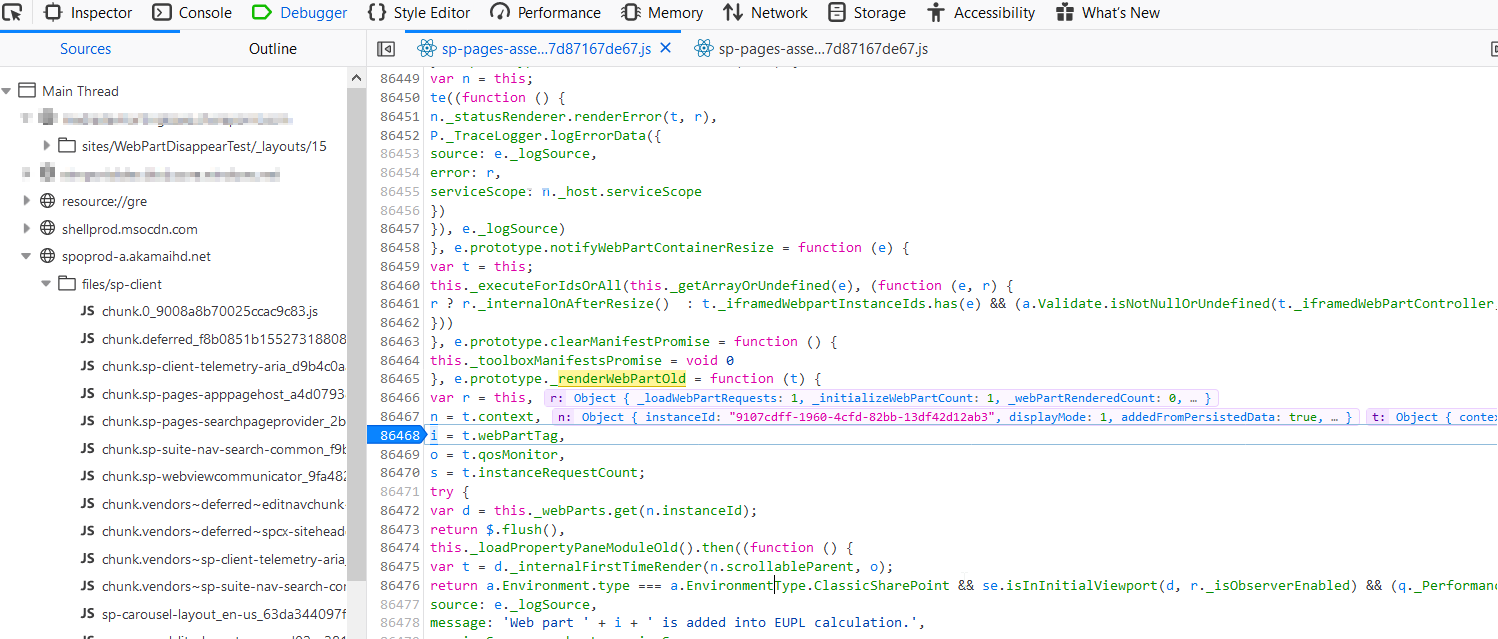
@OverkillTV can you add a breakpoint on that method, it shouldn't hit it since that was the part that was causing the webpart disappearing. It should hit _renderWebPart.
kemesfun
on 2 Apr 2020
@OverkillTV can you add a breakpoint on that method, it shouldn't hit it since that was the part that was causing the webpart disappearing. It should hit _renderWebPart.
The script file is too big for my chrome so it hung up.
So I used Google Chrome Canary instead to step in and surprisingly the _renderWebPartOld doesn't show up in any files when I search. I tried with _renderWebPart and it indeed hit the _renderWebPart line of code.
OverkillTV
on 2 Apr 2020
@OverkillTV This means that your tenant doesn't have the fix for this issue. The _renderWebPartOld indicates that the older logic from _renderWebPart ( the one that you are seeing) was added to it and so the current _renderWebPart in master has different logic than the _renderWebPartOld. Because you only have _renderWebPart that means that you still have the older code.
kemesfun
on 2 Apr 2020
@kemesfun I could find the _renderWebpartOld Method in the sp-pages-assembly file. At least in Firefox I could add a breakpoint and the method will be executed. How can we fix this?
db3005
on 3 Apr 2020
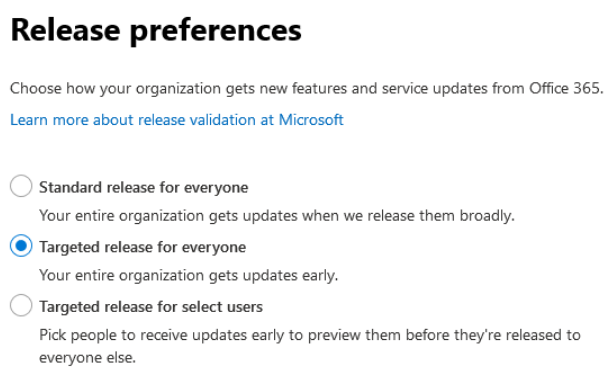
@db3005 what stage is your farm, that your tenant is in, on? I want to confirm that the flight stage equals your farm stage.
kemesfun
on 3 Apr 2020
@kemesfun its a pre release tenant:
db3005
on 6 Apr 2020
I am seeing the same issue. But on the same tenant, sometimes it works and sometimes it does not. But when adding this URL as an Iframe e.g. as a MS Teams Tab, then I can reproduce the issue every time.
Not sure if that helps to track down the issue, but it seems to be consistent and reproducable when the layouts Page is beeing displayed in an iframe.
 OliverZeiser
on 6 Apr 2020
OliverZeiser
on 6 Apr 2020
What seems to be the case is that the flight doesn't hit all tenants. We will be making changes to solve this issue since the flight will take a while to get approved and reach all tenants.
kemesfun
on 6 Apr 2020
@kemesfun Will that fix also work when hosting appPageHost.aspx in an iframe? Do you have any estimate time when this fix will be deployed worldwide?
OliverZeiser
on 9 Apr 2020
@OliverZeiser yes it should work in an iFrame. The fix has been made, and will come out when our next rollout happens. I don't have a estimate time since rollouts can't be halted for various reasons.
kemesfun
on 14 Apr 2020
Related issues
 waldekmastykarz
·
3Comments
waldekmastykarz
·
3Comments
 StfBauer
·
3Comments
StfBauer
·
3Comments
 mikeparkie
·
3Comments
mikeparkie
·
3Comments
 christianbueschi
·
3Comments
christianbueschi
·
3Comments
 Ralms
·
3Comments
Ralms
·
3Comments