Sp-dev-docs: Field customizer on build in fileds like ContentType
Category
- [x] Question
- [ ] Typo
- [ ] Bug
- [ ] Additional article idea
Is it possible to add a Field Customizer for built in fields? We have tried to add a Field Customizer to the content type field by setting the InternalNameField in serve.json to ContentType but it doesn't render our field customizer. If we create a new field and change InternalFieldName in serve.json to then name of the created field it works. Is there any documentation on which columns that are possible to customize?
 Abrissirba
All 8 comments
Thank you for reporting this issue. We will be triaging your incoming issue as soon as possible.
 msft-github-bot
on 5 Nov 2019
msft-github-bot
on 5 Nov 2019
Hi @Abrissirba
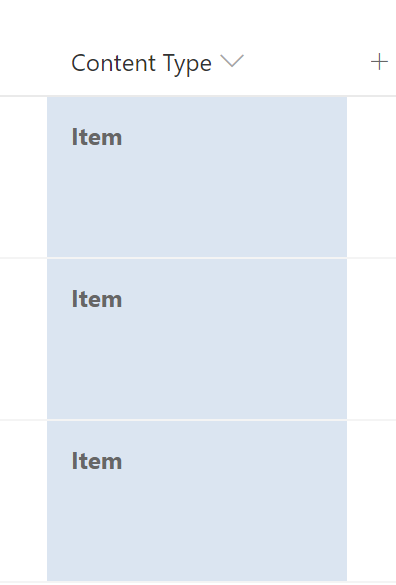
The field customizer works for Content Type column.
I didn't try "debug" mode.
But if you apply the customizer to the field using PnP PowerShell or CSOM, it is applied with no issues.
 AJIXuMuK
on 7 Nov 2019
AJIXuMuK
on 7 Nov 2019
@AJIXuMuK
How to do it via SPFx code? How to register Filed Customizer to work on build-in field via Element.xml (Field node)?
Because it's hard to explain to customer that beside installing SPFx application he have to connect it with field by magic powershell commands.
 23W
on 9 Nov 2019
23W
on 9 Nov 2019
Unfortunately, you can’t do it using Elements.xml as feature framework definitions are intended to provision new fields.
If your customer doesn’t want to run PowerShell commands, you can come up with some other approach. On top of my head:
- Add custom calculated field via
Elements.xml. This fields will just display the same content as OOTB Content Type field. And apply Field Customizer to this field. - Add Command Set customizer and implement logic to check if Field Customizers should be added on this or that list. If yes - apply it using REST or CSOM.
AJIXuMuK
on 9 Nov 2019
@AJIXuMuK , Thank you but:
Add custom calculated field via Elements.xml. This fields will just display the same content as OOTB Content Type field. And apply Field Customizer to this field.
It's exactly that I don't want to do. That's why this issue has appeared (about built-in field customization). Your suggestion requires from customer to edit all his lists.
Add Command Set customizer and implement logic to check if Field Customizers should be added on this or that list. If yes - apply it using REST or CSOM.
Yes it's weak workaround because requires additional business logic to roll-back all changes added by REST\CSOM, otherwise customers will receive field connected with non-existent customizer after uninstalling solution.
23W
on 10 Nov 2019
@23W it would be great if you share better solution with us when you come up with some.
AJIXuMuK
on 10 Nov 2019
@AJIXuMuK sorry, I don't have it now. Little bit better solution that I've found is https://github.com/Puzzlepart/spfx-solutions/tree/master/Pzl.Ext.HighlightHome but it also requires custom uninstalling action to remove connection between field and uninstalling field customizer.
23W
on 10 Nov 2019
Issues that have been closed & had no follow-up activity for at least 7 days are automatically locked. Please refer to our wiki for more details, including how to remediate this action if you feel this was done prematurely or in error: Issue List: Our approach to locked issues
msft-github-bot
on 23 Jan 2020
Related issues
 StfBauer
·
3Comments
StfBauer
·
3Comments
 karishmaTCS
·
3Comments
karishmaTCS
·
3Comments
 patrick-rodgers
·
3Comments
patrick-rodgers
·
3Comments
 acksoft
·
3Comments
acksoft
·
3Comments
 ken-harris
·
3Comments
ken-harris
·
3Comments
Most helpful comment
Unfortunately, you can’t do it using
Elements.xmlas feature framework definitions are intended to provision new fields.If your customer doesn’t want to run PowerShell commands, you can come up with some other approach. On top of my head:
Elements.xml. This fields will just display the same content as OOTB Content Type field. And apply Field Customizer to this field.