Sp-dev-docs: Cannot populate the list with some initial data. You do this by adding the following Data element markup as a child element of the ListInstance element
When I add the following to my ListInstance element it fails.
<Data>
<Rows>
<Row>
<Field Name="Title">Tom Higginbotham</Field>
</Row>
<Row>
<Field Name="Title">Satomi Hayakawa</Field>
</Row>
<Row>
<Field Name="Title">Cassi Hicks</Field>
</Row>
<Row>
<Field Name="Title">Lertchai Treetawatchaiwong</Field>
</Row>
</Rows>
</Data>
It fails with:
Severity Code Description Project File Line Suppression State
Error Error occurred in deployment step 'Install SharePoint Add-in': Feature definition with Id 3d9f595f-0f21-4a70-a5b8-214fcf87ad8e failed validation, file 'TQM_TQM New Employee Orientation\NewEmployeeOrientation\Elements.xml', line 16, character 4: The element 'Elements' in namespace 'http://schemas.microsoft.com/sharepoint/' has invalid child element 'Data' in namespace 'http://schemas.microsoft.com/sharepoint/'. List of possible elements expected: 'ContentType, ContentTypeBinding, Field, CustomAction, Module, ListInstance, ListTemplate, Receivers, Workflow, WebTemplate, WorkflowAssociation, PropertyBag, ClientWebPart, BdcModel' in namespace 'http://schemas.microsoft.com/sharepoint/'. TQM 0
What am I missing?
Document Details
⚠ Do not edit this section. It is required for docs.microsoft.com ➟ GitHub issue linking.
- ID: 7795f659-9cc4-310b-1ea6-9842a6a2930a
- Version Independent ID: cfc98572-f913-6f48-cfe4-1b9dd526d7fc
- Content: Get started creating SharePoint-hosted SharePoint Add-ins
- Content Source: docs/sp-add-ins/get-started-creating-sharepoint-hosted-sharepoint-add-ins.md
- Product: sharepoint
- GitHub Login: @spdevdocs
- Microsoft Alias: spdevdocs
 duncanspeidel
All 17 comments
Thank you for reporting this issue. We will be triaging your incoming issue as soon as possible.
 msft-github-bot
on 14 Aug 2019
msft-github-bot
on 14 Aug 2019
Running studio 2019.
duncanspeidel
on 14 Aug 2019
Can you share your full ListInstance Elements.xml
Based on the error it looks like you are setting this inside the List Template, not the List Instance.
file 'TQM_TQM New Employee Orientation\NewEmployeeOrientation\Elements.xml',
As per the documentation you linked, it should be in the list instance NewEmployeesInSeattle not NewEmployeeOrientation.
Open the elements.xml file that is a child of the list instance NewEmployeesInSeattle (not the elements.xml that is a child of the list template NewEmployeeOrientation).
In this file, populate the list with some initial data. You do this by adding the following Data element markup as a child element of the ListInstance element.
 bcameron1231
on 14 Aug 2019
bcameron1231
on 14 Aug 2019
I opened Elements.xml in 'TQM_TQM New Employee Orientation\NewEmployeeOrientation\NewEmployeeSeattle\Elements.xml' (see attachment named shot1) and added the fields and it failed with the same error. I also tried
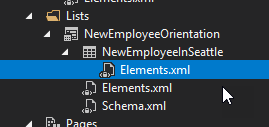 . I also tried editing NewEmployeeOrientation\Elements.xml (see attachment named shot2).
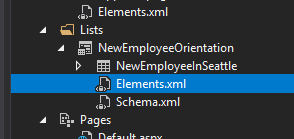 .
.
Screenshot called choices shows what I see when enter a '<'.
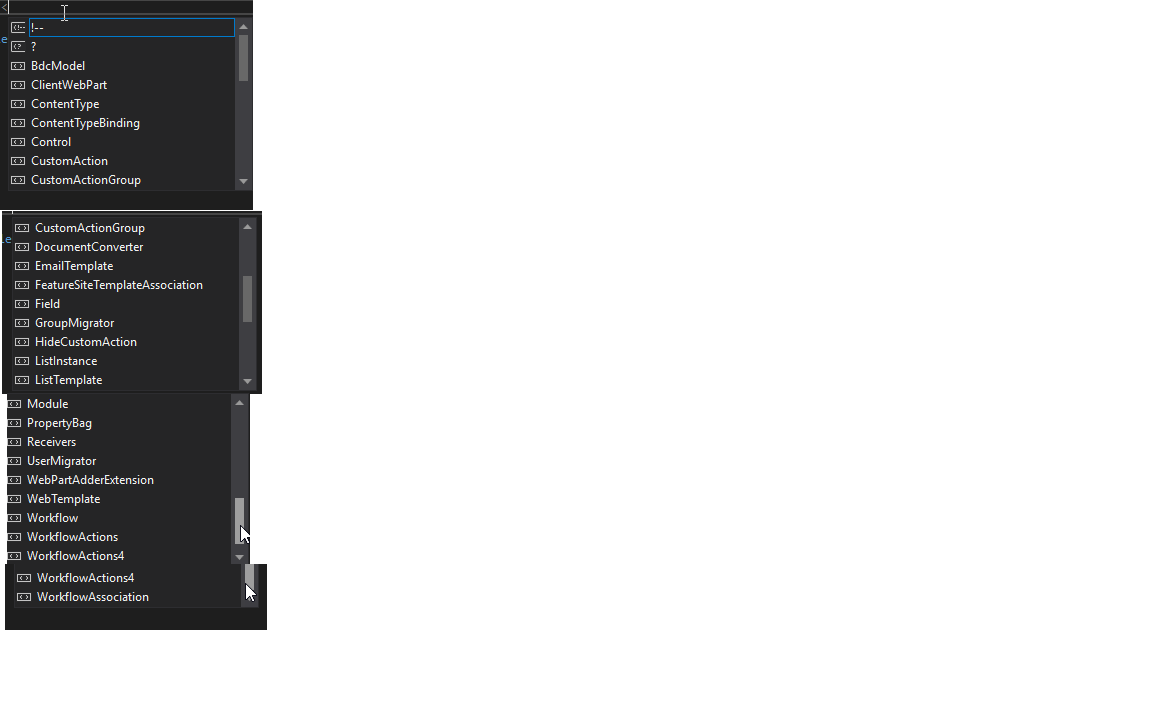 .
.
The Elements.xml that is sub to NewEmployeeInSeattle contians:
The Elements.xml that is for NewEmployeeOrientation contains:
<ListTemplate
    Name="NewEmployeeOrientation"
    Type="100"
    BaseType="0"
    OnQuickLaunch="TRUE"
    SecurityBits="11"
    Sequence="410"
    DisplayName="NewEmployeeOrientation"
    Description="My List Definition"
    Image="/_layouts/15/images/itgen.png"/>
Both have the same auto-complete options.
duncanspeidel
on 15 Aug 2019
The Elemements.xml for your NewEmployeeInSeattle didn't show up. Can you re-add it please?
Also, I have ran through the tutorial and it works for me.
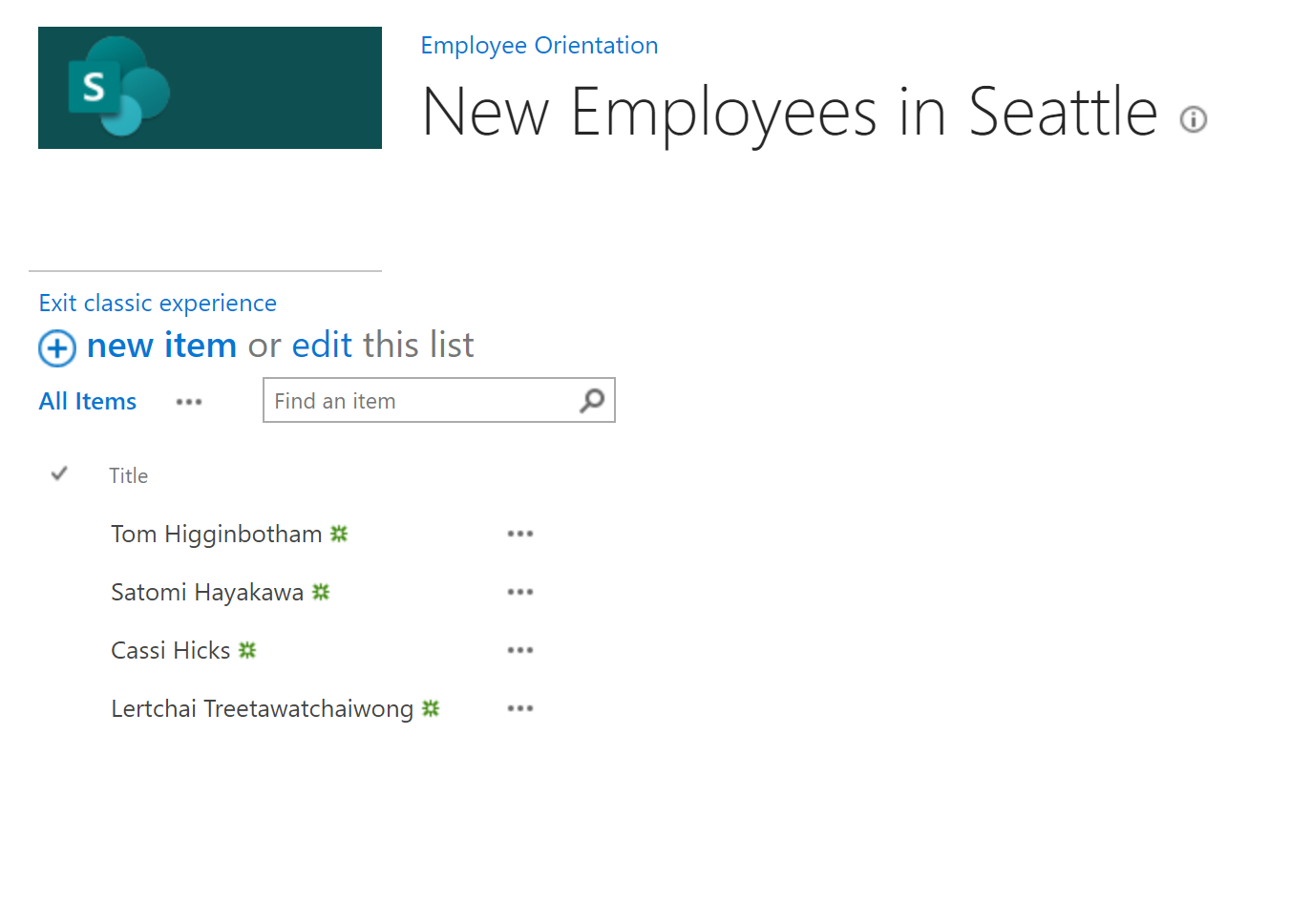
So, hopefully we can find the issue in your Elements.xml
bcameron1231
on 15 Aug 2019
duncanspeidel
on 15 Aug 2019
Please take a picture or wrap your XML in Code Tags, or else it wont show up. Thanks!
bcameron1231
on 15 Aug 2019
<?xml version="1.0" encoding="utf-8"?>
<Elements xmlns="http://schemas.microsoft.com/sharepoint/">
  <ListInstance Title="New Employees in Seattle" OnQuickLaunch="TRUE" TemplateType="100" Url="Lists/NewEmployeesInSeattle" Description="The new employees in Seattle"></ListInstance>

</Elements>
This is an incomplete list instance.
I would like to see your Elements.xml with the Data (of which you say isn't working)
bcameron1231
on 15 Aug 2019
<?xml version="1.0" encoding="utf-8"?>
<Elements xmlns="http://schemas.microsoft.com/sharepoint/">
<ListInstance Title="New Employees in Seattle" OnQuickLaunch="TRUE" TemplateType="100" Url="Lists/NewEmployeesInSeattle" Description="The new employees in Seattle"></ListInstance>
<Data>
<Rows>
<Row>
<Field Name="Title">Tom Higginbotham</Field>
</Row>
<Row>
<Field Name="Title">Satomi Hayakawa</Field>
</Row>
<Row>
<Field Name="Title">Cassi Hicks</Field>
</Row>
<Row>
<Field Name="Title">Lertchai Treetawatchaiwong</Field>
</Row>
</Rows>
</Data>
</Elements>

Thank you. So the problem is, you have not followed the Tutorial directions correctly.
- In this file, populate the list with some initial data. You do this by adding the following Data element markup as a child element of the ListInstance element.
Your data needs to be a child element of the ListInstance Element, not a sibling.
<?xml version="1.0" encoding="utf-8"?>
<Elements xmlns="http://schemas.microsoft.com/sharepoint/">
  <ListInstance Title="New Employees in Seattle" OnQuickLaunch="TRUE" TemplateType="100" Url="Lists/NewEmployeesInSeattle" Description="The new employees in Seattle">
  <Data>
    <Rows>
      <Row>
        <Field Name="Title">Tom Higginbotham</Field>
      </Row>
      <Row>
        <Field Name="Title">Satomi Hayakawa</Field>
      </Row>
      <Row>
        <Field Name="Title">Cassi Hicks</Field>
      </Row>
      <Row>
        <Field Name="Title">Lertchai Treetawatchaiwong</Field>
      </Row>
    </Rows>
  </Data>

</ListInstance>
</Elements>
@duncanspeidel Are we able to close this ticket?
bcameron1231
on 16 Aug 2019
Thank you for your help. I had the in the wrong place. Everything works now.
duncanspeidel
on 16 Aug 2019
I had the
</ListInstance> in the wrong place. You can close the ticket.
duncanspeidel
on 16 Aug 2019
@andrewconnell This ticket can be closed
bcameron1231
on 16 Aug 2019
Thanks @bcameron1231 In the future, you can use #please-close when you tag me.
 andrewconnell
on 16 Aug 2019
andrewconnell
on 16 Aug 2019
Issues that have been closed & had no follow-up activity for at least 7 days are automatically locked. Please refer to our wiki for more details, including how to remediate this action if you feel this was done prematurely or in error: Issue List: Our approach to locked issues
msft-github-bot
on 23 Jan 2020
Related issues
 StfBauer
·
3Comments
StfBauer
·
3Comments
 waldekmastykarz
·
3Comments
waldekmastykarz
·
3Comments
 zerovectorspace
·
3Comments
zerovectorspace
·
3Comments
 jonthenerd
·
3Comments
jonthenerd
·
3Comments
 ken-harris
·
3Comments
ken-harris
·
3Comments