Sp-dev-docs: API Management HTTP 500 Errors
Category
- [ ] Question
- [ ] Typo
- [x] Bug
- [ ] Additional article idea
Expected or Desired Behavior
Pending and approved requests are fetched and shown.
Observed Behavior
The endpoints PermissionGrants and PermissionRequests error with "Unknown Error". No API approvals of any kind are shown.
On screen:

Network tab in Chrome console:

Request response (same for both):

PnP is also failing to authenticate with iframe sandboxing permission errors. I presume granting API permissions will fix this. If not I will open another issue.
Steps to Reproduce
Visit API management page on https://brandservicesuk-admin.sharepoint.com.
I have not experienced this issue on other tenants.
 JakeStanger
All 30 comments
Thank you for reporting this issue. We will be triaging your incoming issue as soon as possible.
 msft-github-bot
on 16 May 2019
msft-github-bot
on 16 May 2019
There are known issues with the API Management page in the SPO Admin Center that MSFT is working on... I've seen these in my tenants. Just refresh the page and they usually go away.
@JakeStanger said:
PnP is also failing to authenticate with iframe sandboxing permission errors
Not sure what you mean by "IFrame sandboxing" in the context of PnP... can you elaborate? PnP what (there are _A LOT_ of PnP "things" 😄 )?
The API management page is still usable and you can always use the PnP PowerShell or Office 365 CLI options for viewing & managing API permission requests / grants.
 andrewconnell
on 16 May 2019
andrewconnell
on 16 May 2019
I meant to type more about PnP and apparently just...didn't...
Specifically I'm refering to the PnP Graph Node library, which when trying to get an auth token fails:

Followed by:

I've refreshed the page many times and tried another browser but these errors are constant. I have just tried in the O365 CLI tool and I'm getting the same problem there:

JakeStanger
on 16 May 2019
What URL & account are you logged in with when running the command via the CLI? You need to be a global tenant admin logged into the admin site (https://tenant-admin.sharepoint.com)
I just tried it with a few tenants and it's working for me...
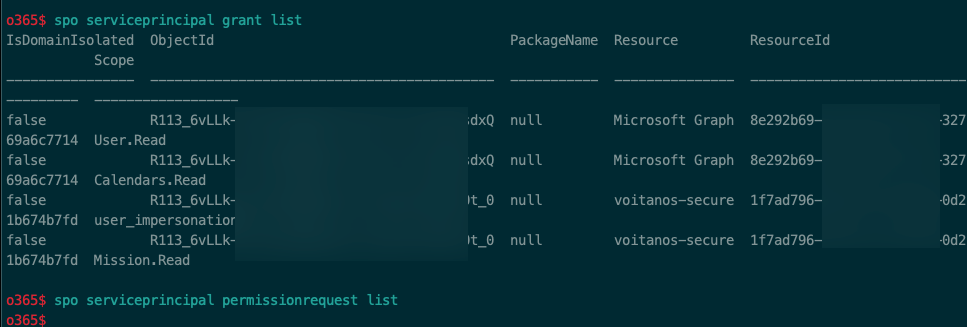
Since it's working in other tenants, that tells me that the endpoints are not at issue and it's not likely a system-wide issue.
If you are logged into the tenant admin site as a global admin, you may need to open a ticket with MSFT as this implies something specific is going on with your tenant.
andrewconnell
on 16 May 2019
@lucabandMSFT and @lahuey for visibility
 patmill
on 16 May 2019
patmill
on 16 May 2019
Yeah I'm logged in to the admin tenant. I'll open a ticket, thanks.
JakeStanger
on 16 May 2019
I'll go ahead and close this then as it seems like it's localized to your tenant... if you disagree @JakeStanger just reply and I'll reopen.
andrewconnell
on 16 May 2019
Can confirm the same error on our tenant.

 gunfus
on 17 May 2019
gunfus
on 17 May 2019
Can you re-open since this appears to be a wider issue?
JakeStanger
on 17 May 2019
We still have this issue and after we opened a ticket we got the response that this was not within their scope and got referred to: https://msdn.microsoft.com/en-us
gunfus
on 23 May 2019
My ticket is still in the process of being reviewed by the escalation team, so I'll update you if they give any useful information.
JakeStanger
on 23 May 2019
@JakeStanger, does the user (which I suspect has is both SharePoint Tenant Admin AND tenant Global admin, right?) has access to the App Catalog?
 lucabandMSFT
on 1 Jun 2019
lucabandMSFT
on 1 Jun 2019
Yes, this is the tenant admin user which created the app catalog and has uploaded apps to it successfully.
JakeStanger
on 1 Jun 2019
@JakeStanger , thanks. just one more thing .. @andrewconnell previously asked if the user was BOTH SharePoint Tenant Administrator as well as Tenant Global Administrator. I think I missed the answer to that question. Can you please confirm that the use who's accessing the Web API page has both roles?
Thanks a lot for helping us troubleshooting this issue
lucabandMSFT
on 5 Jun 2019
It have full control over the Azure portal for the tenant, so I would assume it's a tenant global admin? I will double check tomorrow if the two don't equal each other. It's definitely a SP tenant admin.
JakeStanger
on 5 Jun 2019
HI @JakeStanger , have you had the opportunity to check?
lucabandMSFT
on 13 Jun 2019
Hi sorry, yes it is a tenant admin. I'm still awaiting any progress on the ticket I opened; it's just being passed around at the moment with nobody claiming it.
JakeStanger
on 13 Jun 2019
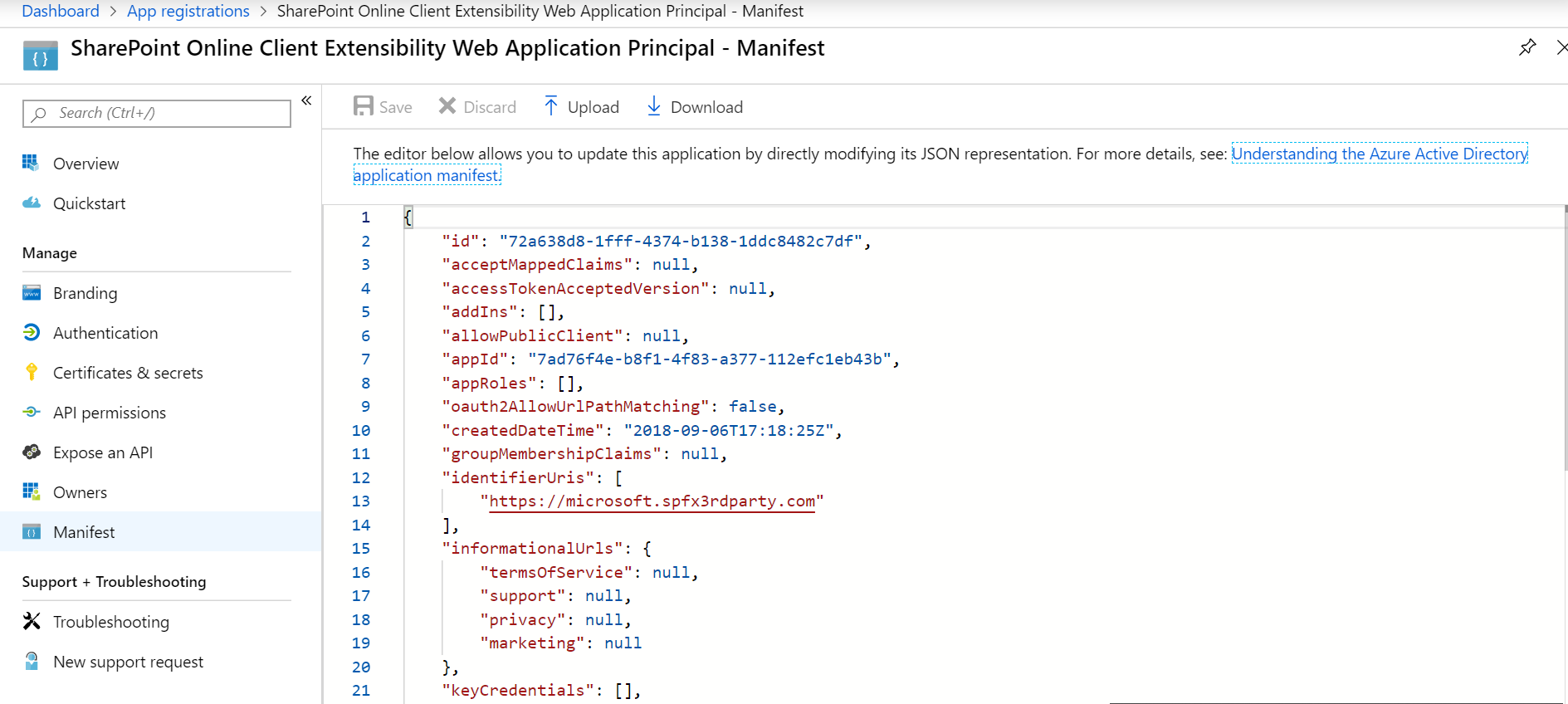
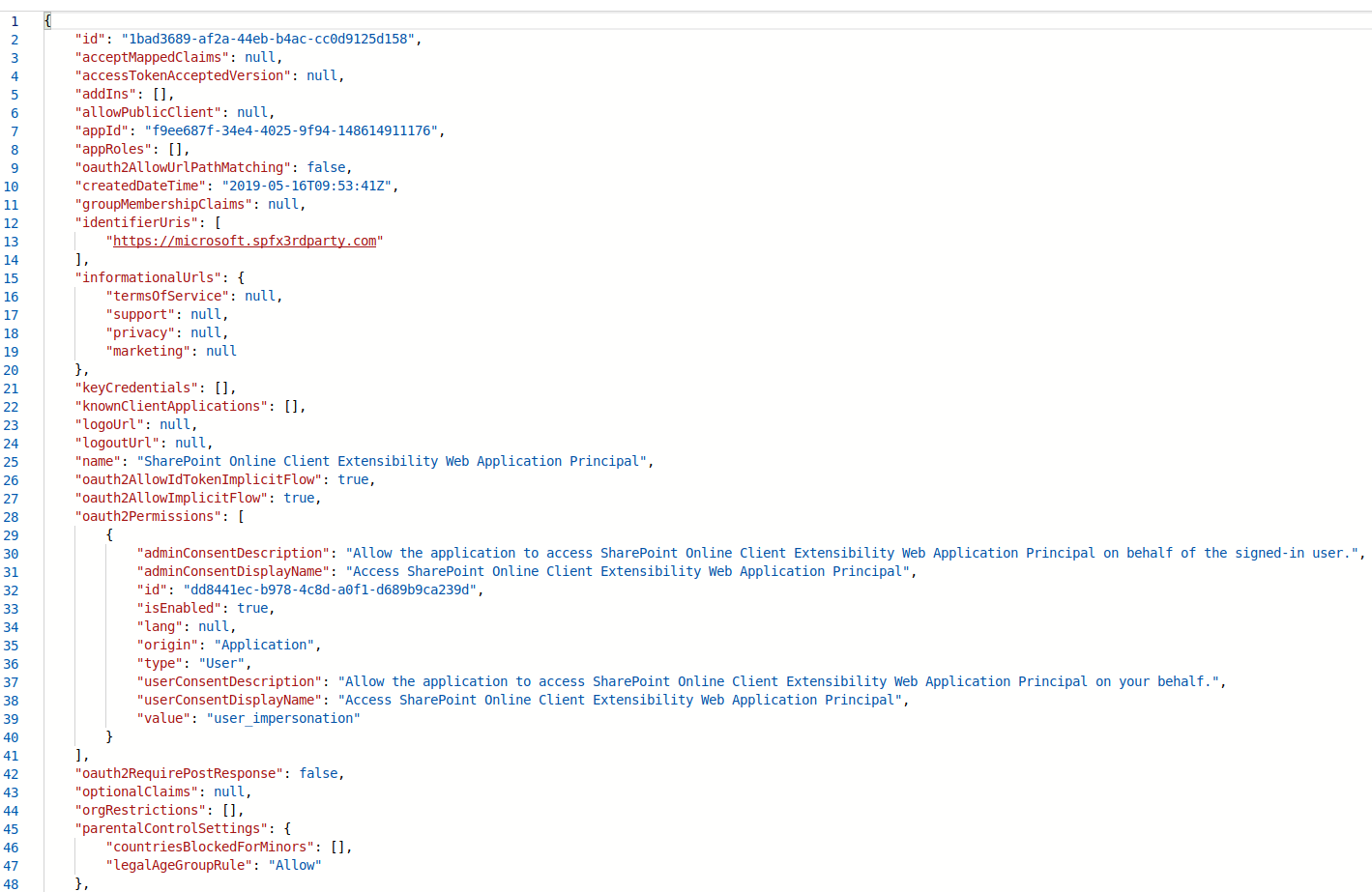
thanks @JakeStanger . can you please copy here the screenshot of your AAD application principals and the manifest of it? Also, is that possible for us to accessing that tenant for investigation (aka: is that a test tenant? or it is a production environment)?
lucabandMSFT
on 21 Jun 2019
It's a production environment however it is not live yet. I personally don't have the authority to grant you access but I can pass the request on.
Could you explain what you mean by application principals? Once I'm clear on that I'll grab you a screenshot and dump of the SP registration manifest.
JakeStanger
on 21 Jun 2019
Thanks, here's an example of a tenant.
basically if you go to this adders and log in as global admin: https://aad.portal.azure.com/#blade/Microsoft_AAD_RegisteredApps/ApplicationsListBlade. you can open the "sharePoint Online Client Extensibility Web Application Principal" app principal. There you can click on "Manifest" and show us what it looks like:
lucabandMSFT
on 21 Jun 2019
Let me know if you need anything else.
JakeStanger
on 21 Jun 2019
Thanks, one last thing.
do you mind providing an UX to the API Management Page right now? I want to get the latest correlation ID if that still reproes.
lucabandMSFT
on 21 Jun 2019
Well I've just tried accessing the page and...it's working. A month of API requests are all sat there. Strangely coincidental with the slight moan we sent in our ticket today after a month of nothing happening.
The latest correlation ID is the one I sent in that initial screenshot I'm afraid.
JakeStanger
on 22 Jun 2019
mmmh,.. what are you doing with that API? my guess is that you have a conditional access policy (like 2 factor authentication) on some of the API you are calling in the web parts. possible?
Can you share the whole page experience?
Thanks
lucabandMSFT
on 22 Jun 2019
2FA is not enabled. A webpart uses Graph and has the permissions scope User.Read.All. All I've been trying to do for the last month is grant the requested permission it generates when you add it.
I never manually called the endpoints which threw those errors; it's just on the API Requests page in the admin portal.
JakeStanger
on 22 Jun 2019
@JakeStanger , sorry for my delay in answering, two things please if you don't mind:
- what is not working at this point?
- you said you have a ticket opened, mind sharing me the ID so I can track it internally?
Thanks a lot
lucabandMSFT
on 5 Jul 2019
Hi sorry I've been quite busy recently and forgot to update this thread. The issue magically resolved itself when we asked for the ticket to be escalated; upon asking for an explanation we were told changes had been made to the system, and one of them may have been related.
For reference, the ticket was #14400090
JakeStanger
on 8 Jul 2019
Hey, unfortunately I've the same issue on a clients tenant. Works perfect on my dev tenant. How to resolve this issue? In parallel I'm going to open a new support case....
 ltwlf
on 5 Nov 2019
ltwlf
on 5 Nov 2019
Here is the solution: A SharePoint Admin hasn't enough permissions. A global admin don't get an error 500 and can approve the app permissions. I asked the product group to improve the error message.
ltwlf
on 8 Nov 2019
@ltwlf Thank you for letting us know, we are actively working on a fix for this now.
 kevincheng6040
on 8 Nov 2019
kevincheng6040
on 8 Nov 2019
Related issues
 acksoft
·
3Comments
acksoft
·
3Comments
 zerovectorspace
·
3Comments
zerovectorspace
·
3Comments
 StfBauer
·
3Comments
StfBauer
·
3Comments
 Ralms
·
3Comments
Ralms
·
3Comments
 waldekmastykarz
·
3Comments
waldekmastykarz
·
3Comments