Sp-dev-docs: Navigation and edit experience issue when using a full-width zone
Category
- [ ] Question
- [ ] Typo
- [x] Bug
- [ ] Additional article idea
Expected or Desired Behavior
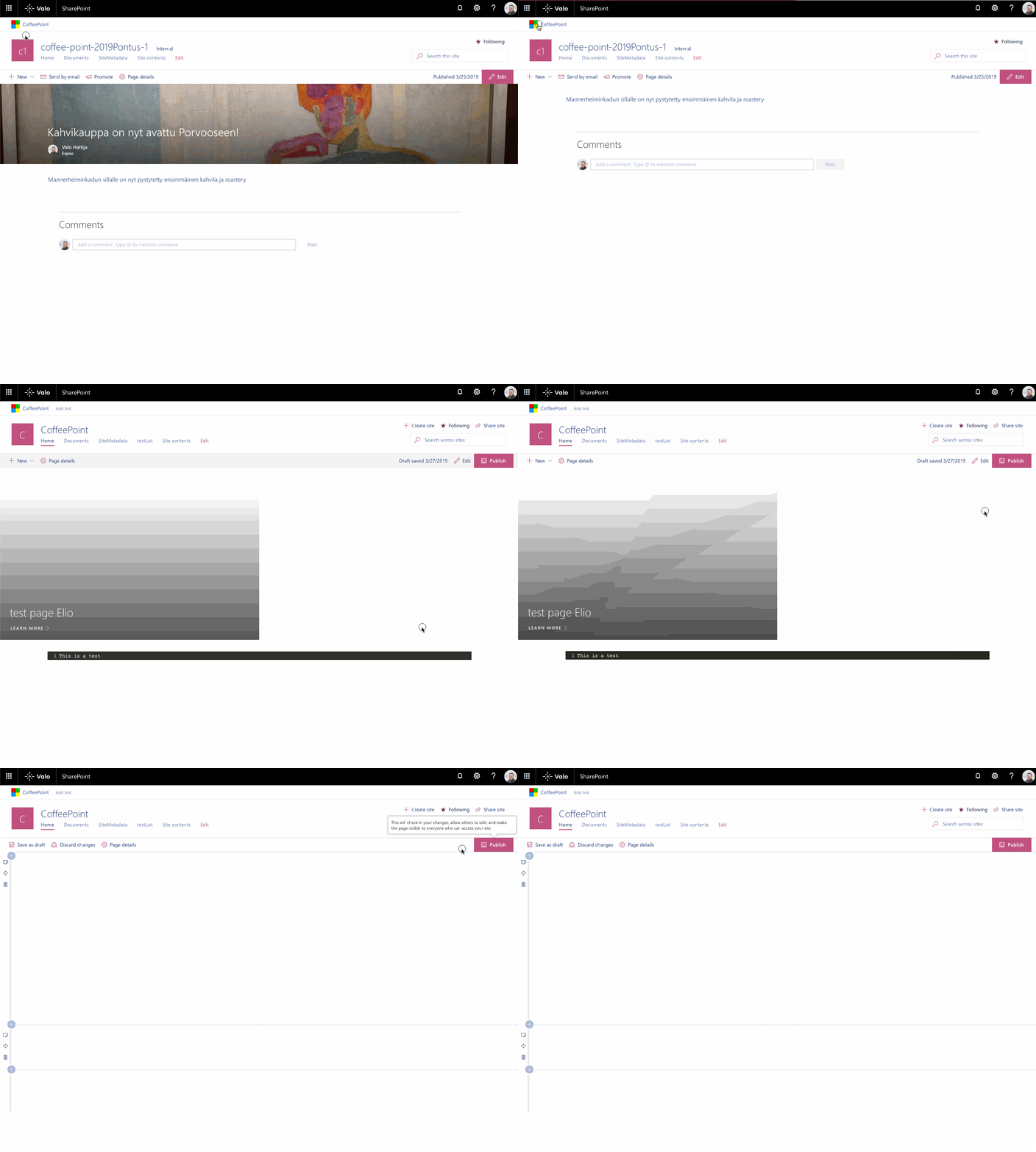
I'm are currently running into the issue that when I navigate to a page which uses a full-bleed web part and put it in edit mode, it will show blank web parts.
It's a bit hard to explain, but here you can see what is happening (using a custom web part):
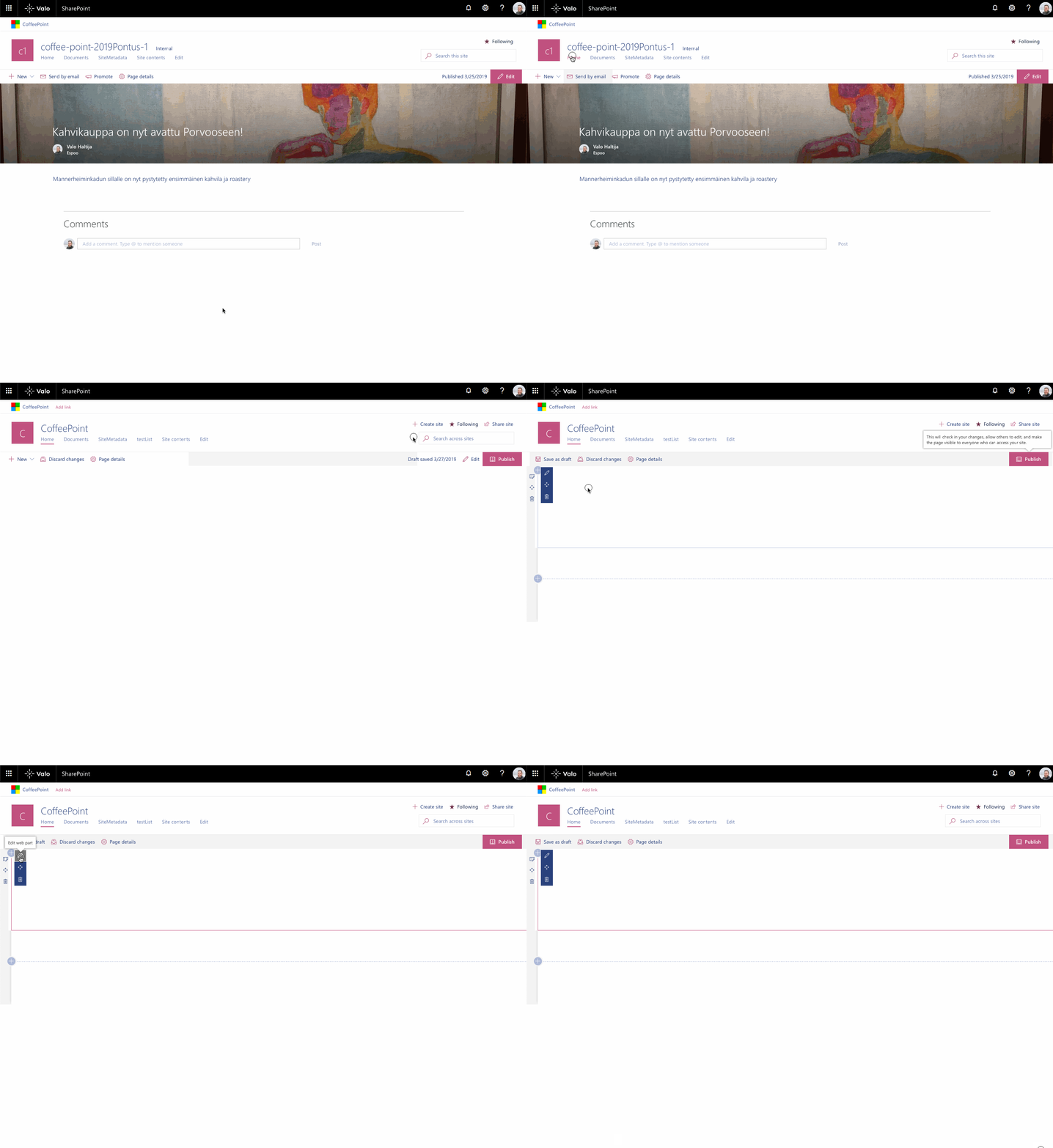
I'm also able to reproduce it by using only first web parts (hero web part + snippet web part):
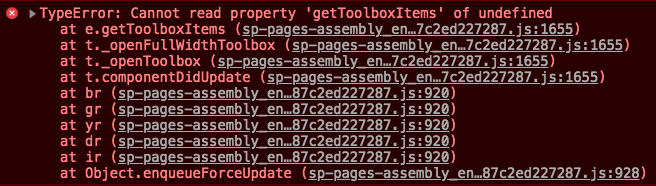
When opening the developer console, I see the following error:
When removing the full-width zone and web part, it doesn't give this issue.
Steps to Reproduce
These are the steps to reproduce it:
- Open a page in you hub
- Do a full page refresh to be sure
- Navigate to a page with a full-bleed zone and web part defined on it
- Edit the page, and you will see that the web parts are rendered blank
 estruyf
All 12 comments
Thank you for reporting this issue. We will be triaging your incoming issue as soon as possible.
 msft-github-bot
on 26 Mar 2019
msft-github-bot
on 26 Mar 2019
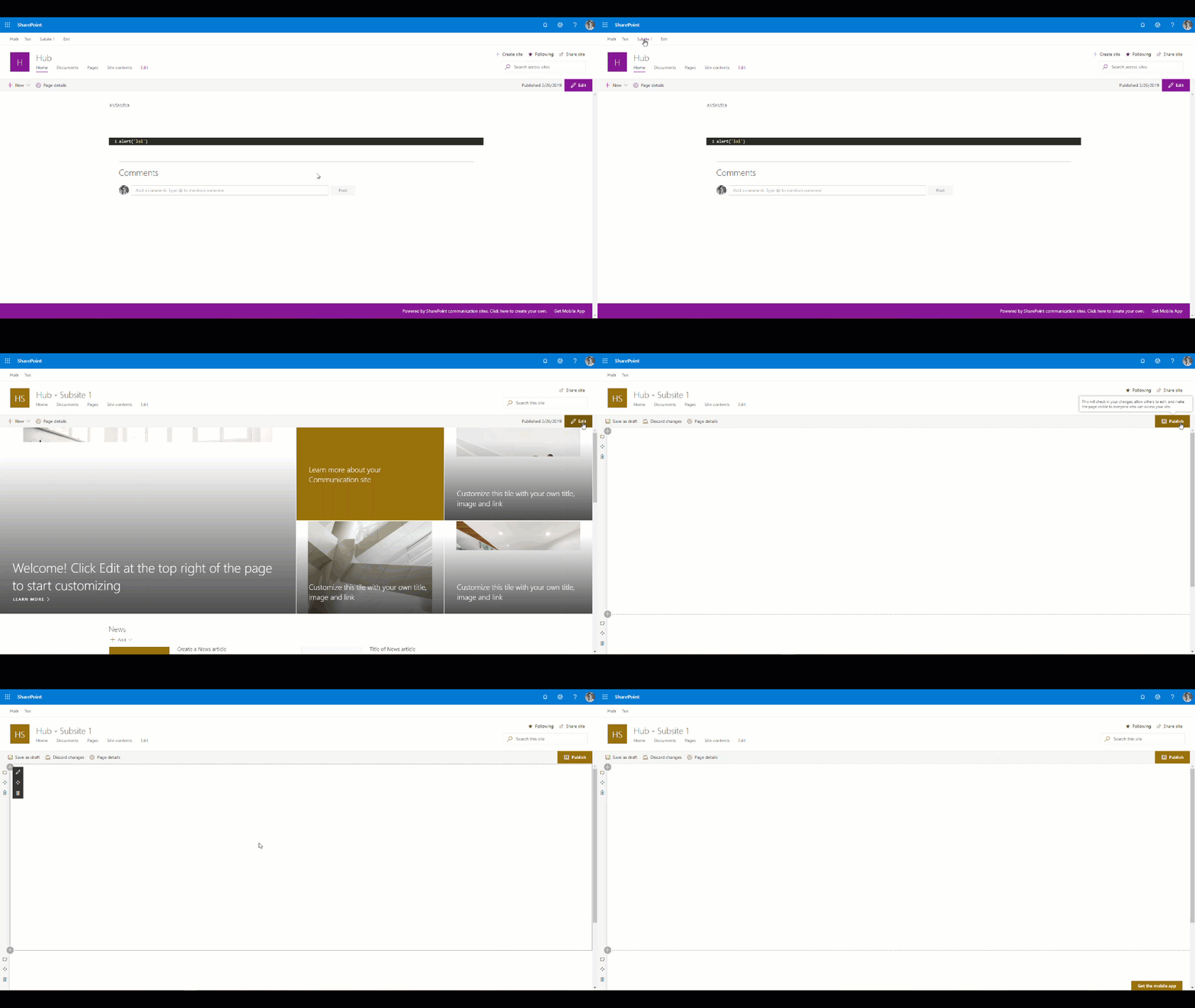
Adding to this thread a version using 100% OOTB components.
Thanks!
 sebastienlevert
on 26 Mar 2019
sebastienlevert
on 26 Mar 2019
We think we know where the problem is and we believe we just released a fix that address the issue.
@estruyf (Elio), can you please check and let us know if the problem still occurs?
Thanks a lot
 lucabandMSFT
on 7 May 2019
lucabandMSFT
on 7 May 2019
Still seems to occur.

Edit: This was related to another issue, was mixing up things
estruyf
on 8 May 2019
k, thanks @estruyf . Mind sharing tenant information? you can do that in the private channel if you want.
lucabandMSFT
on 8 May 2019
Same problem here, in IE, Edge and Chrome.
 MRuimerman
on 10 May 2019
MRuimerman
on 10 May 2019
@lucabandMSFT this issue seems to be solved. I'm unable to reproduce it.
@MRuimerman do you still experience it?
estruyf
on 13 May 2019
@estruyf Yes, it is fixed in the default SharePoint webparts.
(Not in our own custom webparts but that is probably our problem.)
MRuimerman
on 13 May 2019
@estruyf , you guys ok to close this one? also, to be clear, you said that this is a different issue of #3856 , yes?
lucabandMSFT
on 13 May 2019
This issue is about the blank web parts when having a full-width zone and that seems to be fixed. So it can be closed.
Issue #3856 is about some styling which automatically gets applied to web parts in a full width zone. That's not solved yet. I mixed both before, as I was checking the status and replied in the wrong issue.
estruyf
on 14 May 2019
perfect. closing it. thanks a lot.
lucabandMSFT
on 25 May 2019
Issues that have been closed & had no follow-up activity for at least 7 days are automatically locked. Please refer to our wiki for more details, including how to remediate this action if you feel this was done prematurely or in error: Issue List: Our approach to locked issues
msft-github-bot
on 24 Jan 2020
Related issues
 christianbueschi
·
3Comments
christianbueschi
·
3Comments
 waldekmastykarz
·
3Comments
waldekmastykarz
·
3Comments
 mikeparkie
·
3Comments
mikeparkie
·
3Comments
 karishmaTCS
·
3Comments
karishmaTCS
·
3Comments
 zerovectorspace
·
3Comments
zerovectorspace
·
3Comments
Most helpful comment
Adding to this thread a version using 100% OOTB components.
Thanks!