Sp-dev-docs: Placeholders not found on Site Pages while using SPFx Application Customizer
Category
- [ ] Question
- [ ] Typo
- [x] Bug
- [ ] Additional article idea
Expected or Desired Behavior
I am creating a global top level menu using Application Customizer, which will be tied to Top Placeholder of the page.
Observed Behavior
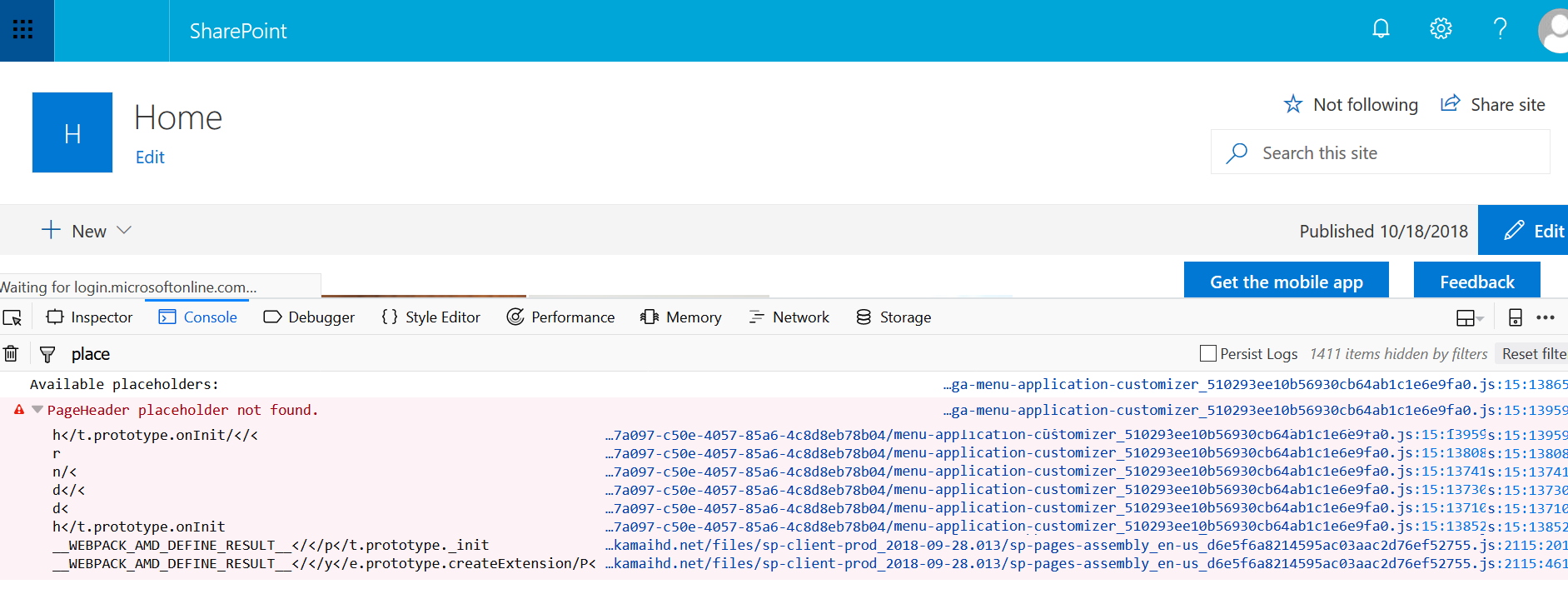
Application Customizer is unable to render Top Placeholder on any of the Site Pages. It works fine on all _layouts pages and all lists/document library items pages. It fails on Site Pages, even on the plain out of box site page. This holds true for both Communication and Team site template.
Steps to Reproduce
TS file :
https://gist.github.com/ashishshukla1183/da28d1aafd38e5929d9ac8c7538f044b
Package.json enteries:
"dependencies": {
"@microsoft/sp-core-library": "~1.4.1",
"@microsoft/decorators": "~1.4.1",
"@types/webpack-env": "1.13.1",
"@types/es6-promise": "0.0.33",
"@microsoft/sp-dialog": "~1.4.1",
"@microsoft/sp-application-base": "~1.4.1",
"@microsoft/sp-webpart-base": "~1.4.1",
"@microsoft/sp-listview-extensibility": "~1.4.1",
"@microsoft/sp-http": "~1.4.1",
"@microsoft/microsoft-graph-client": "1.2.0"
},
"devDependencies": {
"@microsoft/sp-build-web": "~1.4.1",
"@microsoft/sp-module-interfaces": "~1.4.1",
"@microsoft/sp-webpart-workbench": "~1.4.1",
"gulp": "~3.9.1",
"@types/chai": "3.4.34",
"@types/mocha": "2.2.38",
"ajv": "~5.2.2"
}
I have seen similar reported issues which were told to be fixed. However, I am still facing this issue. Any suggestions or help will be appreciated.
 ashishshukla1183
All 27 comments
I have an application customizer that have been running without any issues for months. Today it stopped working with the same issue. Needs to be fixed asap as this is running in multiple environments. @VesaJuvonen
Error message:

Code snippet:
let placeholder: PlaceholderContent;
placeholder = this.context.placeholderProvider.tryCreateContent(PlaceholderName.Top);

ReactDom.render(element, placeholder.domElement);
 frnk01
on 19 Oct 2018
frnk01
on 19 Oct 2018
I have an application customizer that have been running without any issues for months. Today it stopped working with the same issue. Needs to be fixed asap as this is running in multiple environments. @VesaJuvonen
Error message:
Code snippet:
let placeholder: PlaceholderContent;
placeholder = this.context.placeholderProvider.tryCreateContent(PlaceholderName.Top);

ReactDom.render(element, placeholder.domElement);
Same with me. It was running all fine until yesterday. I noticed that it disappears, only on pages with search box in header. Not sure if there is any relation with it, but i came to know that there was some major search outage/fixes going on in last few days. May be the old search issue with application customizer has cropped up again.
ashishshukla1183
on 19 Oct 2018
Seems related to layout changes on site pages due to missing dom element for top placeholder. I've tried to reach out to Vesa on Twitter to get som quicker response on the issue.
frnk01
on 19 Oct 2018
Same here, extensions for header and footer stopped working suddenly...
Fortunately, it only happens when the tenant is set to first realease.
EDIT : i was wrong, we also have the problem on standard release in production !!!
 BraunJonathan
on 19 Oct 2018
BraunJonathan
on 19 Oct 2018
Same for me !
 PooLP
on 19 Oct 2018
PooLP
on 19 Oct 2018
Also confirming the same behavior.
 koltyakov
on 19 Oct 2018
koltyakov
on 19 Oct 2018
Might be a duplicate of https://github.com/SharePoint/sp-dev-docs/issues/2773.
patmil described a fix that might help you: https://github.com/SharePoint/sp-dev-docs/issues/2773#issuecomment-430424273
 qrown
on 19 Oct 2018
qrown
on 19 Oct 2018
Same for us. Fix did't have an effect...
 BigEaseGueldi
on 19 Oct 2018
BigEaseGueldi
on 19 Oct 2018
We have two extensions : one working with the top placeholder, one with the bottom placeholder.
With the fix by @patmill in place, the extension with top placeholder works well but the one with the bottom placeholder disapears when we navigate from one site to another... (both extensions work roughlythe same way and we did not notice any problem before today...)
BraunJonathan
on 19 Oct 2018
Looking into this. In the meantime, any further information would be helpful:
Is this happening only for first-release tenants?
Is it the header, footer, or both, that are not appearing?
Does it happen on all site templates?
Is it only happening on modern pages (and not happening on modern lists)
Does it only happen on pages that show search in the suite nav?
Thanks for any help.
 patmill
on 19 Oct 2018
patmill
on 19 Oct 2018
For me, it's happening ...
- ... on 4 first-release tenants - unfortunately I currently don't have quick access to a non-first-release tenant.
- ... on communication sites and team sites
- ... on site pages (application pages are fine, list views fine as well)
BigEaseGueldi
on 19 Oct 2018
@frnk01 - You should try and follow a pattern in code to look more like this (this isn't the reason you aren't seeing the placeholder, but I noticed it in your code) :
let placeholder: PlaceholderContent;
placeholder = this.context.placeholderProvider.tryCreateContent(PlaceholderName.Top);
if ( placeholder ) {
ReactDom.render(element, placeholder.domElement);
}
You want to ensure that the placeholder exists before accessing the domElement of it.
patmill
on 19 Oct 2018
@BigEaseGueldi - Do you happen to notice if the search box is in the suite nav (very top navigation bar)? Does the placement of the search box differ from the list page to the site page?
patmill
on 19 Oct 2018
Looking into this. In the meantime, any further information would be helpful:
Is this happening only for first-release tenants?
Does it happen on all site templates?
Is it only happening on modern pages (and not happening on modern lists)
etc.Thanks for any help.
For me its happening for:
- All first release tenants
- Communication and team site.
- Site Pages only
ashishshukla1183
on 19 Oct 2018
OK, one more question for people that are helping out here (thank you for your help).
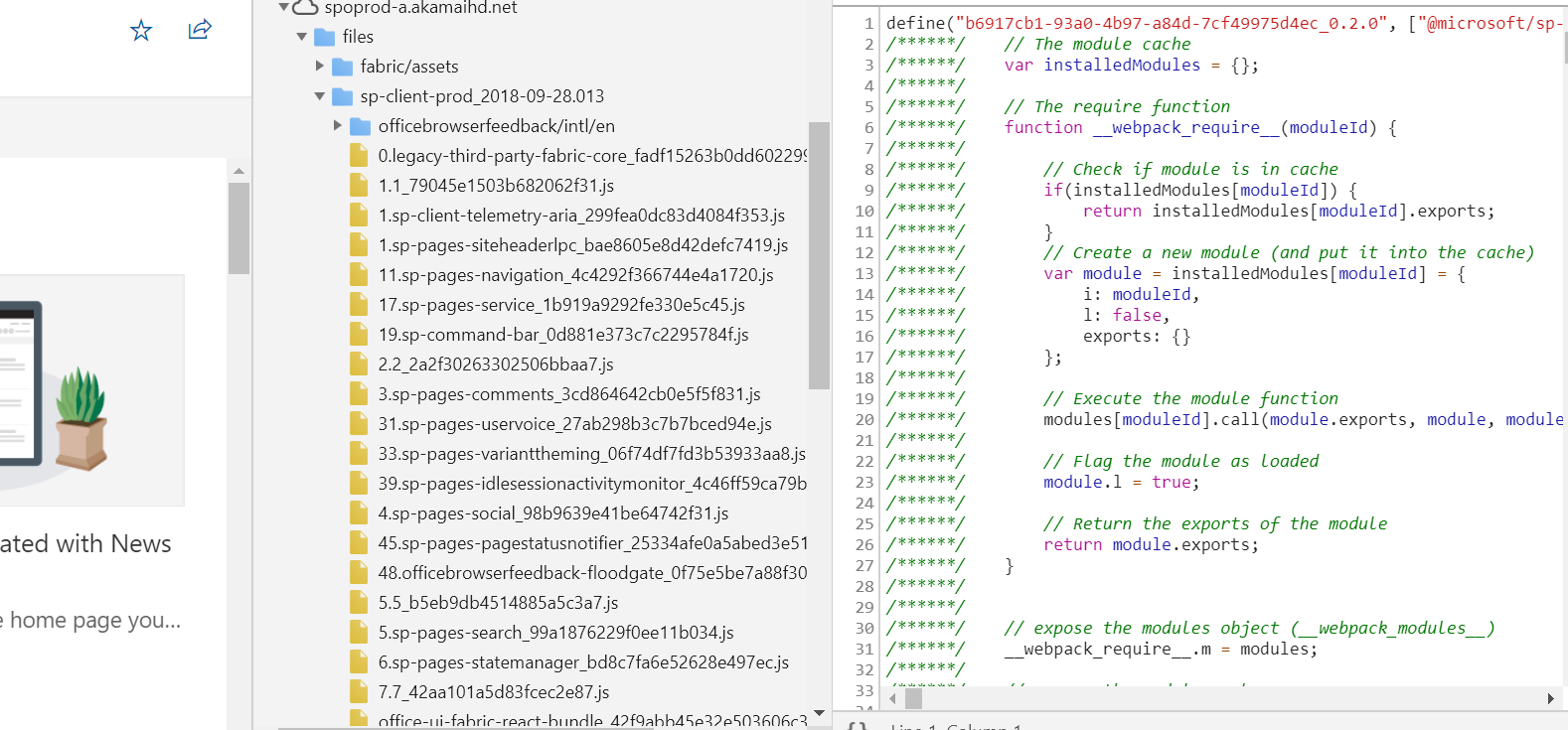
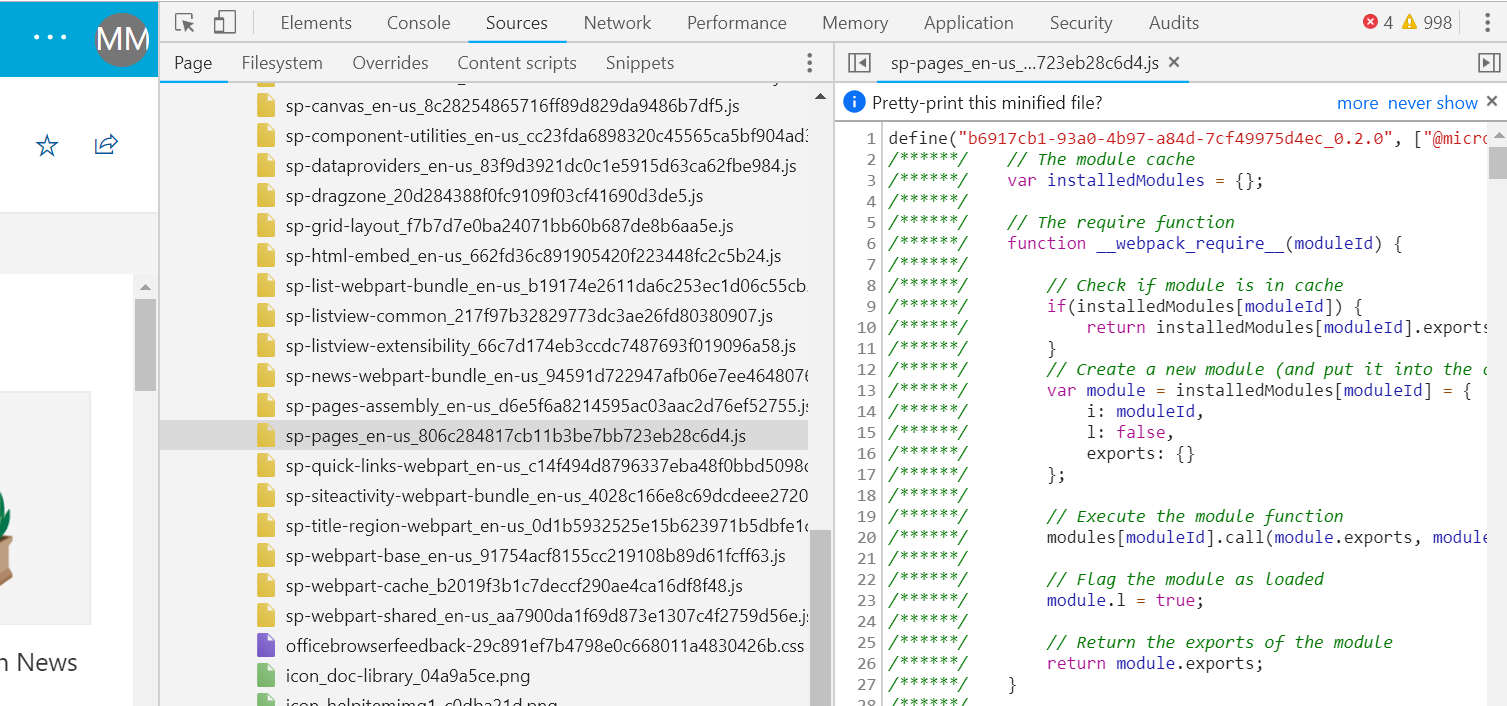
If you look at the sources tab in the developer tools, you should see some files coming from a URL like:
spoprod-a.akamaihd.netfiles\sp-client-prod_2018-***\sp-pages-assembly_en-us....
What is the full version # in the 2018-*** showing?
Thanks again for helping.
patmill
on 19 Oct 2018
OK, one more question for people that are helping out here (thank you for your help).
If you look at the sources tab in the developer tools, you should see some files coming from a URL like:
spoprod-a.akamaihd.netfiles\sp-client-prod_2018-***\sp-pages-assembly_en-us....What is the full version # in the 2018-*** showing?
Thanks again for helping.
Not sure if this is what you were asking. Sharing some screenshots.
ashishshukla1183
on 19 Oct 2018
Thanks @ashishshukla1183 - that helps. The version # is 2018-09-28.13
patmill
on 19 Oct 2018
@BigEaseGueldi - Do you happen to notice if the search box is in the suite nav (very top navigation bar)? Does the placement of the search box differ from the list page to the site page?
The search box is where it used to be (not in the suite nav): for list views/ application pages, the search box is in the command bar (on the right), for site pages, it's in the composite header.
BigEaseGueldi
on 19 Oct 2018
OK, this is frustrating. I have a tenant w/ the same build ID, but am not having the same issue. We have rolled back the build for now while we continue to investigate.
If anyone happens to feel OK sharing their source code (or at least their onInit function, where the code hooks up to the PlaceholdersChanged event, and the code where they tryCreateContent) that would help as well.
patmill
on 19 Oct 2018
OK, this is frustrating. I have a tenant w/ the same build ID, but am not having the same issue. We have rolled back the build for now while we continue to investigate.
If anyone happens to feel OK sharing their source code (or at least their onInit function and the code where they tryCreateContent) that would help as well.
You can refer mine at https://gist.github.com/ashishshukla1183/da28d1aafd38e5929d9ac8c7538f044b
Let me know if you need any more details.
ashishshukla1183
on 19 Oct 2018
@ashishshukla1183 - perfect. The problem in this case is the description in bug #2773 . The placeholders don't necessarily exist when onInit() is called (and in the future, as we try and get extensions executing sooner in the lifecycle), it will be more likely. You need to refactor your code slightly.
Pull all of your code from console.log ("All available placeholders: "... down to just before your return Promise.resolve
Then, add a line like this to your onInit() method:
this.context.placeholderProvider.changedEvent.add(this, this._createPlaceholders.bind(this));
patmill
on 19 Oct 2018
@ashishshukla1183 - perfect. The problem in this case is the description in bug #2773 . The placeholders don't necessarily exist when onInit() is called (and in the future, as we try and get extensions executing sooner in the lifecycle), it will be more likely. You need to refactor your code slightly.
Pull all of your code from console.log ("All available placeholders: "... down to just before your return Promise.resolve(); and put it in a new function (say private _createPlaceholders():void{}
Then, add a line like this to your onInit() method:
this.context.placeholderProvider.changedEvent.add(this, this._createPlaceholders.bind(this));
Just an update, now all placeholders are loading perfectly. It may be because you had rolled back the changes. I will also incorporate changes exactly as you have suggested, if the issue again reappears.
ashishshukla1183
on 19 Oct 2018
Please see the following post - https://github.com/SharePoint/sp-dev-docs/wiki/Safely-using-Placeholders-in-an-extension
If you were having issues and your code follows the guidance in the post, can you please let me know. Thanks.
patmill
on 19 Oct 2018
We've rolled back for now, so your issue should go away. We're looking at delaying the loading of application customizers until later, but that would be a temporary fix. The goal would be to get the customizers running sooner in the lifecycle, not later.
@BigEaseGueldi - can you double check your code to make sure it follows the information in this post - https://github.com/SharePoint/sp-dev-docs/wiki/Safely-using-Placeholders-in-an-extension?
Feel free to reach out to me if it still happens, if you have any questions about your solution, etc. Just stick @microsoft on my name.
patmill
on 19 Oct 2018
Sorry for the late response - had some meetings which didn't allow multitasking.
Our code has been double-checked/ adjusted now. Everything started working again (before), though it feels a bit slower. Especially for those solutions where you want to get rid of the ms-compositeHeader it's definitely too slow.
Just voted for https://sharepoint.uservoice.com/forums/329220-sharepoint-dev-platform/suggestions/33933100-when-creating-an-spfx-extension-for-a-custom-heade ;-)
Thanks for your quick help! Having this fixed before Monday definitely will be appreciated by some Service Desks ;-) Have a nice weekend!
BigEaseGueldi
on 19 Oct 2018
@patmill Thanks for some best practice information regarding changing placeholders.
What I really desire though, is an example covering how other events play into the rendering, merging your latest example with some examples showing this.context.application.navigatedEvent and this.context.placeholderProvider.changedEvent in action, the latter which can be found isolated here in a nice write-up: https://www.eliostruyf.com/handling-navigation-in-a-sharepoint-framework-application-customizer/
Is there any pitfalls we should avoid here, as we're doing some initial loading based on the context of the page, which we ideally want to let trigger the rendering upon completion.
Our setup also involves issue and fix found here: https://github.com/SharePoint/sp-dev-docs/issues/1871#issuecomment-422394910
qrown
on 22 Oct 2018
Issues that have been closed & had no follow-up activity for at least 7 days are automatically locked. Please refer to our wiki for more details, including how to remediate this action if you feel this was done prematurely or in error: Issue List: Our approach to locked issues
 msft-github-bot
on 26 Jan 2020
msft-github-bot
on 26 Jan 2020
Related issues
 byrongits
·
3Comments
byrongits
·
3Comments
 thechriskent
·
3Comments
thechriskent
·
3Comments
 christianbueschi
·
3Comments
christianbueschi
·
3Comments
 Ralms
·
3Comments
Ralms
·
3Comments
 waldekmastykarz
·
3Comments
waldekmastykarz
·
3Comments
Most helpful comment
Please see the following post - https://github.com/SharePoint/sp-dev-docs/wiki/Safely-using-Placeholders-in-an-extension
If you were having issues and your code follows the guidance in the post, can you please let me know. Thanks.