Sp-dev-docs: Extensions sometime not loading
Category
- [ ] Question
- [ ] Typo
- [x] Bug
- [ ] Additional article idea
I am facing some strange issue with extensions. The extensions are loaded sometime without issue on the page however they just dont register sometime with lot of errors in the console.
Here is a link to the console errors;
ExtensionNotLoading.log
As I said its completely random error and occurs nearly 30% of time approx.
 nikskhubani
All 11 comments
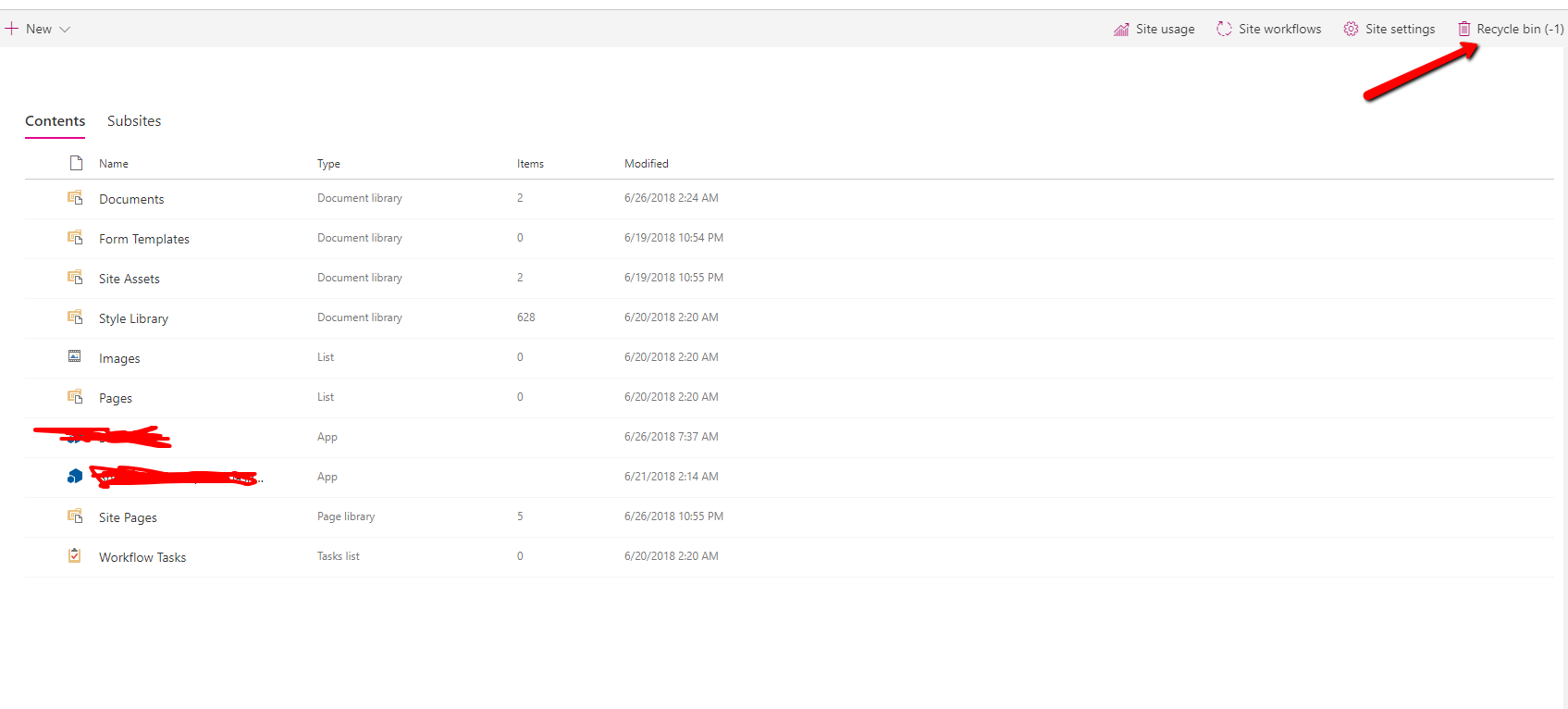
There is one more observation here, when the extensions are loaded successfully, the recycle bin shows -1 as shown in attached screenshot.
nikskhubani
on 27 Jun 2018
Any update on this?
nikskhubani
on 18 Jul 2018
Guys, the severity of this bug is really High. Our release is on hold due to this major bug as if the extension will not load, nothing will work which is self understandable.
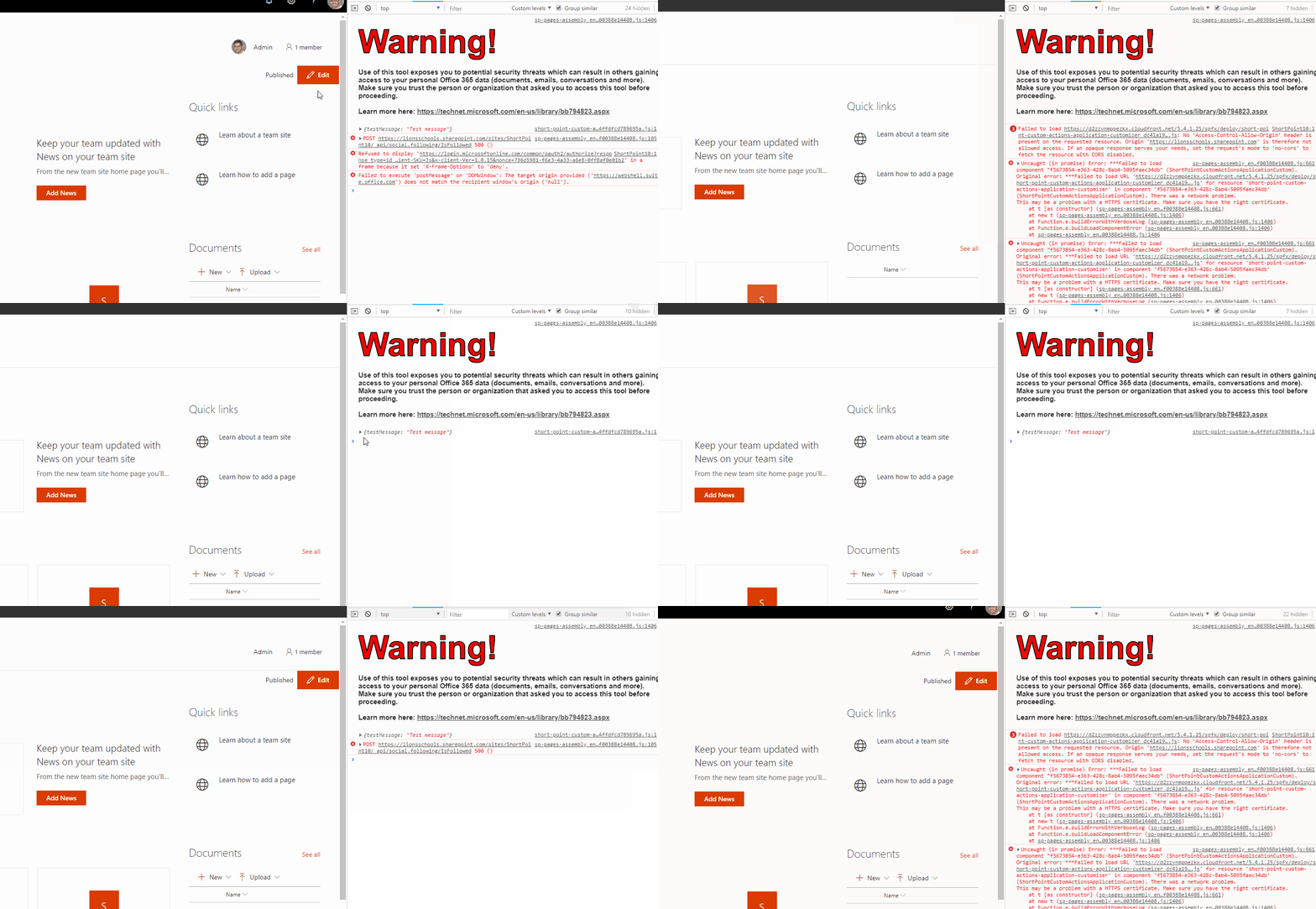
Here is a new GIF of issue. If you notice, extension is loading something and sometime its giving CORS issue. Our CDN is hosted on AWS and we made sure the CORS is enabled and if CORS is the real issue, it should come always and not randomly. See below, i am continuously refreshing the page and sometimes extension is loading and sometime it doesnt;
@VesaJuvonen @waldekmastykarz sorry to tag you guys but since this is serious I wanted to drag your attention. I hope you don't mind me doing
@mpasarin Since you were involved in https://github.com/SharePoint/sp-dev-docs/issues/733 , I wanted to drag your attention too here...
nikskhubani
on 19 Jul 2018
In your log I'm seeing a number of 404 errors when requesting https://s3.amazonaws.com/spfx/Public+Urls/product-custom-actions-application-customizer_03732e3aa13191b11fc201534d8e1e91.js, along with Failed to load https://s3.amazonaws.com/spfx/Public+Urls/product-custom-actions-application-customizer_03732e3aa13191b11fc201534d8e1e91.js: No 'Access-Control-Allow-Origin' header is present on the requested resource.. Requesting the URL in browser, also returns an error. Could you verify that you've specified a correct URL in your solution?
 waldekmastykarz
on 19 Jul 2018
waldekmastykarz
on 19 Jul 2018
Thank you for having a look @waldekmastykarz appreciate it.
The ticket above was created a month back almost and we did deployed further versions. The latest JS url is:
And they do load as you will notice.
Please see this new GIF;

nikskhubani
on 20 Jul 2018
Looking at the response from the server, the CORS headers seem to be missing, which could explain why SPFx can't load your extension.
waldekmastykarz
on 20 Jul 2018
"Looking at the response from the server, the CORS headers seem to be missing, which could explain why SPFx can't load your extension." - Did adding the CORS headers solve the issue for you? Is this still a problem?
 VesaJuvonen
on 9 Aug 2018
VesaJuvonen
on 9 Aug 2018
Hi @VesaJuvonen @waldekmastykarz thank you for your reply!
You were right, something was missing in AWS CORS settings. For all those who might face this issue, here is the CORS setting in AWS which worked for us;
<?xml version="1.0" encoding="UTF-8"?>
<CORSConfiguration xmlns="http://s3.amazonaws.com/doc/2006-03-01/">
<CORSRule>
    <AllowedOrigin>*</AllowedOrigin>
    <AllowedMethod>GET</AllowedMethod>
    <AllowedMethod>HEAD</AllowedMethod>
    <MaxAgeSeconds>3000</MaxAgeSeconds>
    <AllowedHeader>*</AllowedHeader>
</CORSRule>
</CORSConfiguration>
Issue has been fixed with above settings. Thank you.
nikskhubani
on 10 Aug 2018
Excellent, thanks for confirming @nikskhubani, appreciated.
VesaJuvonen
on 10 Aug 2018
Issues that have been closed & had no follow-up activity for at least 7 days are automatically locked. Please refer to our wiki for more details, including how to remediate this action if you feel this was done prematurely or in error: Issue List: Our approach to locked issues
 msft-github-bot
on 27 Jan 2020
msft-github-bot
on 27 Jan 2020
Related issues
 patrick-rodgers
·
3Comments
patrick-rodgers
·
3Comments
 nanddeepn
·
3Comments
nanddeepn
·
3Comments
 mikeparkie
·
3Comments
mikeparkie
·
3Comments
 qrown
·
3Comments
qrown
·
3Comments
 jonthenerd
·
3Comments
jonthenerd
·
3Comments
Most helpful comment
Guys, the severity of this bug is really High. Our release is on hold due to this major bug as if the extension will not load, nothing will work which is self understandable.
Here is a new GIF of issue. If you notice, extension is loading something and sometime its giving CORS issue. Our CDN is hosted on AWS and we made sure the CORS is enabled and if CORS is the real issue, it should come always and not randomly. See below, i am continuously refreshing the page and sometimes extension is loading and sometime it doesnt;
@VesaJuvonen @waldekmastykarz sorry to tag you guys but since this is serious I wanted to drag your attention. I hope you don't mind me doing
@mpasarin Since you were involved in https://github.com/SharePoint/sp-dev-docs/issues/733 , I wanted to drag your attention too here...