Sp-dev-docs: MSGraphClient does not get approved scopes as permissions
Category
- [ ] Question
- [ ] Typo
- [X] Bug
- [ ] Additional article idea
Expected or Desired Behavior
Get all O365 groups where user is member.
Observed Behavior
/me/joinedGroups is not working with the MSGraphClient. When running the SPFX in localhost I get the following error message in the console.
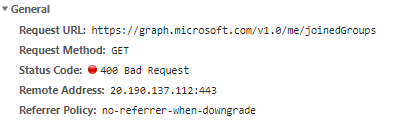

If I try the exact same in the Graph Explorer everything seems to be ok.
Steps to Reproduce
const client: MSGraphClient = this.context.serviceScope.consume(MSGraphClient.serviceKey);

client
  .api('/me/joinedGroups')
  .get((error, res: any) => {
    console.log(res.value);
  });
API request:
"webApiPermissionRequests": [
      {
        "resource": "Microsoft Graph",
        "scope": "Group.Read.All"
      }
    ]
 frnk01
All 25 comments
Have now tried adding the following permissions:
"webApiPermissionRequests": [
      {
        "resource": "Microsoft Graph",
        "scope": "Group.Read.All"
      },
      {
        "resource": "Microsoft Graph",
        "scope": "User.ReadBasic.All"
      },
      {
        "resource": "Microsoft Graph",
        "scope": "User.Read.All"
      },
      {
        "resource": "Microsoft Graph",
        "scope": "User.Sites.All"
      }
    ]
And approved API access in admin center. Still recieving 400 BadRequest. If I change the call to just /me everything works as expected.
frnk01
on 27 Jun 2018
Getting also direct emails on this (which is not preferred option), so others are also seeing this issue. We have started our investigation and will be working on a fix asap.
 VesaJuvonen
on 27 Jun 2018
VesaJuvonen
on 27 Jun 2018
Changed also title to be more descriptive on the exact issue.
VesaJuvonen
on 27 Jun 2018
Confirmed... getting similar errors. Using v1.5.1 with a brand new SPFx solution & trying to get permissions to access Calendars.Read & Tasks.Read and getting 403's even though the permissions are granted in the SPO Admin Portal's API Management page. Calls to just /me work as expected.
 andrewconnell
on 27 Jun 2018
andrewconnell
on 27 Jun 2018
@VesaJuvonen As a side note, not sure if it matters, but when publishing the app once more with additional scopes I get a lot of duplicate pending requests in the admin center. When marking all requests and clicking approve, a lot of them fails due to duplicates. Want me to create a separate issue for this?
frnk01
on 27 Jun 2018
Do you get 400 when you access other Graph APIs? joinedGroups is that is considered “hidden” schema, and is on deprecation path. It was kept open for apps that were using it in past. Newer apps don’t get it.
 qz2017
on 28 Jun 2018
qz2017
on 28 Jun 2018
@qz2017 Tried using the /me/memberOf now with the same four permission scopes as before and got the following:

Did one additional test with /groups, and this one is working as normal. In other words, seems like not all scopes are applied like @VesaJuvonen previously implied.
frnk01
on 28 Jun 2018
@frnk01
I am getting 400 for all requests.
I followed this tutorial: https://docs.microsoft.com/en-us/sharepoint/dev/spfx/use-aad-tutorial
and I don't see any of the following on my SharePoint Admin Center:

What I see on my SharePoint Admin Center is:
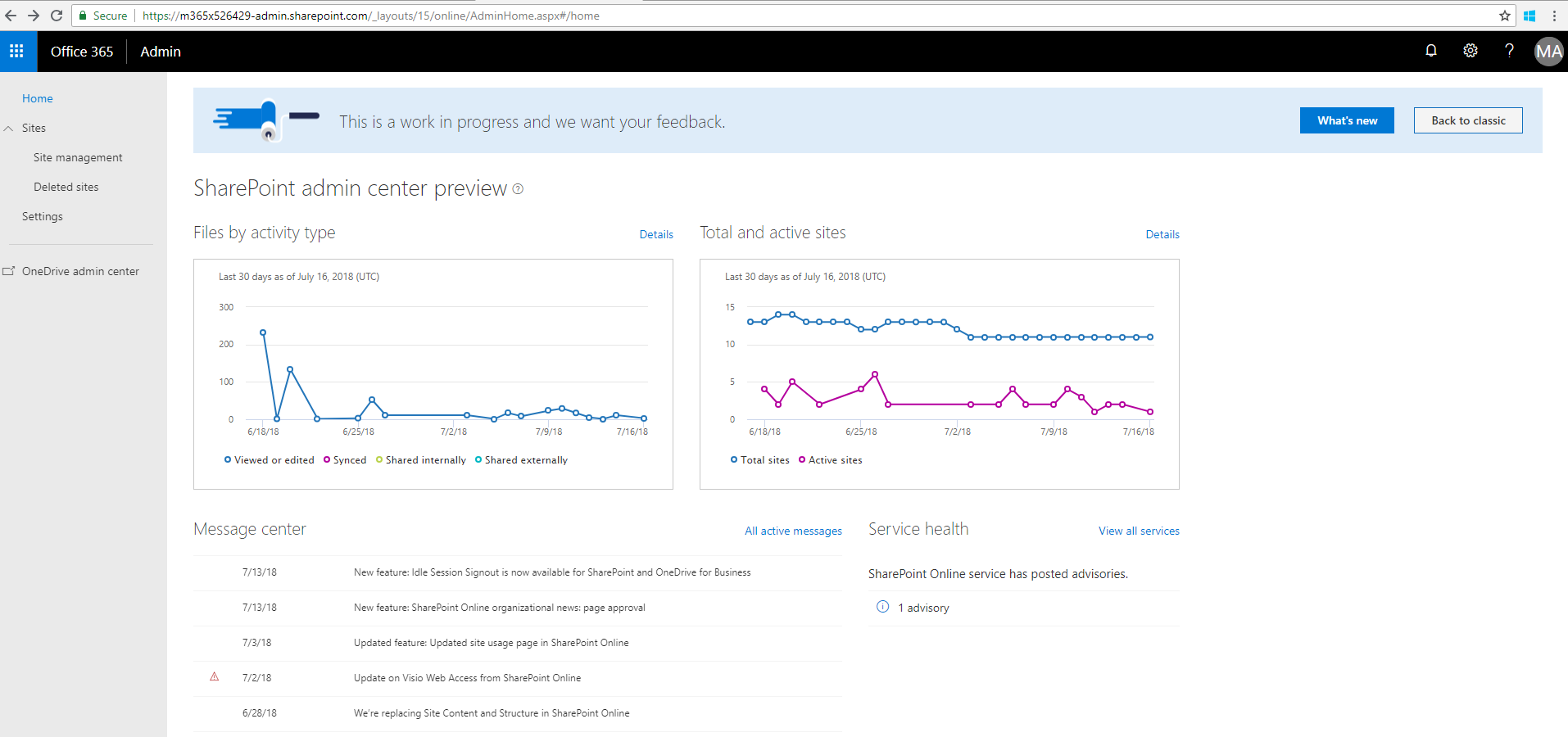
SPFx version: 1.4.1
Please let me know if you did something different in order to see the API management on SharePoint Admin Center. Thanks!
 lipalath-ms
on 18 Jul 2018
lipalath-ms
on 18 Jul 2018
@licypal is your tenant on the targeted release for all users?
 waldekmastykarz
on 18 Jul 2018
waldekmastykarz
on 18 Jul 2018
@waldekmastykarz Thanks for your suggestion. It was standard release by default earlier. I updated it to targeted release for all users and now I am able see approval page. After approval, I ran gulp serve --nobrowser, I get this error:
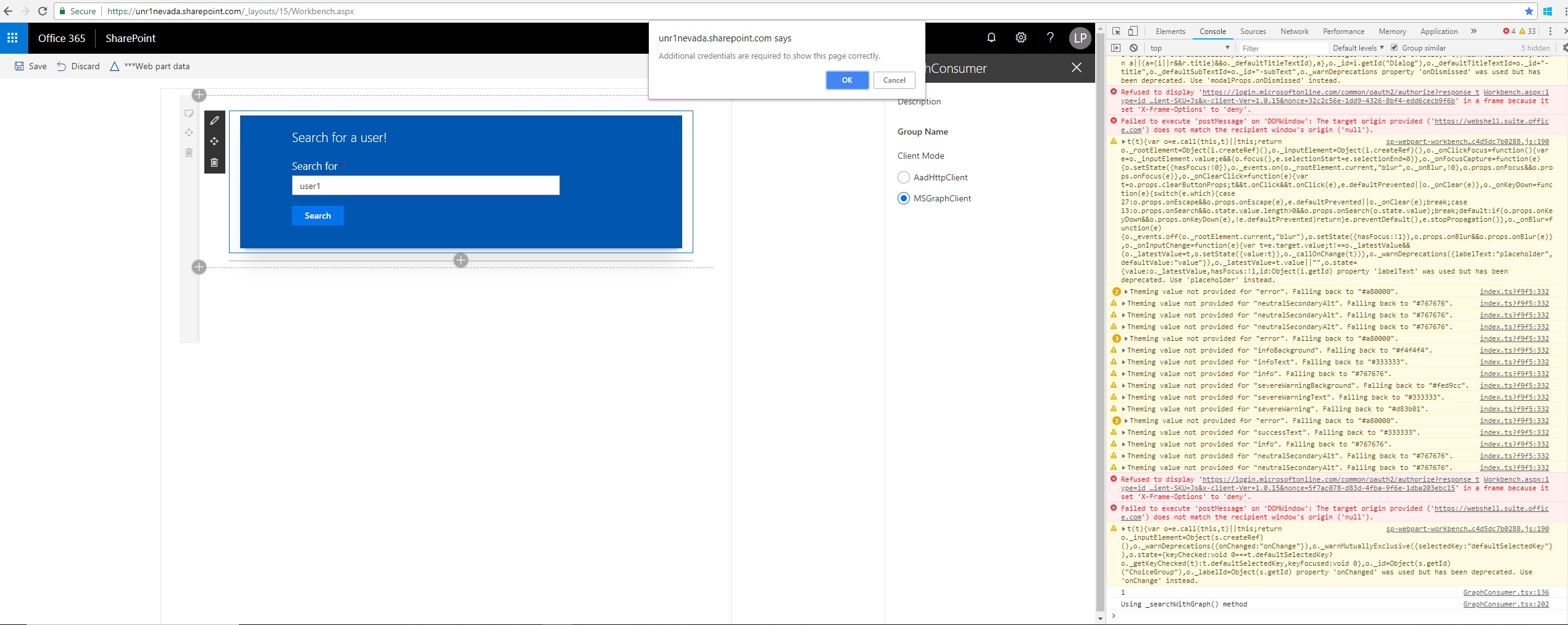
On selecting cancel, I get an additional error:
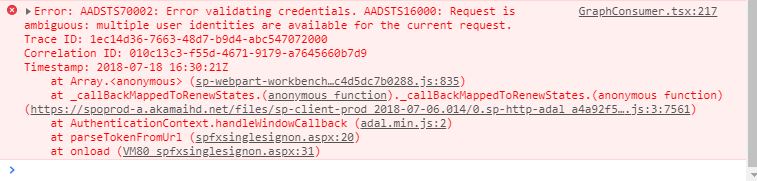
On selecting OK, the app crashes and refreshes. Please let me know if there are any addtional settings I need to do. Thanks!
Note: I'm using Chrome for testing
lipalath-ms
on 18 Jul 2018
Thanks for double checking. I haven't seen the error you've just mentioned. I wonder if it could be due to targeted release being still provisioning or if it's a genuine error. I'd suggest you wait 24h and see if you can repro the error tomorrow.
waldekmastykarz
on 18 Jul 2018
@waldekmastykarz. Will do, Thanks!
lipalath-ms
on 18 Jul 2018
@waldekmastykarz I still see the error while running on hosted workbench.
lipalath-ms
on 19 Jul 2018
@licypal thanks for double checking. I suspect we'd need help of someone from the engineering to have a closer look at the issue. @patmill are you around?
waldekmastykarz
on 19 Jul 2018
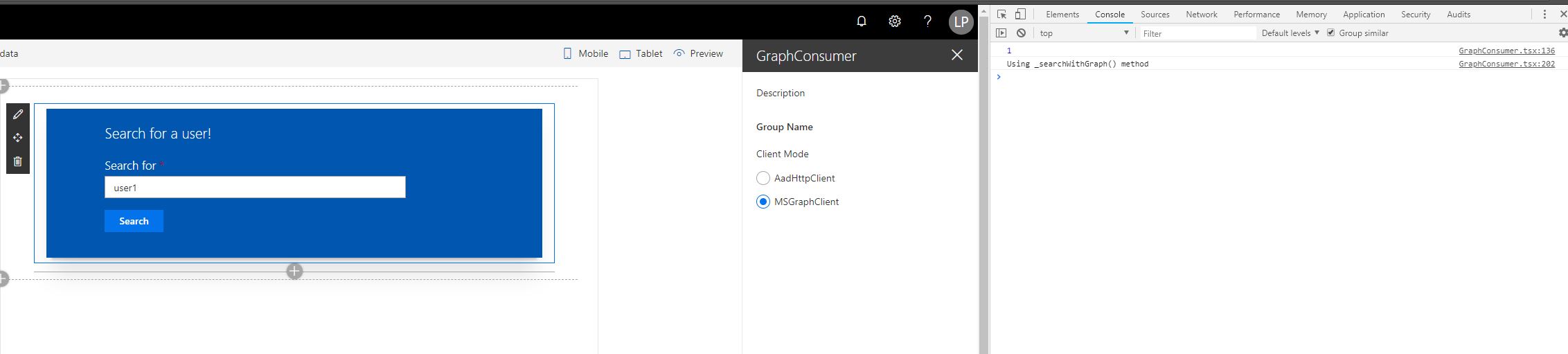
@waldekmastykarz An update: I tried opening the browser in incognito window. Now, I don't get any error. I see the following:

lipalath-ms
on 20 Jul 2018
Is it working as expected in private?
waldekmastykarz
on 22 Jul 2018
@waldekmastykarz No, it shows the same response without any error.
lipalath-ms
on 26 Jul 2018
@waldekmastykarz Any suggestions to resolve this please?
lipalath-ms
on 7 Aug 2018
Hi @licypal, seems that your issue is separate from the issue around permissions/scopes around accessing Microsoft Graph APIs... which means that your issue should be created as a new issue, as we cannot combine issues - makes it hard to assign the issue for specific people as there are different areas. Thanks for submitting your issue as a new one.
VesaJuvonen
on 9 Aug 2018
Hi @frnk01, we are looking into to differences and trying to get the scope/permission issue solved asap. Thanks for reporting.
VesaJuvonen
on 9 Aug 2018
@VesaJuvonen Does this issue mean that there are a problem with every single spfx solution using graph api with the new permission scopes? I'm not sure I understand when this issue occurs. Is there a fundamental issue with the api approval?
frnk01
on 12 Aug 2018
@VesaJuvonen Created a new issue: https://github.com/SharePoint/sp-dev-docs/issues/2243
Thanks!
lipalath-ms
on 14 Aug 2018
There doesn't seem to be an active issue with this thread. Please reopen if you're still facing issues
 ghost
on 3 Jan 2019
ghost
on 3 Jan 2019
I'm facing this issue
 petersgiles
on 20 Jan 2020
petersgiles
on 20 Jan 2020
@peterjkrebs - this issue has been closed, so if you have any similar issues, please do open a new issue with the requested details, so that we can help you with it. Thx.
VesaJuvonen
on 20 Jan 2020
Related issues
 thechriskent
·
3Comments
thechriskent
·
3Comments
 jonthenerd
·
3Comments
waldekmastykarz
·
3Comments
jonthenerd
·
3Comments
waldekmastykarz
·
3Comments
 Ralms
·
3Comments
jonthenerd
·
3Comments
Ralms
·
3Comments
jonthenerd
·
3Comments