Sp-dev-docs: AadHttpClient sandbox iframe restrictions issue
Category
- [x] Question
- [ ] Typo
- [x] Bug
- [ ] Additional article idea
Expected or Desired Behavior
Scenario:
Sharepoint Framework webpart call aad secured web api using AadHttpClient instasiated as
let aadClient = new AadHttpClient(this.context.serviceScope,
            "[id of azure ad application ]"
        );
with the
aadClient.get([url to web api], AadHttpClient.configurations.v1)
                    .then(response => {
                        return response.json();
                    })
Till 08.06 everything worked fine and as expected the request was authentificated and riched the api.
So I would exclude some missconfiguration.
Observed Behavior
Next day it stopped work
I have next error in browser dev console:
Unsafe JavaScript attempt to initiate navigation for frame with origin 'https://intranetcsdev.sharepoint.com' from frame with URL 'https://login.microsoftonline.com/cd9ff891-0dea-4618-a6e1-d6889de6c44d/oauth2/authorize?esponse_type=id_token%20token&client_id=08e18876-6177-487e-b8b5-cf950c1e5.....
The frame attempting navigation of the top-level window is sandboxed, but the flag of 'allow-top-navigation' or 'allow-top-navigation-by-user-activation' is not set.
Uncaught DOMException: Failed to set the 'href' property on 'Location': The current window does not have permission to navigate the target frame to 'https://login.microsoftonline.com/cd9ff891-0dea- ......
And when I observed elements of the html page can see that after execution get function of aadHttpClient object I see the newly inserted created iframe
<iframe id="adalRenewFrame08e18876-6177-487e-b8b5-cf950c1e598c" aria-hidden="true" **sandbox="allow-same-origin allow-scripts allow-forms allow-pointer-lock"** src="https://login.windows.net/cd9ff891-0dea-4618-a6e1-d6889de6c44d/oauth2/authorize?response_type=id_token token&client_id=08e18876-6177-487e-b8b5-cf950c1e598c&resource=08e18876-6177-487e-b8b5-cf950c1e598c&redirect_uri=https%3A%2F%2Fintranetcsdev.sharepoint.com%2F_forms%2Fspfxsinglesignon.aspx&state=29dc83c7-5442-4f81-9303-d5d54dbb2c23%7C08e18876-6177-487e-b8b5-cf950c1e598c&client-request-id=0a66da29-2e2f-4727-8759-31a7c48077d7&x-client-SKU=Js&x-client-Ver=1.0.16&nonce=c751bdd5-6d23-4825-9767-216e610a0580&prompt=none" style="visibility: hidden; position: absolute; height: 0px; width: 0px;"></iframe>
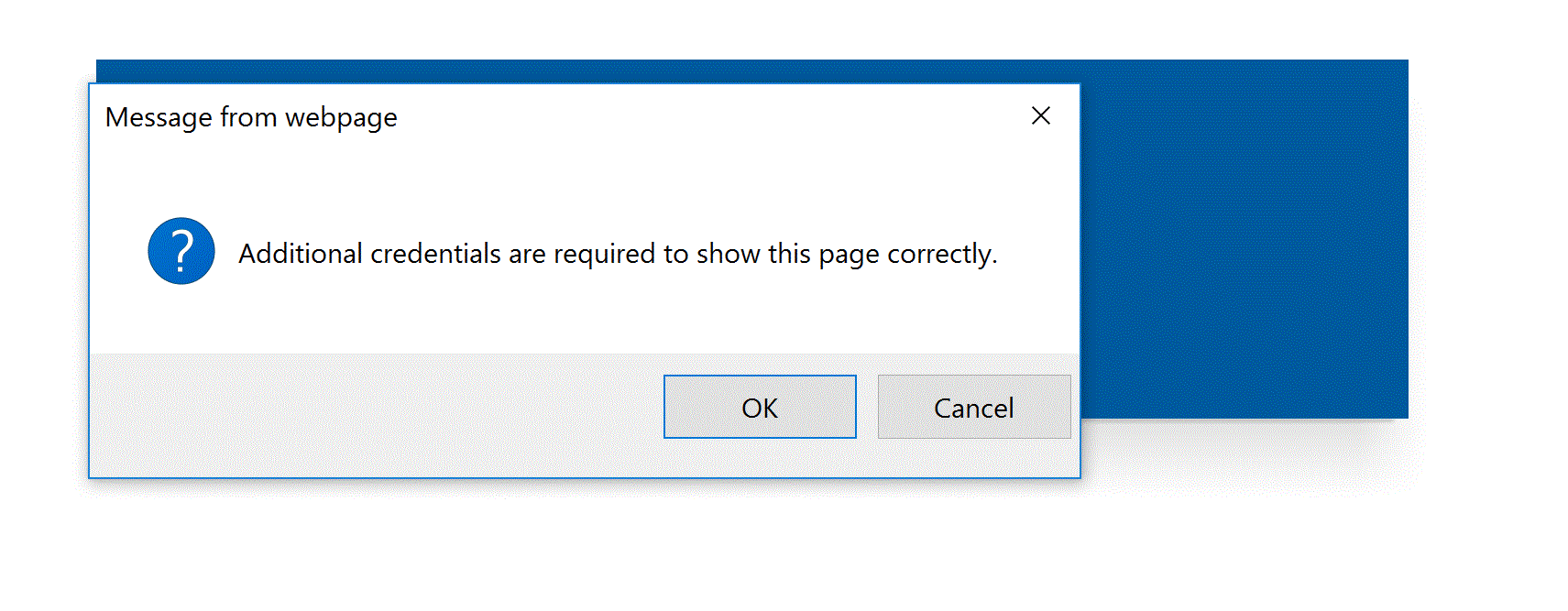
And popup with message "Additional credentials are required to show this page correctly"
Best regards. Will be very apriciated for the help.
 harkoo
All 20 comments
Seeing the same issue. AadHttpClient was working just fine, now it is not working anymore...
 OliverZeiser
on 10 Jun 2018
OliverZeiser
on 10 Jun 2018
Same issue here. Worked a couple of days ago, but not anymore. I use the ID in the resourceUrl (second parameter in the constructor), just as the example above.
 AndreasNorefalk
on 11 Jun 2018
AndreasNorefalk
on 11 Jun 2018
Same thing here, I'm afraid. I know that it's a Preview capability but it would be nice knowing what's broken or how to help to fix it.
 ekapic
on 11 Jun 2018
ekapic
on 11 Jun 2018
Same issue here. Web Parts I created with v1.4.1 worked just fine and could make calls using AadHttpClient. Now the code that was already working has stopped working and it getting errors whenever a call is made using AadHttpClient.
 TedPattison
on 11 Jun 2018
TedPattison
on 11 Jun 2018
Thanks for reporting, we are investigating this.
 VesaJuvonen
on 11 Jun 2018
VesaJuvonen
on 11 Jun 2018
Same issue
 muradaliyev
on 11 Jun 2018
muradaliyev
on 11 Jun 2018
Sorry for the inconvenience. This should be now fixed worldwide but would like to get confirmation from anyone in this thread, before closing this issue. This was a server-side issue, which we were able to mitigate without any client-side updates. We are taking actions to avoid similar issues to happen in future.
VesaJuvonen
on 12 Jun 2018
For me it is working again. Thx for fixing it...
OliverZeiser
on 12 Jun 2018
Was not working yesterday but it is working now, thank you for quick fix.
 AndersGEriksson
on 12 Jun 2018
AndersGEriksson
on 12 Jun 2018
Closing this as a solved issue based on input from @OliverZeiser and @AndersGEriksson.
VesaJuvonen
on 12 Jun 2018
Working for me as well. Thanks Vesa.
TedPattison
on 12 Jun 2018
in IE I see "additional credentials are required to how this page correctly", Chrome and Firefox works fine.
Often IE crashes when "OK" is selected.
 SBolla0
on 15 Aug 2018
SBolla0
on 15 Aug 2018
I am not sure if I need to open another bug or if it's possible to re-open this one, but I am experiencing this bug once again. Experienced 1 hour ago, but it went away after I found out I was logged in with 2 accounts and logged 1 out, but it just came back. Currently I am logged in with only 1 account.
 pkmelee337
on 18 Oct 2018
pkmelee337
on 18 Oct 2018
Extra information I just found. When I'm clicking on the URL after "Unsafe JavaScript attempt to initiate navigation for frame with origin 'https://
strHeaderText":"Aanmelden","unsafe_strTopMessage":"U kunt niet worden aangemeld.","strMainMessage":"We hebben een ongeldige aanvraag ontvangen.","strAdditionalMessage":"","strServiceExceptionMessage":"AADSTS90102: \u0026#39;redirect_uri\u0026#39; value must be a valid absolute Uri.","strTraceId":"f73fd0ae-c1dc-4f42-9c7b-bd5533b20c00","strErrorCode":90102,"iHttpErrorCode":400,"iViewId":1,"urlCancel":"","strTimestamp":"2018-10-18T08:50:37Z","fUseBoldHeader":true,"iMaxStackForKnockoutAsyncComponents":10000,"strCopyrightTxt":"\u0026#169;2018 Microsoft","fShowButtons":true,"urlCdn":"https://secure.aadcdn.microsoftonline-p.com/ests/2.1.8233.20/","urlFooterTOU":"https://www.microsoft.com/nl-NL/servicesagreement/","urlFooterPrivacy":"https://privacy.microsoft.com/nl-NL/privacystatement","iPawnIcon":0,"sPOST_Username":"","sFTName":"flowToken","dynamicTenantBranding":null,"oAppCobranding":{},"iBackgroundImage":0,"fUseConstantPolling":true,"fUseFlowTokenAsCanary":true,"fApplicationInsightsEnabled":false,"iApplicationInsightsEnabledPercentage":0,"fRepositionFooterButtons":true,"fUseTextOnlyIdentityBannerWithBack":true,"fUseSigninSubtitle":true,"urlSetDebugMode":"https://login.microsoftonline.com/common/debugmode","scid":1013,"hpgact":1800,"hpgid":1117,"pgid":"ConvergedError","apiCanary":"AQABAAAAAAC5una0EUFgTIF8ElaxtWjTuadHv8X5IJcfjO9tcEn5JFDOvLRsm-Y2GMUgsGPrUvfiCsZU4-kn19zWLzbIUbh9edLHJHSdbFk2I5XHH1KGykVtgyWccu5B9ovPHgSxk0Ahdq1yvjeKBp5WRq3M0tTjyeCgYJA_XwmtClxceaGFwB2yMFKeFbg-Ir3OG9Wfvo3Zxnj4-UR2ixxDM48d3_daKt96wtEOtqQdoED8iCjBeiAA","canary":"eD3dmINOto/BsZA6pvqN/pYbVPMhWDb6PZiG0jGndKg=8:1","correlationId":"ba396cac-ffc3-4538-9d08-95783dd30337","sessionId":"f73fd0ae-c1dc-4f42-9c7b-bd5533b20c00","locale":{"mkt":"nl-NL","lcid":1043},"slMaxRetry":2,"slReportFailure":true,"strings":{"desktopsso":{"authenticatingmessage":"Er wordt een poging gedaan u aan te melden"}},"enums":{"ClientMetricsModes":{"None":0,"SubmitOnPost":1,"SubmitOnRedirect":2,"InstrumentPlt":4}},"urls":{"instr":{"pageload":"https://login.microsoftonline.com/common/instrumentation/reportpageload","dssostatus":"https://login.microsoftonline.com/common/instrumentation/dssostatus"}},"browser":{"ltr":1,"Chrome":1,"_Win":1,"_M69":1,"_D0":1,"Full":1,"Win81":1,"RE_WebKit":1,"b":{"name":"Chrome","major":69,"minor":0},"os":{"name":"Windows","version":"10.0"},"V":"69.0"},"watson":{"url":"/common/handlers/watson","bundle":"https://secure.aadcdn.microsoftonline-p.com/ests/2.1.8233.20/content/cdnbundles/watson.min_ha5nmujvhvceoh6ykhd_kq2.js","sbundle":"https://secure.aadcdn.microsoftonline-p.com/ests/2.1.8233.20/content/cdnbundles/watsonsupport.min__amo-oemzzyr-n7ss4onkq2.js","fbundle":"https://secure.aadcdn.microsoftonline-p.com/ests/2.1.8233.20/content/cdnbundles/frameworksupport.min_tvpky4iaapvkoihdjd090q2.js","resetErrorPeriod":5,"maxCorsErrors":-1,"maxInjectErrors":5,"maxErrors":10,"maxTotalErrors":3,"expSrcs":["https://secure.aadcdn.microsoftonline-p.com/ests/","https://login.microsoftonline.com",".login.microsoftonline.com"],"envErrorRedirect":true,"envErrorUrl":"/common/handlers/enverror"},"loader":{"cdnRoots":[]},"serverDetails":{"slc":"ProXXXXes","dc":"AMS2","ri":"ESTXXXX_9","ver":{"v":[2,1,8233,20]},"rt":"2018-10-18T08:50:37","et":0}};
The thing is that my redirect url is correct (also in the iframe request, of course with correct values between <>):
https://login.microsoftonline.com/<tenantid>/oauth2/authorize?response_type=id_token&client_id=<client_id>&redirect_uri=https%3A%3A%2F%2F<tenant name>.sharepoint.com%2F_forms%2Fspfxsinglesignon.aspx&state=b0d6e45a-ec45-42aa-8be7-51d64b924580%7C<client_id>&client-request-id=ba396cac-ffc3-4538-9d08-95783dd30337&x-client-SKU=Js&x-client-Ver=1.0.16&prompt=none&nonce=1cbc7c62-b594-4a26-be38-eec23d9d73c6
My bad, the redirect url had a ':' to much. :-\
Would it be possible for your guys to show the errormessage in the iframe in the console?
pkmelee337
on 18 Oct 2018
We're now seeing this error in Chrome when making requests with the AadHttpClient. It was working yesterday just fine.
 adaddeo
on 13 Mar 2019
adaddeo
on 13 Mar 2019
I'm also getting this issue as well.
I've logged it as a seperate issue here:
https://github.com/SharePoint/sp-dev-docs/issues/3601
 duffysp
on 14 Mar 2019
duffysp
on 14 Mar 2019
Same problem here. Also with Teams.
 tabinnorway
on 12 Apr 2019
tabinnorway
on 12 Apr 2019
Same problem here. Also with Teams.
@tabinnorway I logged a seperate issue for this and managed to resolve it check here:
https://github.com/SharePoint/sp-dev-docs/issues/3601
duffysp
on 12 Apr 2019
Issues that have been closed & had no follow-up activity for at least 7 days are automatically locked. Please refer to our wiki for more details, including how to remediate this action if you feel this was done prematurely or in error: Issue List: Our approach to locked issues
 msft-github-bot
on 27 Jan 2020
msft-github-bot
on 27 Jan 2020
Related issues
 SteIvanov
·
3Comments
SteIvanov
·
3Comments
 bengtmoss
·
3Comments
bengtmoss
·
3Comments
 waldekmastykarz
·
3Comments
waldekmastykarz
·
3Comments
 mikeparkie
·
3Comments
mikeparkie
·
3Comments
 byrongits
·
3Comments
byrongits
·
3Comments