Sp-dev-docs: Microsoft.SharePoint.Client.WebParts.WebPartDefinition.ZoneId is never loaded on SharePoint 2016
Category
- [ ] Question
- [ ] Typo
- [x] Bug
- [ ] Additional article idea
Expected or Desired Behavior
When using PnP PowerShell (and I guess this would also apply to more ways of connecting to a site including C#, etc.) on SharePoint 2016, the ZoneId of webparts should be loaded so I can use it to understand the context of my page. This works fine Online.
Observed Behavior
When loading a WebPart using Get-PnPWebPart, the ZoneId is always empty, even if I explicitly ask to load the property, it says that the ZoneId property does not exist. Is that a bug from the underlying CSOM? I gues...
Steps to Reproduce
I did the following:
Connect-PnPOnline -Url https://myfarm.int
Get-PnPWebPart -ServerRelativePageUrl /Pages/default.aspx | Select ZoneId
And got the following:
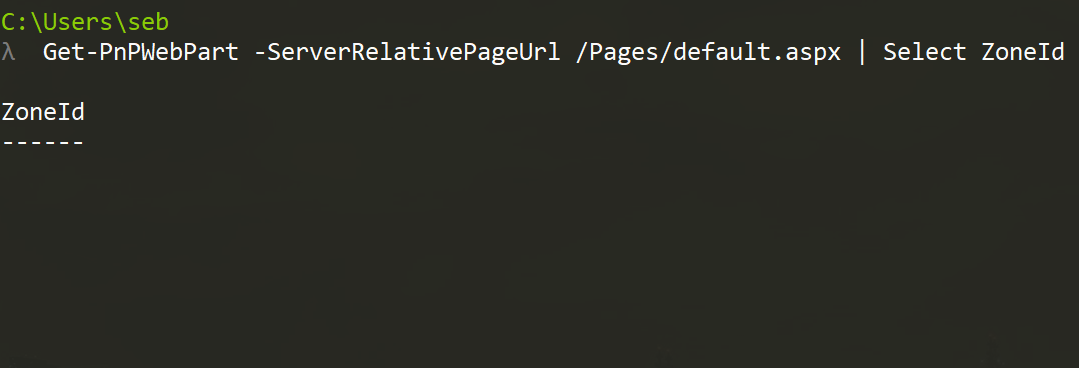
Then tried the following:
Connect-PnPOnline -Url https://myfarm.int
$webPart = Get-PnPWebPart -ServerRelativePageUrl /Pages/default.aspx
Get-PnPProperty -ClientObject $webPart -Property ZoneId
And got the following:

I am very confused and would expect that this works... What am I doing wrong?
 sebastienlevert
All 7 comments
@sebastienlevert Thanks for the feedback. You aren't doing anything wrong, and we have made the fix. I just submitted the code change to make ZoneId property assessible. It will be availible in the next release.
If you experience the same issue in the next release feel free to re-open this bug.
 dgaeta
on 6 Apr 2018
dgaeta
on 6 Apr 2018
Thx @dgaeta for following up on this after getting the backporting fixed. We had a real issue in the SP2016 CSOM where this property was not actually supported, even though it's supported with SP2013 and SPO. Daniel has now fixed this in the source code last night and it will be shipped as part of the upcoming CUs for SP2016. ETA should be in May 2017 CU.
 VesaJuvonen
on 6 Apr 2018
VesaJuvonen
on 6 Apr 2018
@sebastienlevert - you can consider this as a birthday present. :-)
VesaJuvonen
on 6 Apr 2018
Thanks guys, I will take a birthday beer to celebrate that!
sebastienlevert
on 9 Apr 2018
Just checked the release notes for May 2018 PU for SP2016 and this is included, so can confirm from 99.99% percent certain that the update/fix is included in the May 2018 PU release. Finally. Thanks for reporting as this was a nasty miss.
VesaJuvonen
on 17 Apr 2018
I am now seeing this issue on SharePoint 2013, could this fix for SP 2016 have caused a regression issue with SP 2013? Here is new issue I have opened: https://github.com/SharePoint/PnP-PowerShell/issues/2339
 samculver
on 21 Nov 2019
samculver
on 21 Nov 2019
Issues that have been closed & had no follow-up activity for at least 7 days are automatically locked. Please refer to our wiki for more details, including how to remediate this action if you feel this was done prematurely or in error: Issue List: Our approach to locked issues
 msft-github-bot
on 28 Jan 2020
msft-github-bot
on 28 Jan 2020
Related issues
 nanddeepn
·
3Comments
nanddeepn
·
3Comments
 Ralms
·
3Comments
Ralms
·
3Comments
 zerovectorspace
·
3Comments
zerovectorspace
·
3Comments
 karishmaTCS
·
3Comments
karishmaTCS
·
3Comments
 qrown
·
3Comments
qrown
·
3Comments