Sp-dev-docs: Error when displaying HelloWorld web part in (non developer site collection) of tenant workbench
Thank you for reporting an issue or suggesting an enhancement. We appreciate your feedback - to help the team to understand your needs, please complete the below template to ensure we have the necessary details to assist you.
Category
- [ ] Question
- [ ] Typo
- [X ] Bug
- [ ] Additional article idea
If you are planning to share a new feature request (enhancement / suggestion), please use SP Dev UserVoice at http://aka.ms/sp-dev-uservoice.
Expected or Desired Behavior
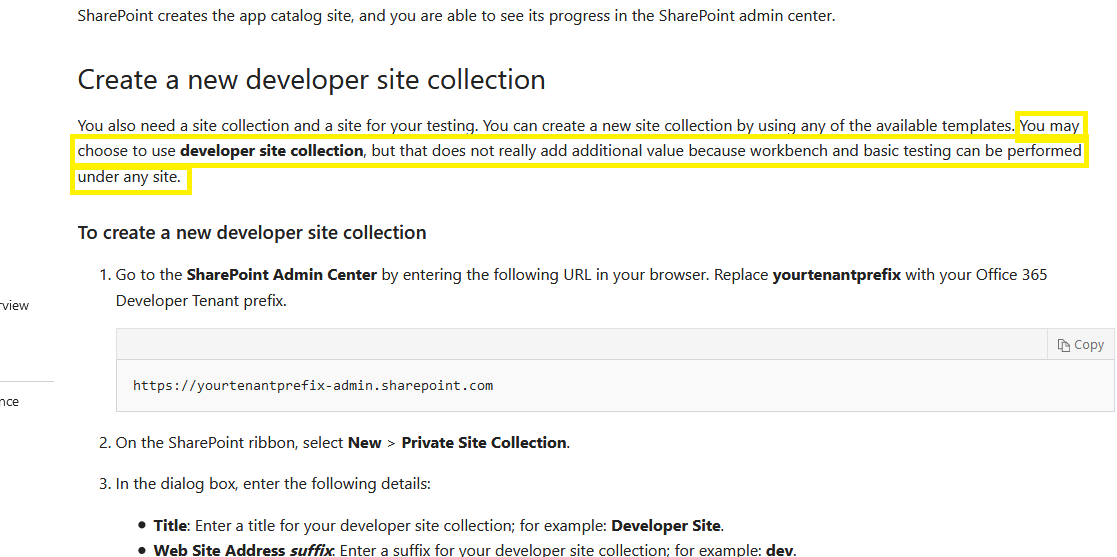
Based on current documentation, tenant workbench should function within both developer and non-developer site collections.
Observed Behavior
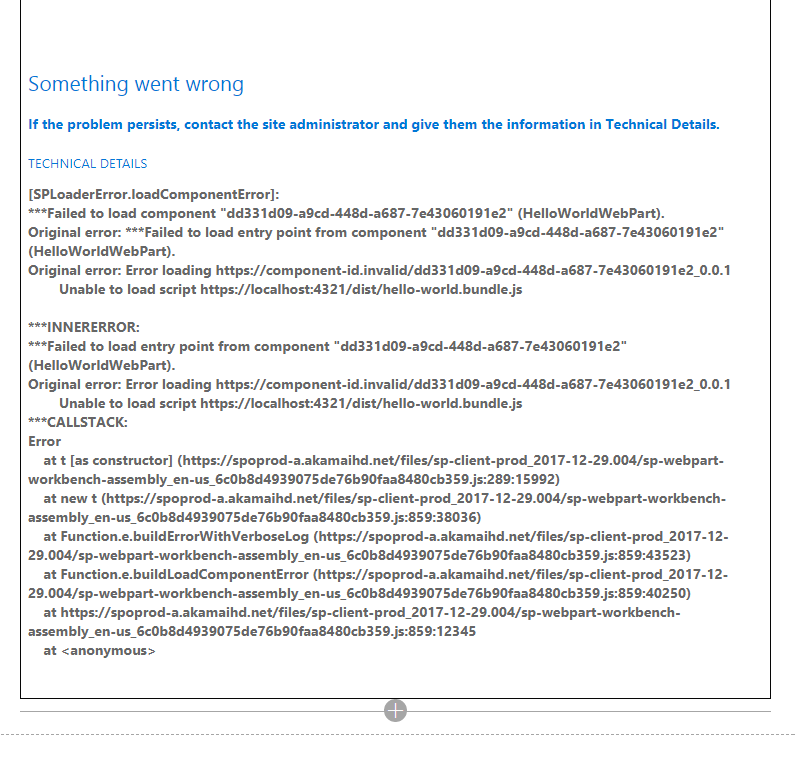
SPFx HelloWorld web part works fine within localhost workbench and tenant developer site collection workbench. On a non-developer site collection, I can add it to my workbench, but then it displays the following error.
Steps to Reproduce
- Run gulp serve within the context of HelloWorld SPFx sample
- Confirm it functions correctly in localhost workbench.
- Confirm it functions correctly within a developer site collection tenant workbench.
- Try adding/viewing it on a non-developer site collection tenant workbench.
I am using node 6.12.3 and here is my solution without the node_modules directory: HelloWorld.zip
 tracy-zaact
All 8 comments
When on step 4), is your local web server still running? It seems like the workbench cannot load the bundle from your local machine.
 waldekmastykarz
on 16 Jan 2018
waldekmastykarz
on 16 Jan 2018
Hi @waldekmastykarz, thanks for the response. Yes, it's still running. I've also added a zip attachment above with my solution minus the node_module directory.
tracy-zaact
on 16 Jan 2018
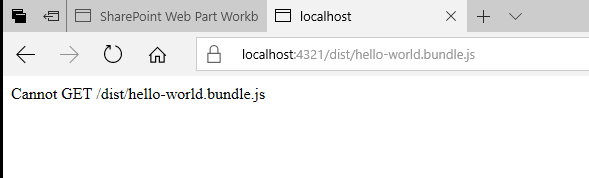
What do you see when you try to open in the browser https://localhost:4321/dist/hello-world.bundle.js?
waldekmastykarz
on 17 Jan 2018
@waldekmastykarz - The following is the message I receive in another browser tab, where my localhost workbench shows the web part successfully.
tracy-zaact
on 17 Jan 2018
Which explains why the web part cannot be loaded in the workbench. Have you by any chance renamed the web part in the process or changed the name of its bundle?
What you could also try is running the following commands:
gulp clean
gulp serve
The first one will clear the output directory in case you have some stale files. The second one will rebuild and bundle your project and start local workbench, where you will be able to confirm that the web part is working. Once you confirm, that you can add it in the local workbench, you can navigate to the hosted workbench and should be able to add it there as well.
waldekmastykarz
on 18 Jan 2018
Thanks @waldekmastykarz. Does it make sense that it would still work in the localhost workbench, even with that error?
I went ahead and created a brand new instance of the HelloWorld web part and that one does appear to work in the hosted workbench of a non-developer site collection. I'm not sure what I did to the first one, but obviously something that 'broke' it. Thanks again for your help.
tracy-zaact
on 18 Jan 2018
thx @tracy-zaact for following up and closing the issue. Also thx @waldekmastykarz for the support.
 VesaJuvonen
on 22 Jan 2018
VesaJuvonen
on 22 Jan 2018
Issues that have been closed & had no follow-up activity for at least 7 days are automatically locked. Please refer to our wiki for more details, including how to remediate this action if you feel this was done prematurely or in error: Issue List: Our approach to locked issues
 msft-github-bot
on 28 Jan 2020
msft-github-bot
on 28 Jan 2020
Related issues
 byrongits
·
3Comments
byrongits
·
3Comments
 ken-harris
·
3Comments
ken-harris
·
3Comments
 nanddeepn
·
3Comments
nanddeepn
·
3Comments
 acksoft
·
3Comments
acksoft
·
3Comments
 christianbueschi
·
3Comments
christianbueschi
·
3Comments
Most helpful comment
Thanks @waldekmastykarz. Does it make sense that it would still work in the localhost workbench, even with that error?
I went ahead and created a brand new instance of the HelloWorld web part and that one does appear to work in the hosted workbench of a non-developer site collection. I'm not sure what I did to the first one, but obviously something that 'broke' it. Thanks again for your help.