Sormas-project: Error when opening cases/contacts/events with tasks without a task status
Bug Description
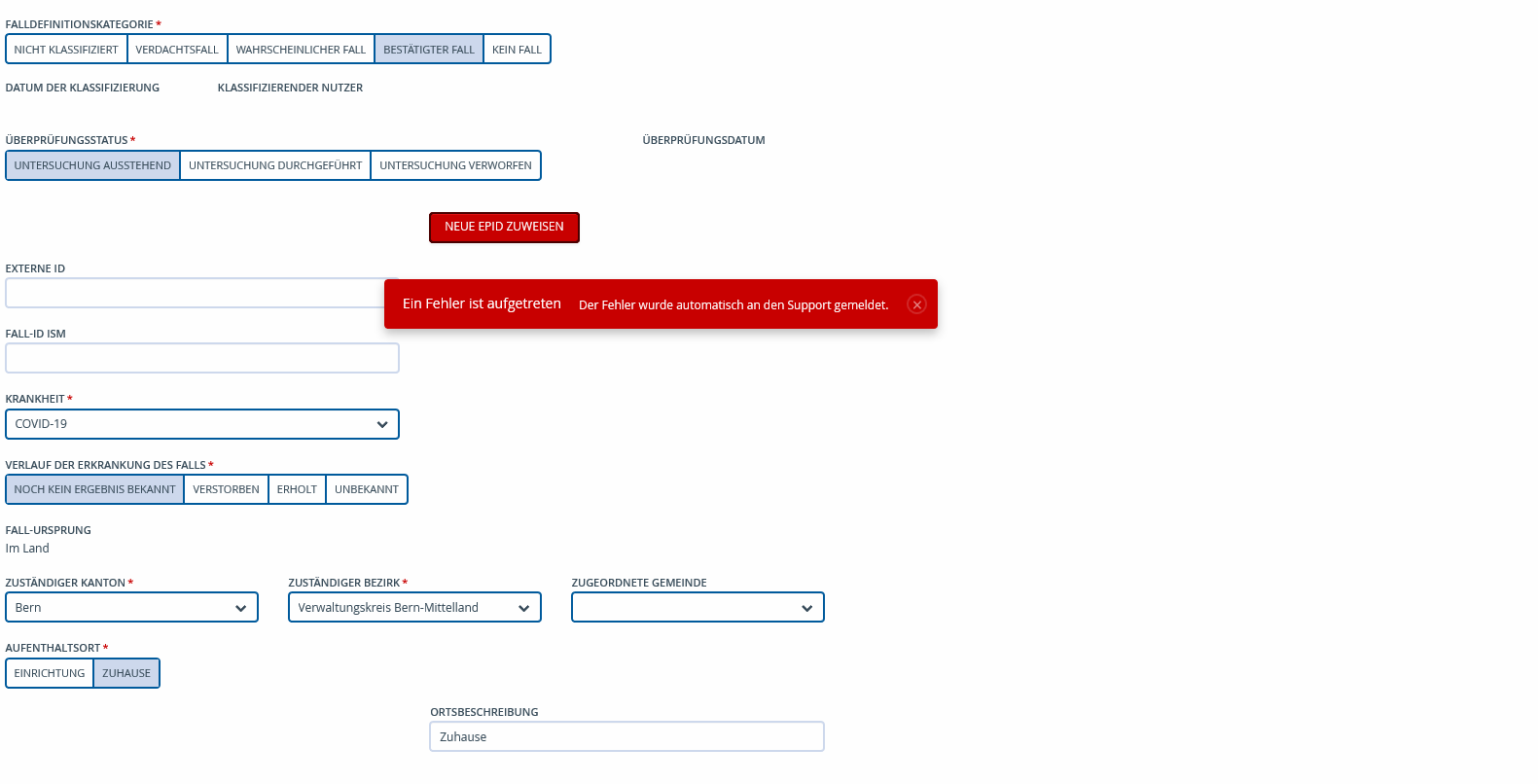
Some cases on productive systems don't show the right bar that dislayes functionalities like tasks, samples, events, documents. Navigating back to the case information produces an error message.
Steps to Reproduce
- Open a case where this information is not visible (still not sure how to determine/reproduce this)
- Navigate to any other tab of the case (i.e. Case Person)
- Navigate back to the tab for the Case
- Error message appears
Expected Behavior
The right task bar should always be shown (excluding Documents because of dependencies)
Screenshots
System Details
- Device:
- SORMAS version:
- Android version/Browser:
- Server URL: productive systems
- User Role: admin, national user, supervisors, lab officer, clinician
Additional Information
 kwa20
kwa20
All 12 comments
@MateStrysewske -
server.txt
Error occurred at 11.05 when accessing a Case on this server.
Error occurred at 11.06 when accessing a Case on this server.
 Candice-Louw
on 27 Nov 2020
Candice-Louw
on 27 Nov 2020
@kwa20 @Candice-Louw Unfortunately, for some reason, there's no proper logging for this bug which makes it really hard for me to investigate it. Can you have a look at the affected cases and try to figure out what is different about them compared to cases where it works?
 MateStrysewske
on 1 Dec 2020
MateStrysewske
on 1 Dec 2020
@MateStrysewske - From Kt. BE: Data Processing teams claim that in all these cases it seems that a first task could be set on import (all of these cases are imported, then tasks are set by contact tracers by hand), because otherwise they would never have been processed by a Contact Tracer, but that the error might have occurred later (e.g. when completing a task).
Candice-Louw
on 3 Dec 2020
@Candice-Louw I'm not sure if I understand correctly. Does that mean that after the case was imported, the sidebar was displayed and the users could successfully create a task for it, and the error only occurred later? If that's the case, unfortunately that's not really an answer to my question because I'd need to know what the difference compared to other cases is right now (not earlier).
MateStrysewske
on 4 Dec 2020
@MateStrysewske - additional information (which may not be particularly helpful, but posting it anyway):
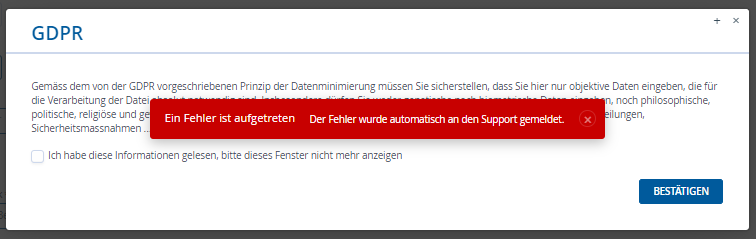
Cases > Open Case with missing right bar (no error shown) > Refresh page > Error shown and GDPR message pops up (if not already accepted by user).
Candice-Louw
on 7 Dec 2020
@Candice-Louw Does that mean that the user in question didn't receive this popup directly after they logged in?
MateStrysewske
on 7 Dec 2020
@MateStrysewske - User did receive the message when logging in. They only closed the window (x in the corner). So, they did not select "Ich habe diese Informa..." nor did they click "Bestätigen".
Candice-Louw
on 7 Dec 2020
@MateStrysewske - confirmed:
It is possible to set Tasks with no task status. For all Cases where the Task status is missing (filter in Task directory by Task status) the right bar is not shown.


Temp workaround suggested Kt.e - filter by task status and handle these cases as a special group for follow-up calls/set task status manually for each case.
Candice-Louw
on 7 Dec 2020
@Candice-Louw Great, thanks! That's the issue! I suggest that we make the task status required so that this doesn't happen again? The source of the problem are the new nullable option groups which allow users to deselect the task status which wasn't possible before.
MateStrysewske
on 7 Dec 2020
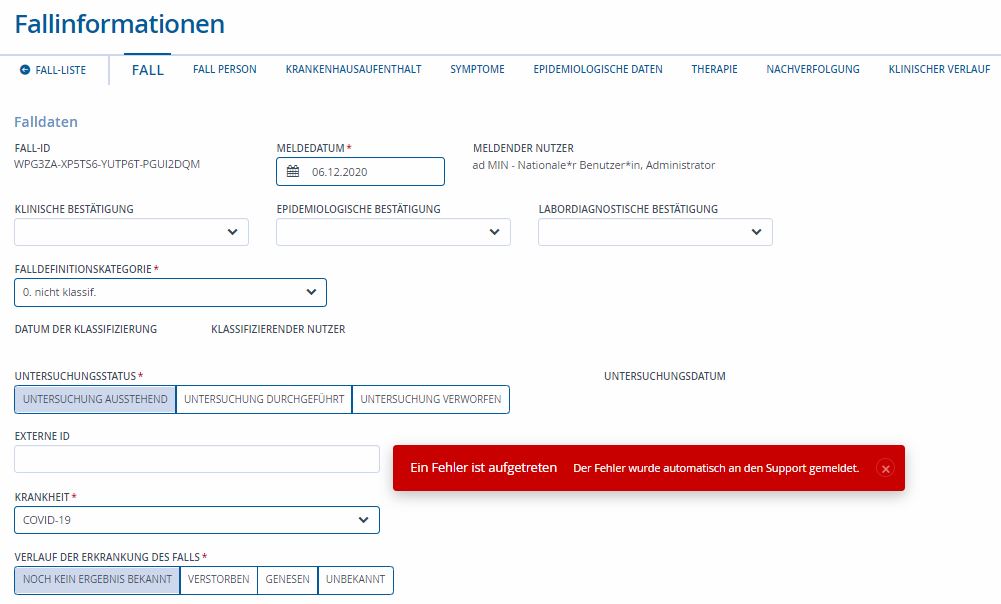
@MateStrysewske @Candice-Louw I just reproduced it! Great effort finding it! Yes, let's make it required.
kwa20
on 7 Dec 2020
All tasks status are now marked as mandatory and the issue is now resolved
 raghupola-vg
on 10 Dec 2020
raghupola-vg
on 10 Dec 2020
Workaround for missing Task.status: Go into the Task and set a status.
 StefanKock
on 11 Dec 2020
StefanKock
on 11 Dec 2020
Related issues
Candice-Louw
·
6Comments
kwa20
·
4Comments
 Iheanacho2027
·
4Comments
Candice-Louw
·
6Comments
Iheanacho2027
·
4Comments
Candice-Louw
·
6Comments
 shawnsarwar
·
6Comments
shawnsarwar
·
6Comments