Sonarr: System.Xml.XmlException: Syntax Error after '<!' characters. http://www.newzbin.com/DTD/nzb/nzb-1.1.dtd Line 1, position 3.
Describe the bug
I believe this is the same bug as #2554 and this thread: https://forums.sonarr.tv/t/xmlexception-syntax-error/18599
As far as I can tell this happens on both my indexers (omgwtfnzbs and nzbgeek). I've tried upgrading Mono to 5.2 which didn't help, and I've tried a completely fresh installation with my backed up config and database then upgrading Mono again, which also didn't help. I can provide any more information that would be helpful but I'm out of ideas on this one. I've tried everything mentioned in the two threads linked above.
Screenshots
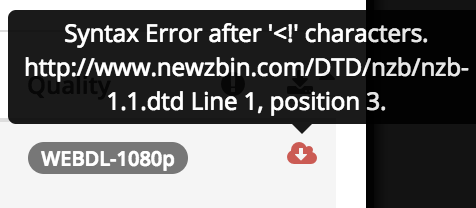
Logs
Trace log: https://pastebin.com/VLGitdem (relevant stacktrace on line 563)
Sample NZB: https://pastebin.com/rtDq6ZWb
Additional context
- OS: FreeNAS-11.1-U4
- Version: 2.0.0.5163
- Mono Version: First experienced problem with 3.10, upgraded to 5.2 and restarted jail hosting Sonarr and problem remains
 chrisshiplet
All 8 comments
Which version of mono does Sonarr say it's running under on System: Info?
Sounds like it's still running under 3.10.
 markus101
on 20 May 2018
markus101
on 20 May 2018
Thanks for responding so quick!
Ha, indeed it is... I've been on that screen a lot this weekend and never even noticed that version number there. I did a little bit more digging after your message, and got it straightened out.
It appears that the Sonarr port for FreeNAS installs its own mono binary in /usr/pbi/sonarr-amd64/bin, while the one installed by pkg install mono lives in /usr/local/bin, so I did the following:
mv /usr/pbi/sonarr-amd64/bin/mono /usr/pbi/sonarr-amd64/bin/mono-old
ln -s /usr/local/bin/mono /usr/pbi/sonarr-amd64/bin/mono
service sonarr restart
and everything works great now. I'm not 100% confident it's going to survive an update yet... but I suppose this is more of an issue with the FreeNAS plugin for Sonarr shipping an outdated version of Mono, rather than Sonarr itself. I'll close this for now, but I hope it'll be helpful for someone searching this in the future. I'll have to investigate seeing if whoever is responsible for the FreeNAS package can update the Mono dependency.
chrisshiplet
on 20 May 2018
I have the exact same problem (including versions and OS etc), but doing the above does not help. Mono is up to date, but Sonarr uses its own older mono. Linking the new mono in, as suggested by chrisshiplet above, results in Sonarr not starting anymore:
18-6-12 20:52:28.2|Info|Bootstrap|Starting Sonarr - /usr/pbi/sonarr-amd64/share/sonarr/NzbDrone.exe - Version 2.0.0.5163
18-6-12 20:52:28.6|Info|AppFolderInfo|Data directory is being overridden to [/var/db/sonarr]
18-6-12 20:52:28.7|Info|Router|Application mode: Interactive
18-6-12 20:52:28.8|Info|MigrationLogger|*** Migrating data source=/var/db/sonarr/nzbdrone.db;cache size=-10485760;datetimekind=Utc;journal mode=Wal;pooling=True;version=3 ***
18-6-12 20:52:28.9|Info|MigrationLogger|*** Migrating data source=/var/db/sonarr/logs.db;cache size=-10485760;datetimekind=Utc;journal mode=Wal;pooling=True;version=3 ***
I also tried changing the procname in the start up script to the new location of mono, as suggested in the other thread, linked above. But same error :(
 Technofrikus
on 12 Jun 2018
Technofrikus
on 12 Jun 2018
@chrisshiplet Sonarr does not seem to start at all after this. I am not sure where FreeNAS keeps Sonarr Logs by default.
For anyone who is not sure on how to revert back to old settings:
MAKE SURE THAT YOU'RE IN YOUR SONARR JAIL
jls
jexec # tcsh
rm -rf /usr/pbi/sonarr-amd64/bin/mono
mv /usr/pbi/sonarr-amd64/bin/mono-old /usr/pbi/sonarr-amd64/bin/mono
Edit:
Seemed to work after doing:
pkg upgrade
pkg update
pkg install mono
rm -rf /usr/pbi/sonarr-amd64/bin/mono (you can back this up if you'd like. Look @chrisshiplet post)
ln -s /usr/local/bin/mono /usr/pbi/sonarr-amd64/bin/mono
 ScaredDonut
on 13 Jun 2018
ScaredDonut
on 13 Jun 2018
Thanks for the help Flashpoint. Though, I dont see the difference between your solution and the one from Chris. Arent you doing the same except deleting the original folder instead of renaming it? Did you do something additionally to get Sonarr to start up again? For me it still wont startup.
Edit: I noticed that originally the mono file is also a link but to mono-sgen. I tried to add the symlink with mono-sgen instead and additionally but that didnt help either.
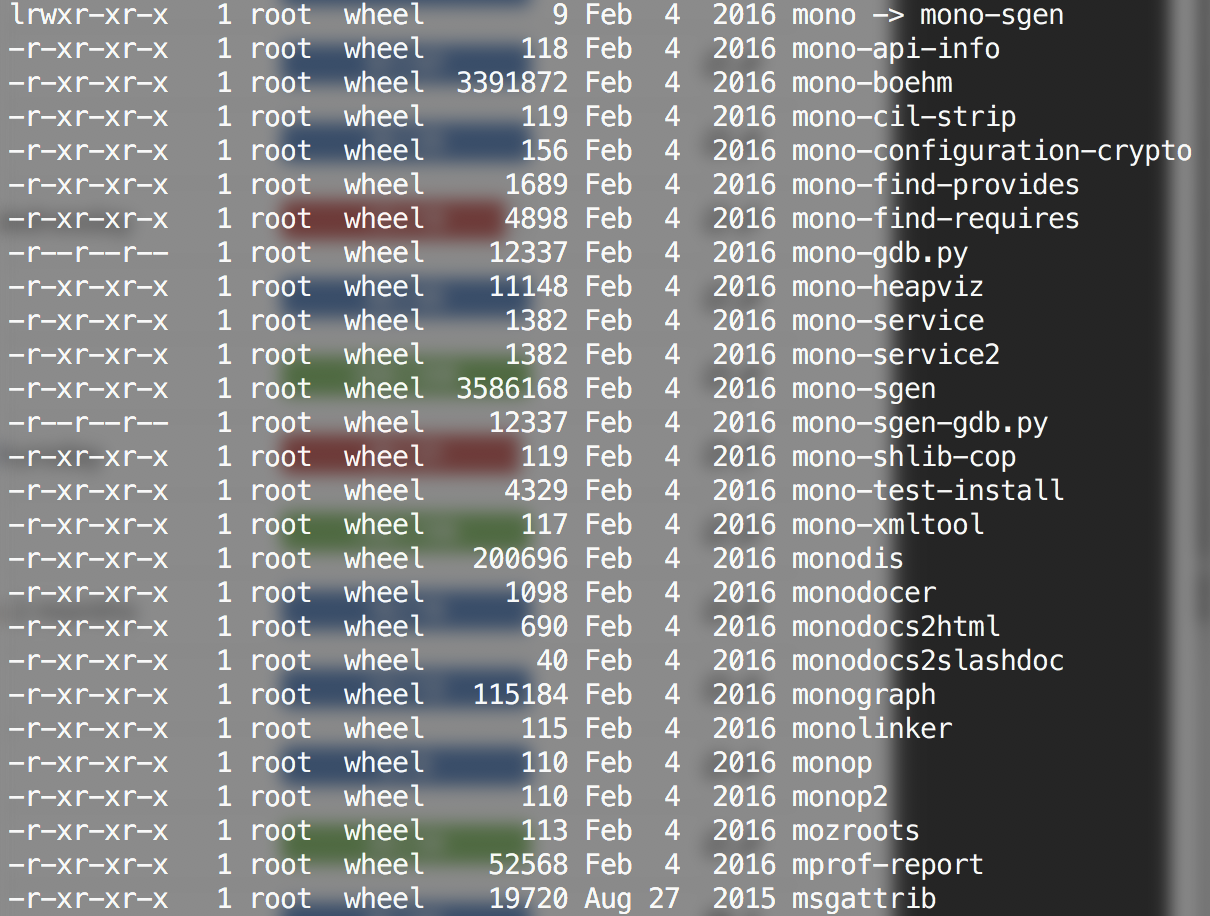
EDIT2: I tried several other things that didnt work. My solution: dont install sonarr via the plugin in FreeNAS but make it by hand. Make a new jail and install it there according to the following instructions: https://github.com/Sonarr/Sonarr/wiki/Installation-FreeBSD
Works finally fine now again :)
Technofrikus
on 15 Jun 2018
@Technofrikus based on a few answers here and there. this is what worked for me https://forums.sonarr.tv/t/xmlexception-syntax-error/18599/19
if you did:
pkg update
pkg upgrade
chances are you updated sqlite3, which breaks mono for some reason, so you need to downgrade it.
You'll know this if you tried @chrisshiplet answer, but sonarr wont start
pkg delete -f sqlite3
fetch "http://pkg.freebsd.org/freebsd:11:x86:64/release_0/All/sqlite3-3.13.0.txz"
pkg add sqlite3-3.13.0.txz
pkg lock sqlite3
Then install mono and change the dir which sonarr looks for it:
pkg install mono
cat /usr/local/etc/rc.d/sonarr | grep mono
the last command will show where sonarr is looking for mono
edit the "/usr/local/etc/rc.d/sonarr" and change
procname="/usr/pbi/sonarr-amd64/bin/mono"
to
procname="/usr/local/bin/mono"
Then restart the jail
 p-sebastian
on 18 Jun 2018
p-sebastian
on 18 Jun 2018
@chrisshiplet Sonarr does not seem to start at all after this. I am not sure where FreeNAS keeps Sonarr Logs by default.
For anyone who is not sure on how to revert back to old settings:
MAKE SURE THAT YOU'RE IN YOUR SONARR JAIL
jls
jexec # tcshrm -rf /usr/pbi/sonarr-amd64/bin/mono mv /usr/pbi/sonarr-amd64/bin/mono-old /usr/pbi/sonarr-amd64/bin/monoEdit:
Seemed to work after doing:
pkg upgrade
pkg update
pkg install mono
rm -rf /usr/pbi/sonarr-amd64/bin/mono (you can back this up if you'd like. Look @chrisshiplet post)
ln -s /usr/local/bin/mono /usr/pbi/sonarr-amd64/bin/mono
I no nothing about linux, but this Worked perfectly! Thanks.
Since you guys are all experts on these, quick question;
I'm running freeNAS (FreeNAS-9.10.2-U6) and for some reason Sonar is not showing under the installed plugins section for a while now, any ideas?
 dcy85
on 6 Oct 2018
dcy85
on 6 Oct 2018
I really hope you guys can help me. I've been trying everything to resolve this issue but still cannot get it fixed.
My error is
Request Failed. POST /api/release: Syntax Error after 'http://www.newzbin.com/DTD/nzb/nzb-1.1.dtd Line 1, position 3.
Sonarr - 2.0.0.5338, sonarr reports mono is 3.10.0
Freenas - 11.1-U7
cat /usr/local/etc/rc.d/sonarr | grep mono
returns the following
procname="/usr/local/bin/mono"
From what I can tell I've done what everyone is saying has resolved it for them but still I get this error but only on some TV shows.
 pklifter
on 16 Oct 2019
pklifter
on 16 Oct 2019
Related issues
 pimlie
·
4Comments
pimlie
·
4Comments
 WildOrangutan
·
4Comments
WildOrangutan
·
4Comments
 skube
·
4Comments
skube
·
4Comments
 sparkie3
·
3Comments
markus101
·
3Comments
sparkie3
·
3Comments
markus101
·
3Comments
Most helpful comment
Thanks for responding so quick!
Ha, indeed it is... I've been on that screen a lot this weekend and never even noticed that version number there. I did a little bit more digging after your message, and got it straightened out.
It appears that the Sonarr port for FreeNAS installs its own mono binary in
/usr/pbi/sonarr-amd64/bin, while the one installed bypkg install monolives in/usr/local/bin, so I did the following:mv /usr/pbi/sonarr-amd64/bin/mono /usr/pbi/sonarr-amd64/bin/mono-oldln -s /usr/local/bin/mono /usr/pbi/sonarr-amd64/bin/monoservice sonarr restartand everything works great now. I'm not 100% confident it's going to survive an update yet... but I suppose this is more of an issue with the FreeNAS plugin for Sonarr shipping an outdated version of Mono, rather than Sonarr itself. I'll close this for now, but I hope it'll be helpful for someone searching this in the future. I'll have to investigate seeing if whoever is responsible for the FreeNAS package can update the Mono dependency.